> ## Documentation Index
> Fetch the complete documentation index at: https://support.getskara.ai/llms.txt
> Use this file to discover all available pages before exploring further.
# Banner
The **Banner - Action** in AI Pilots allows you to display important messages directly on your webpage as a **banner**, rather than inside the in-app Messenger. This feature is ideal for communicating scheduled maintenance, key announcements, or even capturing user reactions.
### **Topics covered:**
* [To configure the Banner Action](#how-to-configure-the-banner-action)
* [Practical Example](#practical-example)
### How to configure the Banner action
* While setting up an Execution Flow, select the **Banner** action.
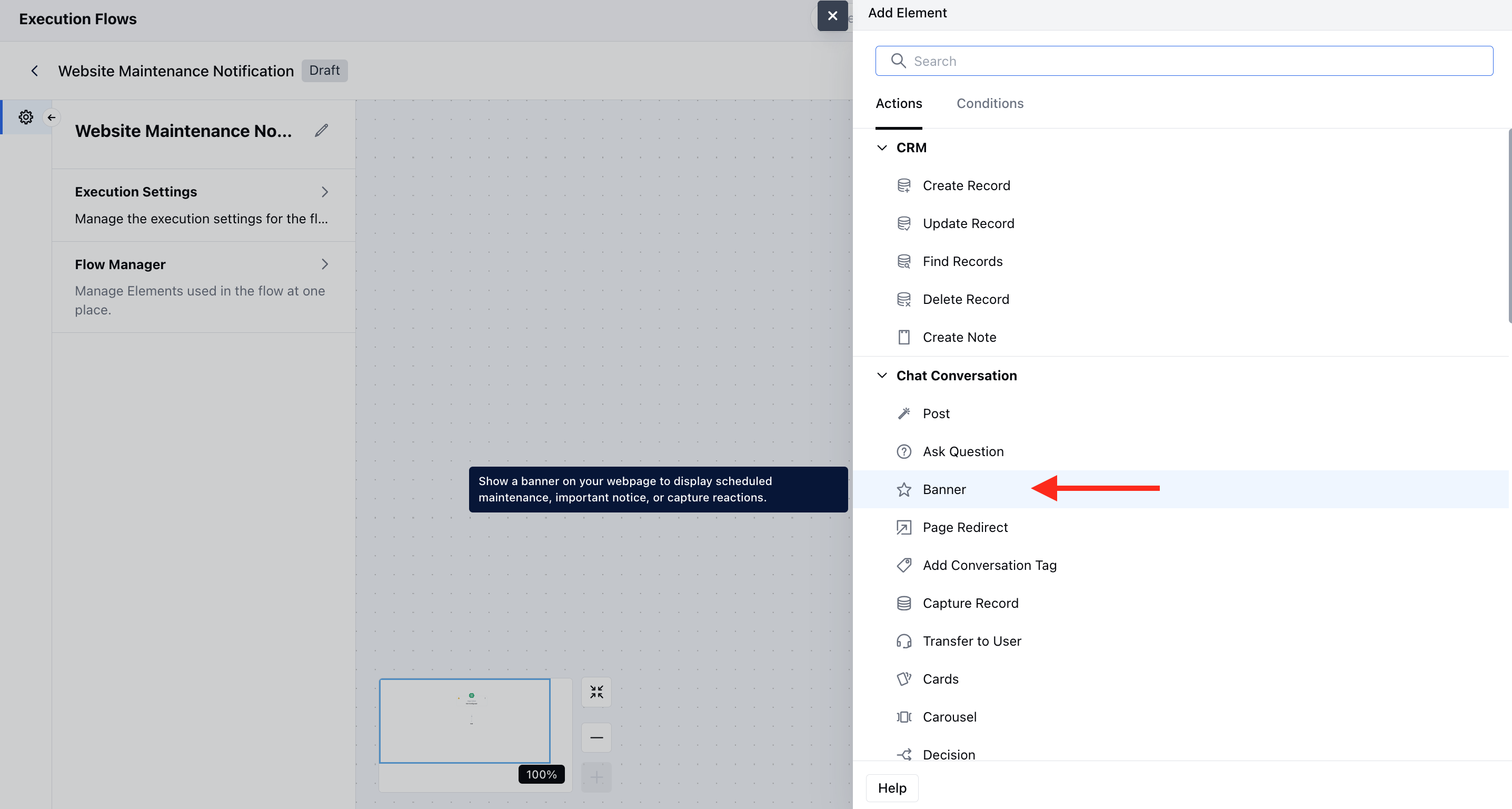 * Once the Banner action is selected, configure it by providing the following details:
* **Name**:Assign a clear and descriptive name to the action to identify its purpose in the flow easily.
* **Description**: Add a description to better understand the action you like to perform.
* **Message:** Add the message that you like to display as the banner.
* **Response Type**: You can set it to None or Reaction to get the response on your banner.
* **Banner position**: You can select the banner position on the screen.Banner Style: Apply predefined visual styling to your banner, such asInlineorFloating.
* **Color**: Set the background color to match your brand or message tone.
* Once the Banner action is selected, configure it by providing the following details:
* **Name**:Assign a clear and descriptive name to the action to identify its purpose in the flow easily.
* **Description**: Add a description to better understand the action you like to perform.
* **Message:** Add the message that you like to display as the banner.
* **Response Type**: You can set it to None or Reaction to get the response on your banner.
* **Banner position**: You can select the banner position on the screen.Banner Style: Apply predefined visual styling to your banner, such asInlineorFloating.
* **Color**: Set the background color to match your brand or message tone.
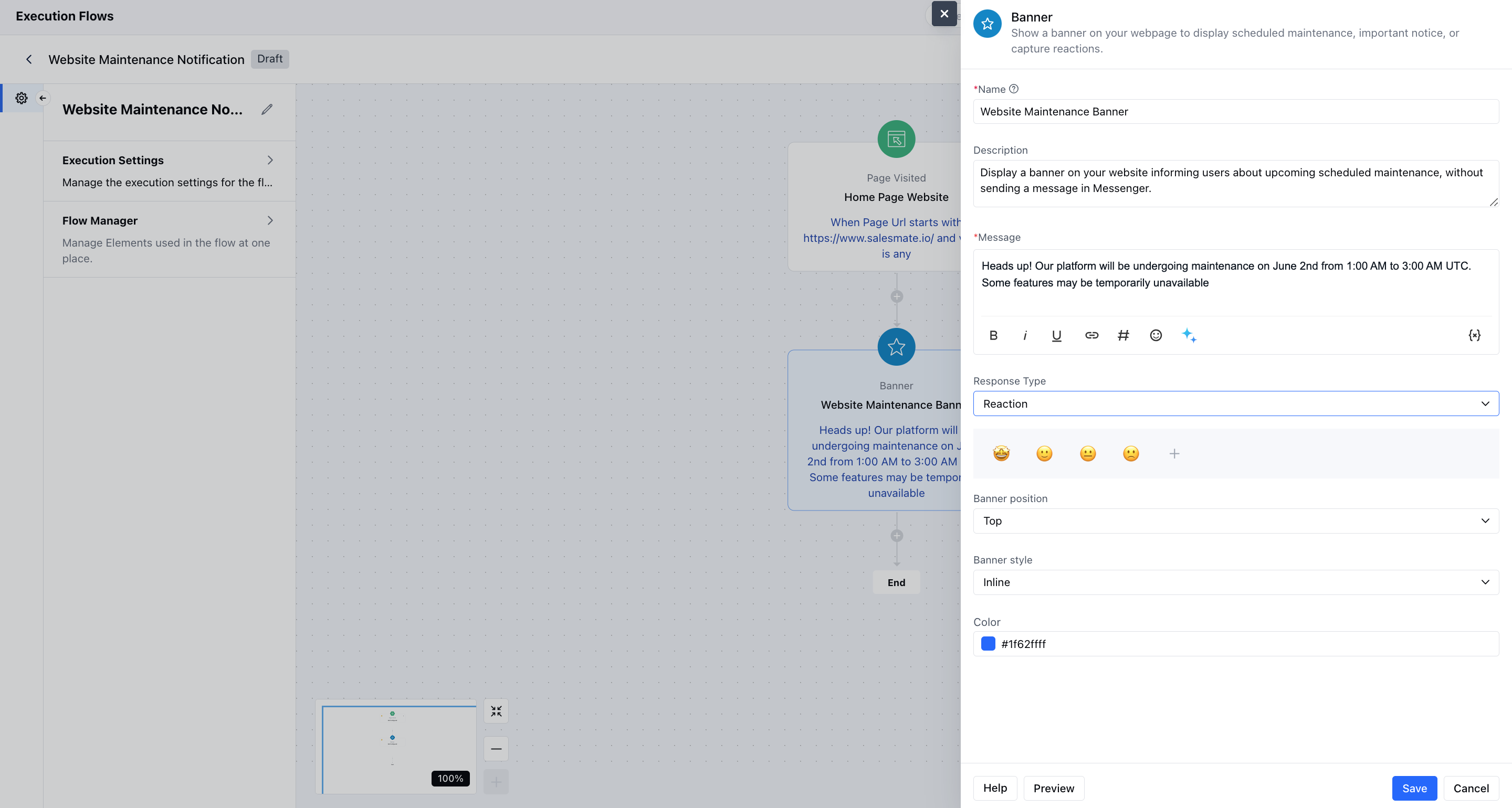 * You can also preview the banner and hit **save**.
### Practical Example:
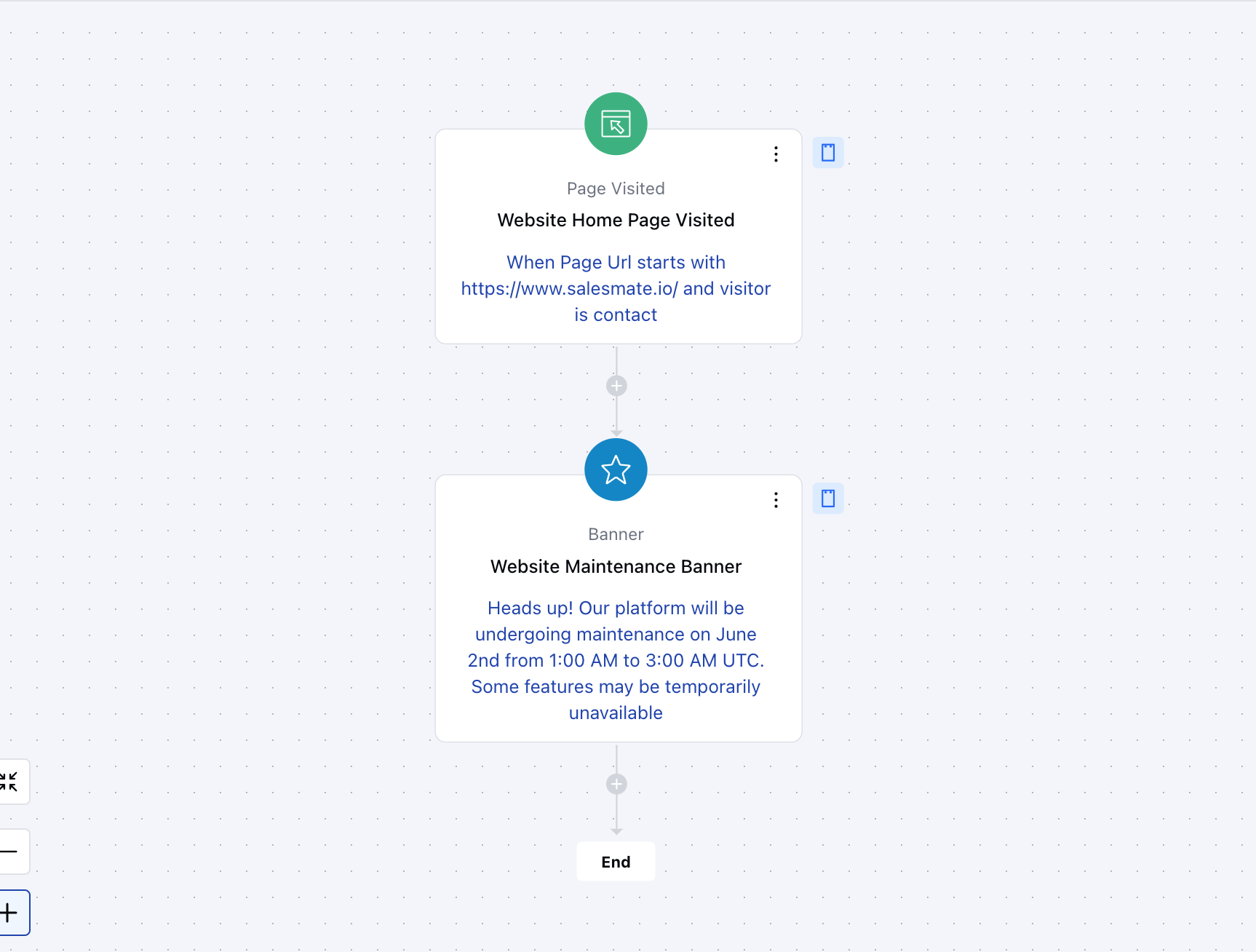
Display a banner on your website informing users about upcoming scheduled maintenance, without sending a message in Messenger. This provides proactive communication about outages or downtime and keeps users informed without interrupting their in-app flow.
* You can also preview the banner and hit **save**.
### Practical Example:
Display a banner on your website informing users about upcoming scheduled maintenance, without sending a message in Messenger. This provides proactive communication about outages or downtime and keeps users informed without interrupting their in-app flow.