> ## Documentation Index
> Fetch the complete documentation index at: https://support.getskara.ai/llms.txt
> Use this file to discover all available pages before exploring further.
# Functions
The **Function** action in Skara allows you to execute your custom function and use its output within the ongoing flow.
### **Topics covered:**
* [How to Configure Function Action](#how-to-configure-function-action)
* [Practical Example](#practical-example)
### How to Configure Function Action
While setting up an [**Execution Flow**](https://support.salesmate.io/hc/en-us/articles/45878729348121-Execution-Flows), select the **Function** action. Once selected, configure it by providing the following details:
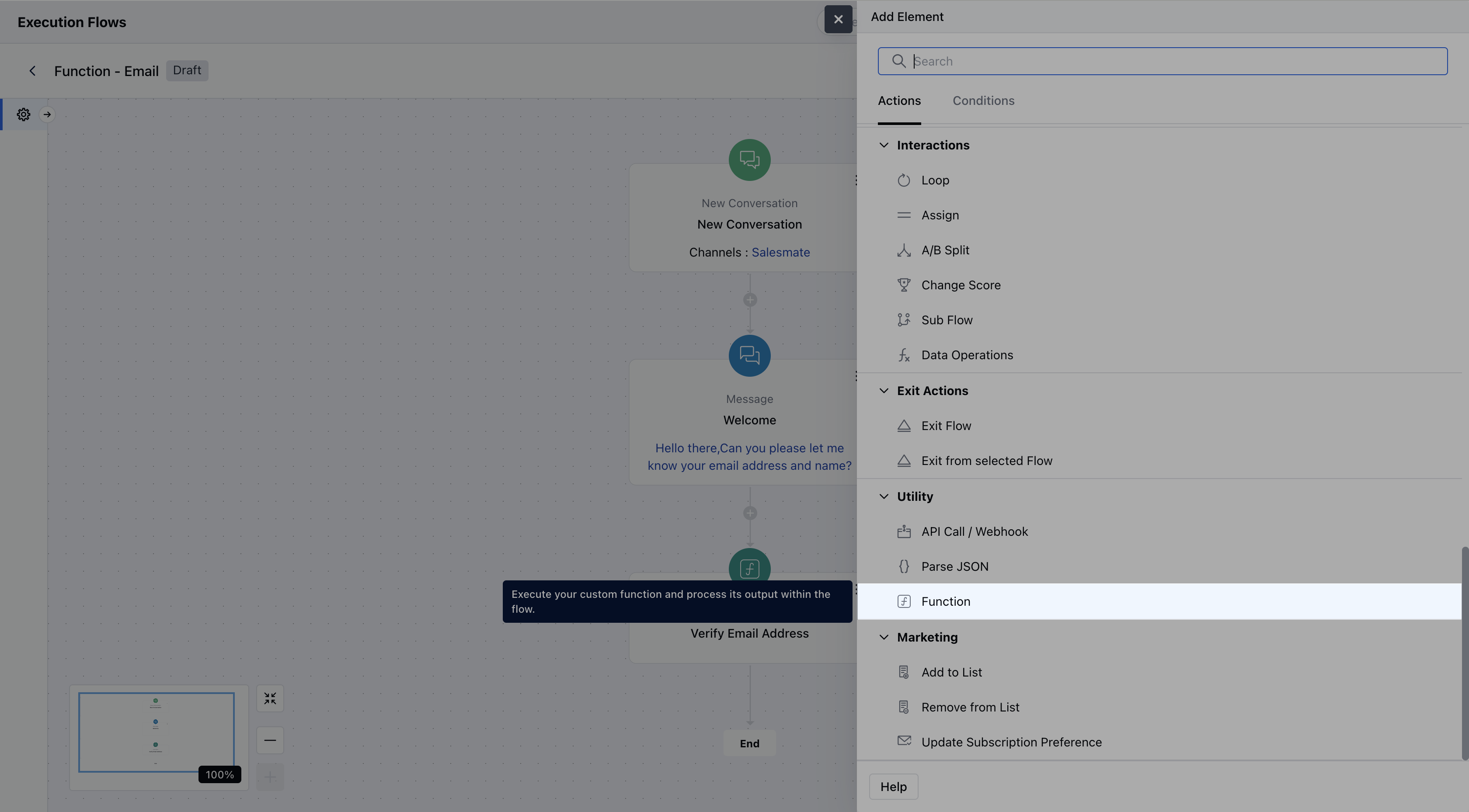 * **Name:** Assign a clear and descriptive name to the action so you can easily recognize its purpose in the flow.
* **Description:** Optionally, provide a brief explanation of what this function does.
* **Function:** Select the custom function you want to execute from the available list. Only functions that are configured and available in your account will appear here
* **Name:** Assign a clear and descriptive name to the action so you can easily recognize its purpose in the flow.
* **Description:** Optionally, provide a brief explanation of what this function does.
* **Function:** Select the custom function you want to execute from the available list. Only functions that are configured and available in your account will appear here
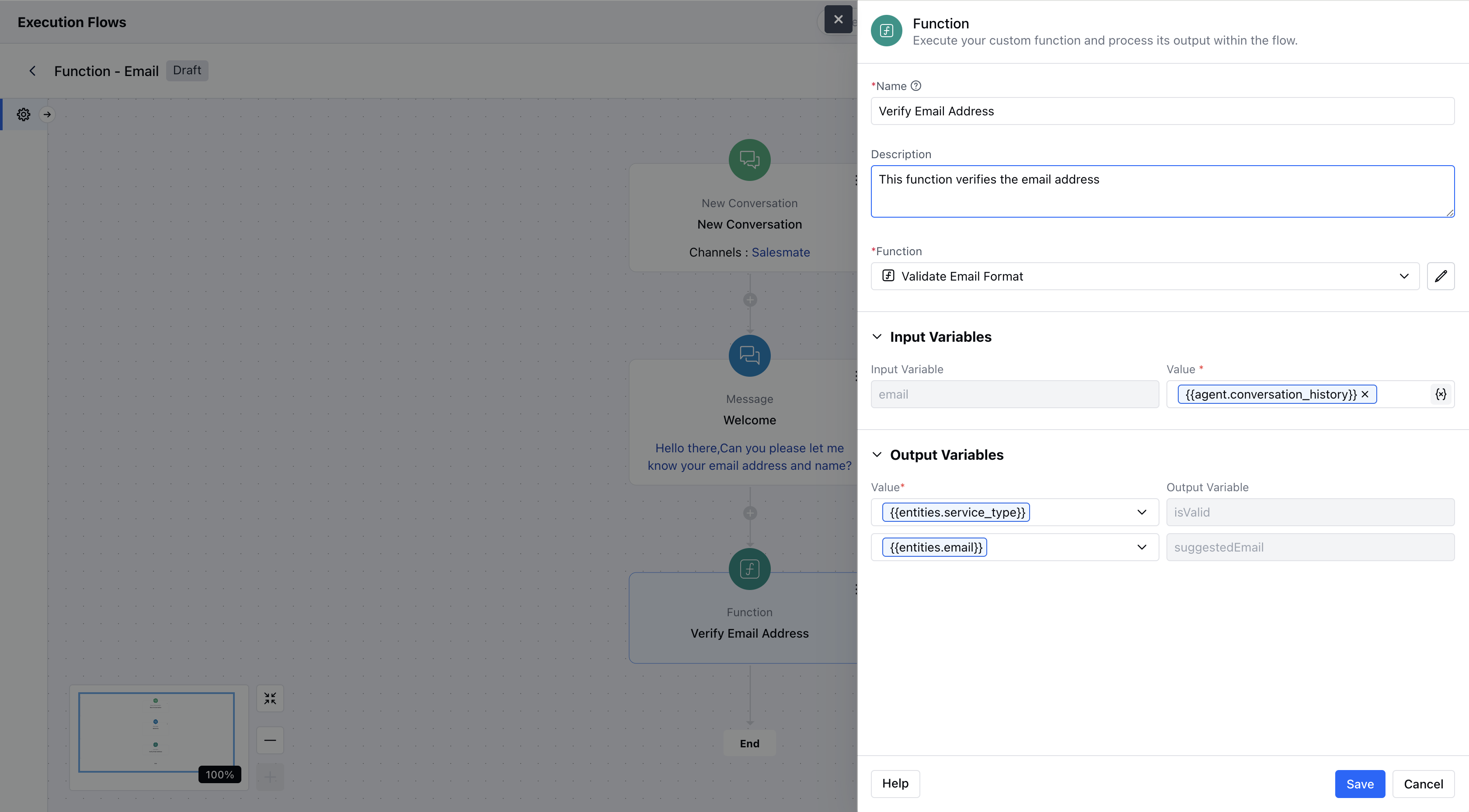 * Once configured, hit **Save** to include this action in your flow.
### Practical Example:
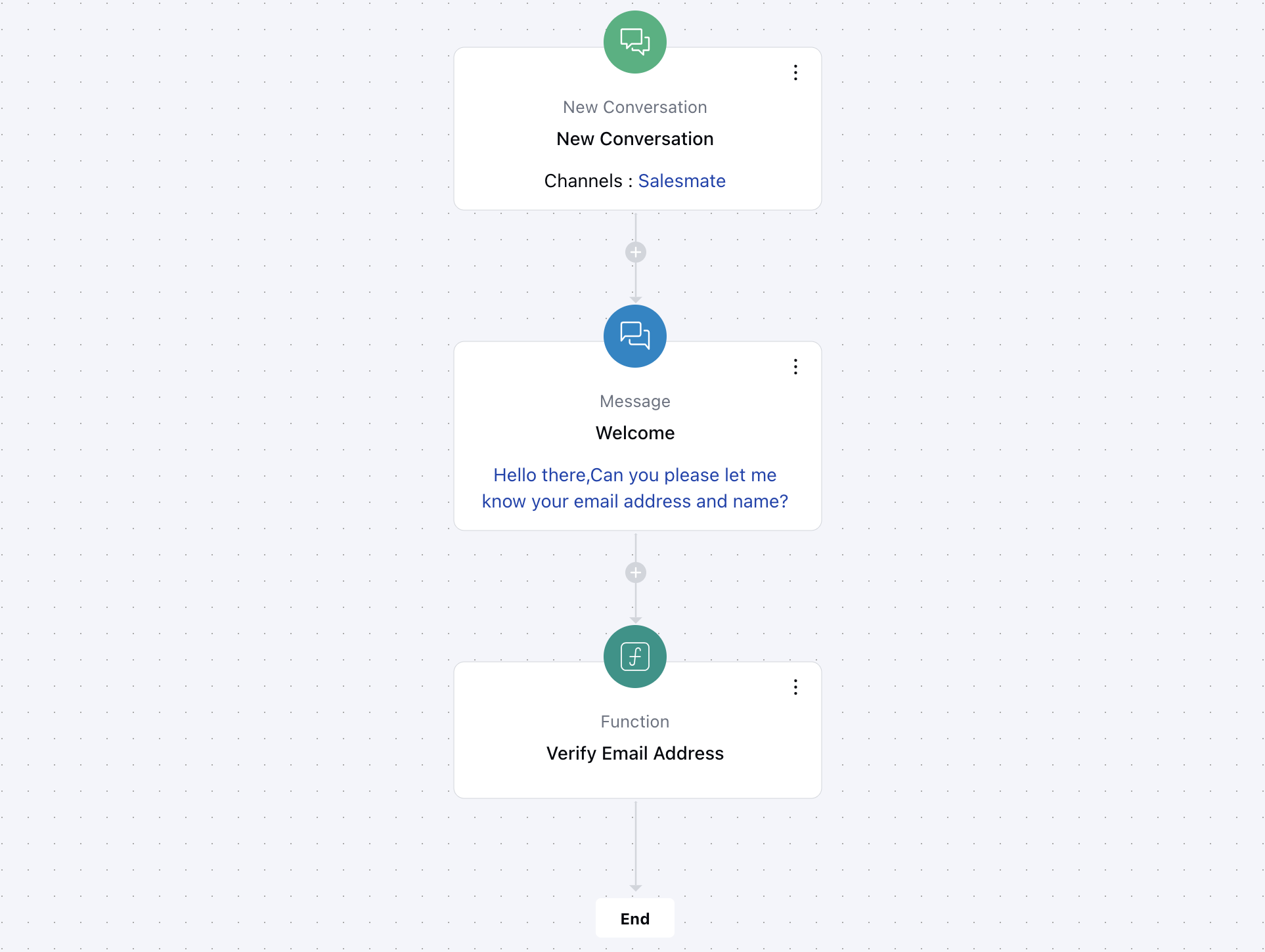
Let’s take a scenario from your website: sometimes users might enter an incorrect email address or make a typo while filling out a form. To handle this, you can use the **Function Action** in your Smart Flow to **verify the email address first**. Once verified, you can then **store the correct email** in your system. This ensures you're capturing only valid and usable email addresses, helping improve your data quality and communication accuracy.
* Once configured, hit **Save** to include this action in your flow.
### Practical Example:
Let’s take a scenario from your website: sometimes users might enter an incorrect email address or make a typo while filling out a form. To handle this, you can use the **Function Action** in your Smart Flow to **verify the email address first**. Once verified, you can then **store the correct email** in your system. This ensures you're capturing only valid and usable email addresses, helping improve your data quality and communication accuracy.