> ## Documentation Index
> Fetch the complete documentation index at: https://support.getskara.ai/llms.txt
> Use this file to discover all available pages before exploring further.
# Go to Intent
The **Go to Intent** action allows your AI Agent to instantly jump to a specific intent-based flow at any point during the conversation. This is especially helpful when you want to re-route a user based on their input or choices without re-detecting the intent.
### **Topics covered:**
* [**How to Configure Go to Intent Action**](#how-to-configure-the-go-to-intent-action)
* [Practical Example](#practical-example)
### How to configure the Go to Intent action
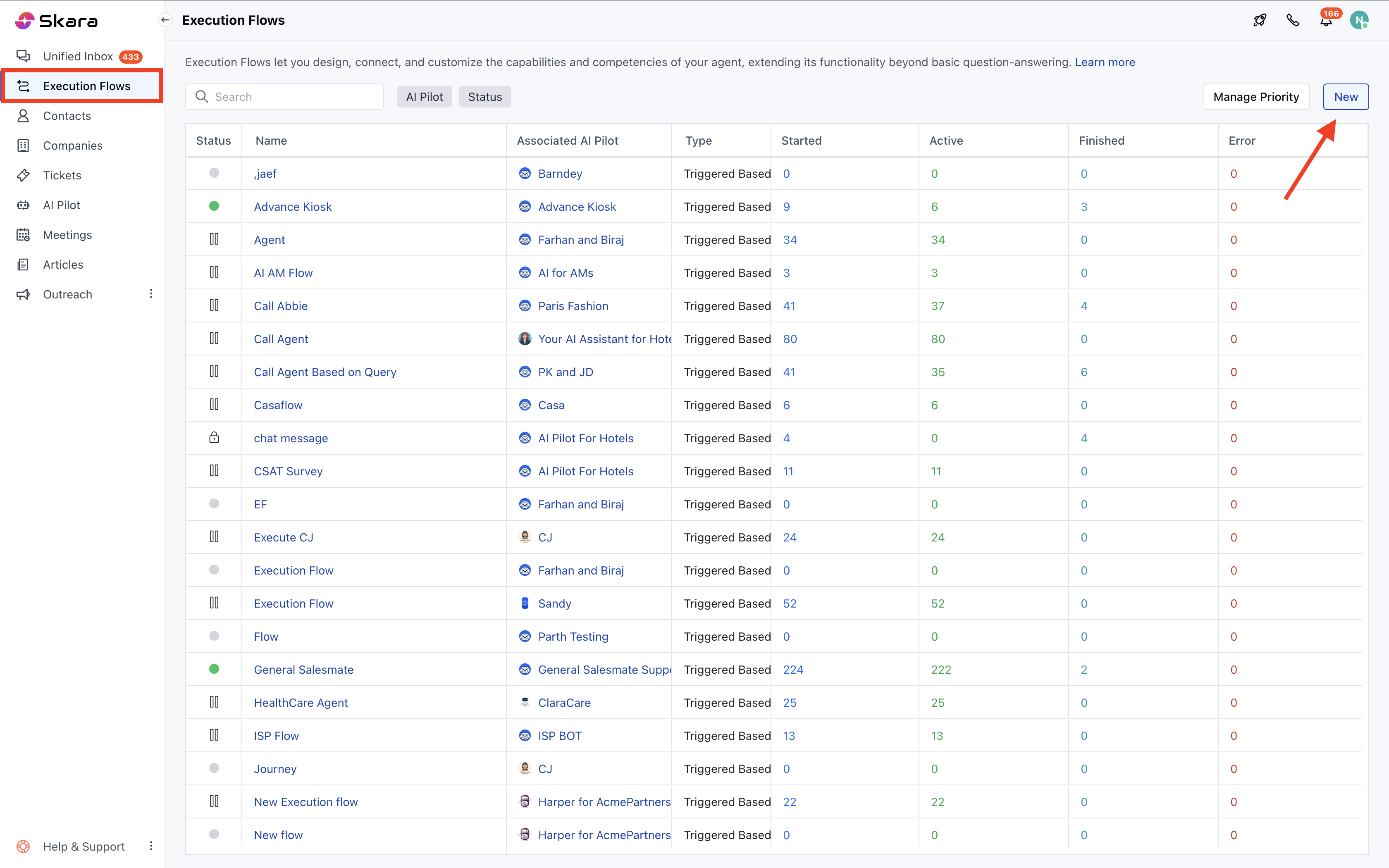
* Navigate to the **left sidebar**, click **Execution Flows**.
* Click **New** to create a new flow or open an existing one
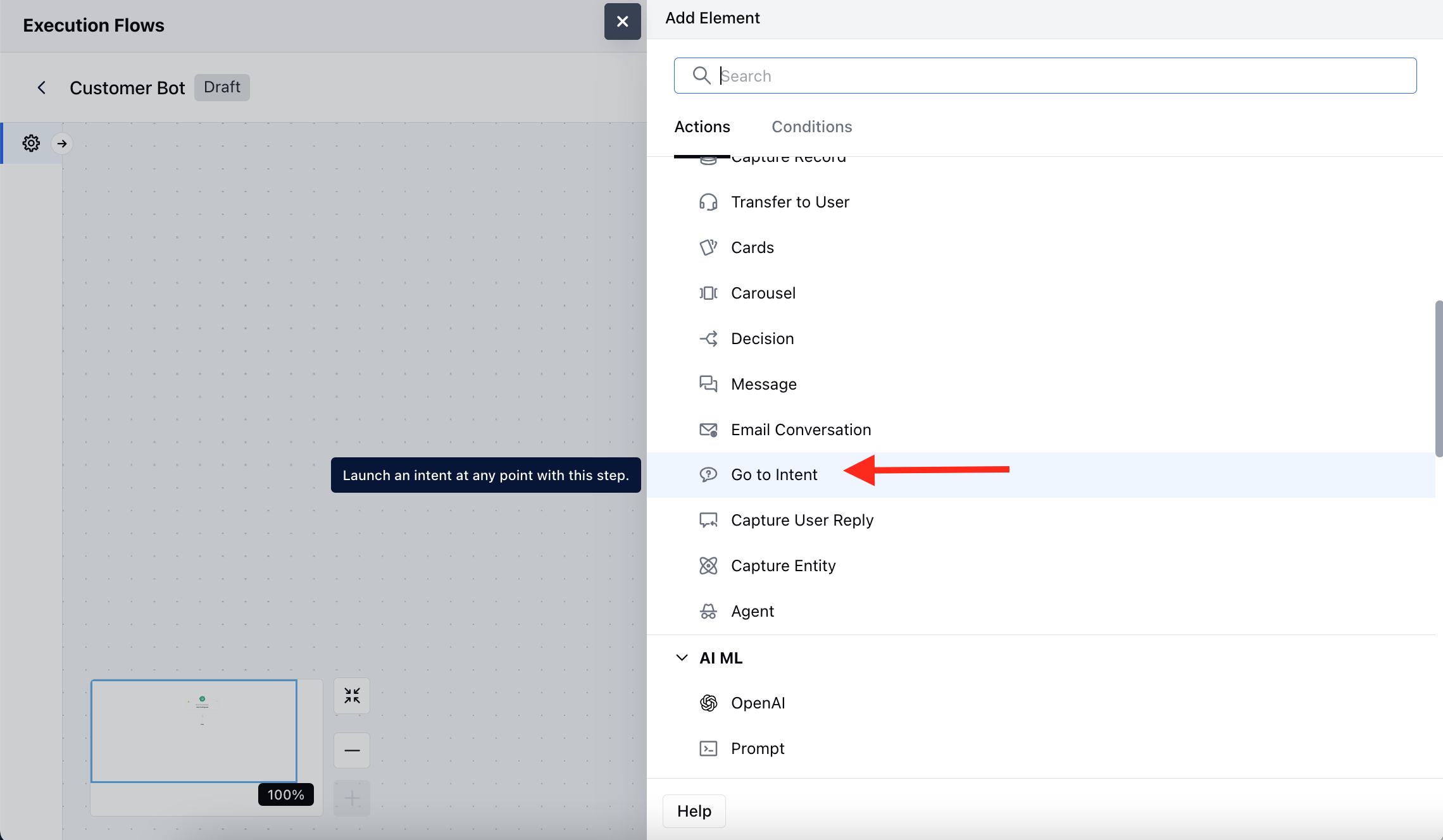
* Inside the flow builder, choose **Add Action** >> select **Go to Intent**
 * Once you have selected the Trigger, click , select the **Go to Intent** as an action.
 Once selected, configure the following details:
* **Name:** Assign a meaningful name to this action for easy identification within your flow.
* **Description:** Optionally, describe the purpose of this action.
* **Intent Flow:** Select a predefined intent flow that should be executed further.
Once selected, configure the following details:
* **Name:** Assign a meaningful name to this action for easy identification within your flow.
* **Description:** Optionally, describe the purpose of this action.
* **Intent Flow:** Select a predefined intent flow that should be executed further.
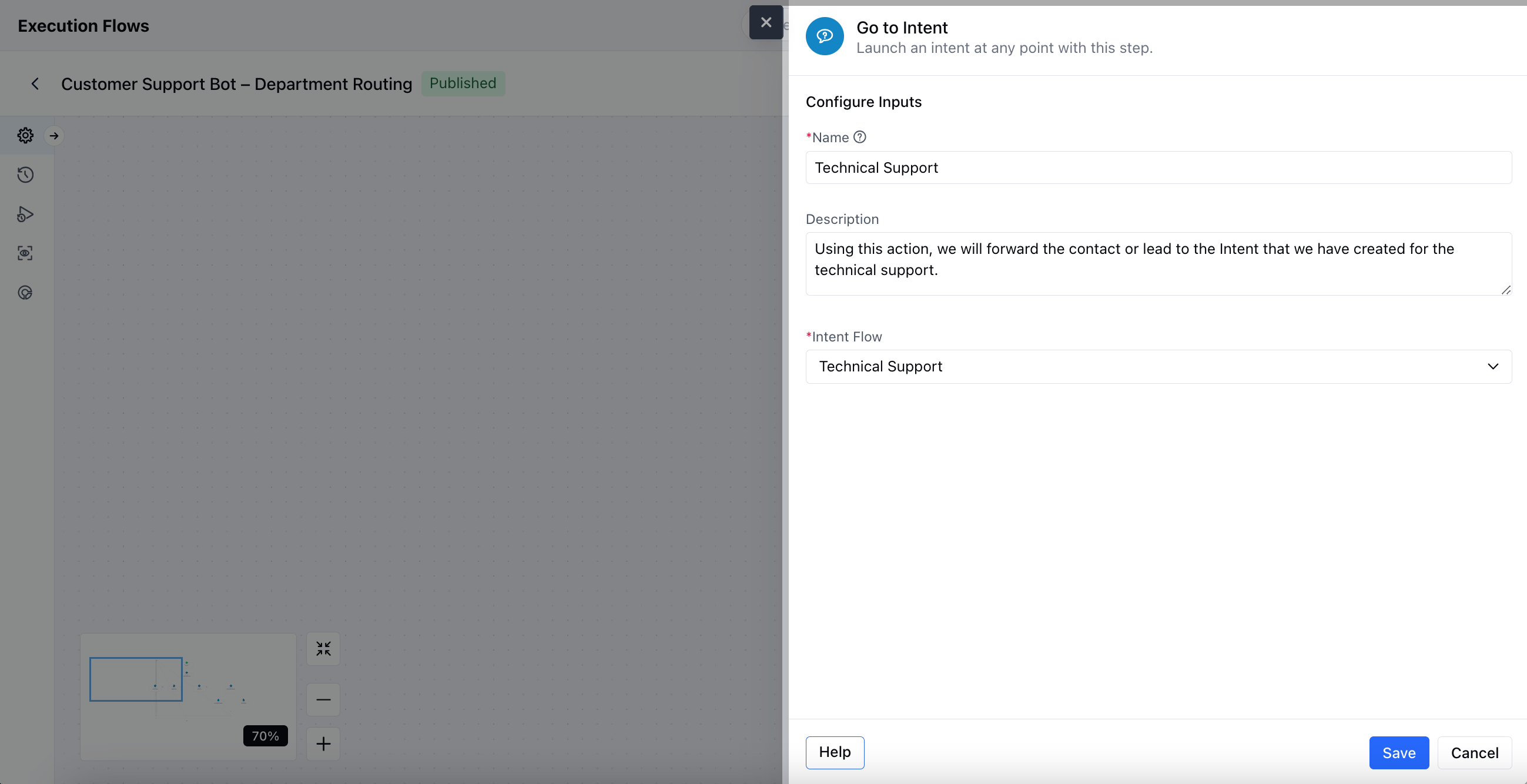 * Click **Save** once your configuration is complete.
### Practical Example
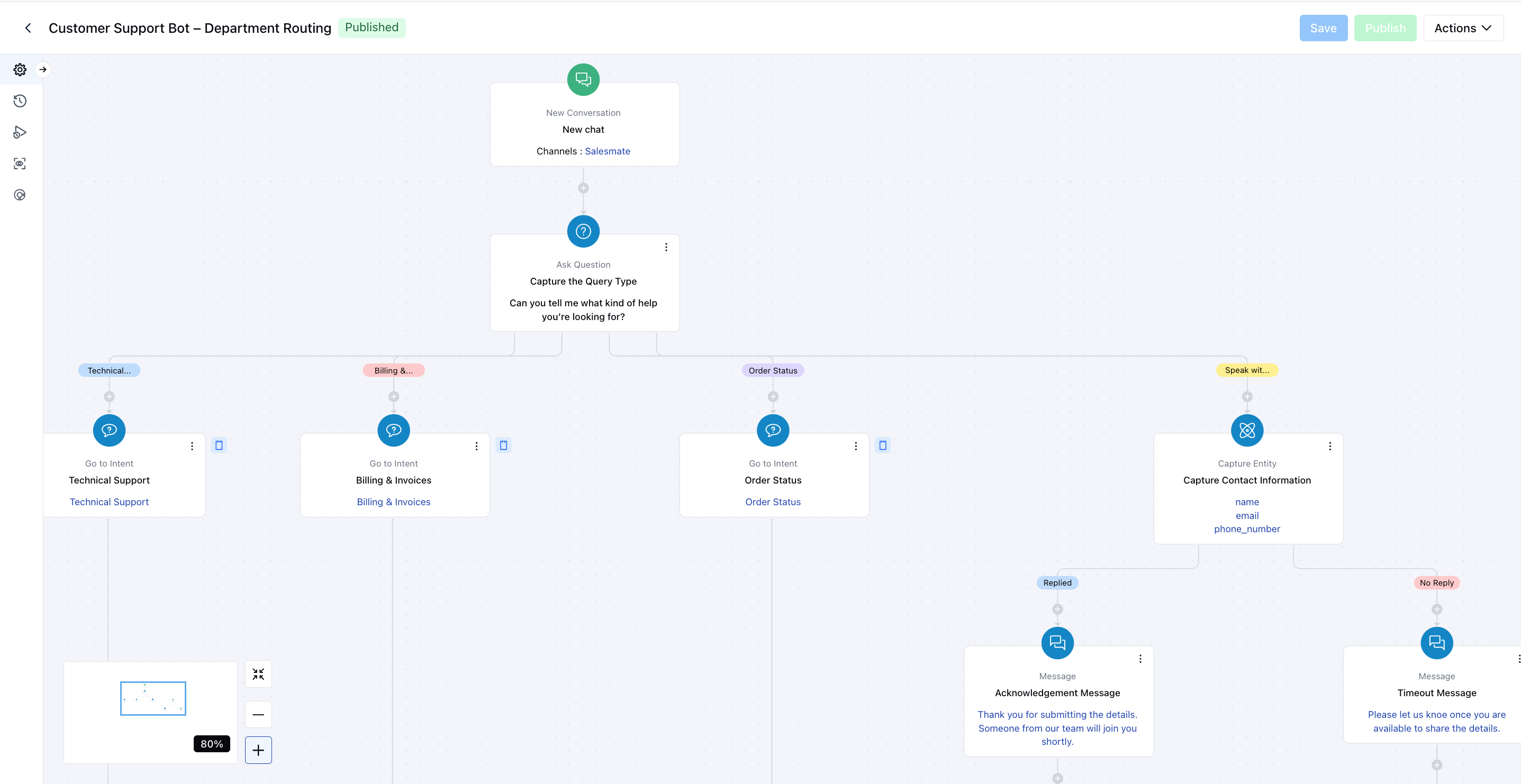
Once a chat is initiated on our website, I want to identify the type of support the visitor needs. Based on their response, the lead or contact will be routed to a relevant subflow, such as Technical Support, Billing & Invoice Support, or Order Status, for a more personalized and efficient experience.
* Click **Save** once your configuration is complete.
### Practical Example
Once a chat is initiated on our website, I want to identify the type of support the visitor needs. Based on their response, the lead or contact will be routed to a relevant subflow, such as Technical Support, Billing & Invoice Support, or Order Status, for a more personalized and efficient experience.