> ## Documentation Index
> Fetch the complete documentation index at: https://support.getskara.ai/llms.txt
> Use this file to discover all available pages before exploring further.
# Message
The **"Message" action** allows agents to display a **custom message directly to customers during their interaction**. This can be useful for sharing important updates, guiding users through a process, or simply providing a friendly note or reminder. It gives you the flexibility to communicate clearly and contextually at any point in the workflow.
### **Topics covered:**
* [Steps to Configure the Message Action](#steps-to-configure-the-message-actionadd-the-action-select-the-message-action-agentfrom-the-list-of-available-actions)
* [Practical Use Case](#practical-use-case)
### Steps to Configure the Message Action:
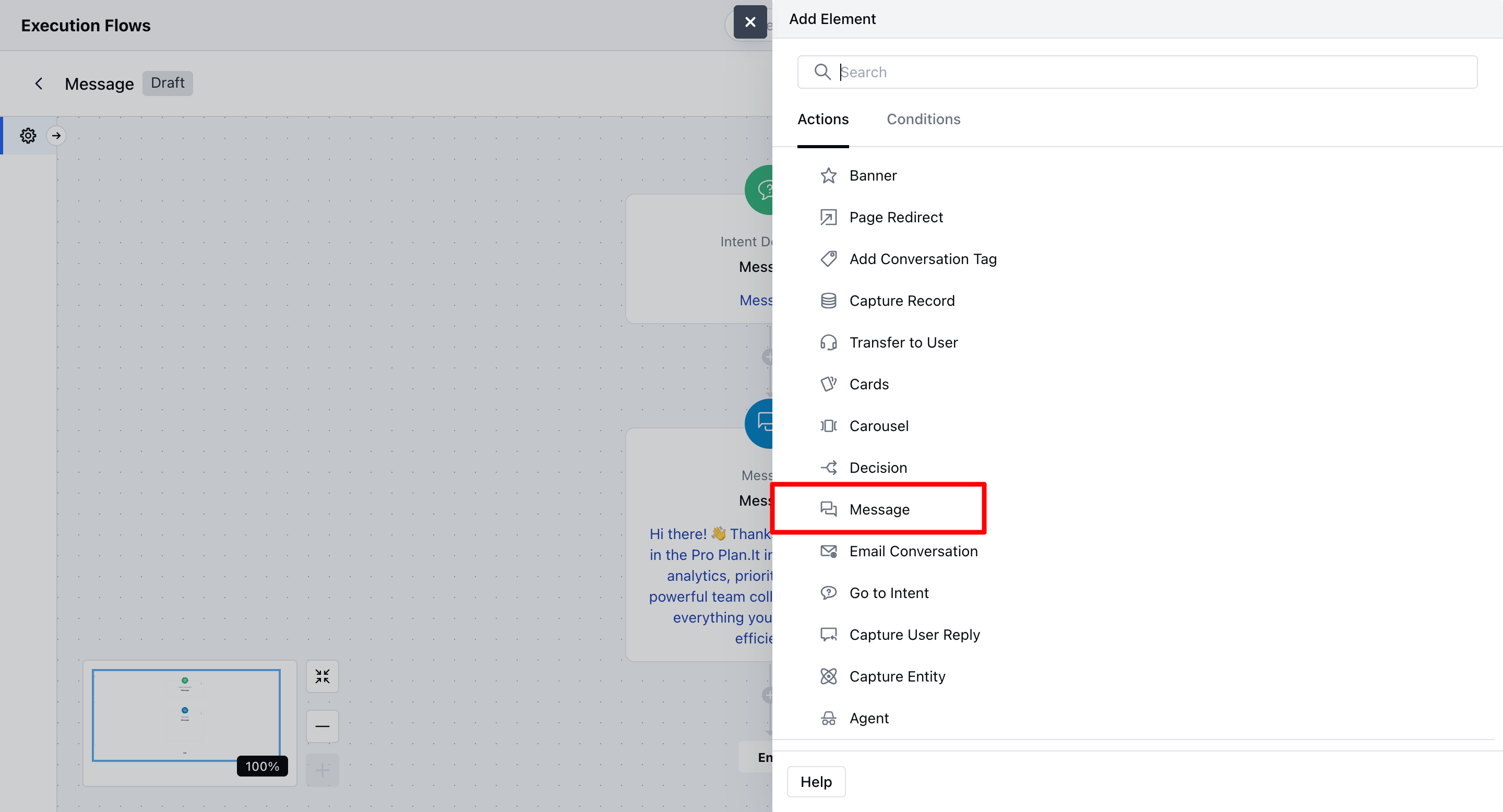
* **Add the Action:** Select the Message – Action (Agent) from the list of available actions.
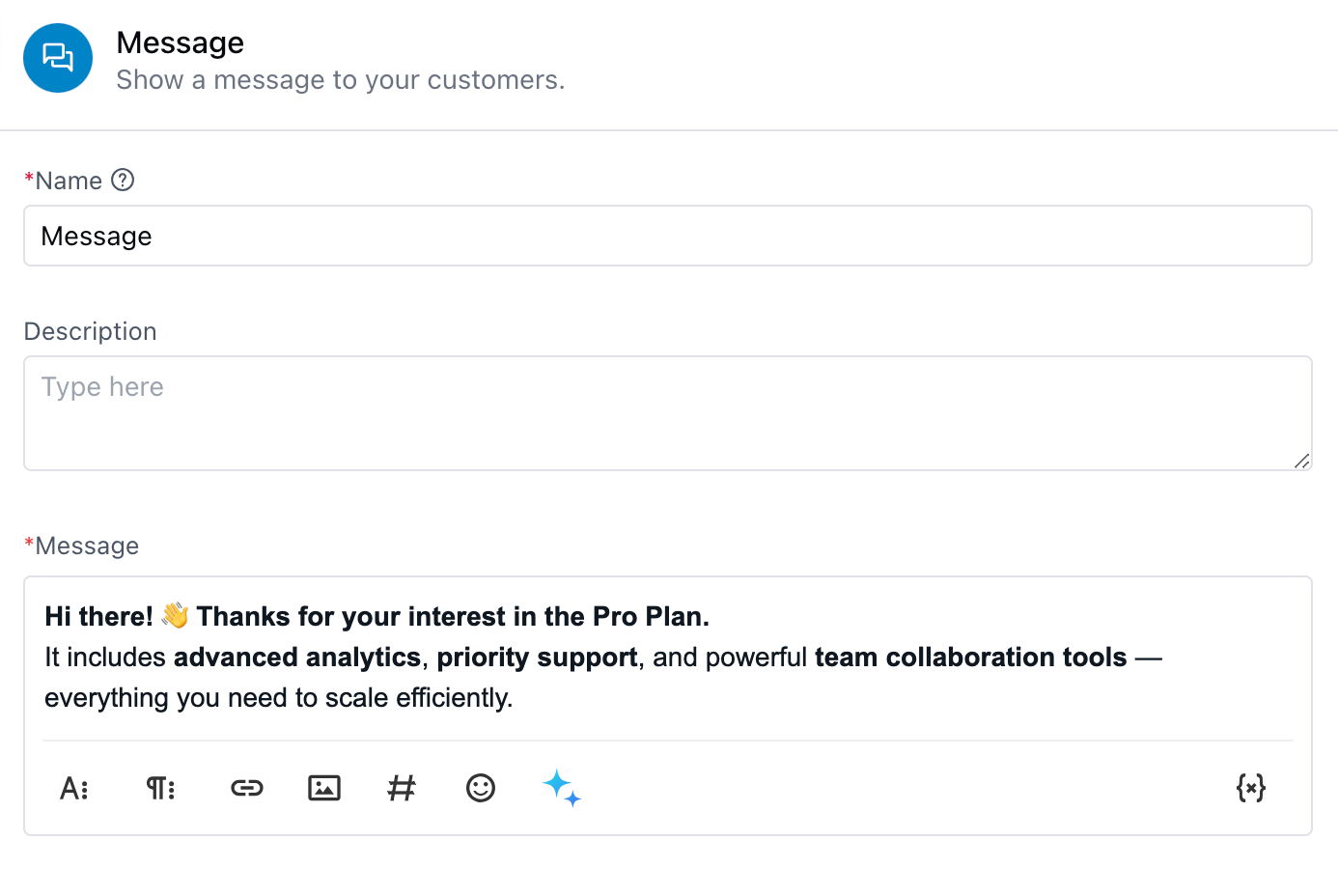
 * **Enter a Name:** Give your action a meaningful name to help identify it later.
* **Add a Description (Optional)**: You can provide a short description for internal reference.
* **Write the Message:** Type the message that you want to display to your customers. You can personalize it using variables or dynamic content.
* **Preview Your Message:** Use the **Preview** button in the configuration popup to see how your message will appear.
* **Save**: Click **Save** to finalize and apply the configuration.
* **Enter a Name:** Give your action a meaningful name to help identify it later.
* **Add a Description (Optional)**: You can provide a short description for internal reference.
* **Write the Message:** Type the message that you want to display to your customers. You can personalize it using variables or dynamic content.
* **Preview Your Message:** Use the **Preview** button in the configuration popup to see how your message will appear.
* **Save**: Click **Save** to finalize and apply the configuration.
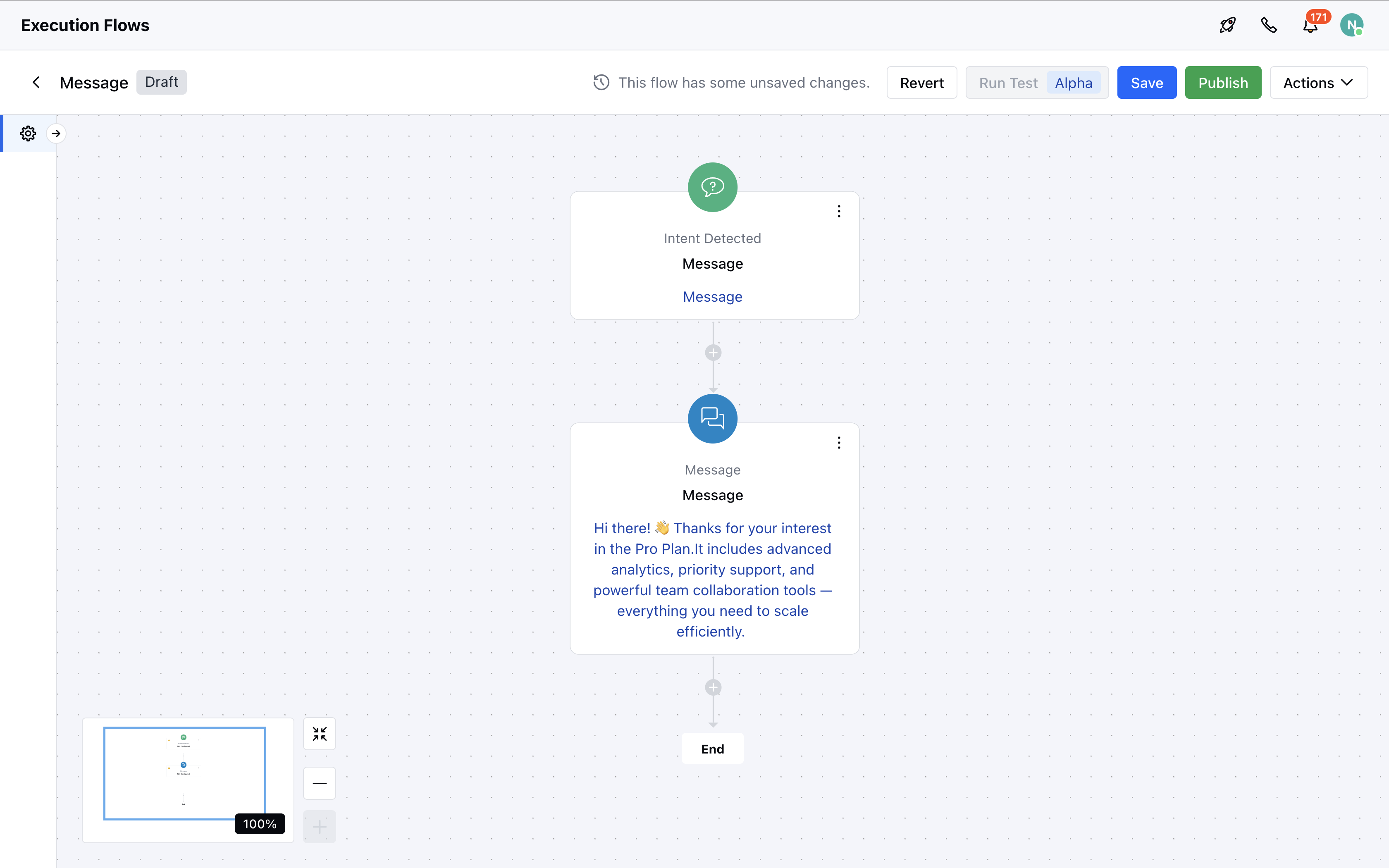
 Once configured, the message will display based on your setup and will appear in the flow with the step name and message content visible.
### Practical Use Case
Imagine a user is browsing your pricing page and opens the chat to ask: **“What’s included in the Pro Plan?”** Instead of waiting for an agent, your Execution Flow detects this query and triggers a **Message Action**: **“Great question! The Pro Plan includes advanced analytics, priority support, and team collaboration tools.”** This delivers immediate value and keeps the user engaged without agent intervention.
Once configured, the message will display based on your setup and will appear in the flow with the step name and message content visible.
### Practical Use Case
Imagine a user is browsing your pricing page and opens the chat to ask: **“What’s included in the Pro Plan?”** Instead of waiting for an agent, your Execution Flow detects this query and triggers a **Message Action**: **“Great question! The Pro Plan includes advanced analytics, priority support, and team collaboration tools.”** This delivers immediate value and keeps the user engaged without agent intervention.