> ## Documentation Index
> Fetch the complete documentation index at: https://support.getskara.ai/llms.txt
> Use this file to discover all available pages before exploring further.
# Page Redirect
The **"Page Redirect"** action allows AI Pilot to seamlessly redirect customers to a specific URL during an interaction. This can be used to guide users to a help article, form, product page, or any other external or internal resource.
### **Topics covered:**
* [How to Configure the Redirect Action](#steps-to-configure-the-page-redirect-action)
* [Practical Use Case](#practical-use-case)
### Steps to Configure the Page Redirect Action:
* Navigate to the **AI Pilots** section and select your desired Execution Flow.
* In the flow canvas, click **+** to add a new step
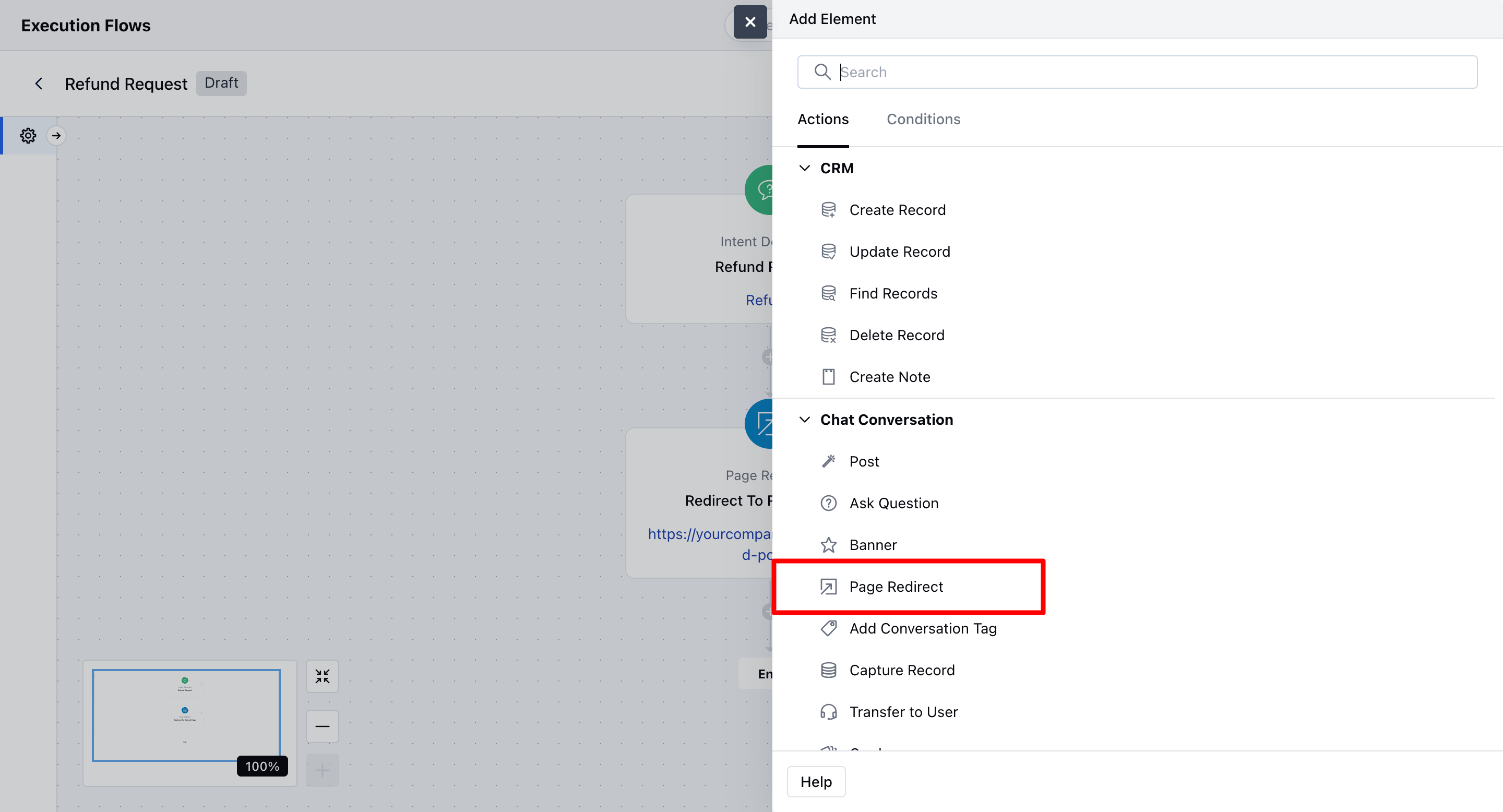
* Select **Page Redirect – Action (Agent)** from the list
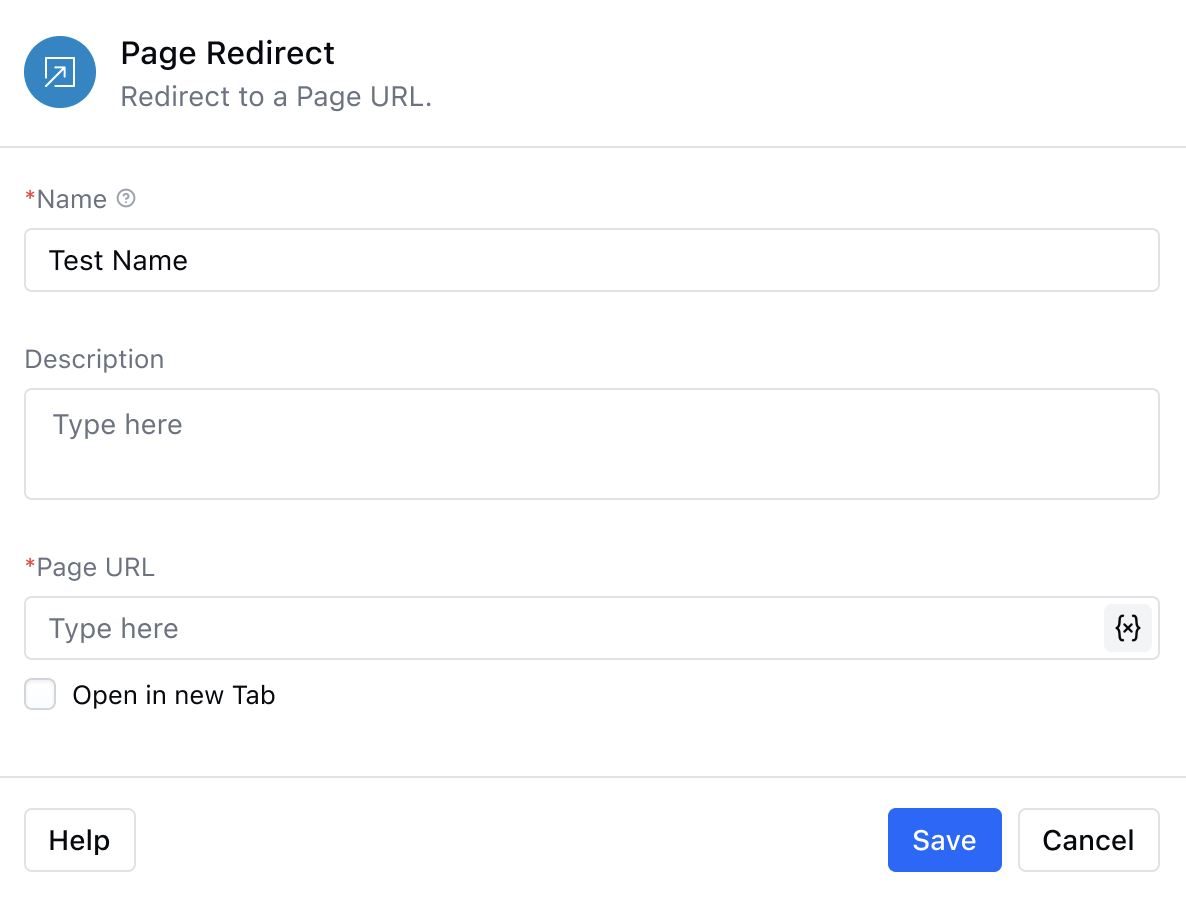
 * **Enter a Name:** Provide a name for the action to identify it easily within your flow.
* **Add a Description (Optional):** Include a short internal note or description if needed.
* **Enter the Page URL:** Input the destination URL where you want to redirect the customer. You can also use variables or entities to make the link dynamic.
* **Save the Configuration:** Click **Save** to apply the changes.
* **Enter a Name:** Provide a name for the action to identify it easily within your flow.
* **Add a Description (Optional):** Include a short internal note or description if needed.
* **Enter the Page URL:** Input the destination URL where you want to redirect the customer. You can also use variables or entities to make the link dynamic.
* **Save the Configuration:** Click **Save** to apply the changes.
 ### Practical Use Case
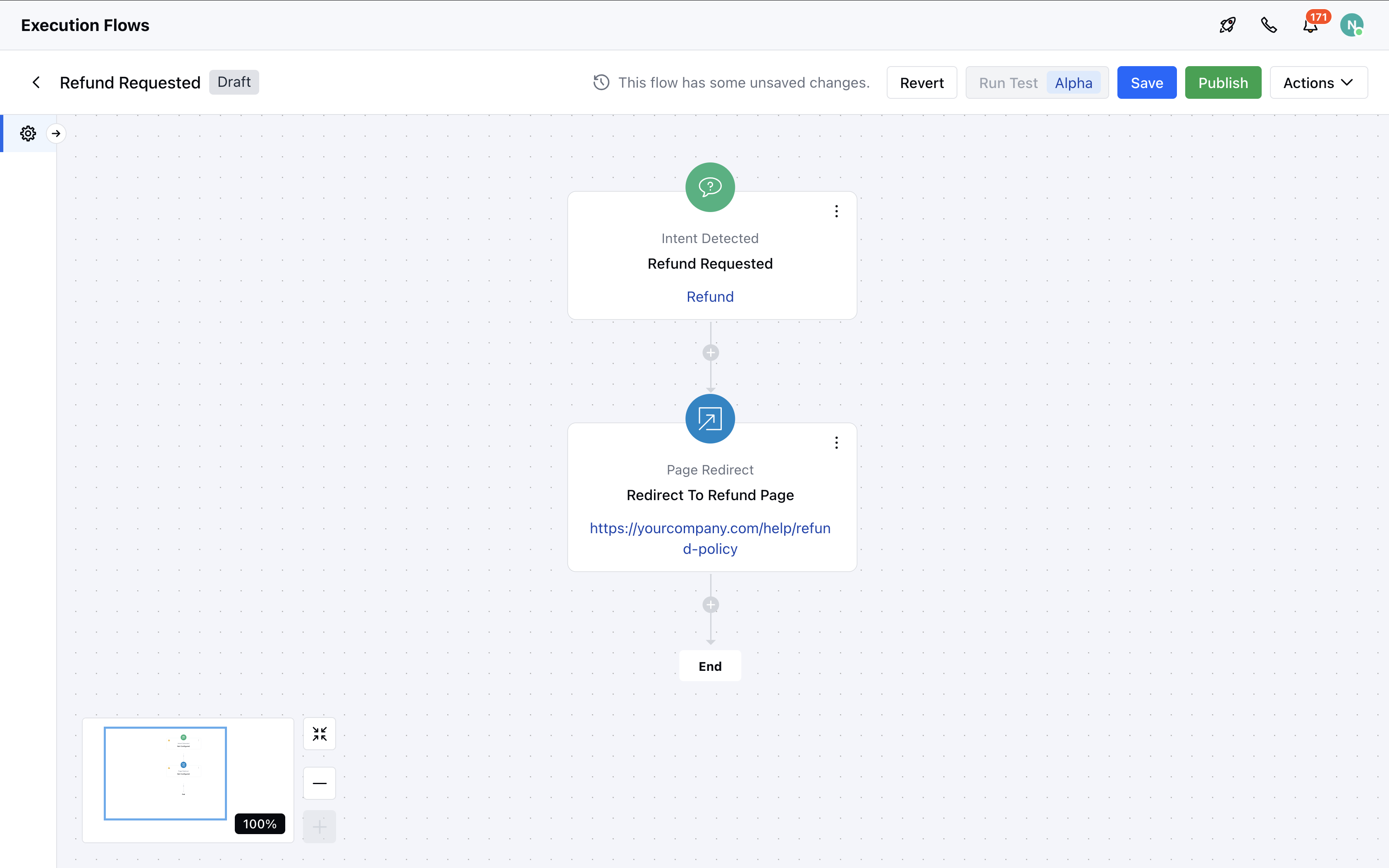
Let’s imagine a scenario where the intent "Refund Request" is detected during a chat. You’ve already defined this intent in system. Now, when a user types something like “How can I get a refund?”, the system identifies the intent and automatically triggers a **Page Redirect** action. The user is seamlessly redirected to your refund policy page `https://yourcompany.com/help/refund-policy`. This redirect event is then logged in the conversation timeline for future reference or follow-up.
### Practical Use Case
Let’s imagine a scenario where the intent "Refund Request" is detected during a chat. You’ve already defined this intent in system. Now, when a user types something like “How can I get a refund?”, the system identifies the intent and automatically triggers a **Page Redirect** action. The user is seamlessly redirected to your refund policy page `https://yourcompany.com/help/refund-policy`. This redirect event is then logged in the conversation timeline for future reference or follow-up.