> ## Documentation Index
> Fetch the complete documentation index at: https://support.getskara.ai/llms.txt
> Use this file to discover all available pages before exploring further.
# Send Survey - Chat
You can automatically send Survey (CSAT, CES, or NPS) to your contacts based on specific events using the **Send Survey** action. The Send Survey in chat action enables you to collect valuable feedback from your customers by sending surveys automatically when certain triggers occur.
* [How to Configure the Send Survey Action in Chat](#how-to-configure-the-send-survey-action-in-chat)
* [Practical Use case](#practical-use-case)
### How to Configure the Send Survey Action in Chat
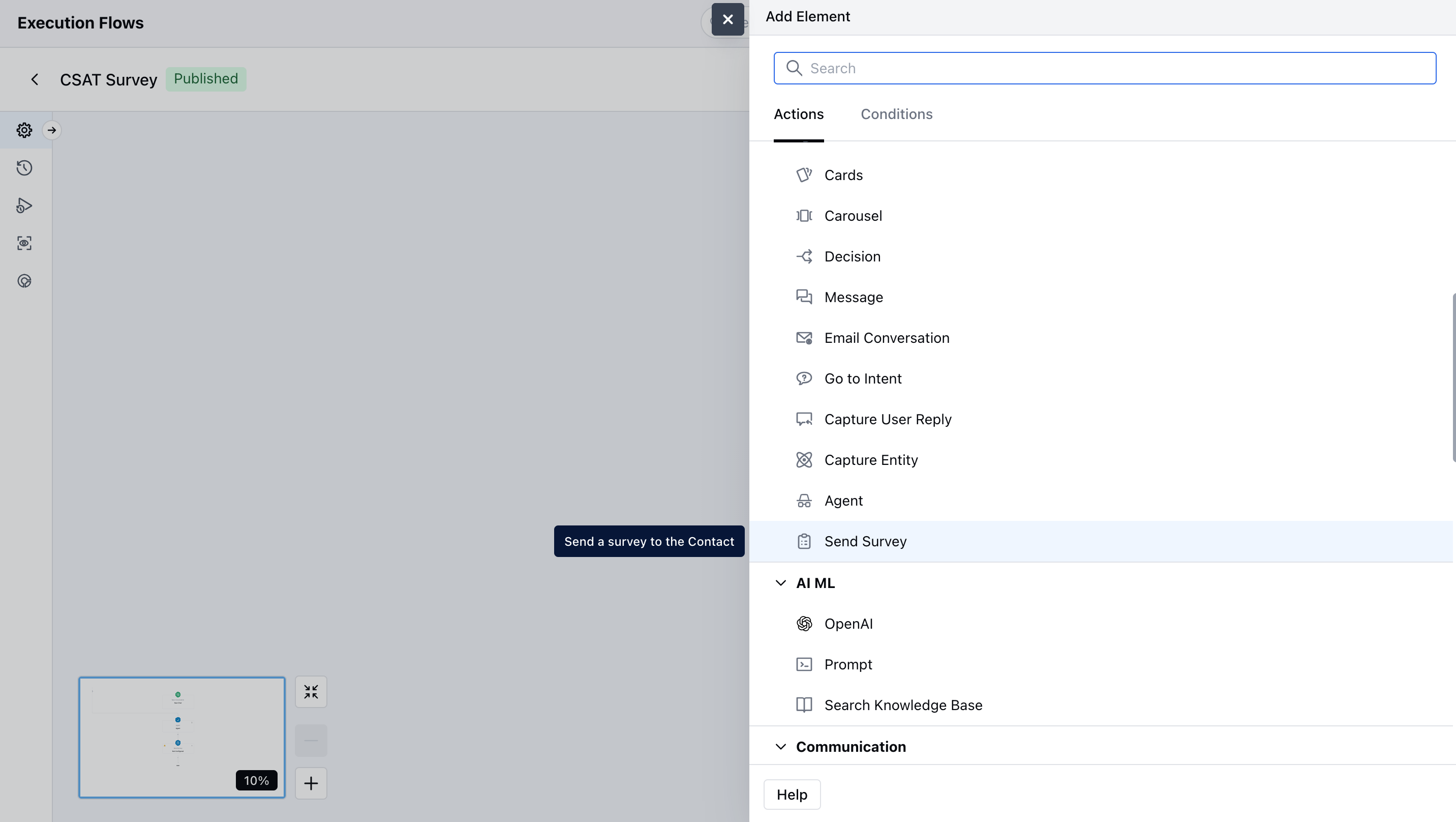
While setting up an [**Execution Flow**](https://support.salesmate.io/hc/en-us/articles/45878729348121-Execution-Flows), select the **Send Survey** action.
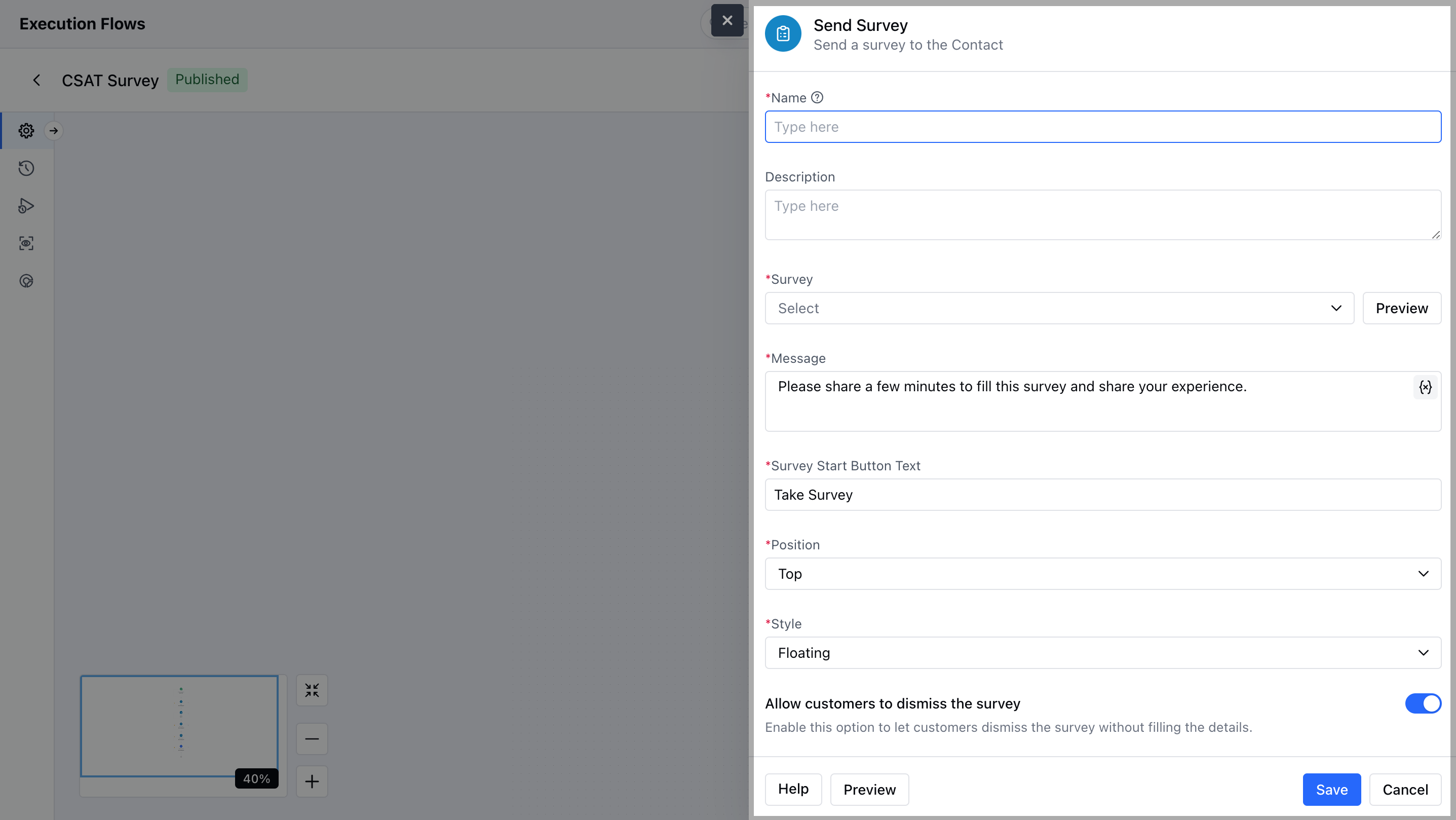
 * Once the action is selected, configure it by providing the following details:
* **Name** : It is the identifier of the step.
* **Description** : It is optional to display internal notes for context.
* **Select Survey** : Choose which survey (CSAT, NPS, CES, or custom) from the surveys created that you want to send to the customer in the chat.
* ***Message :*** *Enter the greeting or message that appears above the survey invite in the chat. For example: "We’d love your feedback!"*
* **Survey Start Button Text** : Customize the text on the button that starts the survey. For example: "Start Survey" or "Share Feedback"
* **Position** : Decide where the survey message appears in the chat window — top, bottom, or after a specific message.
* **Style** : Choose the visual style of the survey block to match your brand (like color theme or button style).
* **Allow customers to dismiss the survey** **:** Turn this on to let customers close or skip the survey if they don’t want to answer.
* You can preview the Survey using the **Preview** button.
* Once the action is selected, configure it by providing the following details:
* **Name** : It is the identifier of the step.
* **Description** : It is optional to display internal notes for context.
* **Select Survey** : Choose which survey (CSAT, NPS, CES, or custom) from the surveys created that you want to send to the customer in the chat.
* ***Message :*** *Enter the greeting or message that appears above the survey invite in the chat. For example: "We’d love your feedback!"*
* **Survey Start Button Text** : Customize the text on the button that starts the survey. For example: "Start Survey" or "Share Feedback"
* **Position** : Decide where the survey message appears in the chat window — top, bottom, or after a specific message.
* **Style** : Choose the visual style of the survey block to match your brand (like color theme or button style).
* **Allow customers to dismiss the survey** **:** Turn this on to let customers close or skip the survey if they don’t want to answer.
* You can preview the Survey using the **Preview** button.
 * Click on **Save** to save the action.
### Practical Use case
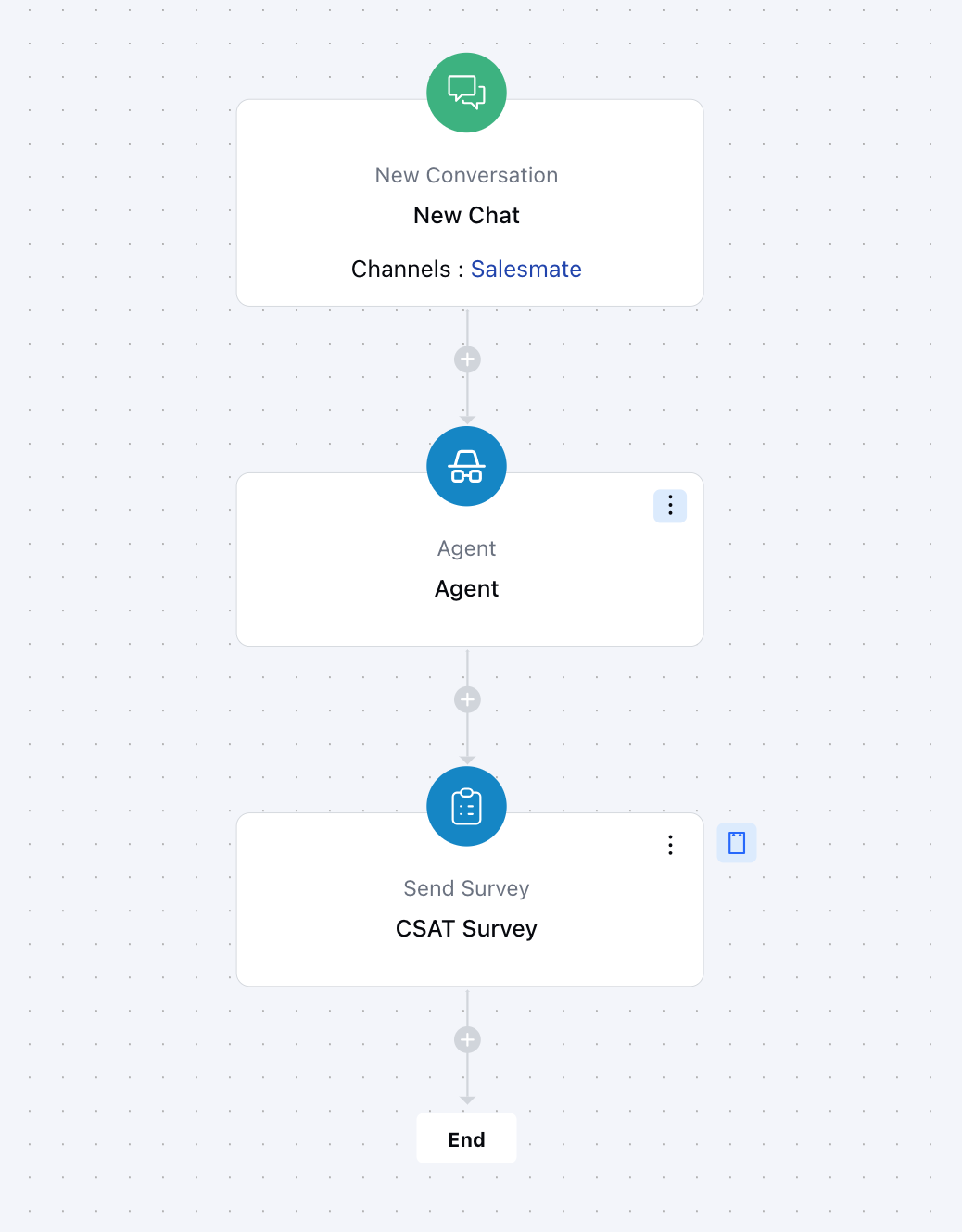
After successfully helping a customer with a support query in chat, automatically send a quick CSAT survey asking how satisfied they were with the assistance they received. This helps measure real‑time customer satisfaction and identify areas to improve the support experience.
* Click on **Save** to save the action.
### Practical Use case
After successfully helping a customer with a support query in chat, automatically send a quick CSAT survey asking how satisfied they were with the assistance they received. This helps measure real‑time customer satisfaction and identify areas to improve the support experience.