> ## Documentation Index
> Fetch the complete documentation index at: https://support.getskara.ai/llms.txt
> Use this file to discover all available pages before exploring further.
# Set Priority to your Execution Flows
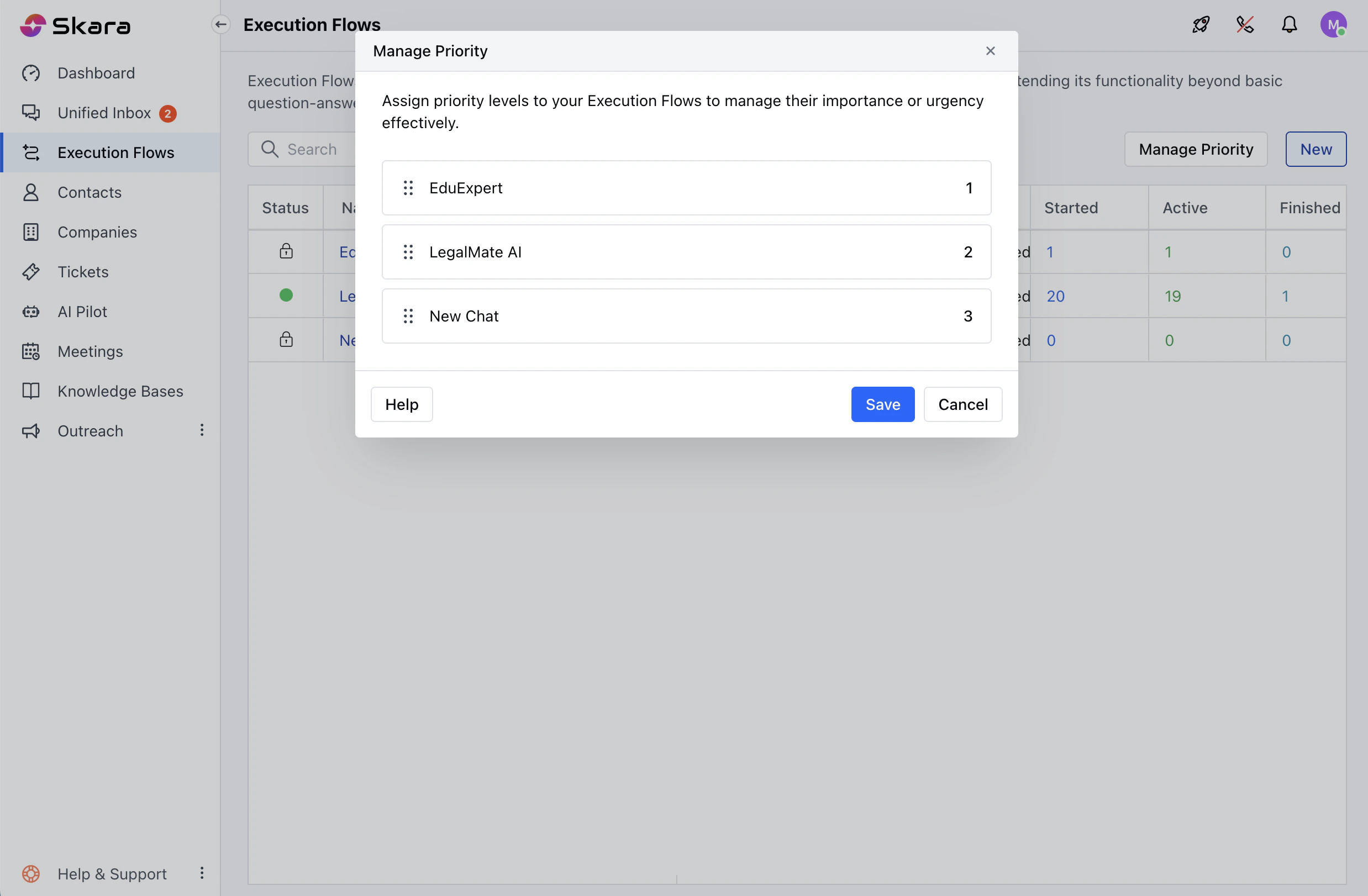
Assign priority levels to your Execution Flows to manage their importance or urgency effectively.To Set Priority to your Execution Flows:
* Navigate to the **Execution Flow** from the left bar.
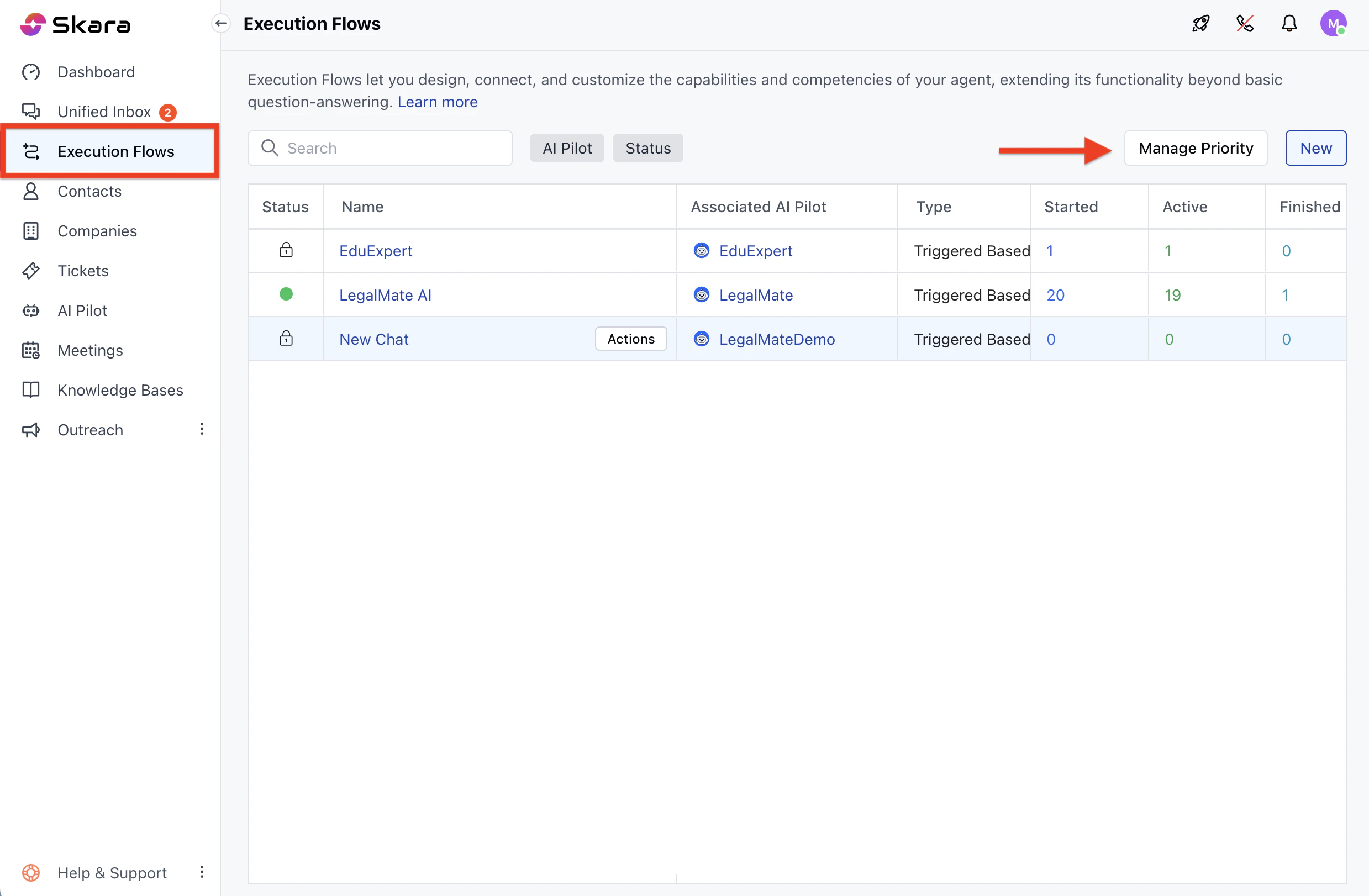 * Head Over to **Execution Flows** section.
* Now, click on Manage Priority option.
* A pop will appear where you can simply drag and drop the flows from the list to reorder them based on the Priority.
* Once done click on **Save** the changes.
* Head Over to **Execution Flows** section.
* Now, click on Manage Priority option.
* A pop will appear where you can simply drag and drop the flows from the list to reorder them based on the Priority.
* Once done click on **Save** the changes.