> ## Documentation Index
> Fetch the complete documentation index at: https://support.getskara.ai/llms.txt
> Use this file to discover all available pages before exploring further.
# Event
An event is an action a visitor or contact performs on your website, like signing up, clicking a link, or submitting a form. This trigger starts an Execution Flow when a specific event happens.
### **Topics covered:**
* [How to Configure Event Trigger](#how-to-configure-event-trigger)
* [Practical Example](#practical-example)
### How to Configure Event Trigger
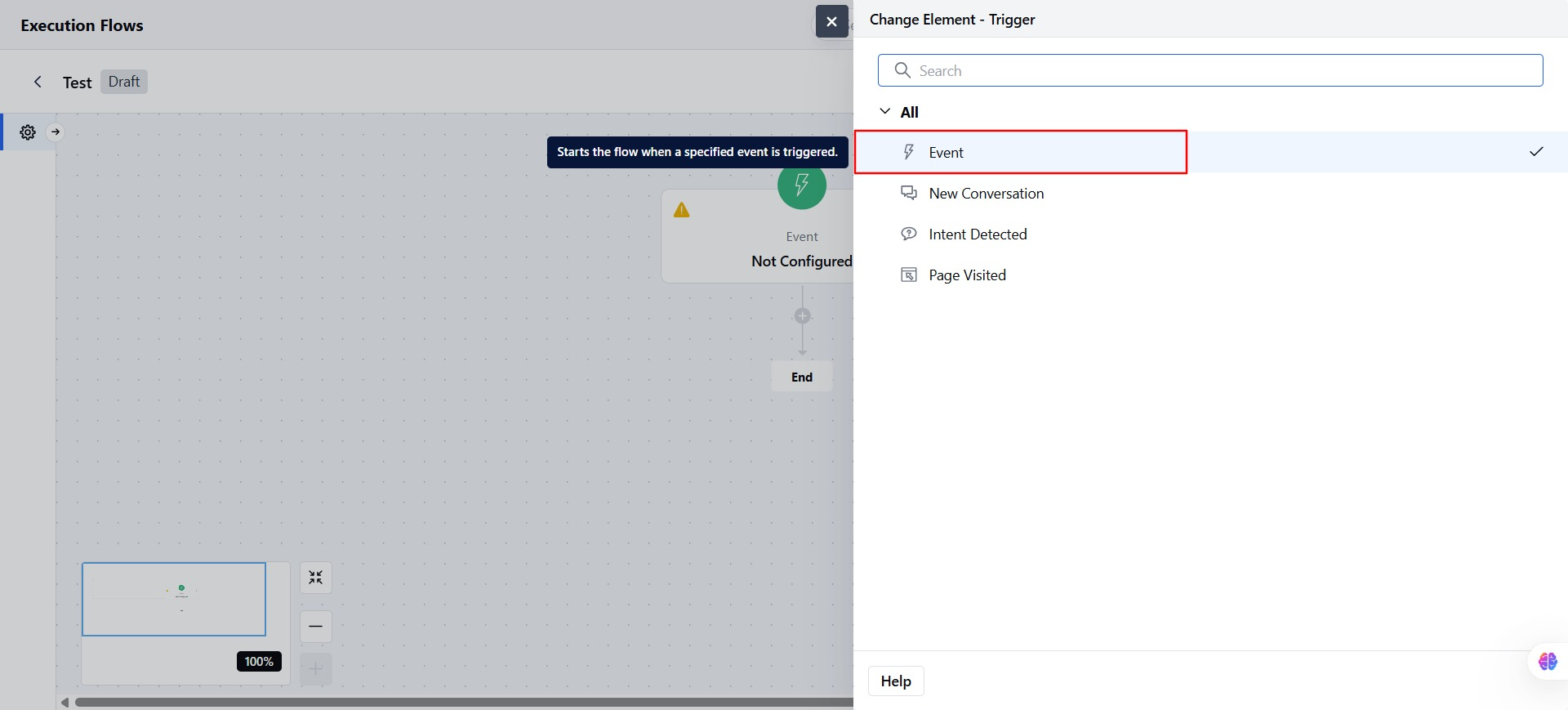
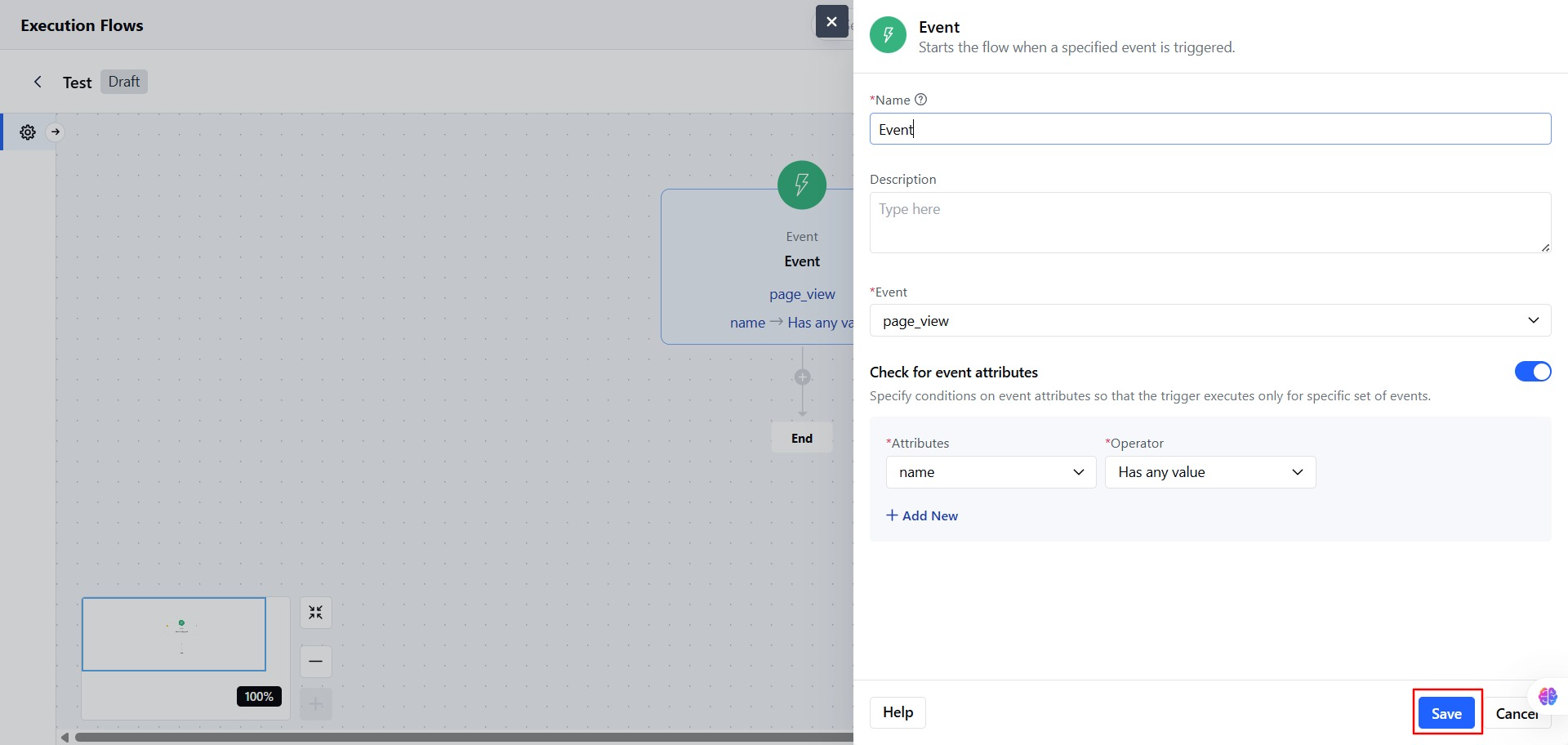
Select the **Event Trigger** from the Execution Flow Triggers.
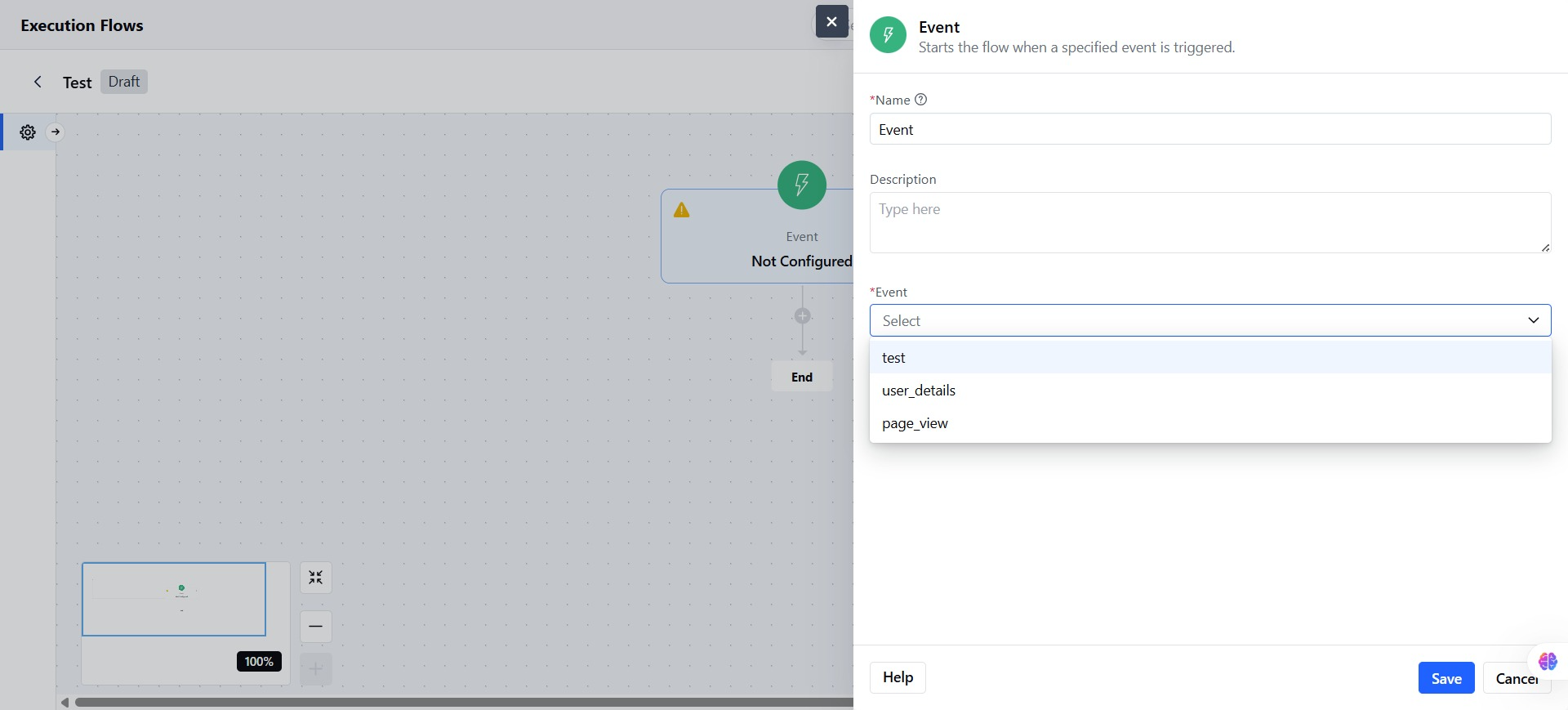
 * Add the **Name** for the Event Trigger.
* You can also add a **Description** describing the Event trigger.
* Select the **Event from the list.**
* Add the **Name** for the Event Trigger.
* You can also add a **Description** describing the Event trigger.
* Select the **Event from the list.**
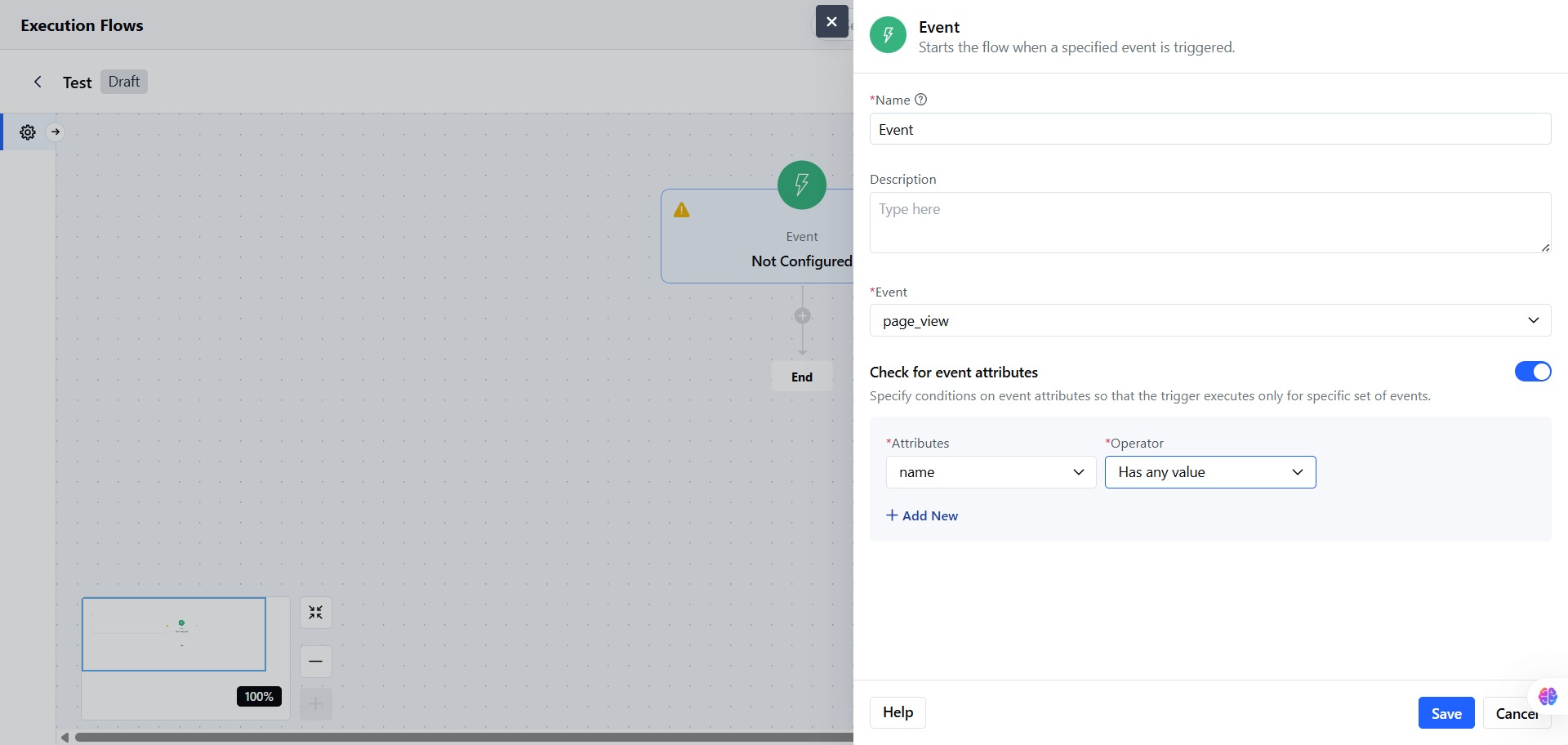
 * You can add Attribute Conditions: Add one or more conditions based on event attributes.
* **Attribute Name**
* **Operator**: Choose based on the type of data
* **Is**
* **Is not**
* **Is unknown**
* **Has any value**
* **More than**
* **Less than**
* **Value**
* You can also add more attributes for better or specific results.
* You can add Attribute Conditions: Add one or more conditions based on event attributes.
* **Attribute Name**
* **Operator**: Choose based on the type of data
* **Is**
* **Is not**
* **Is unknown**
* **Has any value**
* **More than**
* **Less than**
* **Value**
* You can also add more attributes for better or specific results.
 * Click on **Save** to store the configuration.
 **Note**: The Flow will only start if **all attribute conditions** match.
### Practical Example
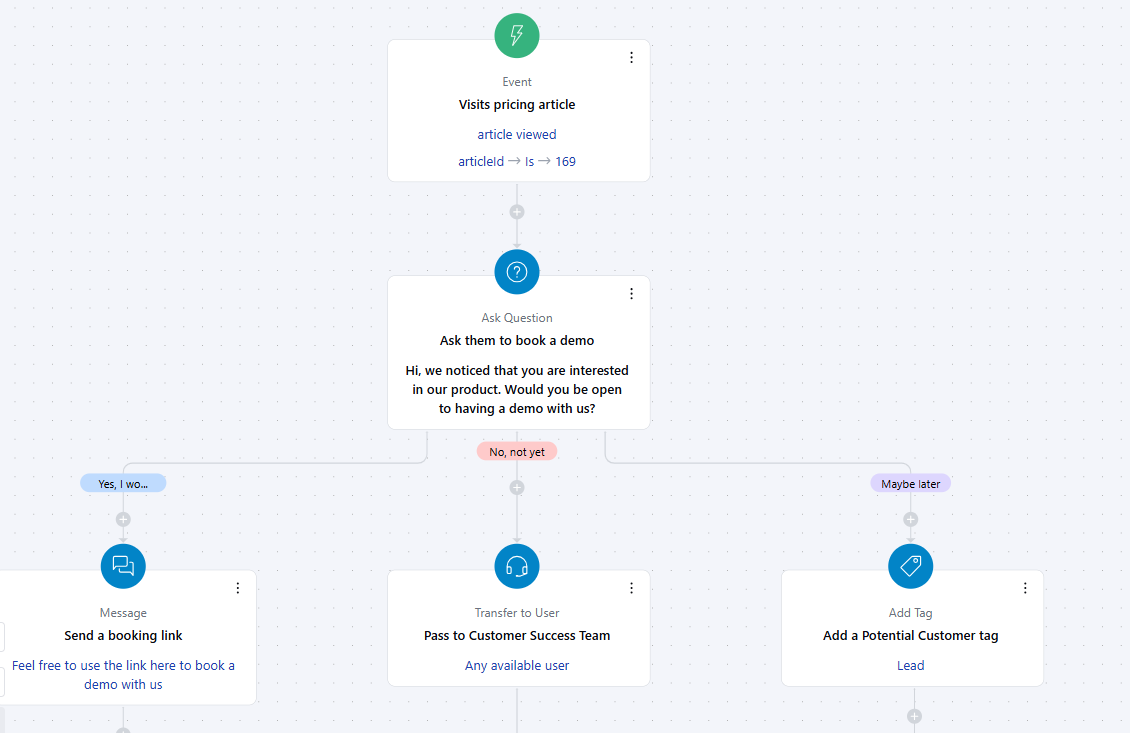
When a visitor views the Pricing & Plans article in your knowledge base, you want to initiate a conversation asking if they’d like to book a demo. Based on their response, the flow should:
* Send a booking link if the answer is **Yes**
* Redirect to a live agent if the answer is **No**
* Add a "**Potential Customer**" tag if the answer is **Maybe**
**Note**: The Flow will only start if **all attribute conditions** match.
### Practical Example
When a visitor views the Pricing & Plans article in your knowledge base, you want to initiate a conversation asking if they’d like to book a demo. Based on their response, the flow should:
* Send a booking link if the answer is **Yes**
* Redirect to a live agent if the answer is **No**
* Add a "**Potential Customer**" tag if the answer is **Maybe**