> ## Documentation Index
> Fetch the complete documentation index at: https://support.getskara.ai/llms.txt
> Use this file to discover all available pages before exploring further.
# Intent Detected
In this article, we will learn about how to configure the **Intent Detected: Agent** trigger. This trigger automatically starts a flow when a specific intent is detected by the bot based on the customer’s input. It ensures the assistant can react appropriately and guide the conversation toward targeted solutions or actions.
### **Topics covered:**
* [Configuring the Trigger](#configuring-the-trigger)
* [Practical Use Case](#practical-use-case)
### Configuring the Trigger
While setting up a Execution Flow, select the Intent Detected Trigger
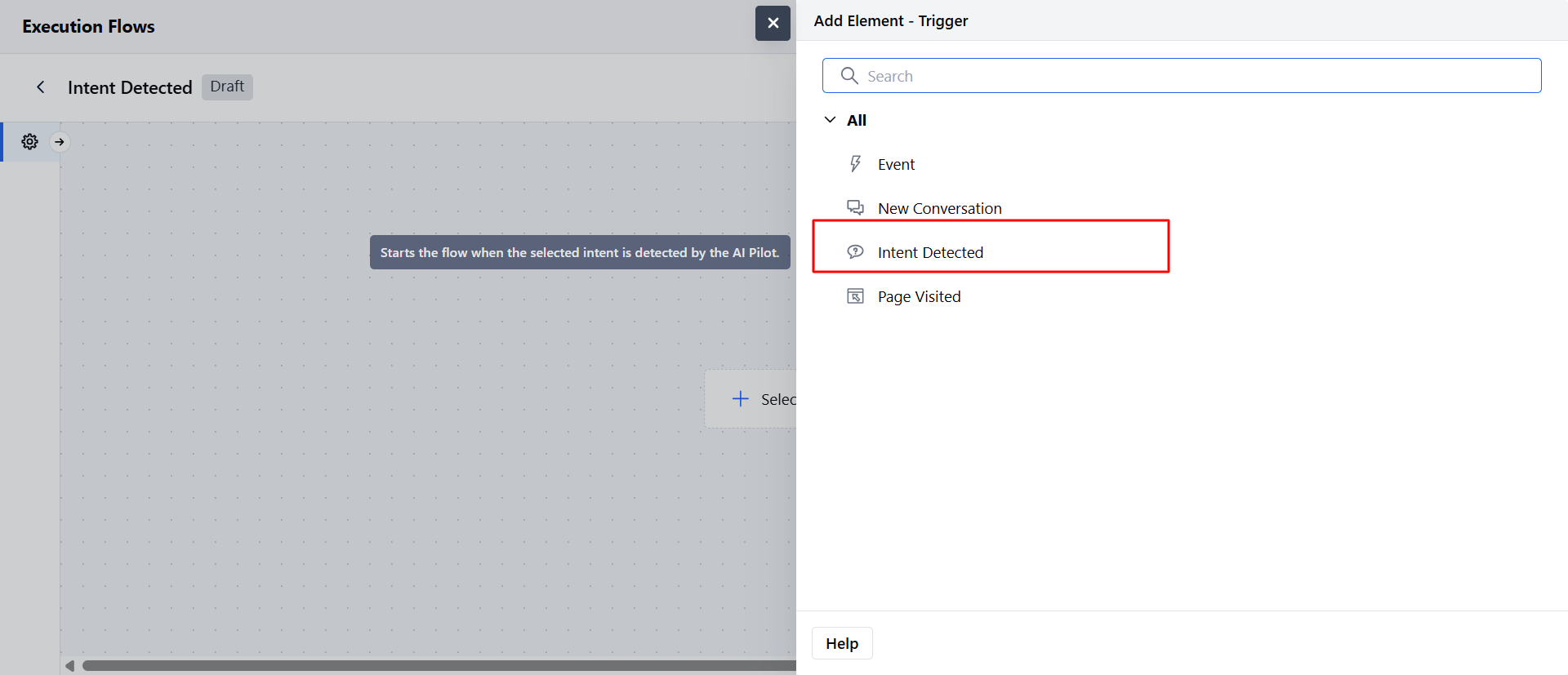 * **Name:** Assign a clear and descriptive name for the trigger to easily identify its purpose.
* **Description (Optional):** Provide a brief explanation of the trigger’s function for reference.
* **Intent:** Select the intent that will trigger this flow upon detection. Only **enabled intents** will appear in the dropdown list.
* **No Match Handling:** This option manages situations when the user's input doesn’t match the expected prompt or contains irrelevant content.
* You can add optional **re-prompts** to guide the user back on track.
* **Generate More with AI:** Available after adding at least one re-prompt; generates five, ten, or fifteen new training phrases.
* Re-prompts loop until all provided prompts are used, after which the conversation proceeds along the default path.
* **Name:** Assign a clear and descriptive name for the trigger to easily identify its purpose.
* **Description (Optional):** Provide a brief explanation of the trigger’s function for reference.
* **Intent:** Select the intent that will trigger this flow upon detection. Only **enabled intents** will appear in the dropdown list.
* **No Match Handling:** This option manages situations when the user's input doesn’t match the expected prompt or contains irrelevant content.
* You can add optional **re-prompts** to guide the user back on track.
* **Generate More with AI:** Available after adding at least one re-prompt; generates five, ten, or fifteen new training phrases.
* Re-prompts loop until all provided prompts are used, after which the conversation proceeds along the default path.
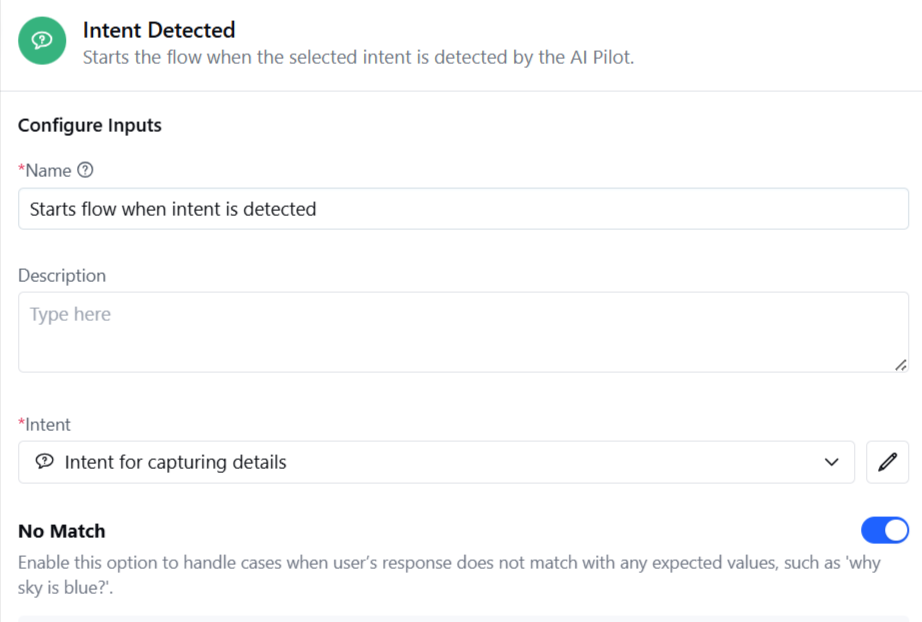 * **Follow-up Path:** Define an alternative route if the user remains off track after all re-prompts are used.
* Enabling this adds an extra output port to specify the follow-up path.
* **No Reply Handling:** This option manages cases and send automated responses when the user does not respond.
* **Timeout Duration:** Set duration after which re-prompt message should be sent
* **Re-Prompt configuration**: Provide one response to send when No reply is detected and you can use the "**Generate Sentences with AI**" button to get additional responses.
* **Follow-up Path:** Define an alternative route if the user remains off track after all re-prompts are used.
* Enabling this adds an extra output port to specify the follow-up path.
* **No Reply Handling:** This option manages cases and send automated responses when the user does not respond.
* **Timeout Duration:** Set duration after which re-prompt message should be sent
* **Re-Prompt configuration**: Provide one response to send when No reply is detected and you can use the "**Generate Sentences with AI**" button to get additional responses.
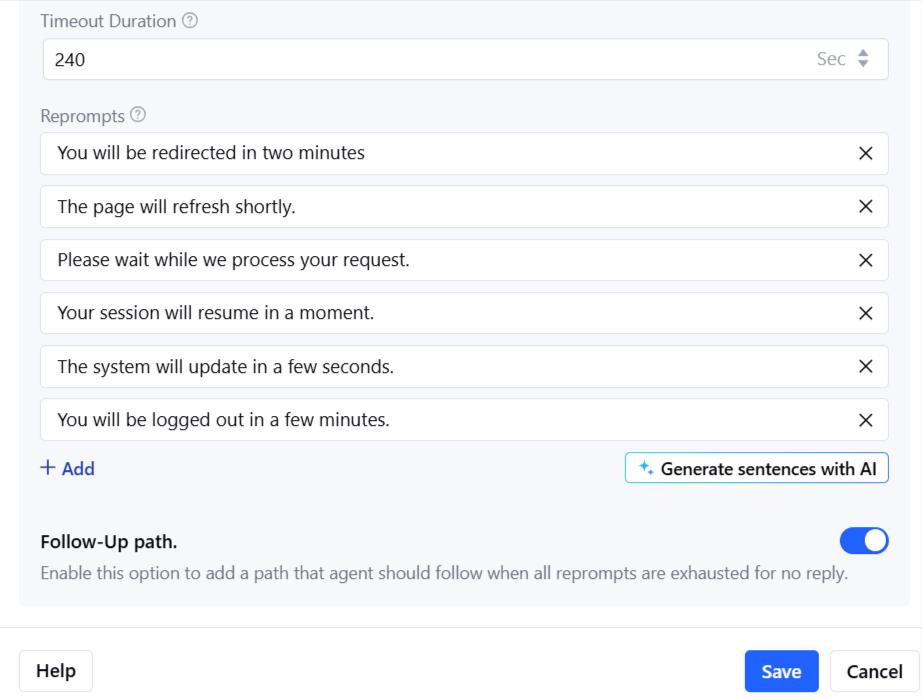 Once configuration is complete, click **Save**.
### Practical Use Case:
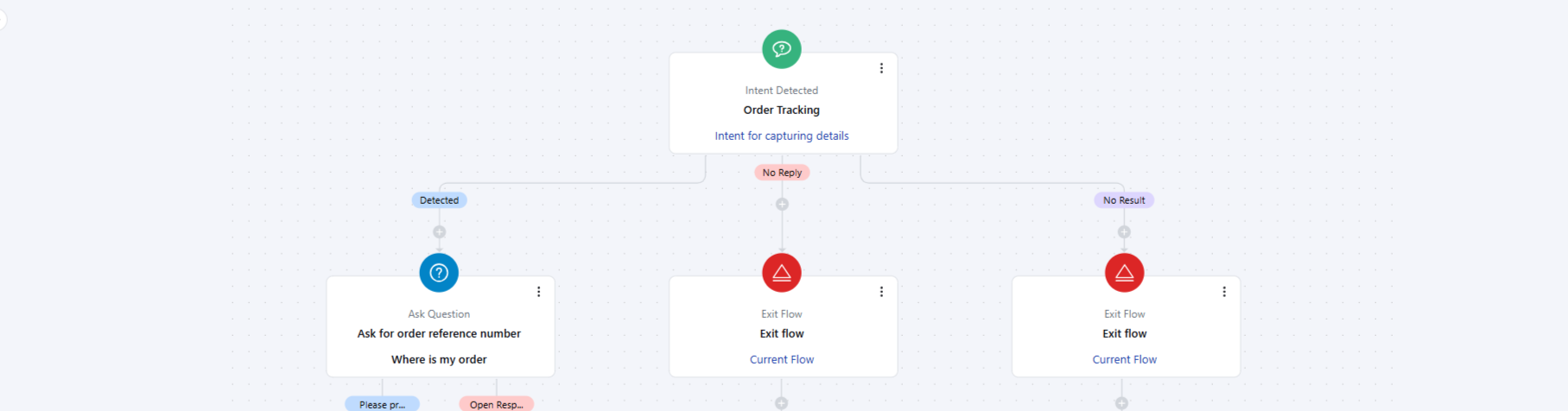
Imagine a customer messaging the chatbot with the phrase “Where’s my order?”. Instead of routing the query to a human agent or waiting for a manual reply, the **Intent Detected: Agent** trigger can:
* Automatically detect the **Order Tracking** intent.
* Start a pre-configured flow that fetches order details from the integrated system (e.g., Shopify, internal database). Provide the customer with real-time order status, estimated delivery date, and a tracking link. If the customer’s input doesn’t match or is incomplete (e.g., missing order number), the re-prompts guide them to provide the required information.
This approach not only speeds up the resolution but also enhances the customer experience with accurate, instant updates.
Once configuration is complete, click **Save**.
### Practical Use Case:
Imagine a customer messaging the chatbot with the phrase “Where’s my order?”. Instead of routing the query to a human agent or waiting for a manual reply, the **Intent Detected: Agent** trigger can:
* Automatically detect the **Order Tracking** intent.
* Start a pre-configured flow that fetches order details from the integrated system (e.g., Shopify, internal database). Provide the customer with real-time order status, estimated delivery date, and a tracking link. If the customer’s input doesn’t match or is incomplete (e.g., missing order number), the re-prompts guide them to provide the required information.
This approach not only speeds up the resolution but also enhances the customer experience with accurate, instant updates.
 **Note:**
* When used in an execution flow, the flow type is set as **Sub Flow of synchronous type**.
* Execution settings are displayed; however, you can only access flow manager within Execution settings when this trigger is selected.
**Note:**
* When used in an execution flow, the flow type is set as **Sub Flow of synchronous type**.
* Execution settings are displayed; however, you can only access flow manager within Execution settings when this trigger is selected.