> ## Documentation Index
> Fetch the complete documentation index at: https://support.getskara.ai/llms.txt
> Use this file to discover all available pages before exploring further.
# Page Visited
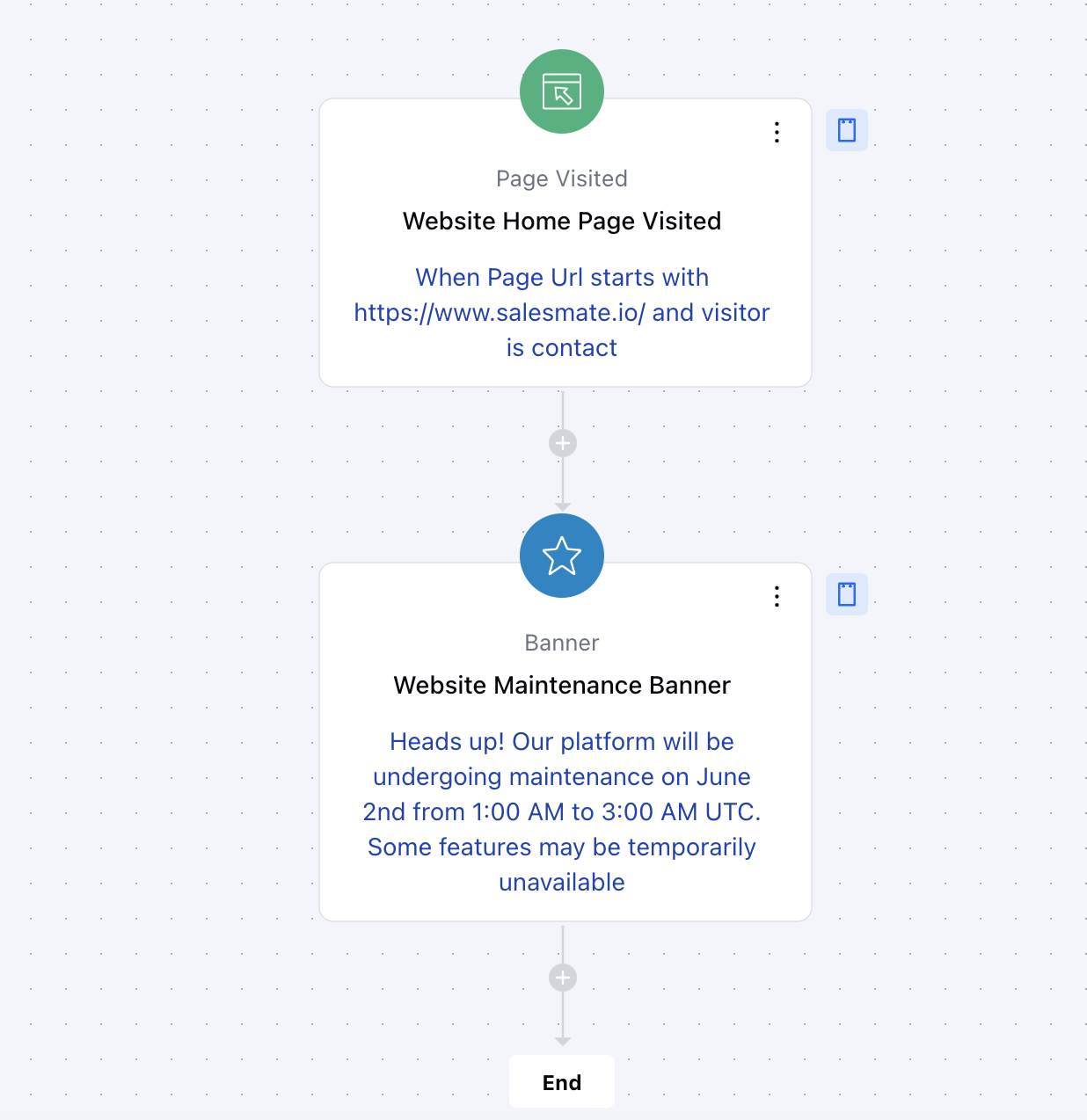
The **Page Visited** trigger is used to initiate a chat flow when a contact or visitor lands on a specific web page. This trigger helps you engage users contextually based on the page they’re visiting and their behavior on your website.
### **Topics covered:**
* [Add the Trigger](#add-the-trigger)
* [Configure the Page Visited Trigger](#configure-the-page-visited-trigger)
* [Practical Example](#practical-example)
Follow the steps below to configure the Page Visited trigger in your chat execution flow:
### Add the Trigger
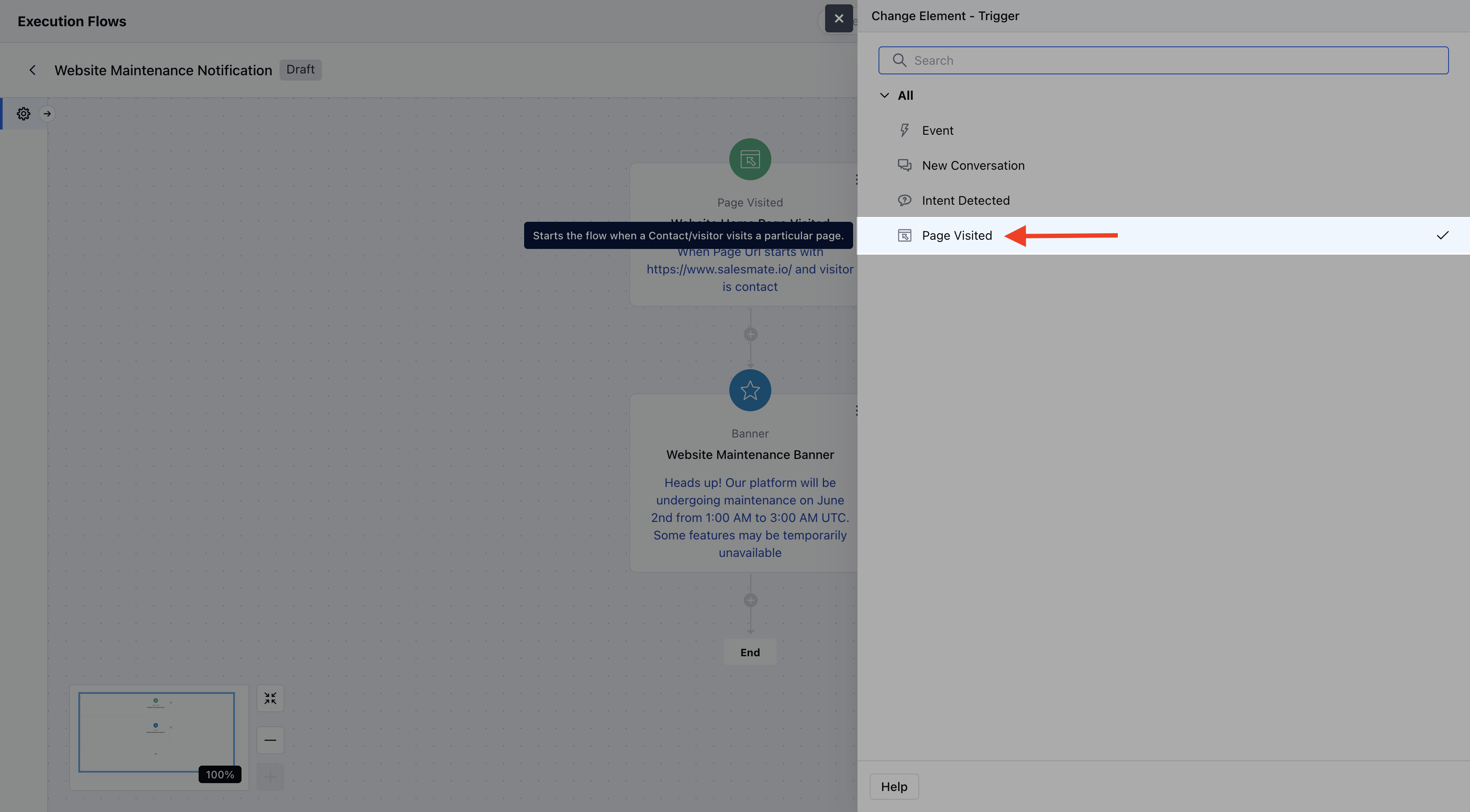
* Drag and drop the **Page Visited** trigger from the trigger list onto your flow canvas.
* Click on the trigger block to open its configuration settings.
 ### Configure the Page Visited Trigger
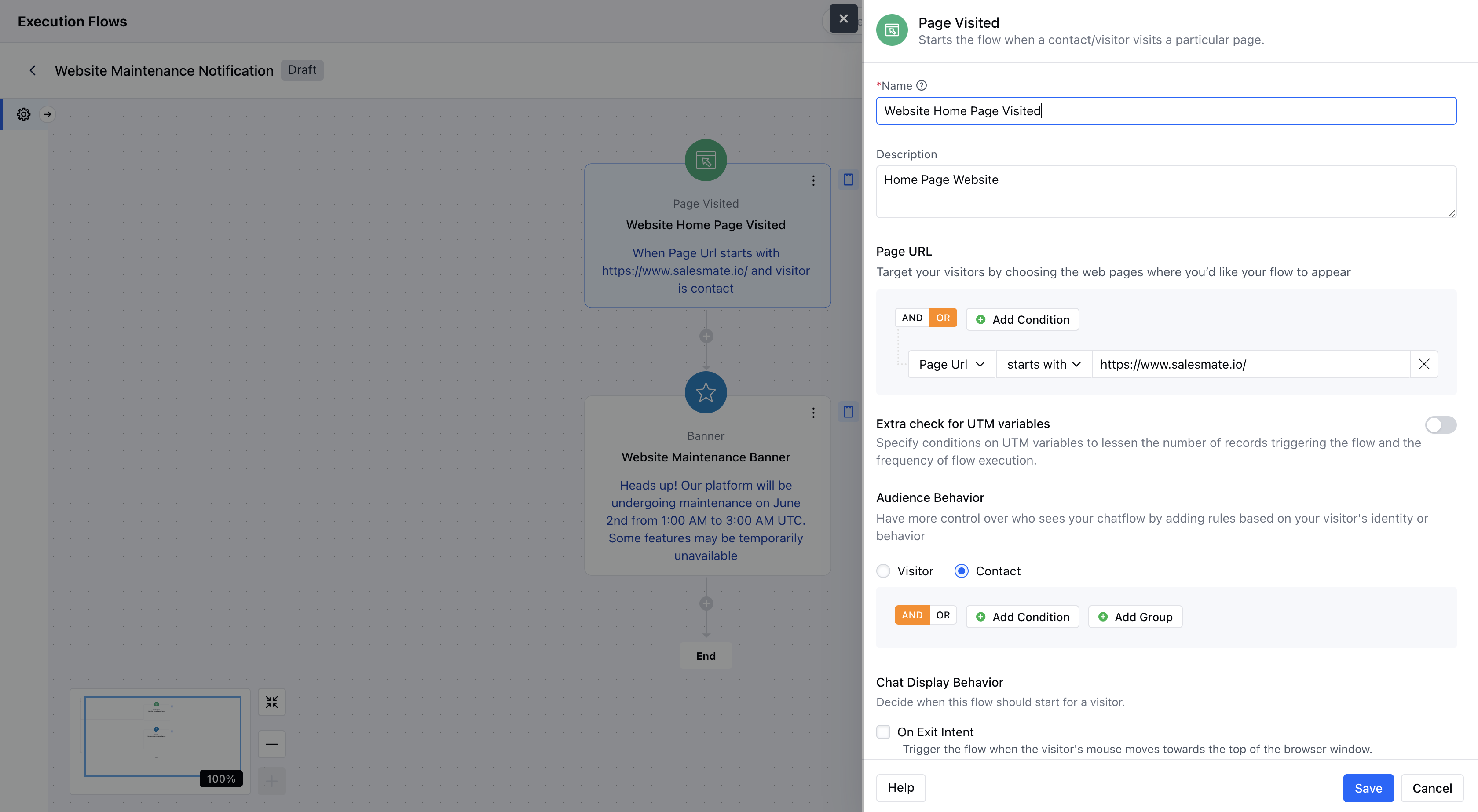
The configuration panel is divided into three sections:
**Page URL:** Set the conditions that define when this trigger should activate based on the web page being visited.
* Add multiple conditions using **AND**/**OR** operators.
* Choose from the following operators:
* is not empty (default – no value input required)
* is starts with
* ends with
* **contains**
* does not contain
* wildcard
**UTM Variable Matching:** Enable this option to refine the trigger using UTM parameters.
Available UTM parameters:
* `utm_source`
* `utm_medium`
* `utm_term`
* `utm_content`
* `utm_campaign`
**Audience (Visitor or Contact):** Define who can see the flow based on user type and behavior.
Choose either:
* **Visitor (default)** – applies to any anonymous visitor.
* **Contact –** targets only identified users (logged-in or recognized).
**Chat Display Behavior:** Configure when the chat flow should appear to the visitor once the conditions are met.
### Configure the Page Visited Trigger
The configuration panel is divided into three sections:
**Page URL:** Set the conditions that define when this trigger should activate based on the web page being visited.
* Add multiple conditions using **AND**/**OR** operators.
* Choose from the following operators:
* is not empty (default – no value input required)
* is starts with
* ends with
* **contains**
* does not contain
* wildcard
**UTM Variable Matching:** Enable this option to refine the trigger using UTM parameters.
Available UTM parameters:
* `utm_source`
* `utm_medium`
* `utm_term`
* `utm_content`
* `utm_campaign`
**Audience (Visitor or Contact):** Define who can see the flow based on user type and behavior.
Choose either:
* **Visitor (default)** – applies to any anonymous visitor.
* **Contact –** targets only identified users (logged-in or recognized).
**Chat Display Behavior:** Configure when the chat flow should appear to the visitor once the conditions are met.
 ### Practical Example
Let’s say you want to **notify your customers or website visitors** when they land on a specific page of your website — such as a new feature announcement, a discount offer, or a personalized message.
You can use the **"Page Visited"** trigger to do exactly that.
### Practical Example
Let’s say you want to **notify your customers or website visitors** when they land on a specific page of your website — such as a new feature announcement, a discount offer, or a personalized message.
You can use the **"Page Visited"** trigger to do exactly that.