> ## Documentation Index
> Fetch the complete documentation index at: https://support.getskara.ai/llms.txt
> Use this file to discover all available pages before exploring further.
# How do you check the cost of your phone calls?
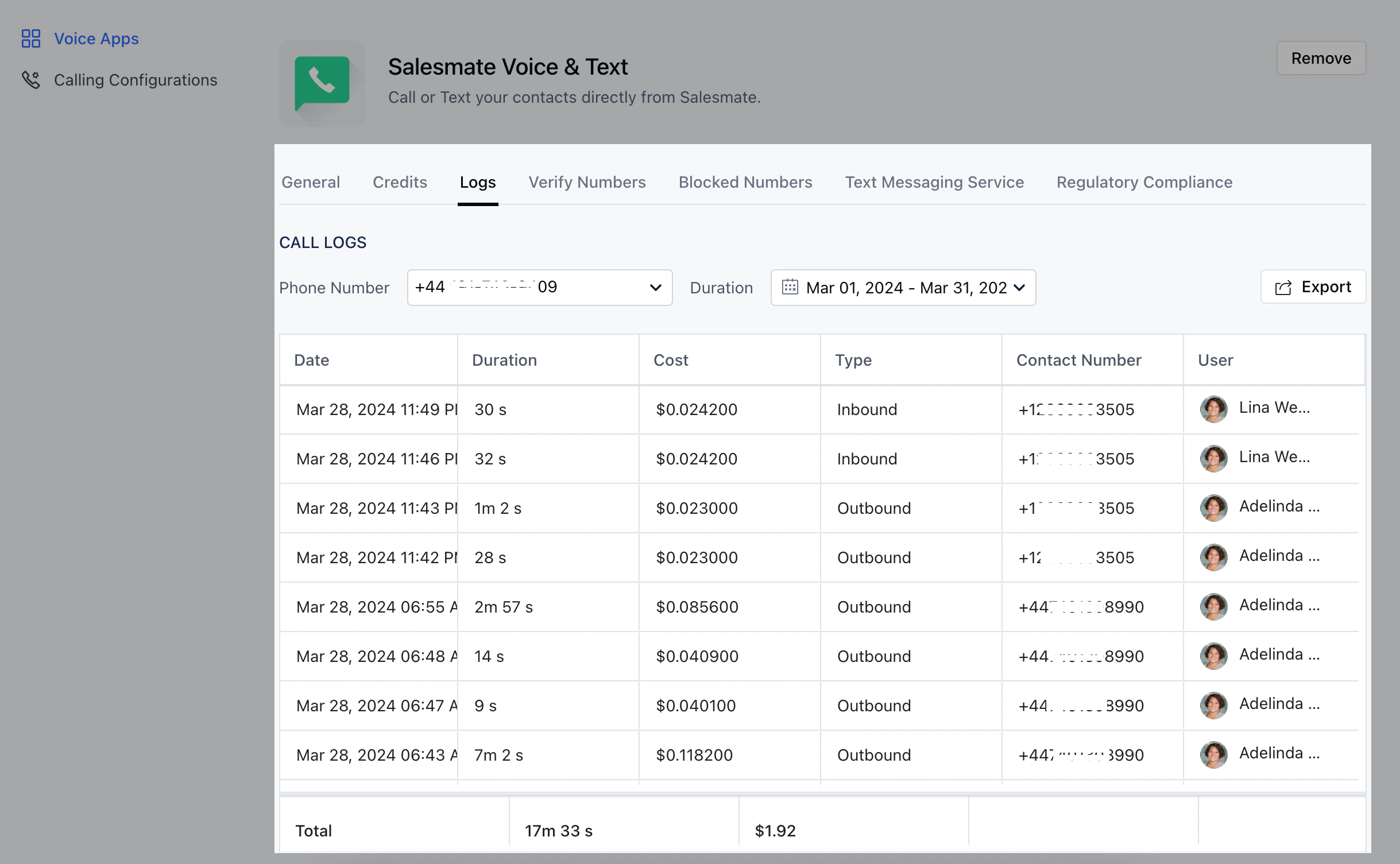
Every call that was made or answered by each sales rep can now be seen with the help of the call logs on each number. To check the call cost :
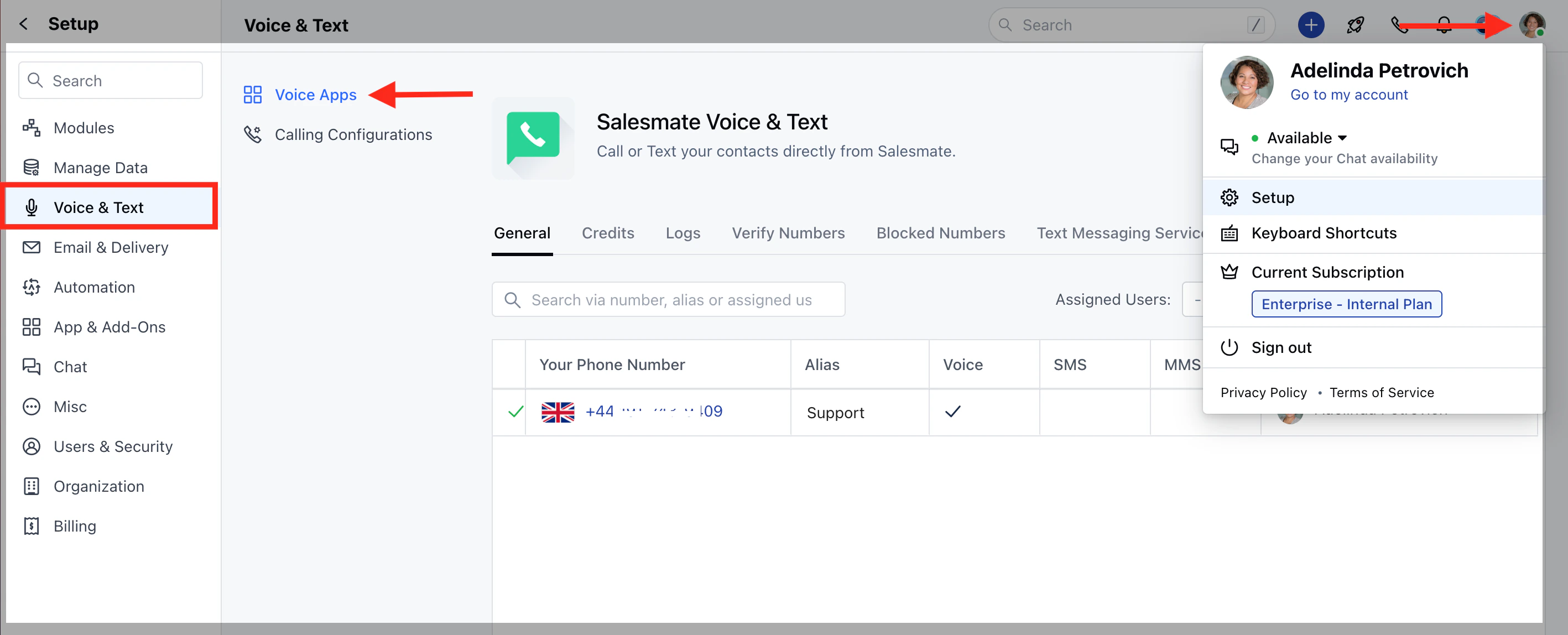
Navigate to the **Profile Icon** on the top right cornerClick on **Setup** Head over to **Voice & Text** categoryClick on **Voice Apps**
 On the Salesmate Voice & Text Page hit the **Logs** TabYou will be able to see each charge on the selected numberYou can select the **number** and **duration** for which you wish to view the logs