> ## Documentation Index
> Fetch the complete documentation index at: https://support.getskara.ai/llms.txt
> Use this file to discover all available pages before exploring further.
# How can I change my phone number settings?
In Salesmate, you are free to configure each phone number you purchase separately and give it a custom name, record calls, and also use a personalized message to greet your callers when you’re away.
* [Assign Users to this Number](#assign-users-to-this-number)
* [Setup Ringing Type](#setup-ringing-type)
* [Voice Format Configuration](#voice-format-configuration)
* [Call Hold Music](#call-hold-music)
* [Voicemail](#voicemail)
* [Call recording](#call-recording)
* [Call Masking](#call-masking)
Here's how to do it :
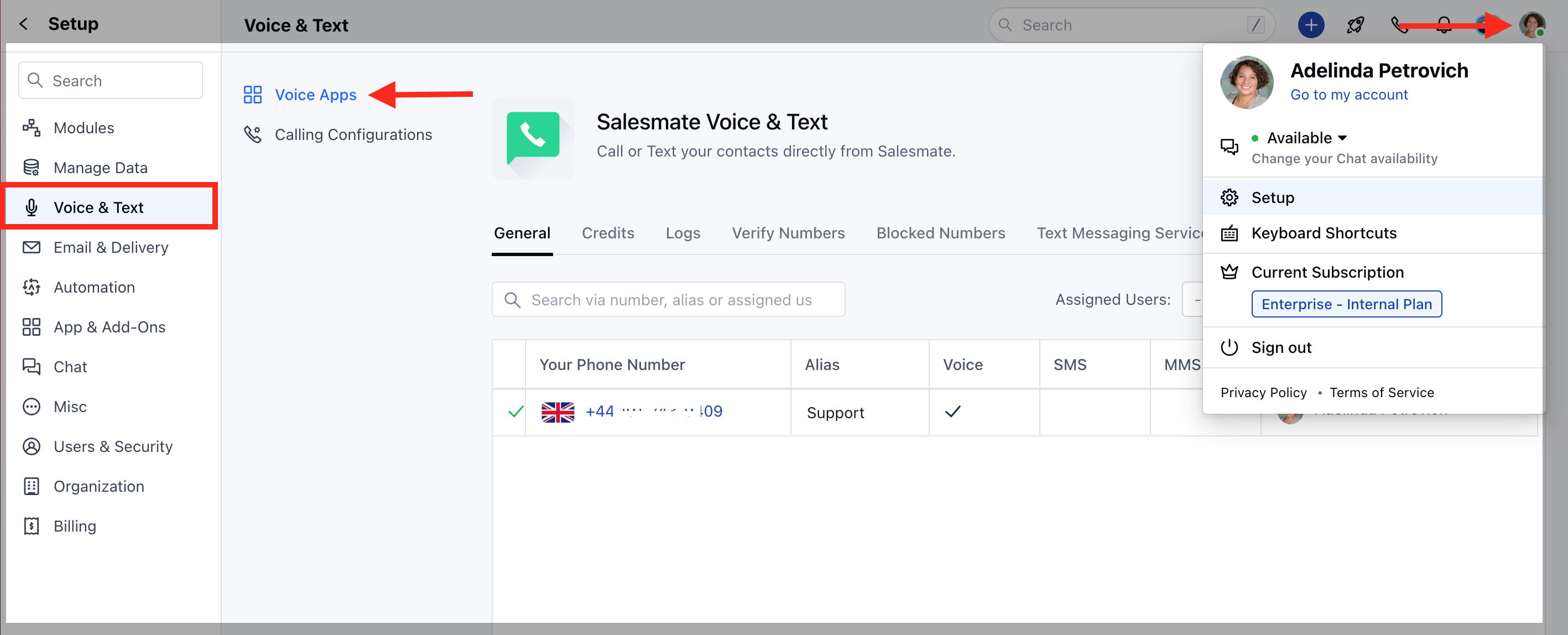
Navigate to the **Profile Icon** on the top right cornerClick on **Setup** Head over to **Voice & Text** categoryClick on **Voice Apps**
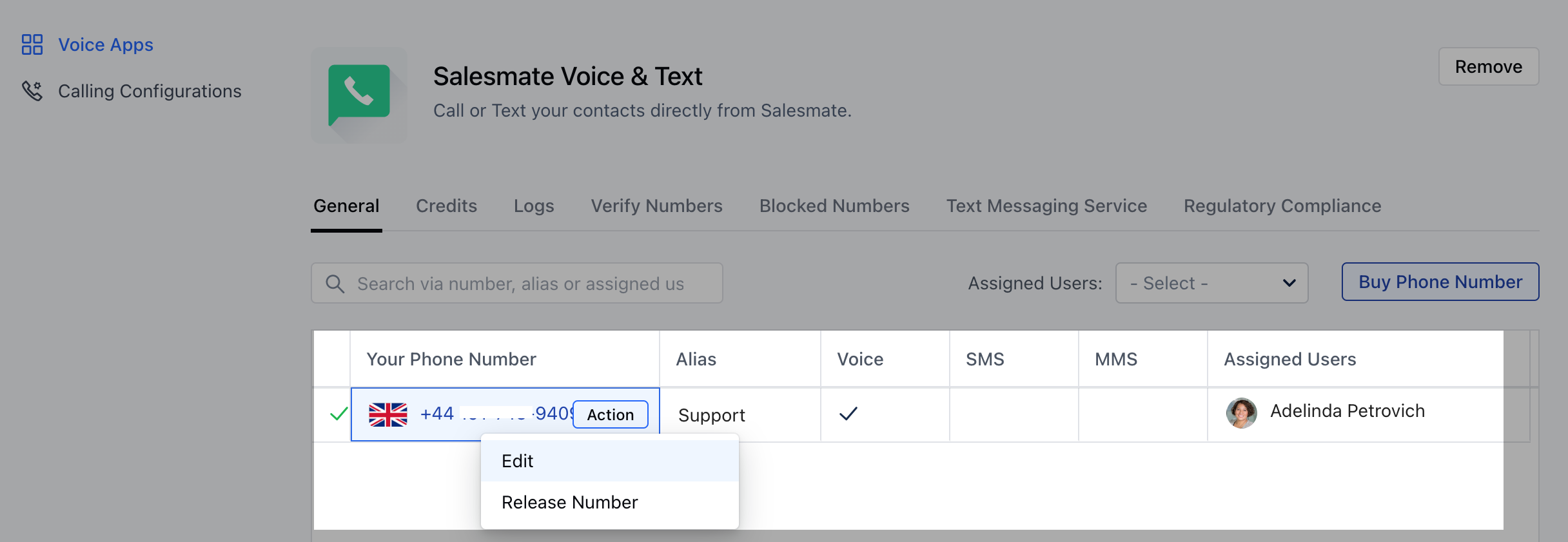
 From the list of phone numbers purchased, select the number you’d like to customizeClick on \*\* Actions >>\*\*Edit \*\*.
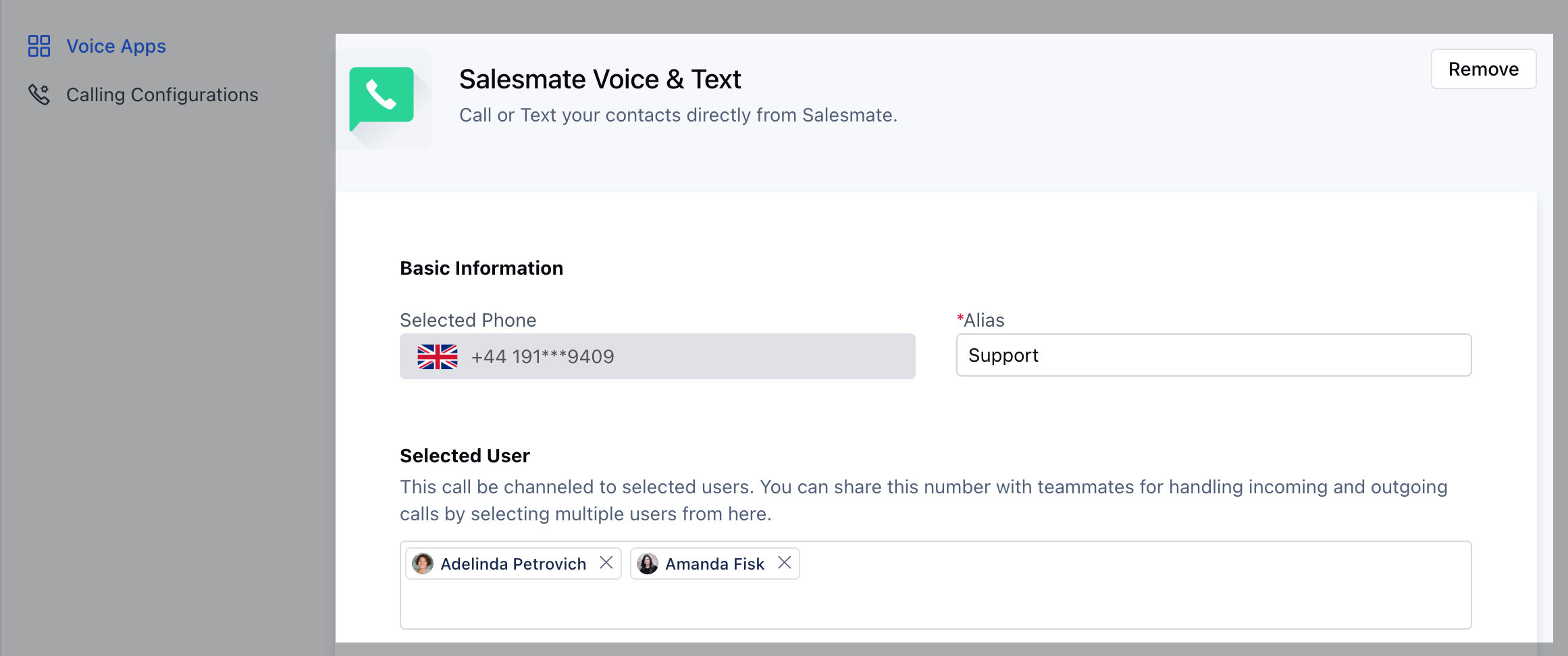
 ### ASSIGN USERS TO THIS NUMBER
 ### SETUP RINGING TYPE
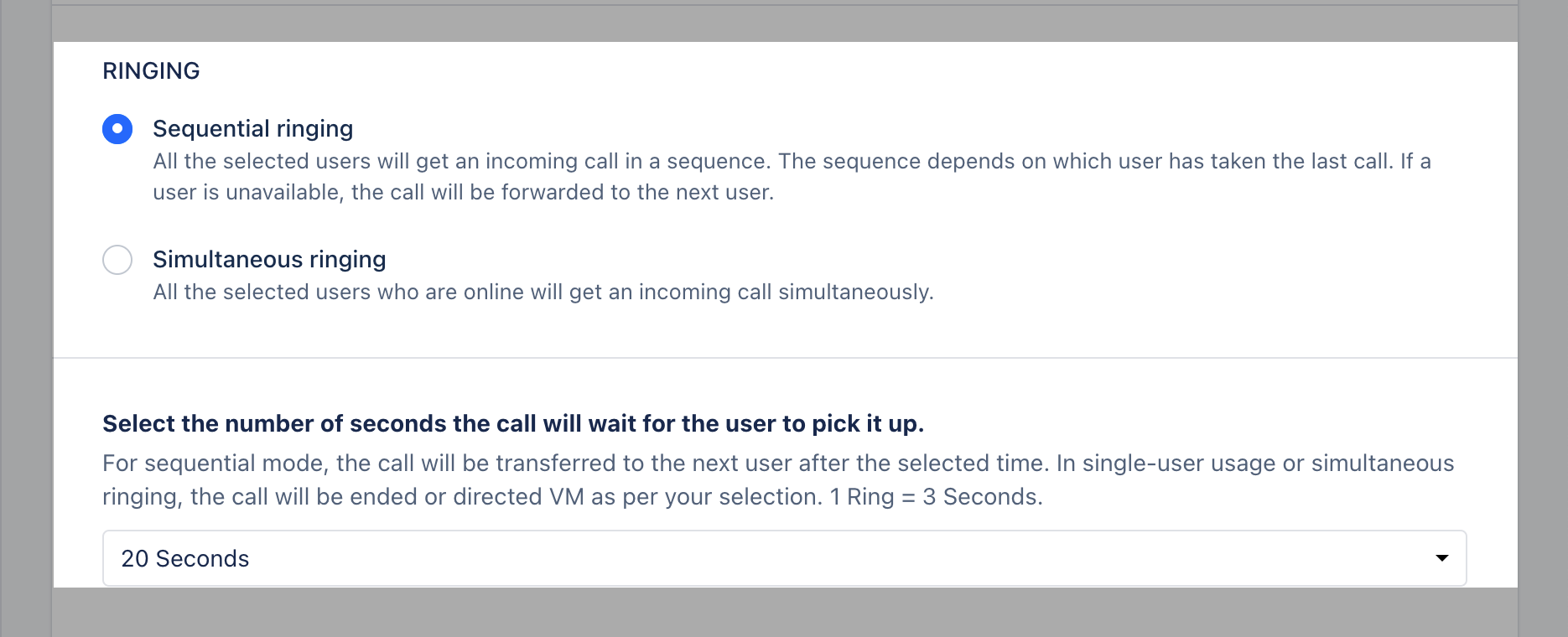
* **Sequential Ringing:** All the selected users will get an incoming call in a sequence. The sequence depends on which user has taken the last call. If a user is unavailable, the call will be forwarded to the next user.
* **Simultaneous Ringing:** All the selected users who are online will get an incoming call simultaneously.
### SETUP RINGING TYPE
* **Sequential Ringing:** All the selected users will get an incoming call in a sequence. The sequence depends on which user has taken the last call. If a user is unavailable, the call will be forwarded to the next user.
* **Simultaneous Ringing:** All the selected users who are online will get an incoming call simultaneously.
 ### VOICE FORMAT CONFIGURATION
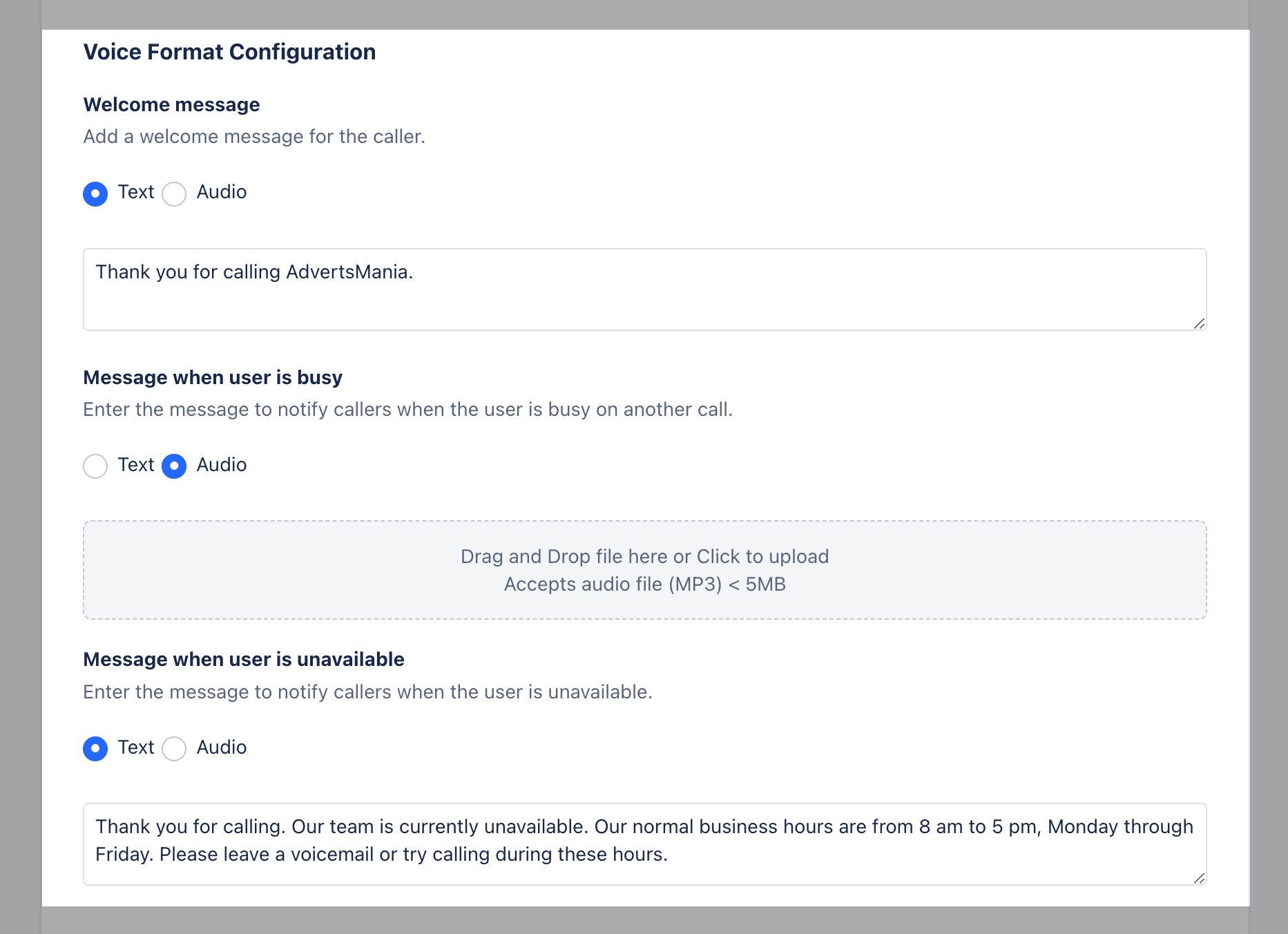
Salesmate allows you to configure Welcome Message for your Customers when they call you, message can be your voice recording which can be pushed as an attachment or it can be a Text Format which would be read and converted to a standard audio format.Setup the **voice format configurations** as a recorded message OR text:**Welcome** MessageMessage when the user is **busy** Message when the user is **unavailable** You can attach Simple Text in the Text Box for the above three messages and they will be converted to Audio format as messages to your calling customers.
### If you want to personalize it with your own powerful voice, you can click on Audio radio button and upload the file after recording.
* **Drag** and **Drop** a file on the section or Click to uploadThe system accepts an \*\* audio **files** of (**MP3**) Format, for a maximum size of \*\* 5MB \*\*
### VOICE FORMAT CONFIGURATION
Salesmate allows you to configure Welcome Message for your Customers when they call you, message can be your voice recording which can be pushed as an attachment or it can be a Text Format which would be read and converted to a standard audio format.Setup the **voice format configurations** as a recorded message OR text:**Welcome** MessageMessage when the user is **busy** Message when the user is **unavailable** You can attach Simple Text in the Text Box for the above three messages and they will be converted to Audio format as messages to your calling customers.
### If you want to personalize it with your own powerful voice, you can click on Audio radio button and upload the file after recording.
* **Drag** and **Drop** a file on the section or Click to uploadThe system accepts an \*\* audio **files** of (**MP3**) Format, for a maximum size of \*\* 5MB \*\*
 ### CALL HOLD MUSIC
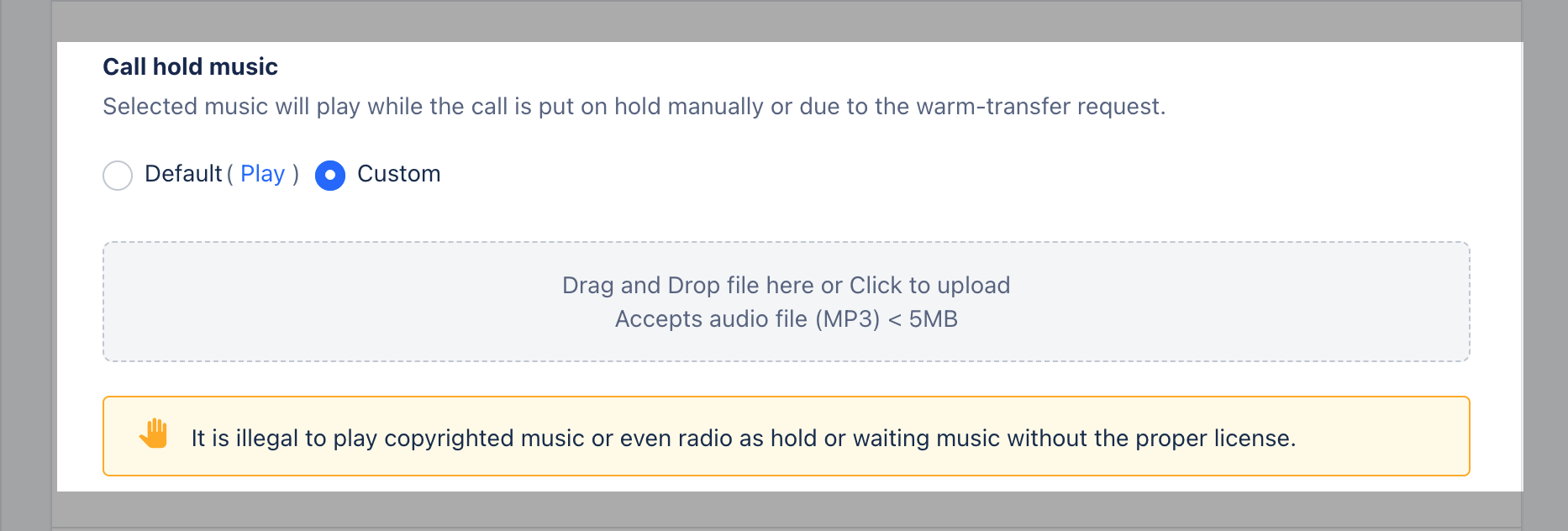
You can choose to set a call hold music, one which is the default of Salesmate OR upload an mp3 file.
### CALL HOLD MUSIC
You can choose to set a call hold music, one which is the default of Salesmate OR upload an mp3 file.
 ### VOICEMAIL
Allow contacts to drop **voicemail** when users are unable to take their call.
### VOICEMAIL
Allow contacts to drop **voicemail** when users are unable to take their call.
 ### CALL RECORDING
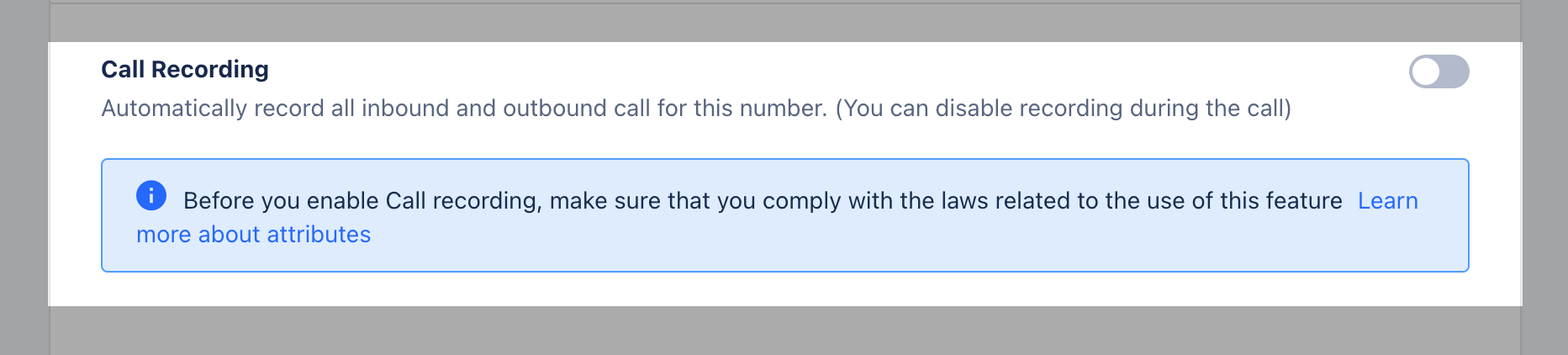
Automatically **record** all inbound and outbound call for this number. (You can disable recording during the call)
### CALL RECORDING
Automatically **record** all inbound and outbound call for this number. (You can disable recording during the call)
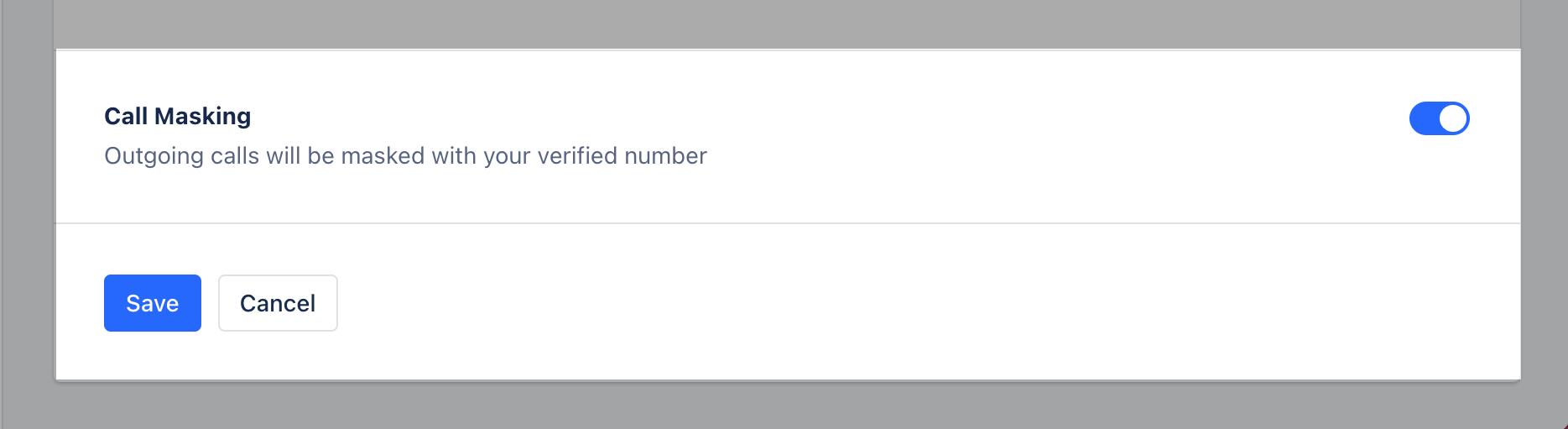
 ### CALL MASKING
You can refer to the article
[How to make calls using your own number?](https://support.salesmate.io/hc/en-us/articles/360036859412)
### CALL MASKING
You can refer to the article
[How to make calls using your own number?](https://support.salesmate.io/hc/en-us/articles/360036859412)