> ## Documentation Index
> Fetch the complete documentation index at: https://support.getskara.ai/llms.txt
> Use this file to discover all available pages before exploring further.
# How do you assign phone numbers to the teammates?
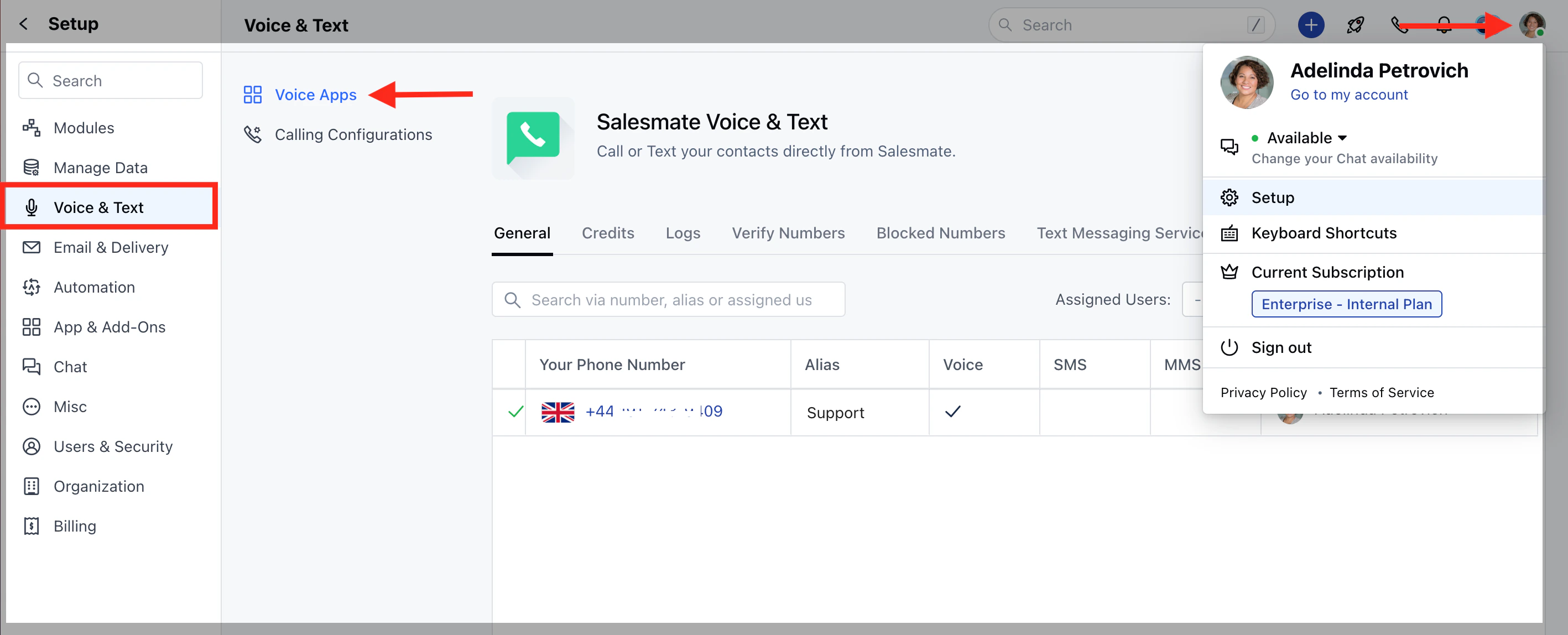
After purchasing phone numbers, you can assign the numbers to individual users. Using the numbers assigned to them, they can make calls. To assign phone numbers to a **user :** Navigate to the **Profile Icon** on the top right cornerClick on **Setup** Head over to **Voice & Text** categoryClick on **Voice Apps**
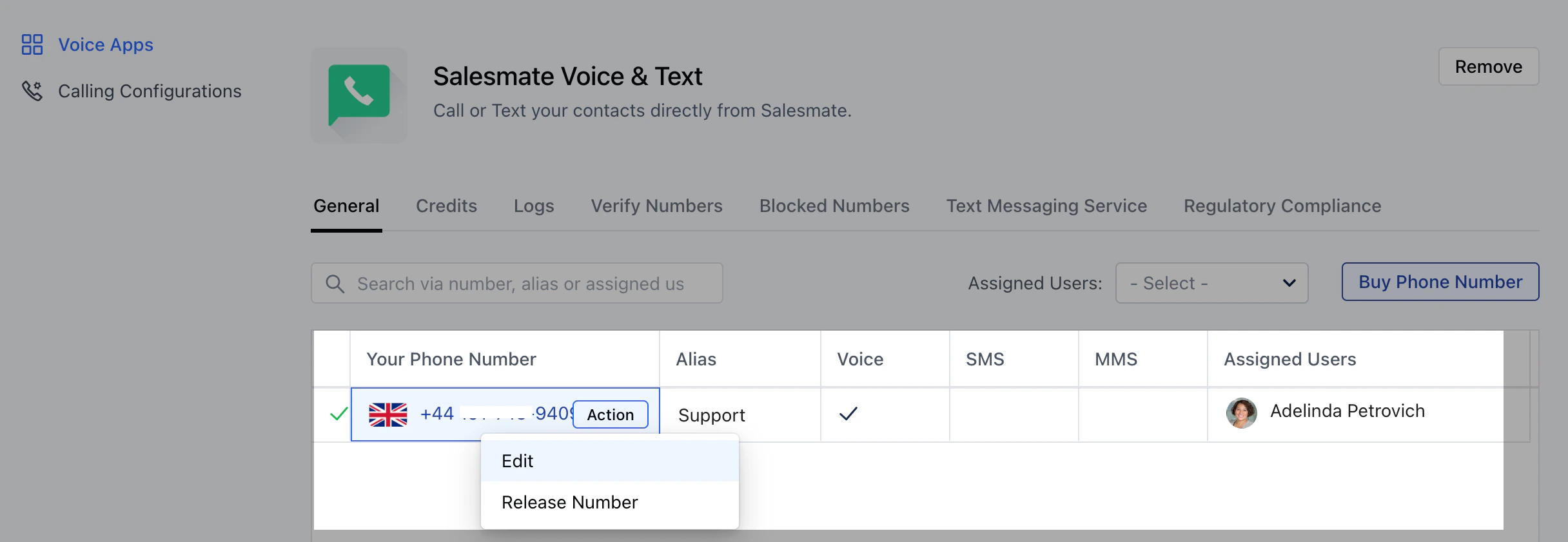
 From the list of phone numbers purchased, select the number you’d like to customize.Click on \*\* Actions >>\*\*Edit \*\*.
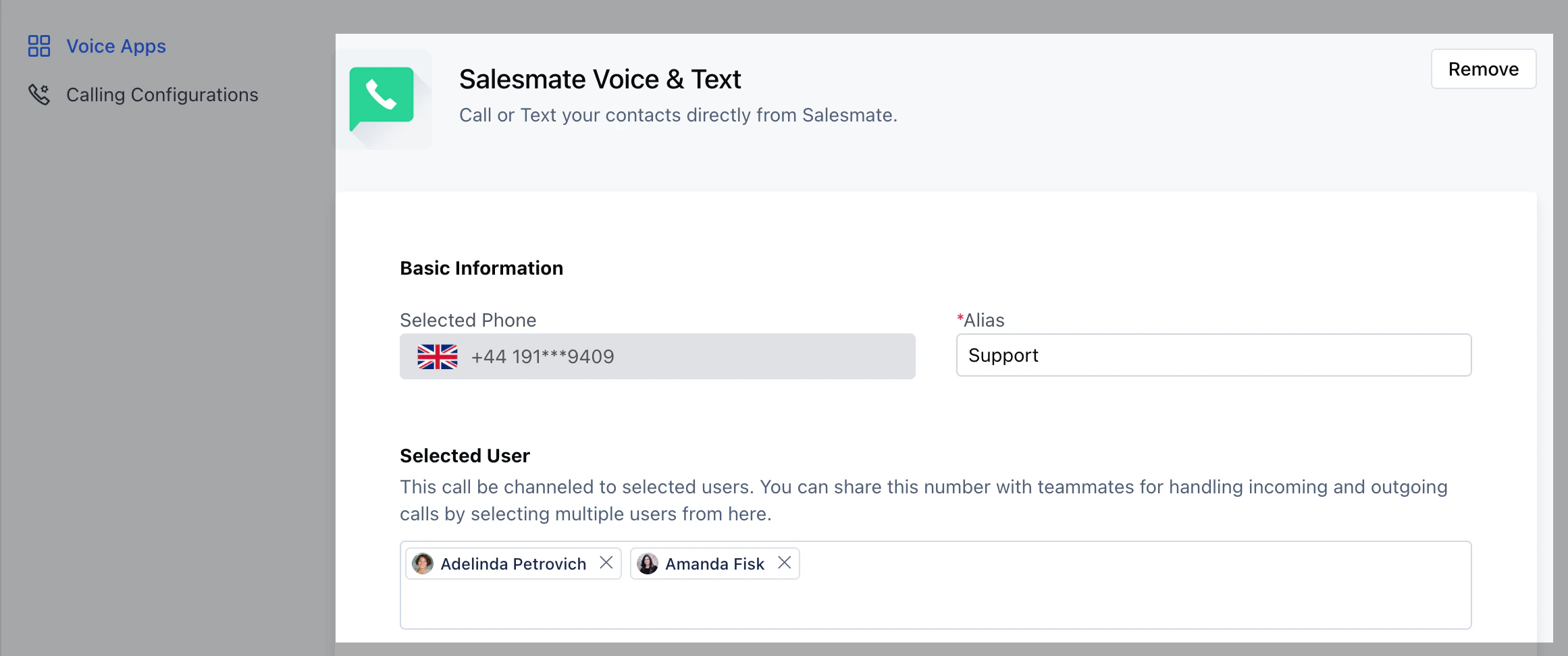
 To assign a phone number to an individual, under the **SELECTED USER** section add the user/s you want to assign this number to.
 On assigning the phone number to a user the **'Make a call button'** on the top bar will get activatedOn the **Make a call** button you will find the numbers listed under **From** assigned to the respective user \*\*
 \*\*
\*\*