> ## Documentation Index
> Fetch the complete documentation index at: https://support.getskara.ai/llms.txt
> Use this file to discover all available pages before exploring further.
# How to make calls using your own number (Call Masking)?
Using Salesmate, you can set a caller id (mask) your Salesmate number with your existing one; this helps give your conversations a personal touch with your customers and maintain a closer relationship with them. Avoiding you of the hassle of having to update the number where it is already published.Topics Covered:
* [Masking your Phone Number.](#masking-phone-number)
* [Setting up Phone Number as Caller Id.](#setting-up-phone-number-as-caller-id)
### Masking Phone Number
Navigate to the **Profile Icon** on the top right cornerClick on **Setup** Head over to **Voice & Text** categoryClick on **Voice Apps**
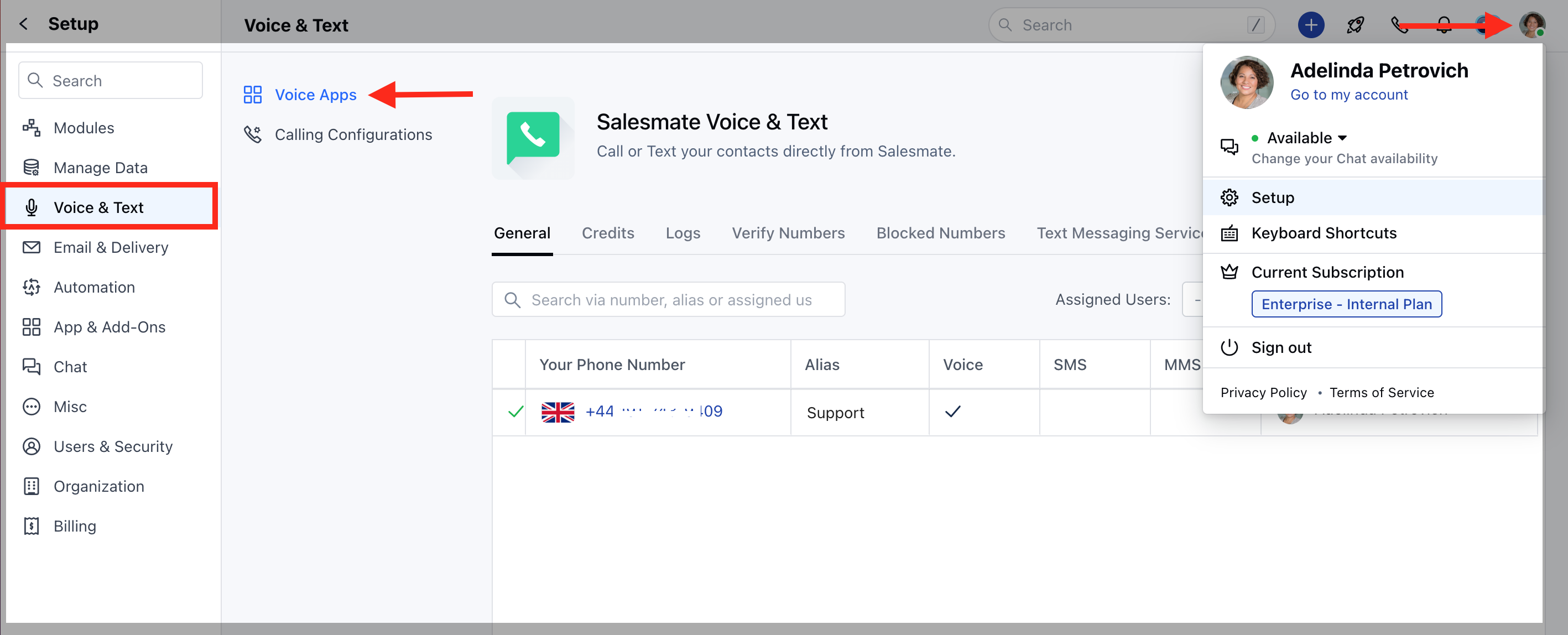 Click on the **"Verify Numbers"** Tab.
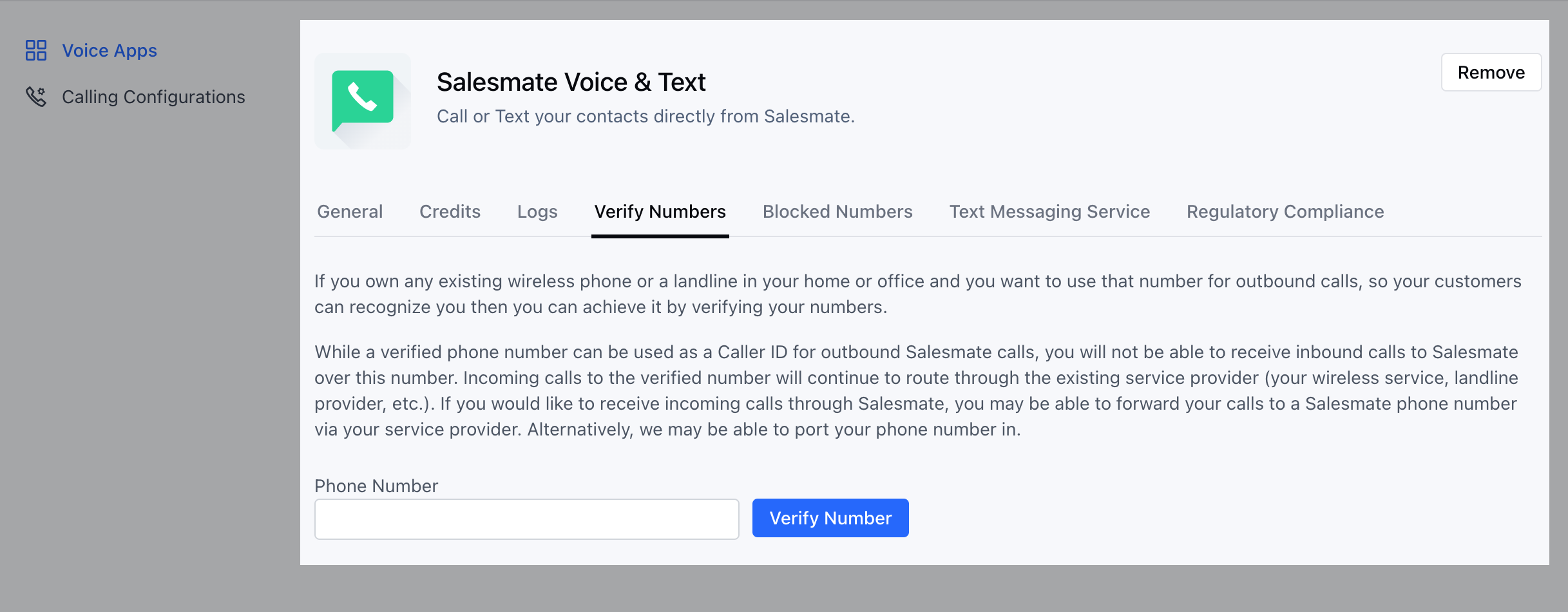 Add the number you would like to verify.Click on **"Verify Number"**
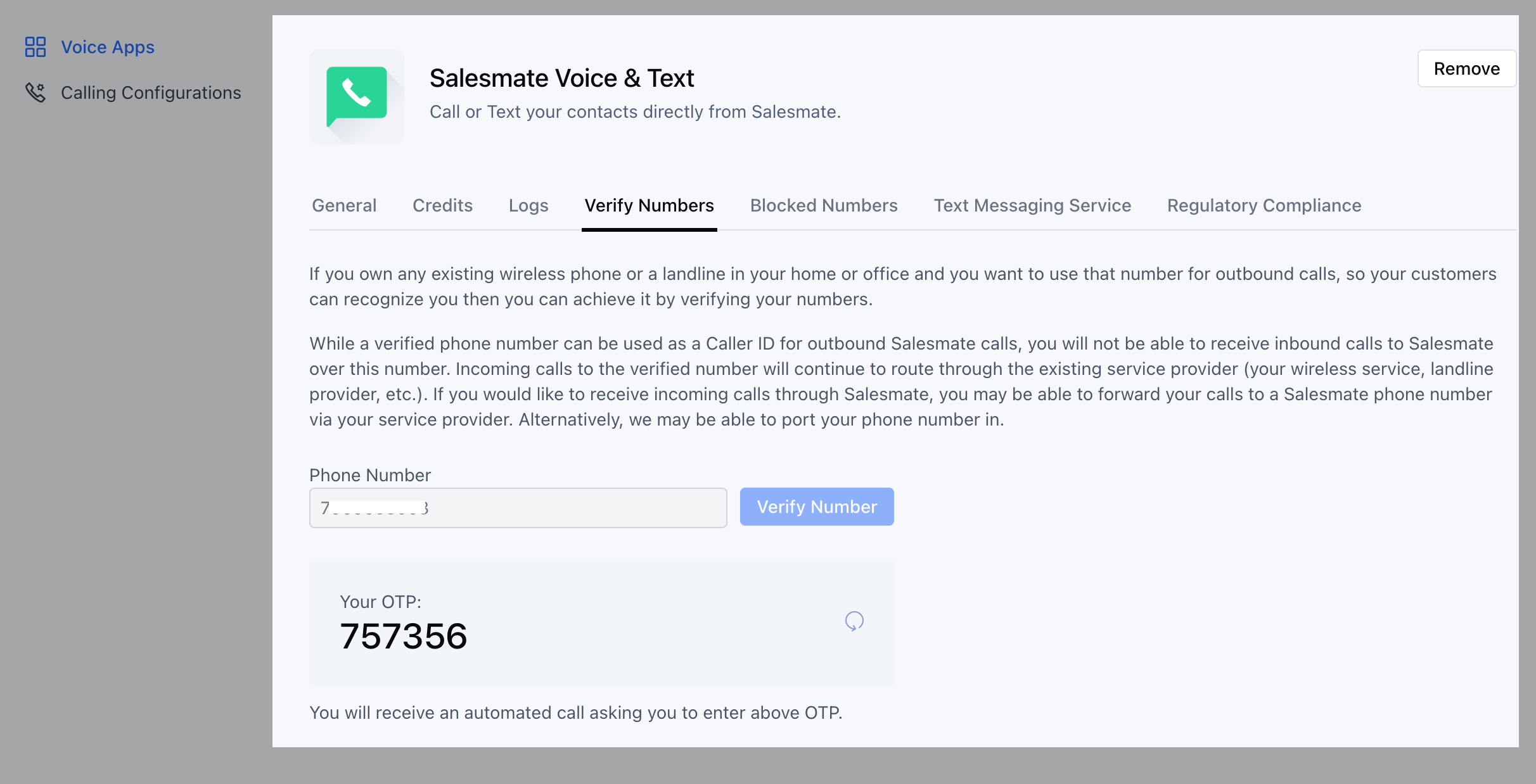 An **OTP** will be generated on the screen.You will receive an automated call asking you to enter the above OTP.Once verified successfully the number will be listed in the list of **verified numbers** tab. Now you can use this number as a Caller ID for your Salesmate number.
### Setting up Phone Number as Caller ID
Head over to the **General** tab.Your existing numbers will be listed hereClick on the **Edit** button(under **actions**) for the number you want to mask it against
An **OTP** will be generated on the screen.You will receive an automated call asking you to enter the above OTP.Once verified successfully the number will be listed in the list of **verified numbers** tab. Now you can use this number as a Caller ID for your Salesmate number.
### Setting up Phone Number as Caller ID
Head over to the **General** tab.Your existing numbers will be listed hereClick on the **Edit** button(under **actions**) for the number you want to mask it against
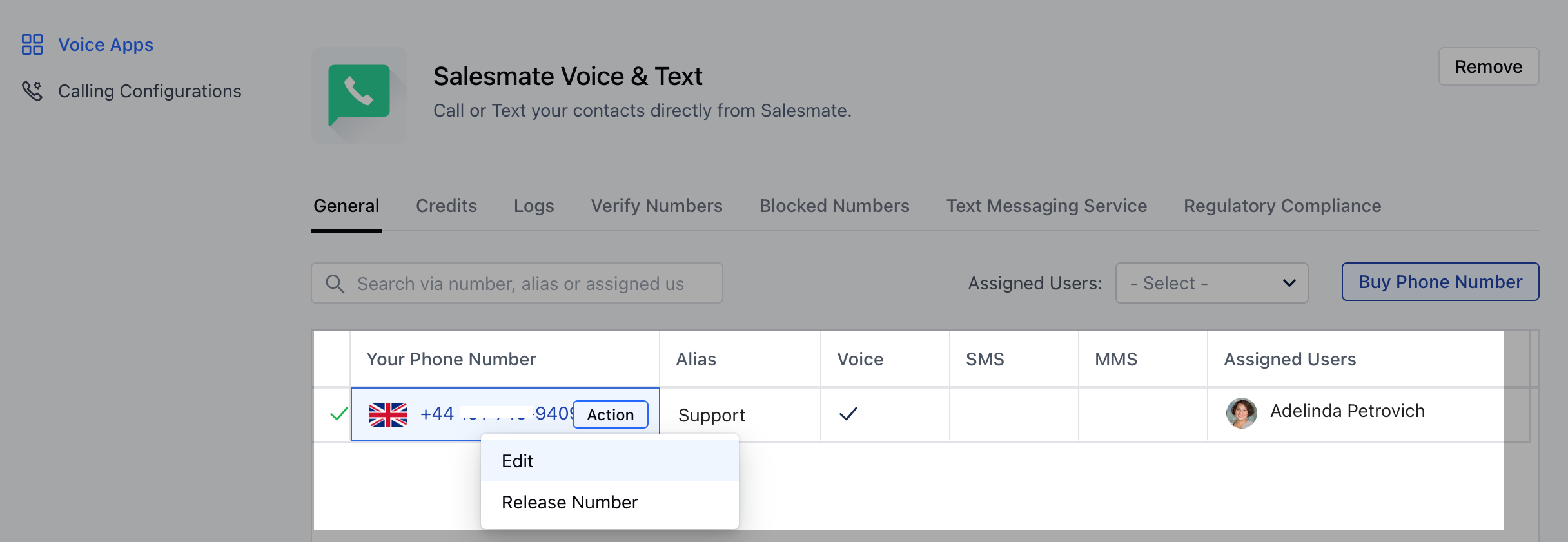 Enable the **"Call Masking**" option for this number.Select the number you would like to mask from your list of verified number/sClick on **Save.**
 * \*Note:\*\*Verified numbers can be used as a Caller ID for outbound calls through Salesmate only.You will not be able to receive inbound calls to Salesmate over this number.Incoming calls to the verified number will continue to route through the existing service provider (your wireless service, landline provider, etc.).If you would like to receive incoming calls through Salesmate, you may be able to forward your calls to a Salesmate phone number via your service provider.Alternatively, you may [port (transfer) your phone number](https://support.salesmate.io/hc/en-us/articles/360005128372) over to Salesmate