> ## Documentation Index
> Fetch the complete documentation index at: https://support.getskara.ai/llms.txt
> Use this file to discover all available pages before exploring further.
# How do you enable the calling app?
In Salesmate, to be able to call out of the app using Salesmate Calling, you will need to activate the Voice app.Below are the steps to help you with the activation :
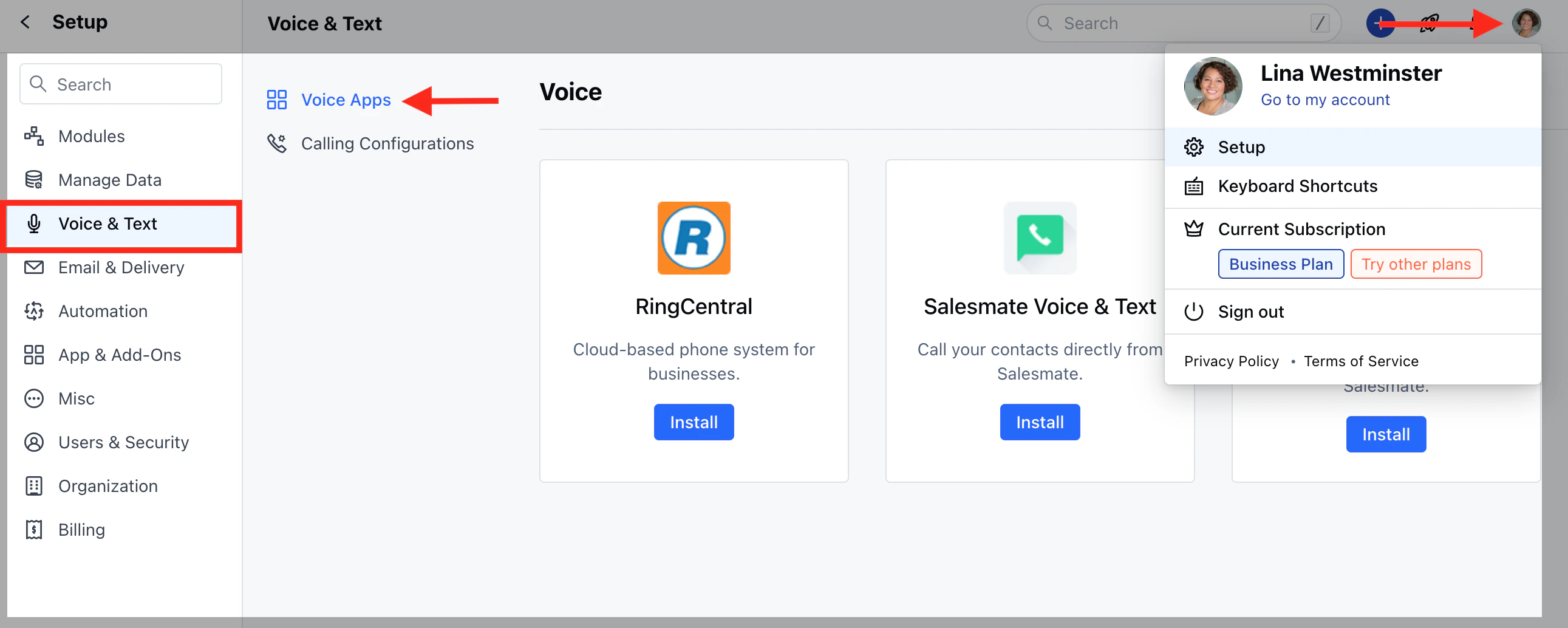
Navigate to the **Profile Icon** on the top right cornerClick on **Setup** Head over to **Voice & Text** categoryClick on **Voice Apps**
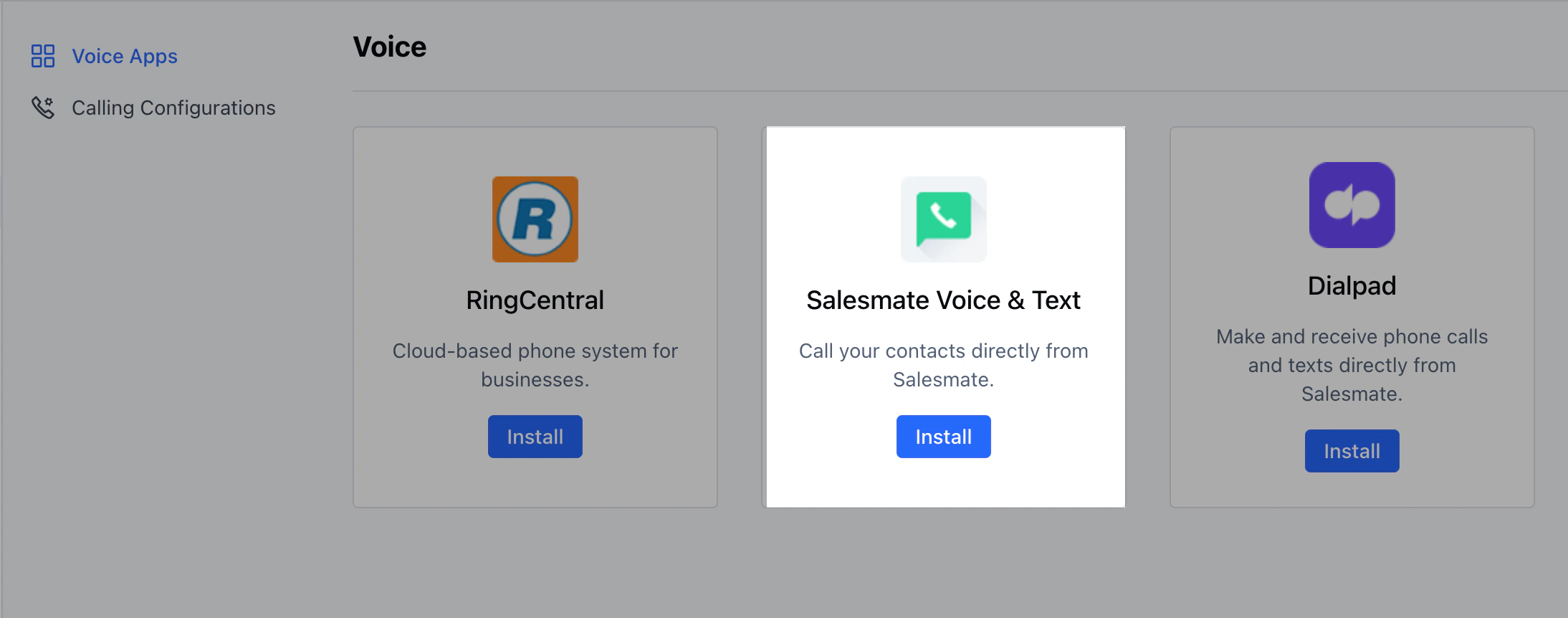
 Click on **Install**(Salesmate Voice & Text)
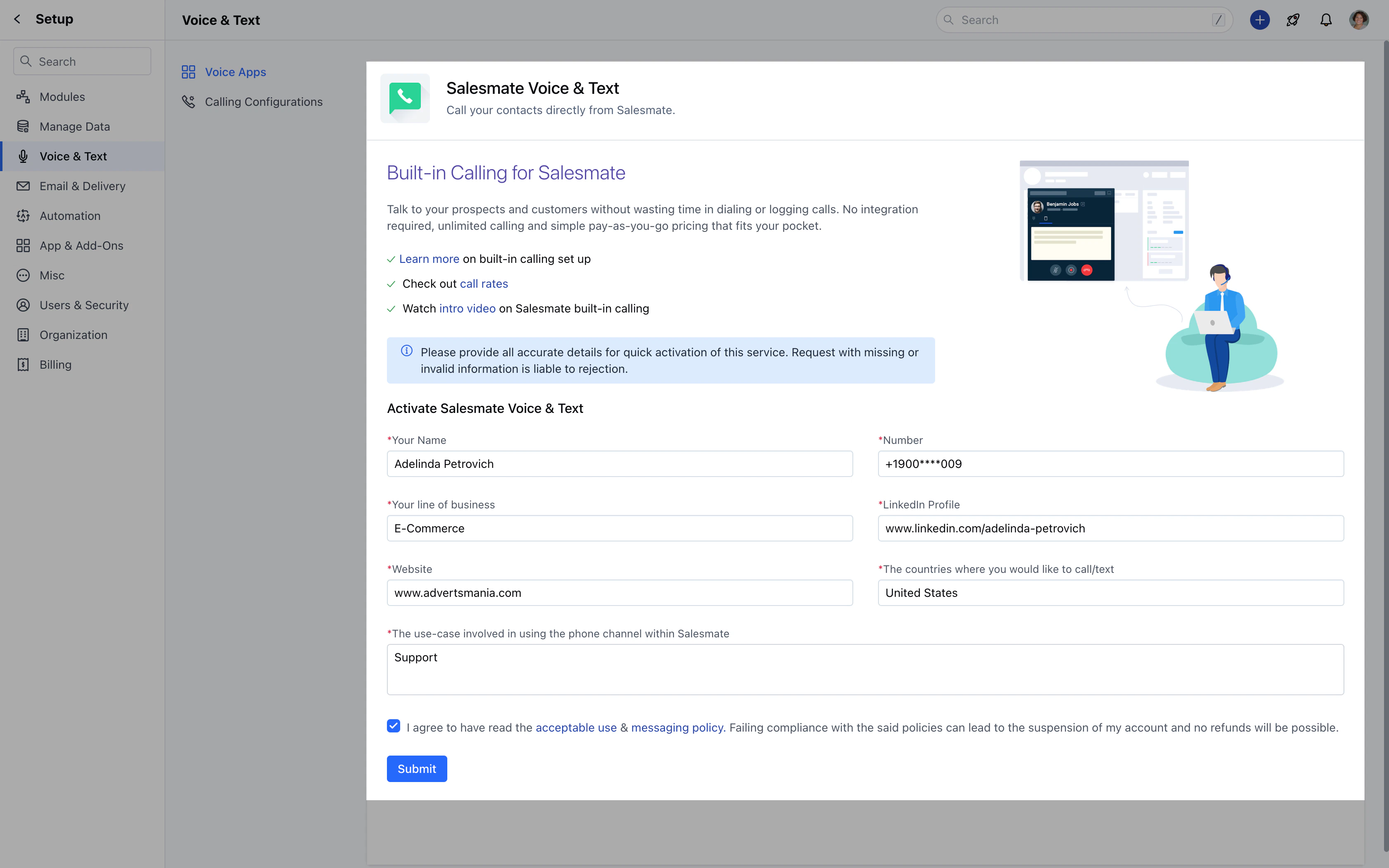
 To **activate** Voice and Text, you'll need to provide us with the following information. Once verified, Salesmate Voice and text will be activated in your account.
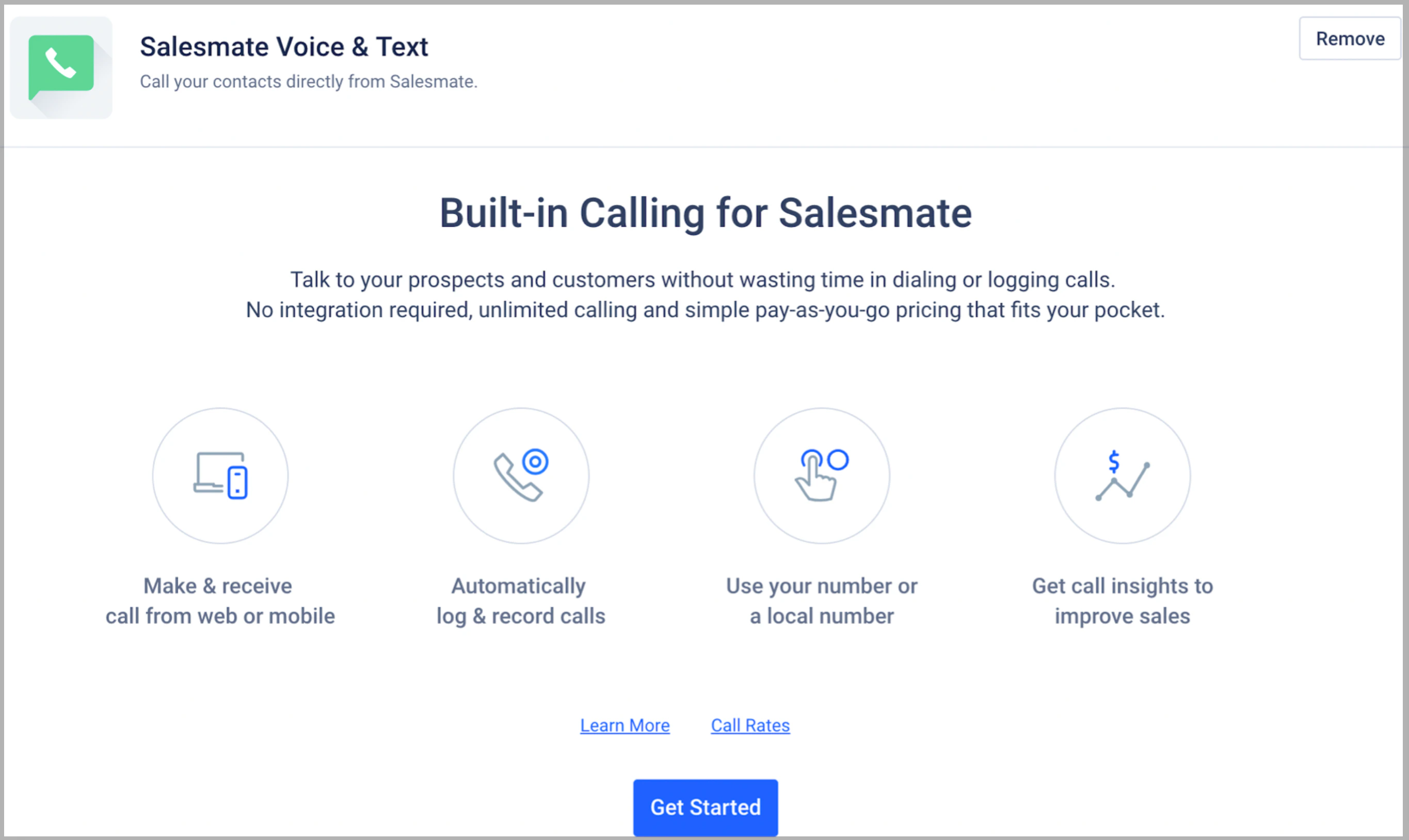
 \*\*Note:\*\*It will take 24 working hours to validate the information and process the request. If any, additional information is required; it will be communicated via email.Once the calling feature has been activated you'll get the below page.
Select **Get Started**
\*\*Note:\*\*It will take 24 working hours to validate the information and process the request. If any, additional information is required; it will be communicated via email.Once the calling feature has been activated you'll get the below page.
Select **Get Started**
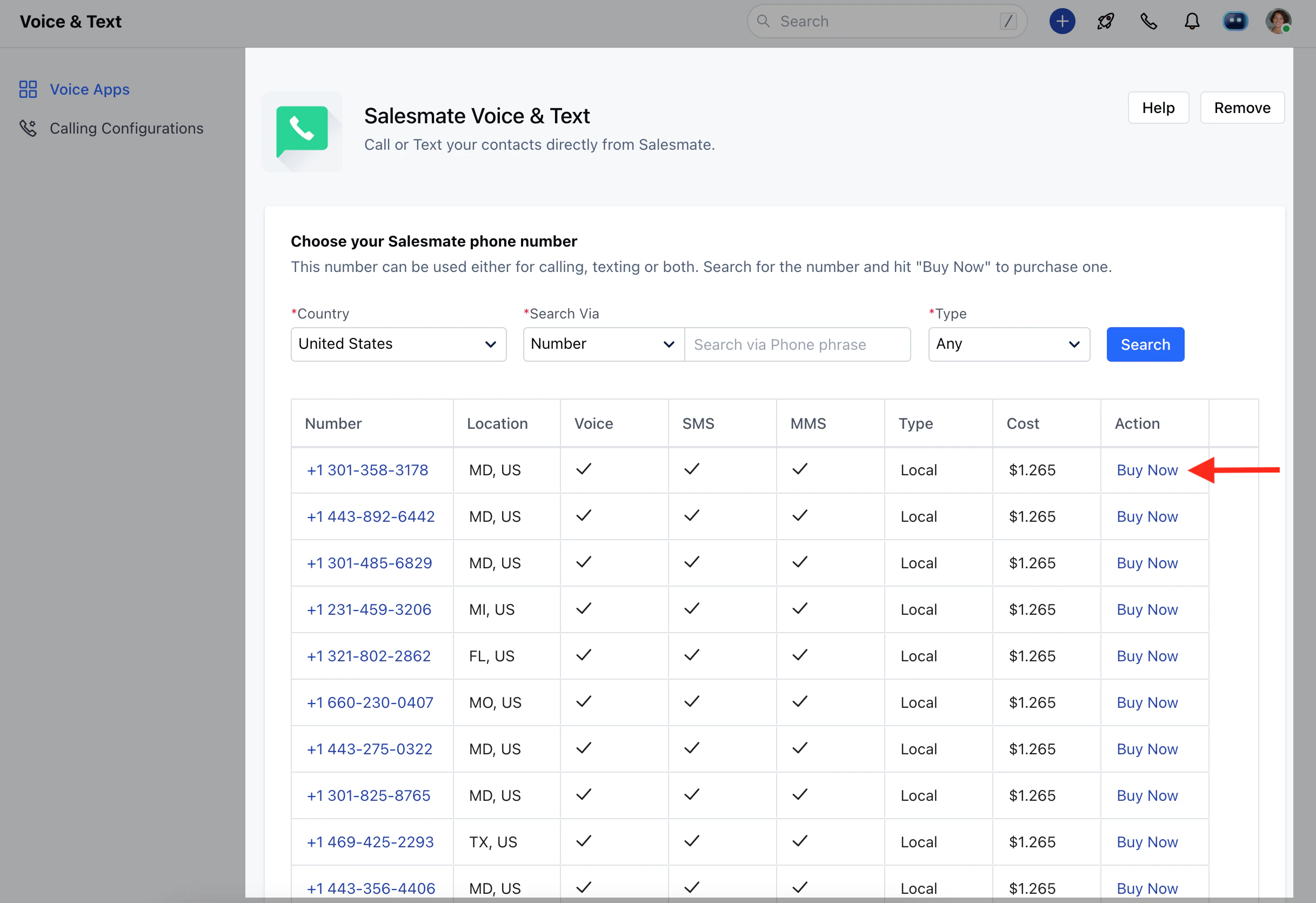
 You will see the **Salesmate Voice & Text** page with the list of numbers to buy.Salesmate provides an option to choose the number on basis of
CountrySearch Via - Number and LocationTypeSelect the number of your choice and click on **Buy Now**.
You will see the **Salesmate Voice & Text** page with the list of numbers to buy.Salesmate provides an option to choose the number on basis of
CountrySearch Via - Number and LocationTypeSelect the number of your choice and click on **Buy Now**.
 \*\*Note:\*\*Phone/Calling is an add-on service (pay-per-minute / pay-per-SMS service) to the CRM subscription. Thus you will be paying for a user subscription as well as load calling credits and utilize them towards purchasing the number, calling, and texting.