> ## Documentation Index
> Fetch the complete documentation index at: https://support.getskara.ai/llms.txt
> Use this file to discover all available pages before exploring further.
# Configure your office hours and availability
Users can set **Office Hours** to let their customers know about your **Business Timings** and when their conversation can get a response. Once the Chats is successfully [installed](#users-can-set-office-hours-to-let-their-customers-know-about-your-business-timings-and-when-their-conversation-can-get-a-response), you can set up the working hours and availability that will be visible to your website visitors in the Chat widget.
To set your Availability,
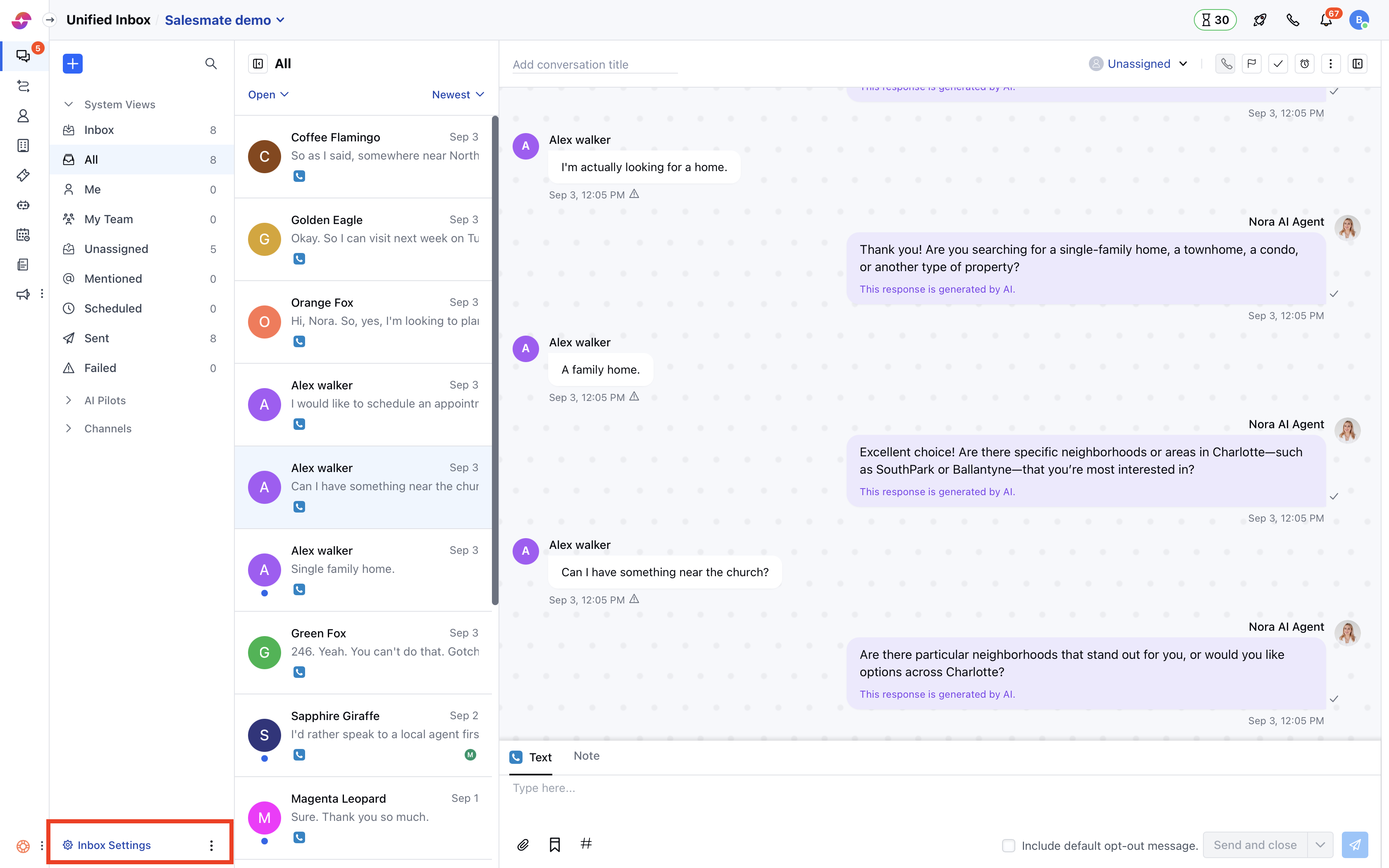
* Navigate to **Conversations Icon** on the left menu bar
* Click on **Chats**
* Head to **Inbox Settings** on bottom left.
* Select a **Channel** from the list of the available channels
 * Switch to the **Availability** tab and select the **timezone** in which your team operates
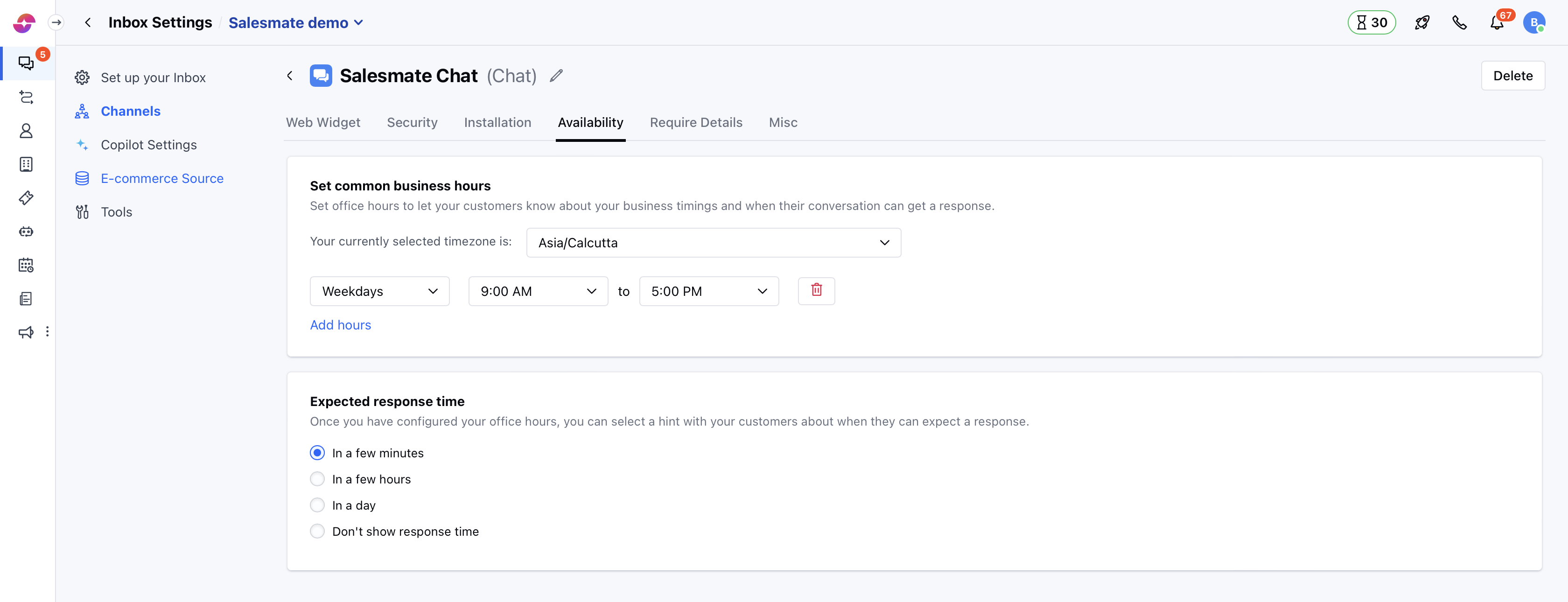 * Set your **working hours** from the option available and you can add more **hours** if your team operates in different time zones
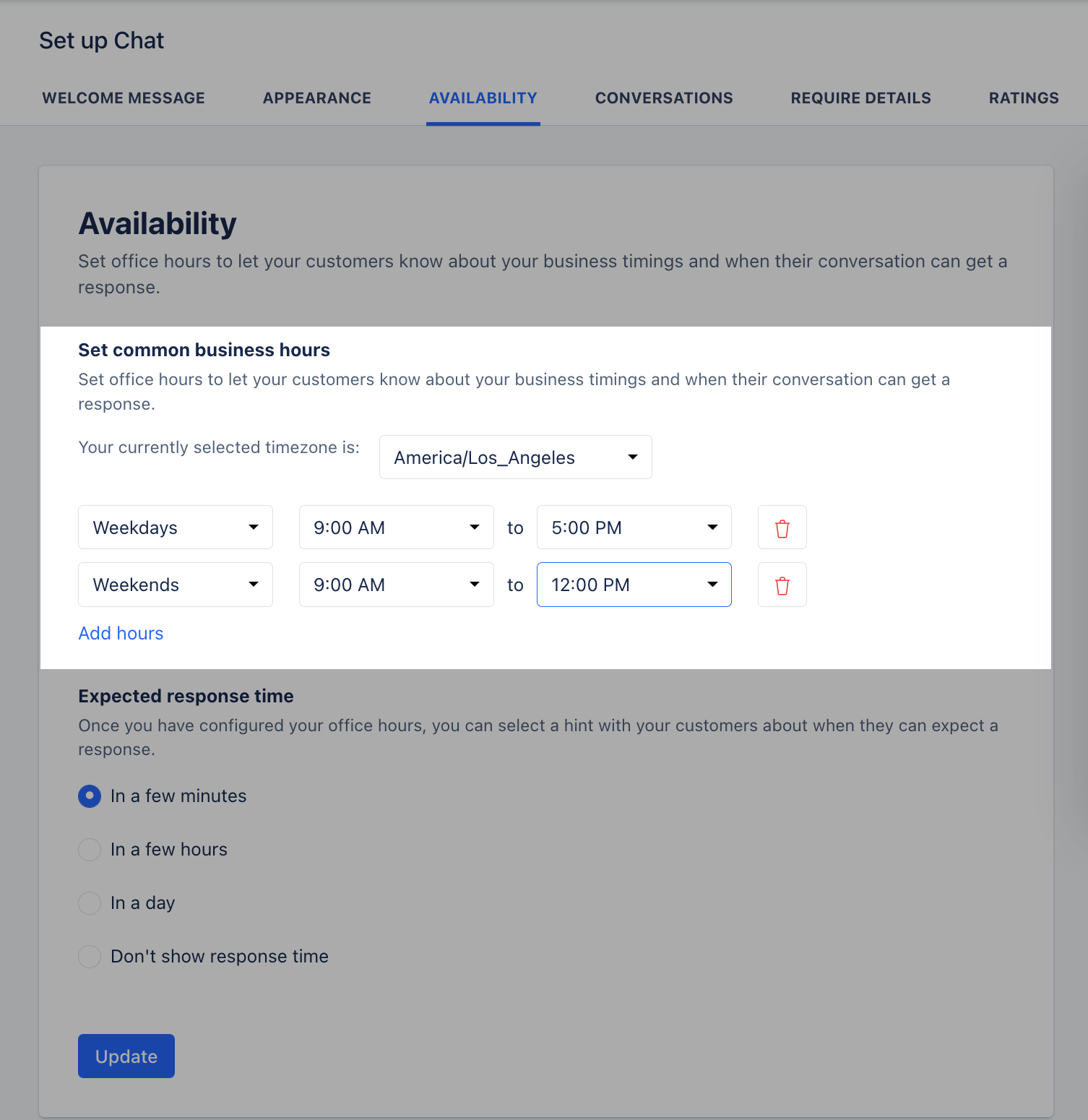 **Note:** By default, the working hours are set to **Weekdays (9 AM - 5PM)** and if you remove all hours then it would mean your team is available 24x7.
* Set the **expected response time** for your customers on how quickly they can get a response from you, choose from the below options:
* In a few minutes
* In a few hours
* In a day
* Don't show response time
**Note:** By default, the working hours are set to **Weekdays (9 AM - 5PM)** and if you remove all hours then it would mean your team is available 24x7.
* Set the **expected response time** for your customers on how quickly they can get a response from you, choose from the below options:
* In a few minutes
* In a few hours
* In a day
* Don't show response time
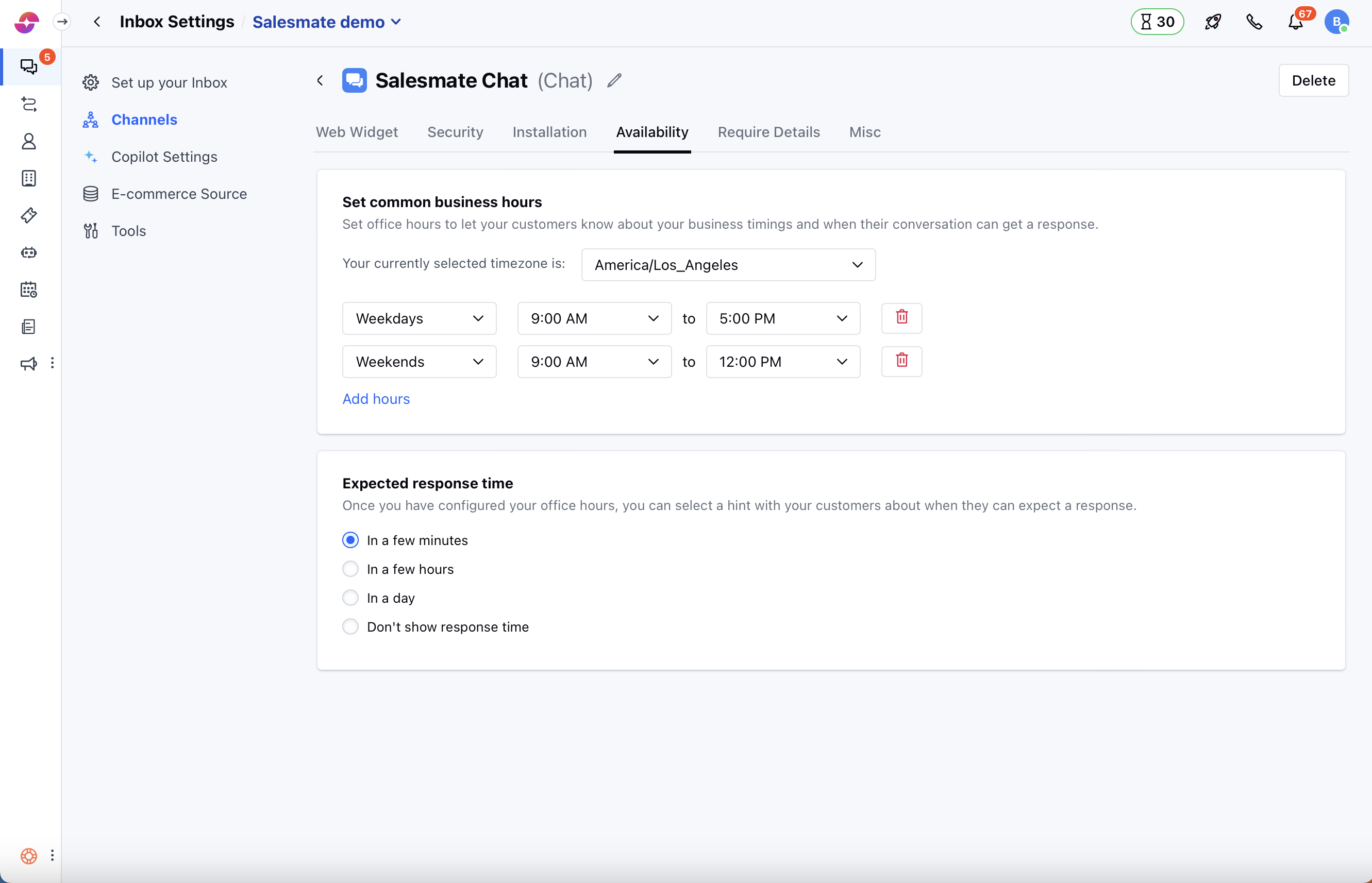 * Once done, hit the **Update** button to save your changes.