> ## Documentation Index
> Fetch the complete documentation index at: https://support.getskara.ai/llms.txt
> Use this file to discover all available pages before exploring further.
# How to configure email requirement to start conversation?
By default, the Chats has been set up in such a way that it auto asks for the name and email address when the user hasn't responded to the visitor within 2 minutes. But you can configure the name and email requirement for starting a new conversation where you can decide on capturing the name & email address of the visitor whenever they start a new chat so that you can always get back to them in the future if required.
To change these settings, follow the below steps:
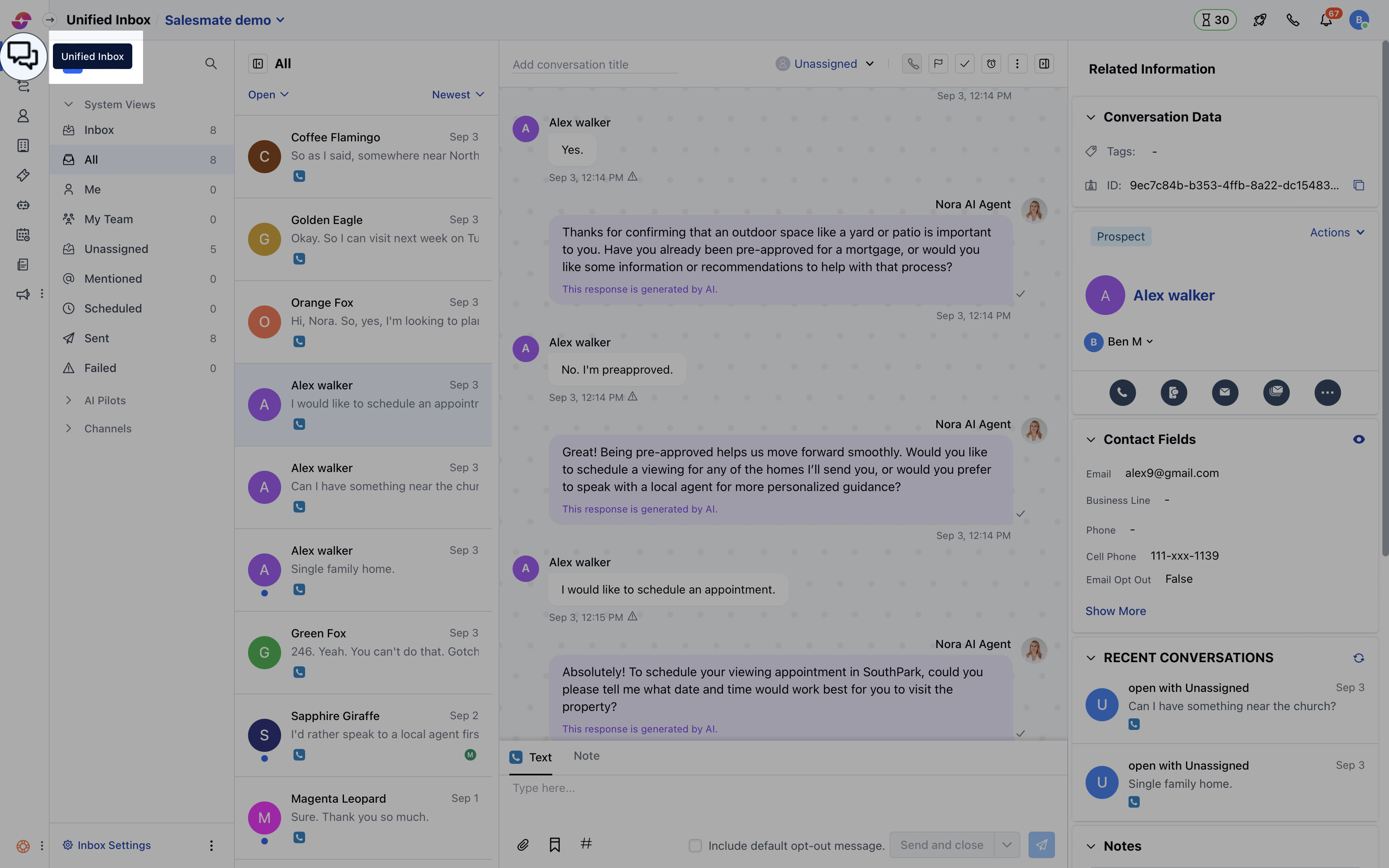
* Navigate to **Conversations Icon** on the left menu bar
* Click on **Chats**
* Head to **Chat Settings** on bottom left **.**
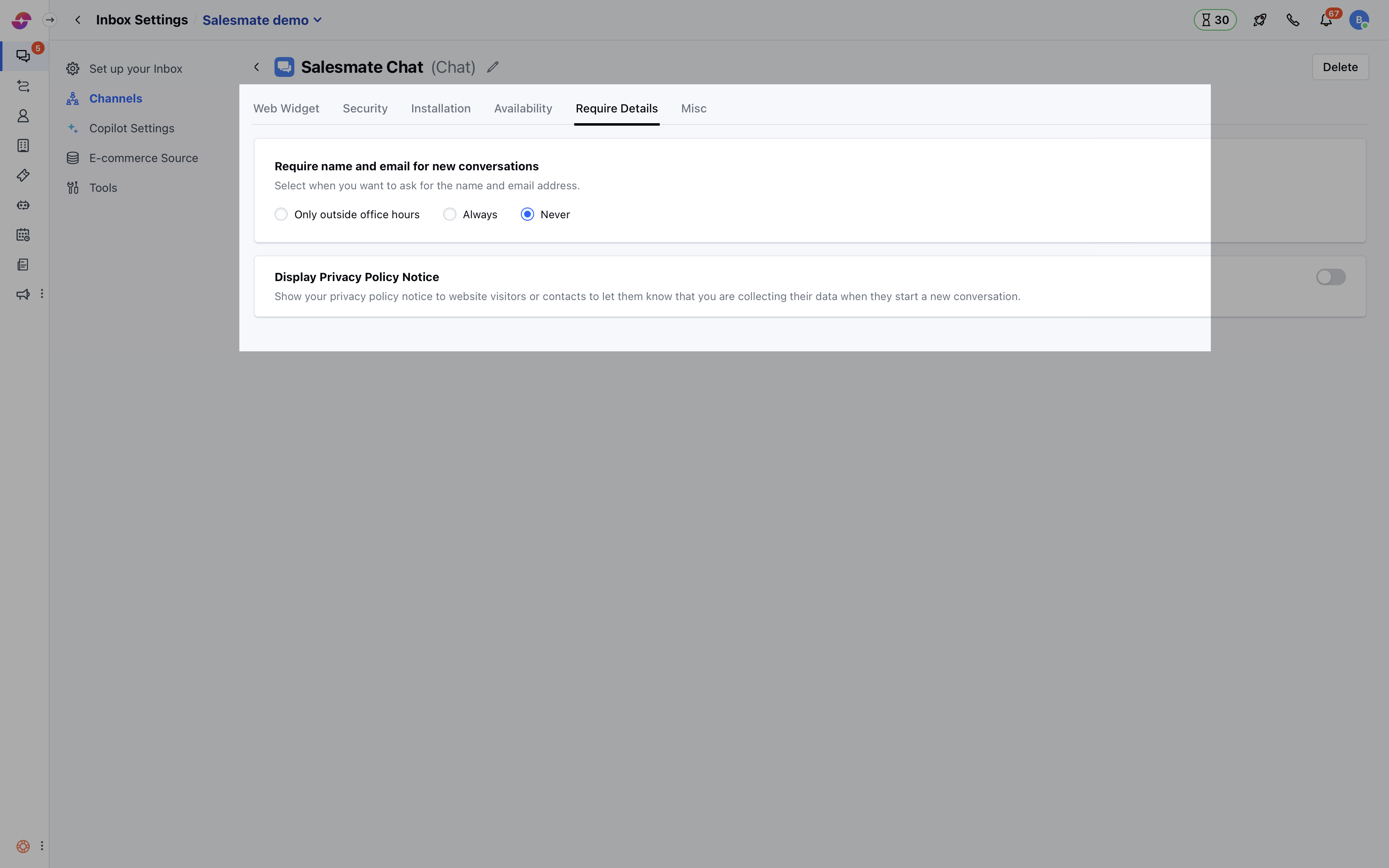
 * Switch to the **Require Details** tab and select the option which fits your requirement.
* Select when you want to ask for the name & email address for starting a new conversation:
* **Only outside office hours:** Chats will ask for the name and email address whenever the visitor starts a new conversation outside your working hours. [Learn more about how to set up office hours](/chats/configuring-the-salesmate-chats/configure-your-office-hours-and-availability).
* **Always:** Chats will ask for the name and email address every time the visitor starts a new conversation, no matter what time it is.
* **Never:** In this case, the visitor can start a new conversation and won't be asked for the name & email address.
* Hit the **Update** button to save your changes.
* Switch to the **Require Details** tab and select the option which fits your requirement.
* Select when you want to ask for the name & email address for starting a new conversation:
* **Only outside office hours:** Chats will ask for the name and email address whenever the visitor starts a new conversation outside your working hours. [Learn more about how to set up office hours](/chats/configuring-the-salesmate-chats/configure-your-office-hours-and-availability).
* **Always:** Chats will ask for the name and email address every time the visitor starts a new conversation, no matter what time it is.
* **Never:** In this case, the visitor can start a new conversation and won't be asked for the name & email address.
* Hit the **Update** button to save your changes.
 **Note:**
* In all the above cases, Chats automatically asks for the name and email address of visitor, if they don't receive any response within 2 minutes. This only happens if Salesmate does not recognize the visitor i.e. if the name and email address are captured previously then it won't be asked.
* Only users with ["Manage Chat Settings" permission](/chats/working-with-salesmate-chats/chat-permissions) can access the above settings.
**Note:**
* In all the above cases, Chats automatically asks for the name and email address of visitor, if they don't receive any response within 2 minutes. This only happens if Salesmate does not recognize the visitor i.e. if the name and email address are captured previously then it won't be asked.
* Only users with ["Manage Chat Settings" permission](/chats/working-with-salesmate-chats/chat-permissions) can access the above settings.