> ## Documentation Index
> Fetch the complete documentation index at: https://support.getskara.ai/llms.txt
> Use this file to discover all available pages before exploring further.
# Prevent replies to a closed conversation
Now you can choose if your customer or visitor can reply to a closed conversation or not. Also, please select the number of days a conversation can remain active to receive replies after marking it closed.
### Configure setting to prevent replies
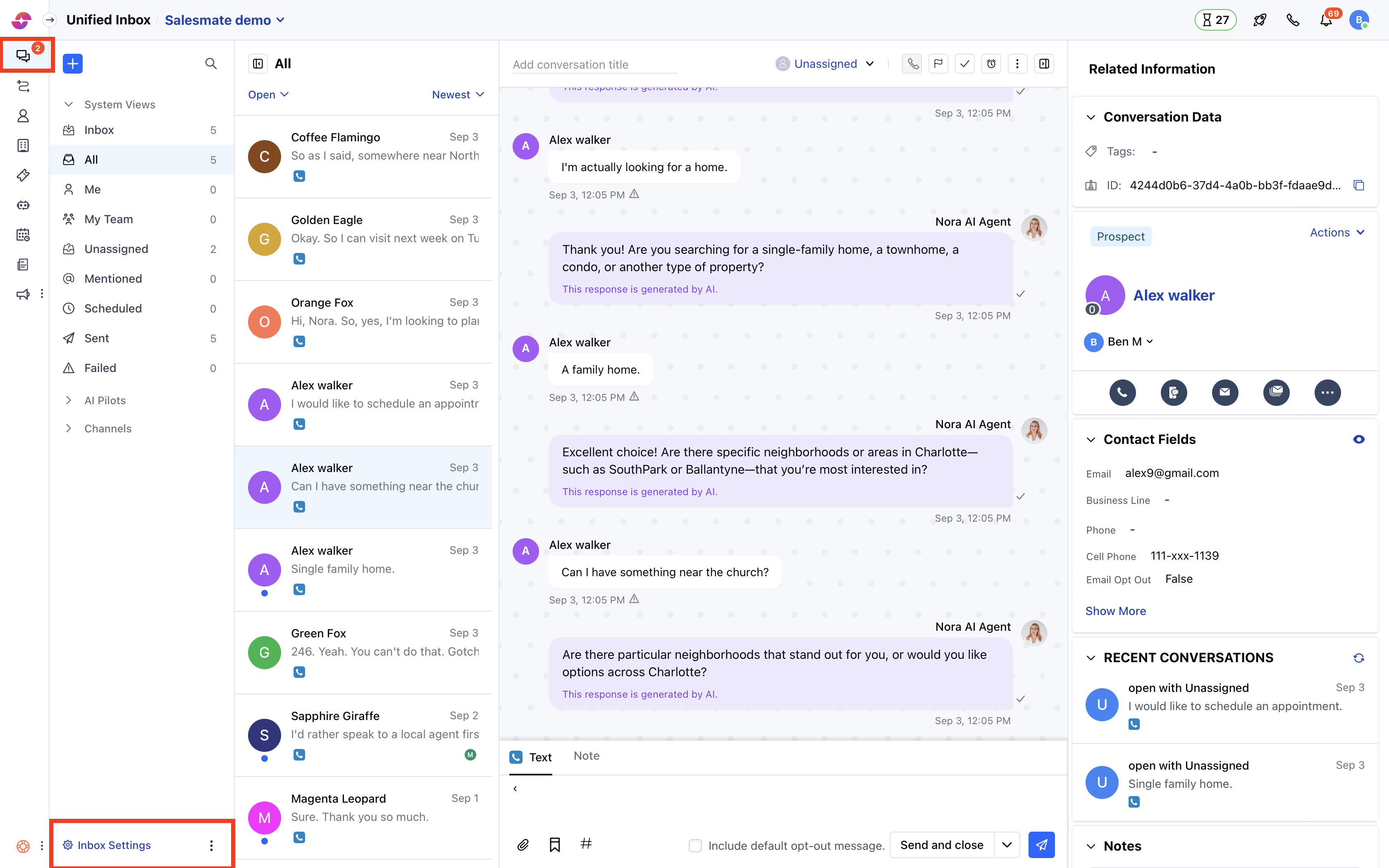
* Navigate to **Conversations Icon** on the left menu bar
* Click on **Chats**
* Head to **Inbox Settings** on the bottom left.
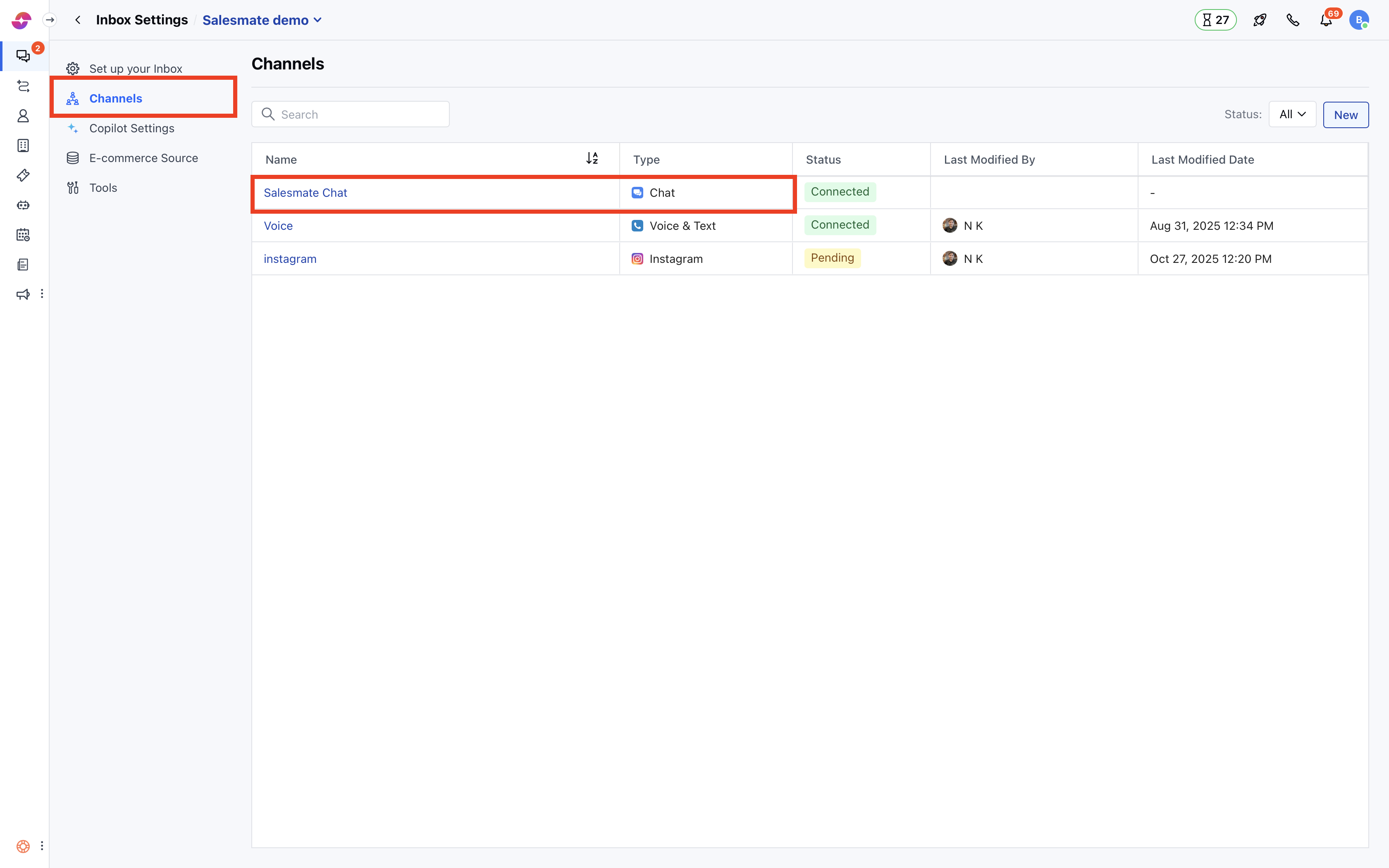
 * Click the **Channels** option in the left sidebar.
* Click on **Skara Chat**.
* Click the **Channels** option in the left sidebar.
* Click on **Skara Chat**.
 * Select the **Web Widget** tab
* Go to **Conversations**
* You can configure different options for **visitors and contacts**.
* Enable **Prevent replies** to the closed conversation.
**Note:** The system recommends a 3-day limit by default to prevent replies in closed conversations.
* Select the **Web Widget** tab
* Go to **Conversations**
* You can configure different options for **visitors and contacts**.
* Enable **Prevent replies** to the closed conversation.
**Note:** The system recommends a 3-day limit by default to prevent replies in closed conversations.
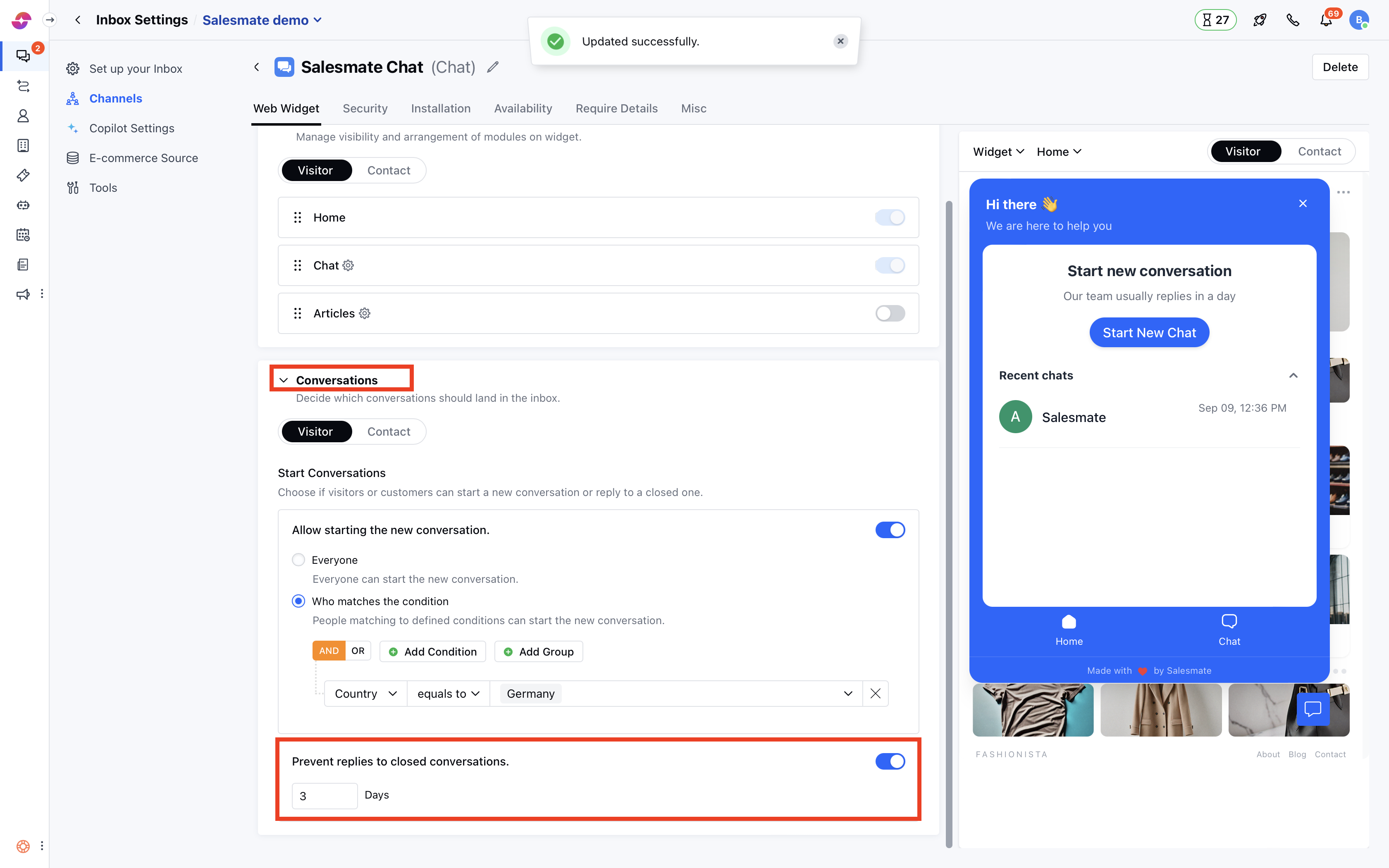 * Once enabled, you can also choose the number of days until replies will be accepted after closing the conversation. In short, the conversation can be reopened within that time.
* Once this limit is exceeded, the system won't allow the customer or visitor to reply in a closed conversation.
### What do customers see on the widget?
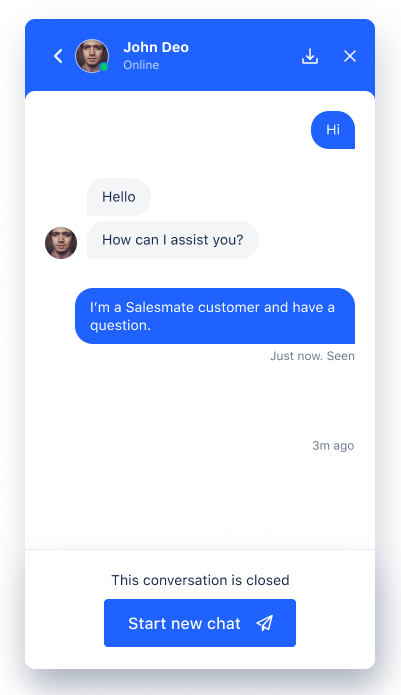
* Contacts or visitors can always see the closed conversations but can't post any new replies. The system will encourage them to boot a new conversation for further queries. Such a mechanism is helpful to keep conversations more organized and helps measure the effectiveness of teammates for replying and closing conversations on time.
* Once enabled, you can also choose the number of days until replies will be accepted after closing the conversation. In short, the conversation can be reopened within that time.
* Once this limit is exceeded, the system won't allow the customer or visitor to reply in a closed conversation.
### What do customers see on the widget?
* Contacts or visitors can always see the closed conversations but can't post any new replies. The system will encourage them to boot a new conversation for further queries. Such a mechanism is helpful to keep conversations more organized and helps measure the effectiveness of teammates for replying and closing conversations on time.
 **Note:**
* Only users with [“Manage messenger settings” permission](/chats/working-with-salesmate-chats/chat-permissions) can access this setting.
* If a contact replies to a closed conversation via email, then that message will start a new conversation if the time limit has been reached, otherwise, the conversation will be reopened and the message will be posted.
* If the user replies in a closed conversation, then the conversation will be reopened and a message will be posted, as these settings do not affect the user behavior.
**Note:**
* Only users with [“Manage messenger settings” permission](/chats/working-with-salesmate-chats/chat-permissions) can access this setting.
* If a contact replies to a closed conversation via email, then that message will start a new conversation if the time limit has been reached, otherwise, the conversation will be reopened and the message will be posted.
* If the user replies in a closed conversation, then the conversation will be reopened and a message will be posted, as these settings do not affect the user behavior.