> ## Documentation Index
> Fetch the complete documentation index at: https://support.getskara.ai/llms.txt
> Use this file to discover all available pages before exploring further.
# Setting up a custom Launcher Icon
A User can set a custom launcher icon while [installing chats](#a-user-can-set-a-custom-launcher-icon-while-installing-chatshttpssupportsalesmateiohcen-usarticles360058369732-which-can-also-be-updated-with-the-course-of-time-as-and-when-needed-by-following-the-below-mentioned-steps), which can also be updated with the course of time as and when needed by following the below-mentioned steps. The launcher icon will be visible to your **website visitors** when they open your website as per the defined chat launcher position you have set.
### Open Chat settings
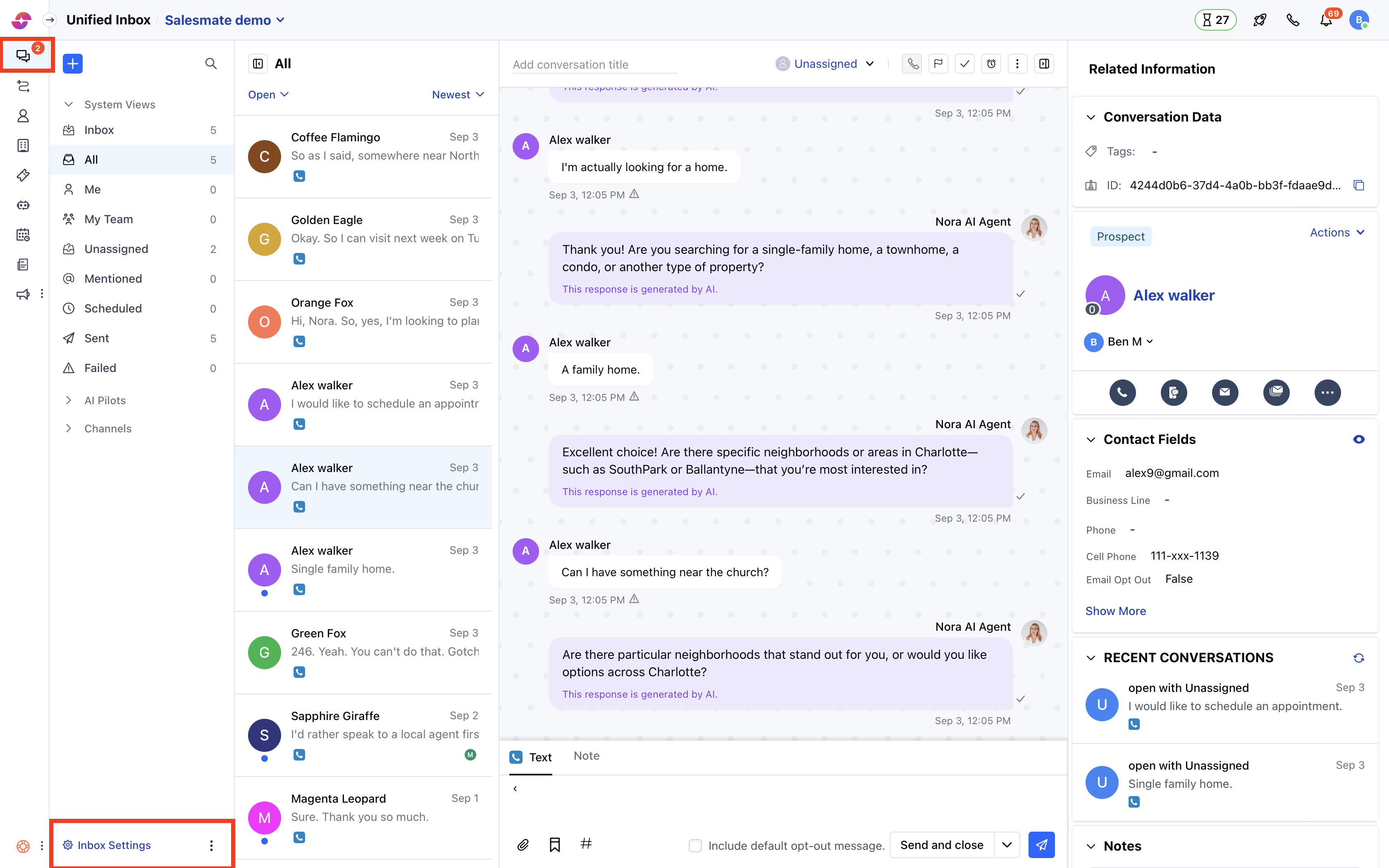
* Navigate to **Conversations Icon** on the left menu bar
* Click on **Chats**
* Head to **Inbox Settings** on bottom left.
* Select a **Channel** from the list of available channels.
 * Here, go to the **Launcher Appearance** section.
* By default, the Salesmate launcher icon would be selected
* You can select the icons from the given list
* Or you can upload a **Custom icon**
* Here, go to the **Launcher Appearance** section.
* By default, the Salesmate launcher icon would be selected
* You can select the icons from the given list
* Or you can upload a **Custom icon**
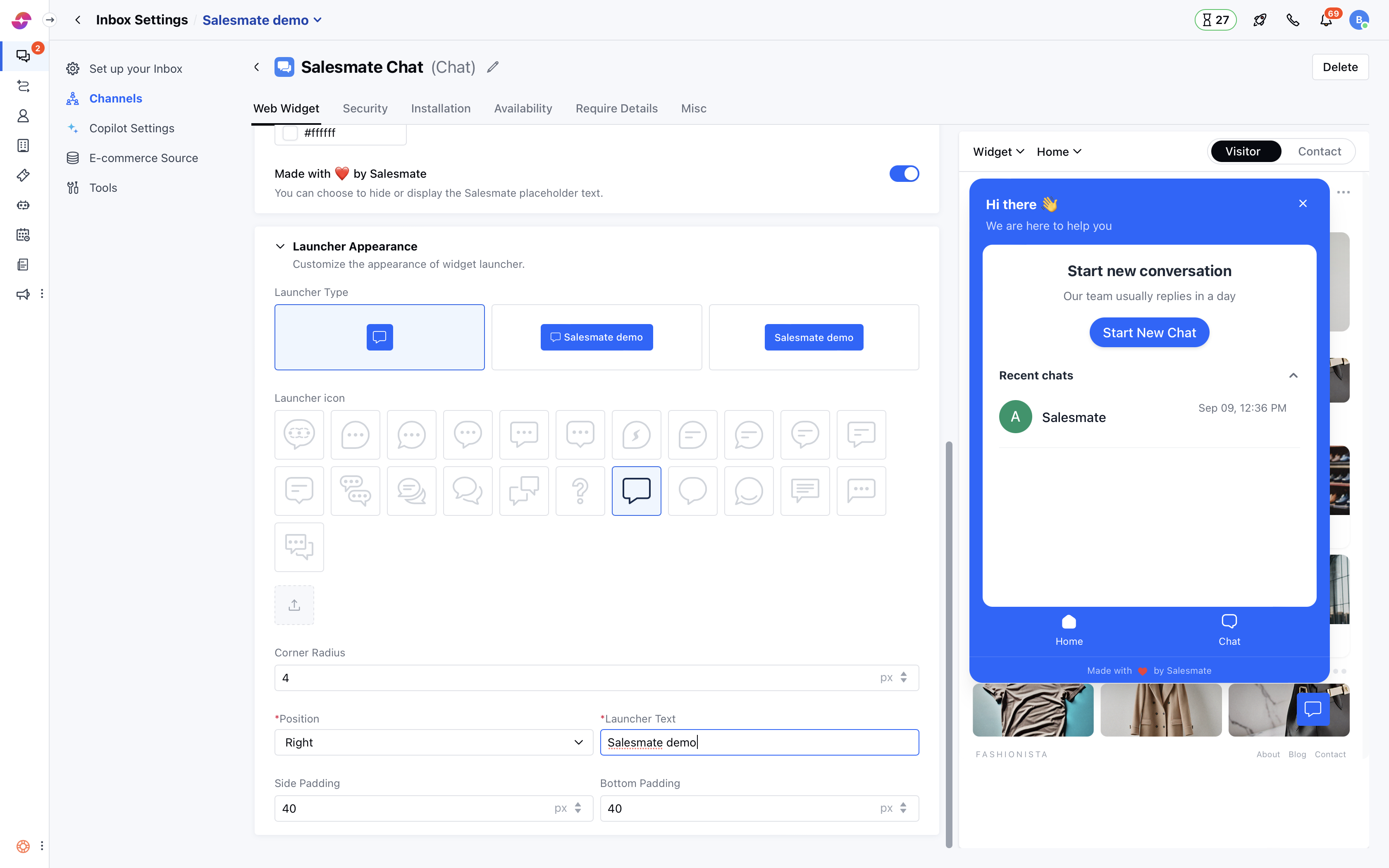 * You can also set the **Launcher Position** as per your requirement on your **website**
* Once you are done, hit the **Update** button to save your changes.
**Note:** Only users with [“Manage chat settings”permission](#a-user-can-set-a-custom-launcher-icon-while-installing-chatshttpssupportsalesmateiohcen-usarticles360058369732-which-can-also-be-updated-with-the-course-of-time-as-and-when-needed-by-following-the-below-mentioned-steps) can access this setting.
* You can also set the **Launcher Position** as per your requirement on your **website**
* Once you are done, hit the **Update** button to save your changes.
**Note:** Only users with [“Manage chat settings”permission](#a-user-can-set-a-custom-launcher-icon-while-installing-chatshttpssupportsalesmateiohcen-usarticles360058369732-which-can-also-be-updated-with-the-course-of-time-as-and-when-needed-by-following-the-below-mentioned-steps) can access this setting.