> ## Documentation Index
> Fetch the complete documentation index at: https://support.getskara.ai/llms.txt
> Use this file to discover all available pages before exploring further.
# Setting up the welcome message
A User can set a custom message while [installing Chats](#a-user-can-set-a-custom-message-while-installing-chatshttpssupportsalesmateiohcen-usarticles360058369732-which-can-also-be-updated-with-the-course-of-time-as-and-when-needed-by-following-the-below-mentioned-steps), which can also be updated with the course of time as and when needed by following the below mentioned steps. The welcome message will be visible to your **website visitors** when they open the chat widget installed on your website.
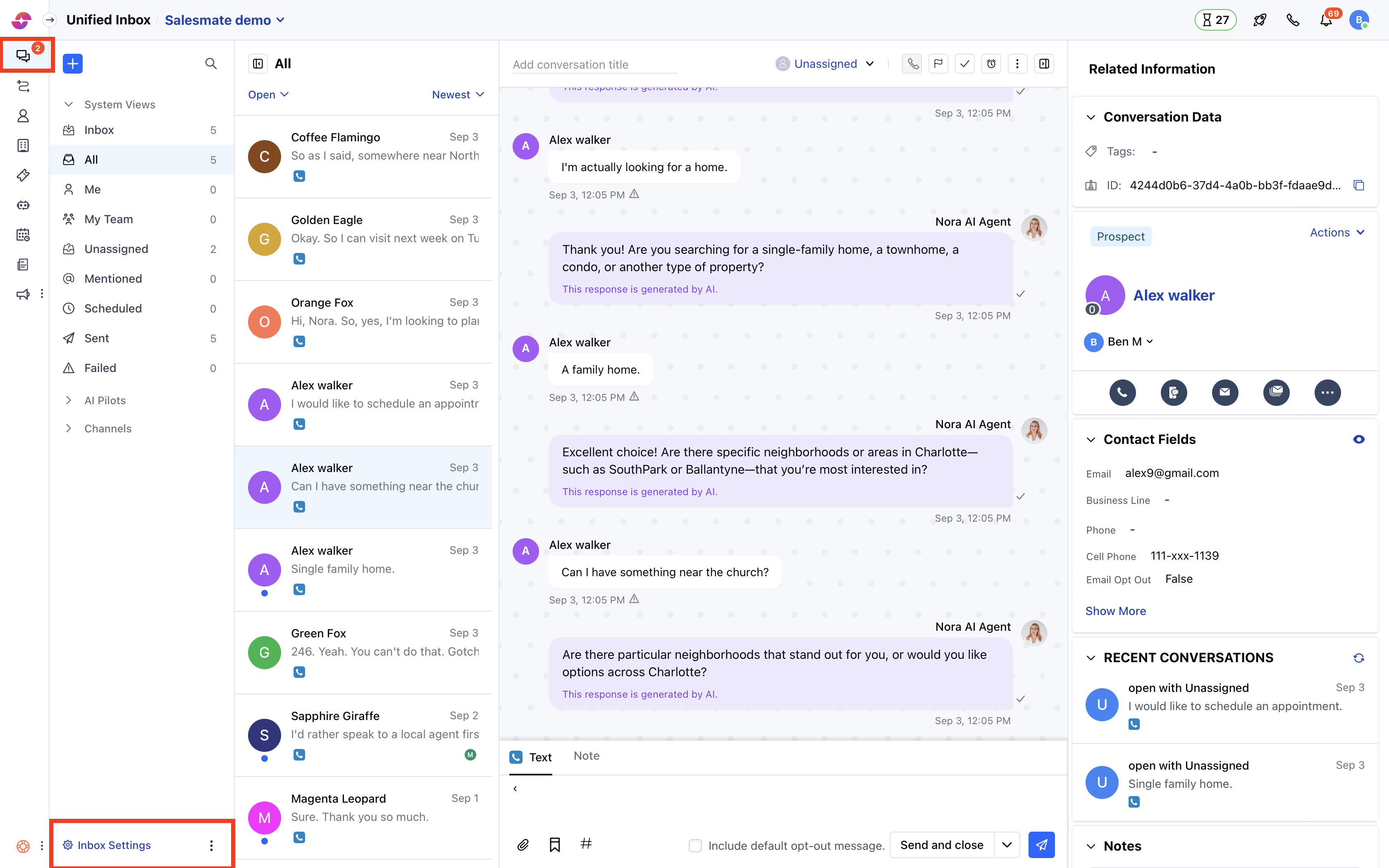
### Open Chat settings
* Navigate to **Conversations Icon** on the left menu bar
* Click on **Chats**
* Head to **Inbox Settings** on bottom left.
* Click **Channels** and select one from the available channels in your Unified Inbox.
 ### Customize the welcome message
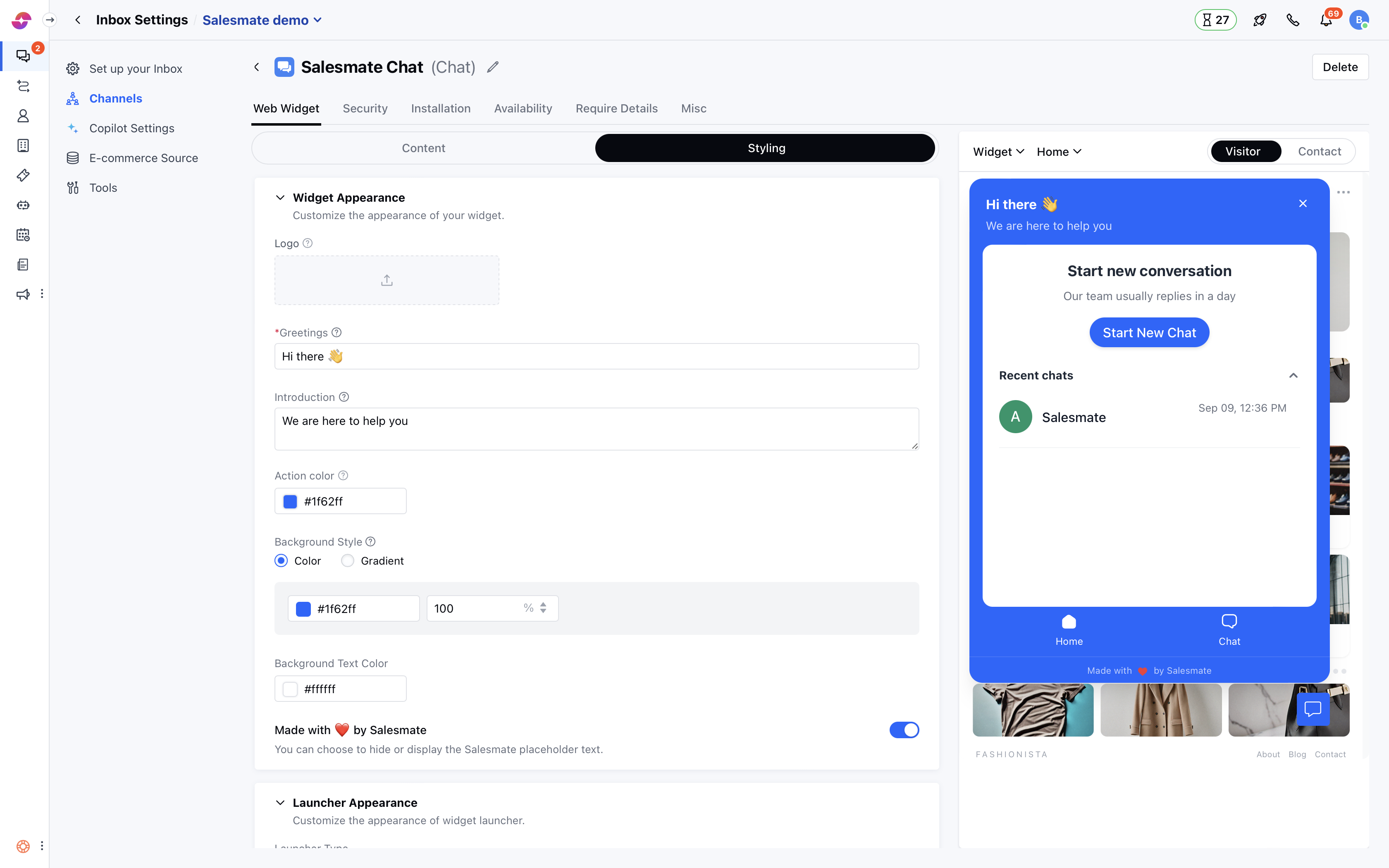
* Here the **Welcome Message** tab is opened by default.
* You can put any **Greeting** message to welcome your customers on the platform in the field shown below for example '*Hello there!*'
* Also, a **Team Introduction** message to say how you can help your customers.
* Which will be reflected in the live preview of the widget on the left side.
### Customize the welcome message
* Here the **Welcome Message** tab is opened by default.
* You can put any **Greeting** message to welcome your customers on the platform in the field shown below for example '*Hello there!*'
* Also, a **Team Introduction** message to say how you can help your customers.
* Which will be reflected in the live preview of the widget on the left side.
 * You can also change the name of your workspace by updating value in **Workspace name**
* Once you are done, hit the **Update** button to save your changes.
**Note:** Only users with [“Manage chat settings” permission](#a-user-can-set-a-custom-message-while-installing-chatshttpssupportsalesmateiohcen-usarticles360058369732-which-can-also-be-updated-with-the-course-of-time-as-and-when-needed-by-following-the-below-mentioned-steps) can access this setting.
* You can also change the name of your workspace by updating value in **Workspace name**
* Once you are done, hit the **Update** button to save your changes.
**Note:** Only users with [“Manage chat settings” permission](#a-user-can-set-a-custom-message-while-installing-chatshttpssupportsalesmateiohcen-usarticles360058369732-which-can-also-be-updated-with-the-course-of-time-as-and-when-needed-by-following-the-below-mentioned-steps) can access this setting.