> ## Documentation Index
> Fetch the complete documentation index at: https://support.getskara.ai/llms.txt
> Use this file to discover all available pages before exploring further.
# View Canned Response Insights
Canned Responses are very handy when it comes to quick messaging, and share quick replies like greeting text, or answers to some common questions.
[Learn more about Canned Responses.](https://support.salesmate.io/hc/en-us/articles/360061360832)
Now you can even view some stats for the canned responses which were sent to customers and the canned responses which got opened by customers. This data plays a major role in reports and analytics to understand more about your customers.
To view a canned response, you need ["Manage Canned Responses" permissions](https://support.salesmate.io/hc/en-us/articles/360058438992), if you have then simply follow the steps:
* Go to **Chat** from the left menu panel.
* Click on **Chat settings** available on the footer of the chat listing column.
* Select **Canned Responses** option in the left sidebar.
* Pick a canned response from the list and click on its name.
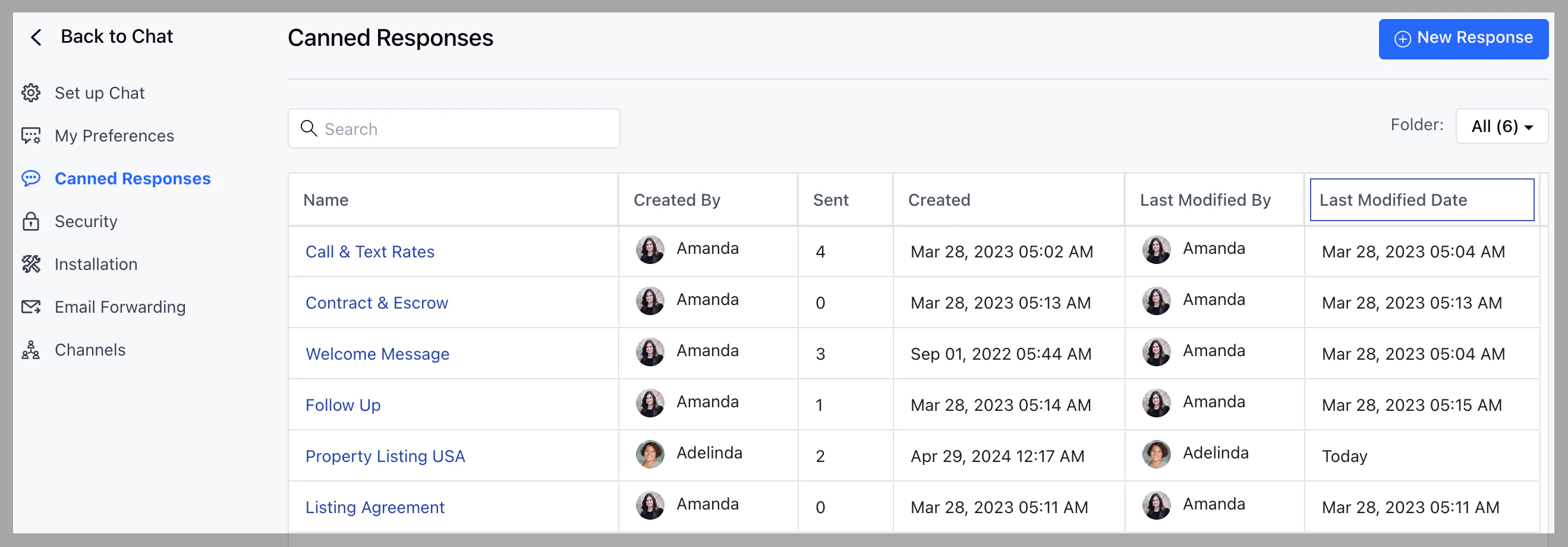 * !\[]\(./View Canned Response Insights –
Salesmate\_files/d2580a59-e412-e8d7-3ca1-40c535004f8b)
System will redirect you to the detail page and you'll see the chart.
* !\[]\(./View Canned Response Insights –
Salesmate\_files/d2580a59-e412-e8d7-3ca1-40c535004f8b)
System will redirect you to the detail page and you'll see the chart.
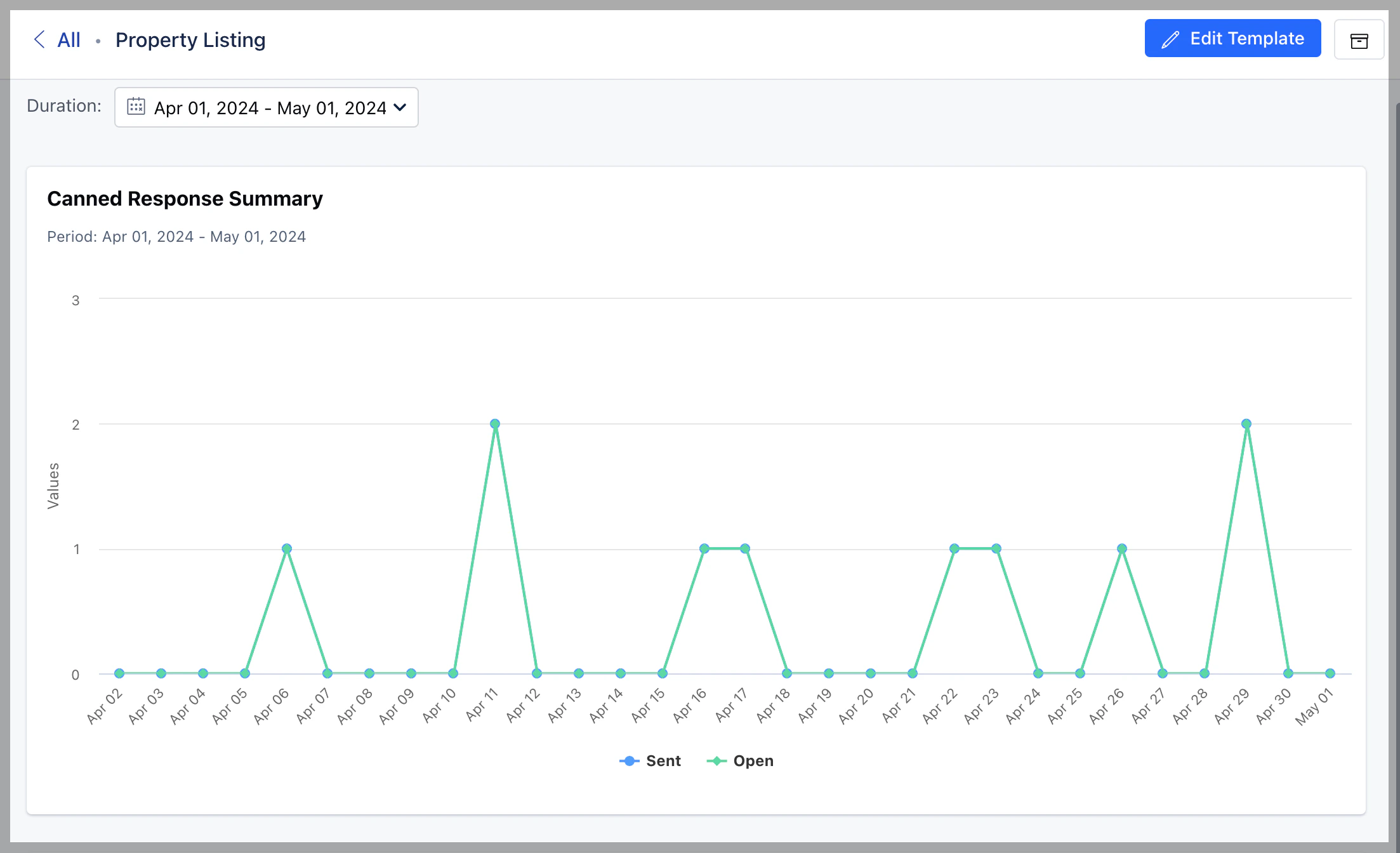 * By default, the chart displays results of last 30 days but you can change that
by selecting any option provided in the duration.
**Note:** You can also perform edit, archive and unarchive operation on the
canned response from this screen.
* By default, the chart displays results of last 30 days but you can change that
by selecting any option provided in the duration.
**Note:** You can also perform edit, archive and unarchive operation on the
canned response from this screen.