> ## Documentation Index
> Fetch the complete documentation index at: https://support.getskara.ai/llms.txt
> Use this file to discover all available pages before exploring further.
# Personalize Assignment Preferences
Choose if an unassigned conversation should be auto-assigned to you when posting a reply inside.
**To personalize assignment preference, follow these steps**
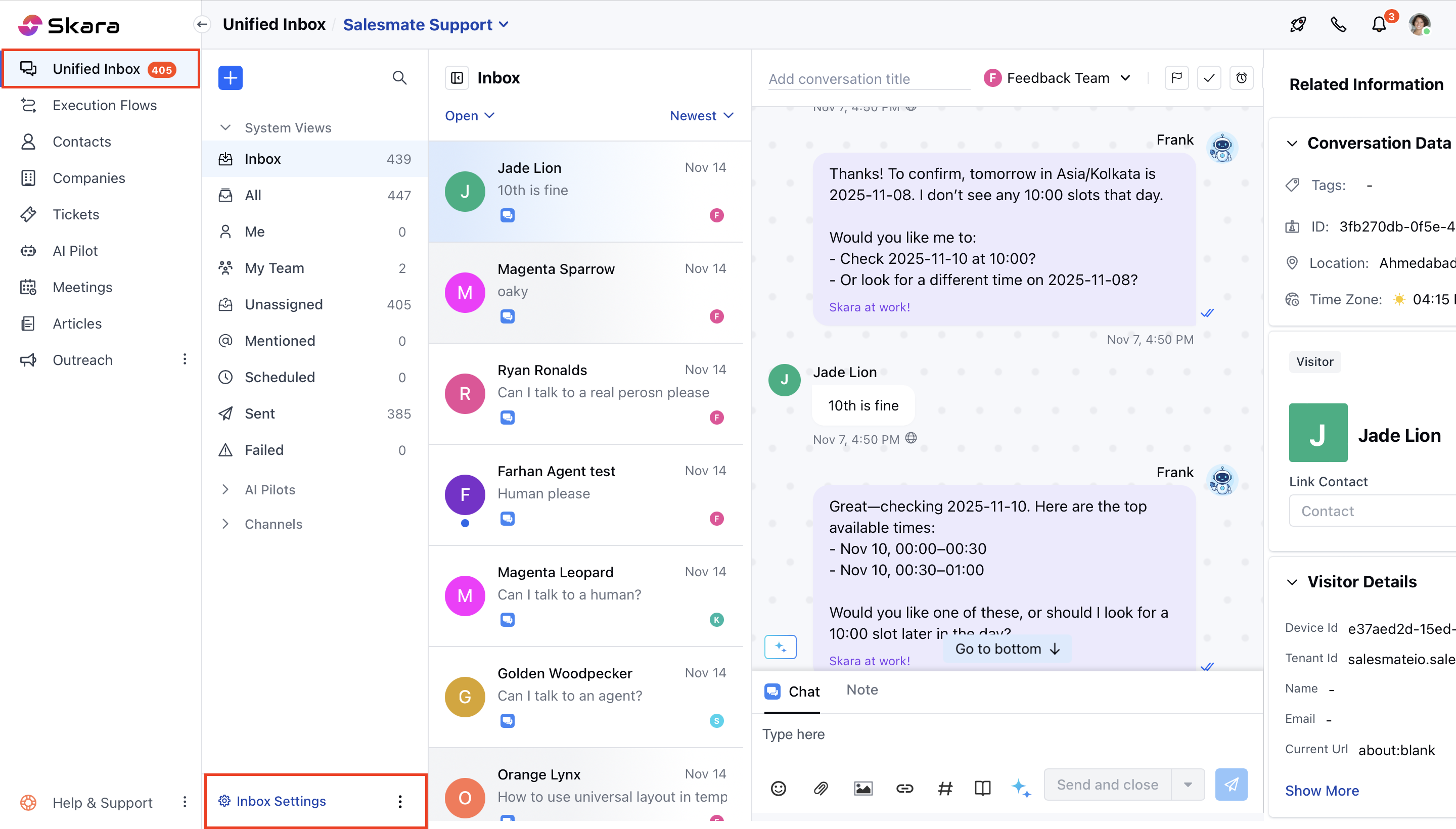
* Click on **Unified inbox**
* Head to **Chat Settings** on bottom left.
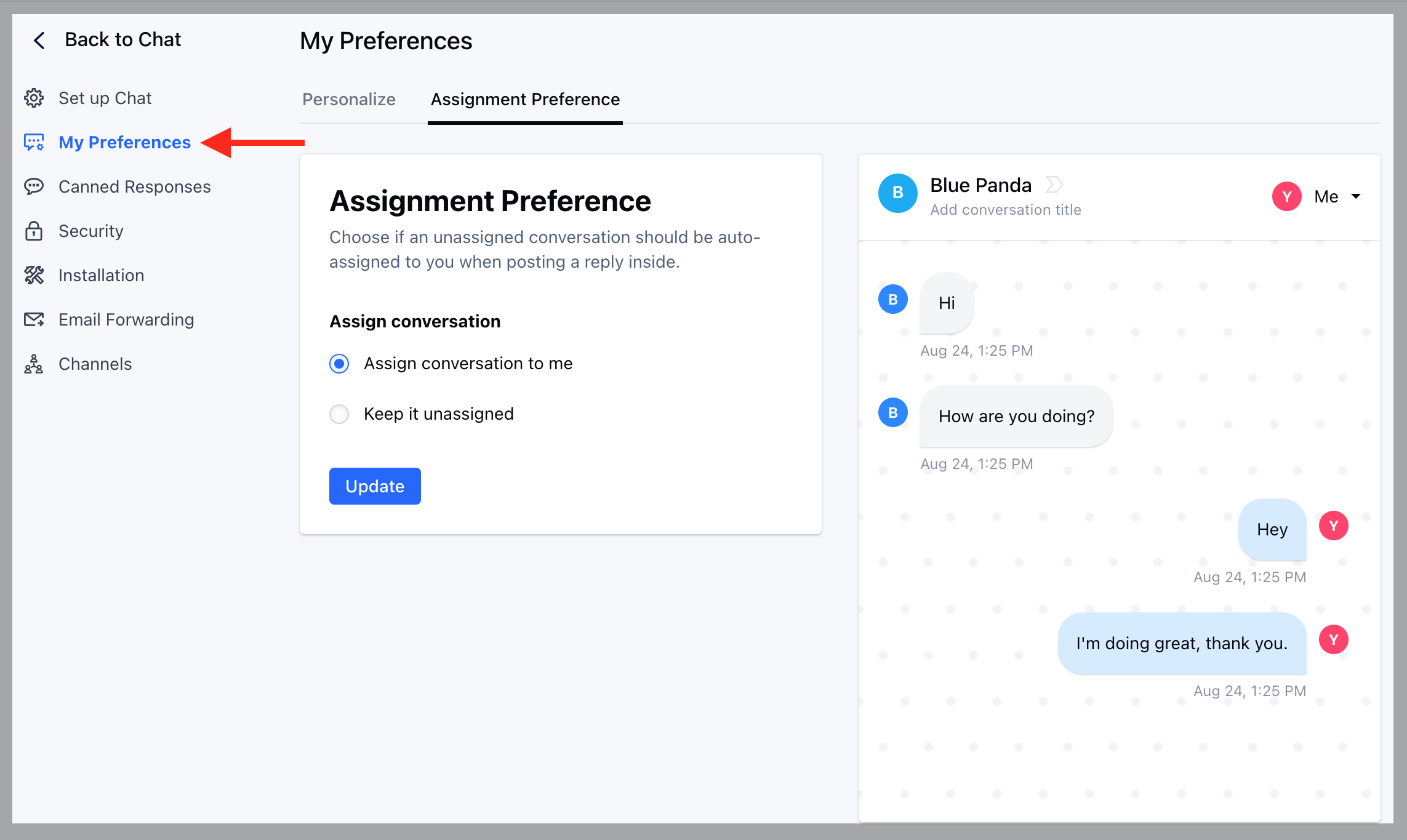
 * Switch to **My Preferences** in the left sidebar
* Click on the "**Assignment Preference**" tab.
* Select your preference.
* Assign conversation to me
* Keep it unassigned
* Switch to **My Preferences** in the left sidebar
* Click on the "**Assignment Preference**" tab.
* Select your preference.
* Assign conversation to me
* Keep it unassigned
 * Hit the **Update** button to save your changes
* These changes will reflect in your inbox once a new conversation is created, it will assign to you if you reply inside an unassigned conversation (as per the settings configured in the above image).
* Hit the **Update** button to save your changes
* These changes will reflect in your inbox once a new conversation is created, it will assign to you if you reply inside an unassigned conversation (as per the settings configured in the above image).