> ## Documentation Index
> Fetch the complete documentation index at: https://support.getskara.ai/llms.txt
> Use this file to discover all available pages before exploring further.
# Configure if your customer can send attachments via Unified Inbox
Skara unified inbox provides you the option to choose if your visitor or customer can upload the attachments via unified inbox or not.
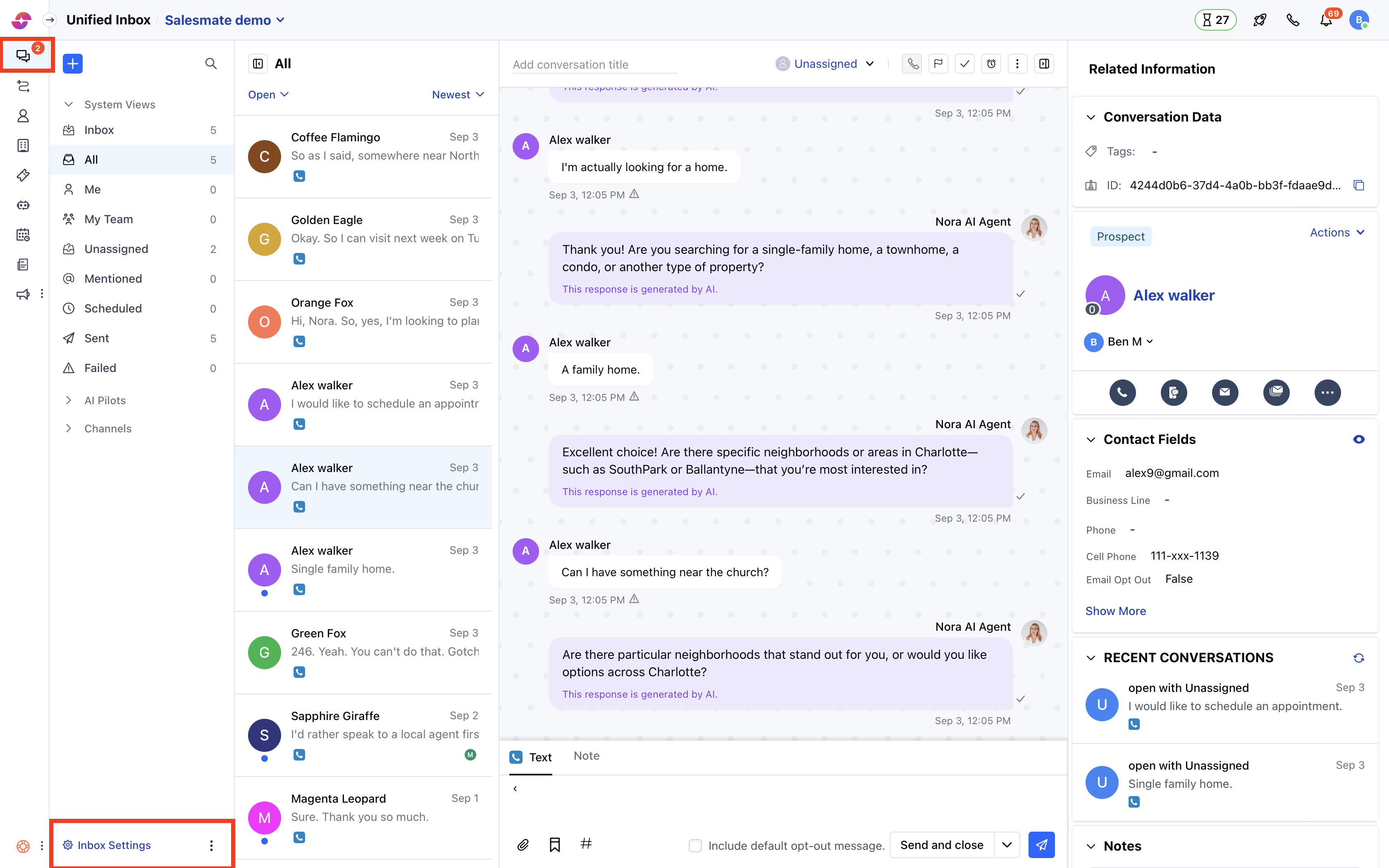
**To change the Attachment requirement, you can follow these steps:**
* Navigate to **Conversations Icon** on the left menu bar
* Click on Unified Inbox
* Head to Unified Inbox **Settings** on bottom left
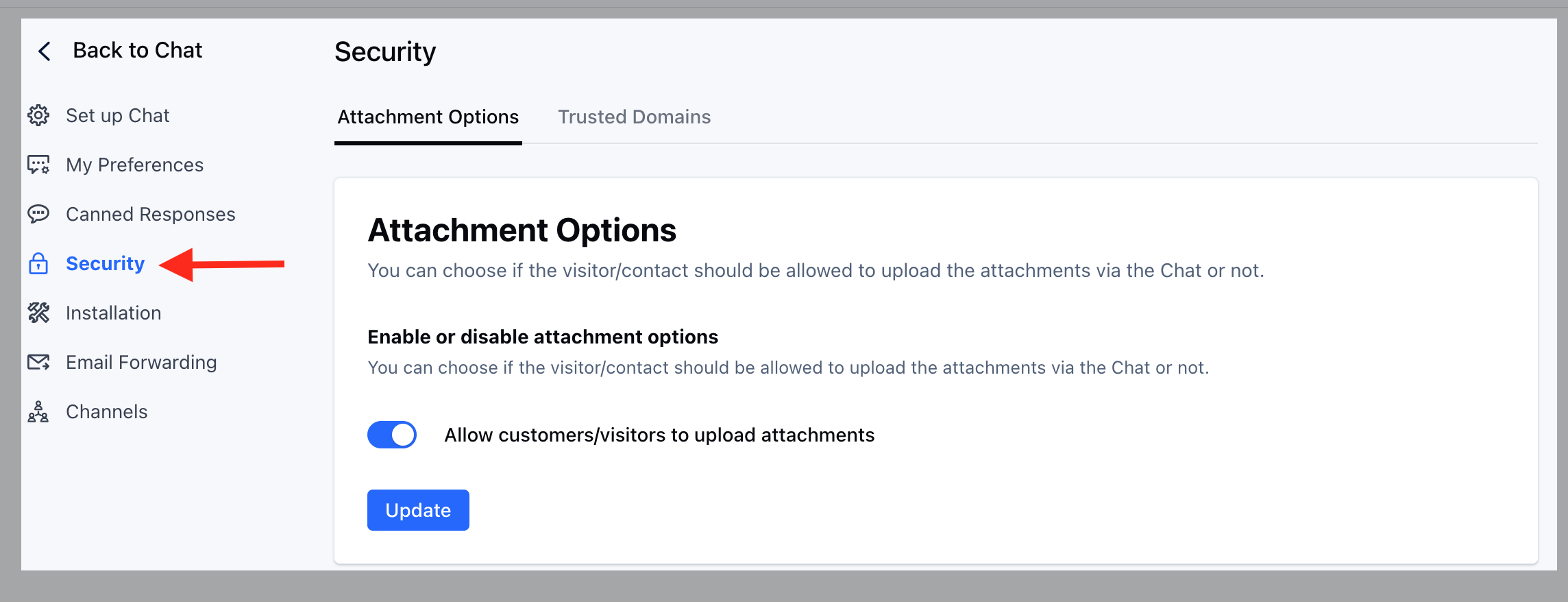
 * Click on the **Security** link on the left sidebar
* Click on the "**Attachment Options**" tab.
* Toggle the "**Allow customers/visitors to upload attachments**" option as per the need.
* Hit **Update** to save yourchanges.
* Click on the **Security** link on the left sidebar
* Click on the "**Attachment Options**" tab.
* Toggle the "**Allow customers/visitors to upload attachments**" option as per the need.
* Hit **Update** to save yourchanges.
 ### How do attachments work?
* When a visitor or customer sends an attachment over Unified Inbox, it is uploaded on a server with an accessible URL. Generally, these URLs are not indexed by a search engine, but it is not suggested to ask for private documents over chat.
### Which attachments can a user upload?
* Please note the attachment upload setting is not applicable for the users. They can always upload and send the attachments to the contacts. Learn more about [allowed attachment types](https://support.salesmate.io/hc/en-us/articles/360059349132)
### What happens if a contact sends attachments via email?
* If you have disabled the option for uploading attachments, then attachments sent by the contact are dropped from the Unified Inbox.
**Note:**
* Only users with ["Manage Unified Inbox settings” permission](https://support.salesmate.io/hc/en-us/articles/360058438992) can access this setting.
* When the attachments sent via email are dropped from the Unified Inbox then a timeline entry is shown below theUnified Inbox message
"Attachments from this message are dropped".
### How do attachments work?
* When a visitor or customer sends an attachment over Unified Inbox, it is uploaded on a server with an accessible URL. Generally, these URLs are not indexed by a search engine, but it is not suggested to ask for private documents over chat.
### Which attachments can a user upload?
* Please note the attachment upload setting is not applicable for the users. They can always upload and send the attachments to the contacts. Learn more about [allowed attachment types](https://support.salesmate.io/hc/en-us/articles/360059349132)
### What happens if a contact sends attachments via email?
* If you have disabled the option for uploading attachments, then attachments sent by the contact are dropped from the Unified Inbox.
**Note:**
* Only users with ["Manage Unified Inbox settings” permission](https://support.salesmate.io/hc/en-us/articles/360058438992) can access this setting.
* When the attachments sent via email are dropped from the Unified Inbox then a timeline entry is shown below theUnified Inbox message
"Attachments from this message are dropped".