> ## Documentation Index
> Fetch the complete documentation index at: https://support.getskara.ai/llms.txt
> Use this file to discover all available pages before exploring further.
# Bulk operations for Unified inbox conversations
Bulk operations help you to quickly assign the conversations in your Unified inbox to other users having the seat on skara, and also allow you to close the conversations which are no longer required to be open.
### **For performing bulk operations, follow the steps below:**
* Click on \*\*Unified Inbox \*\*on the left menu bar.
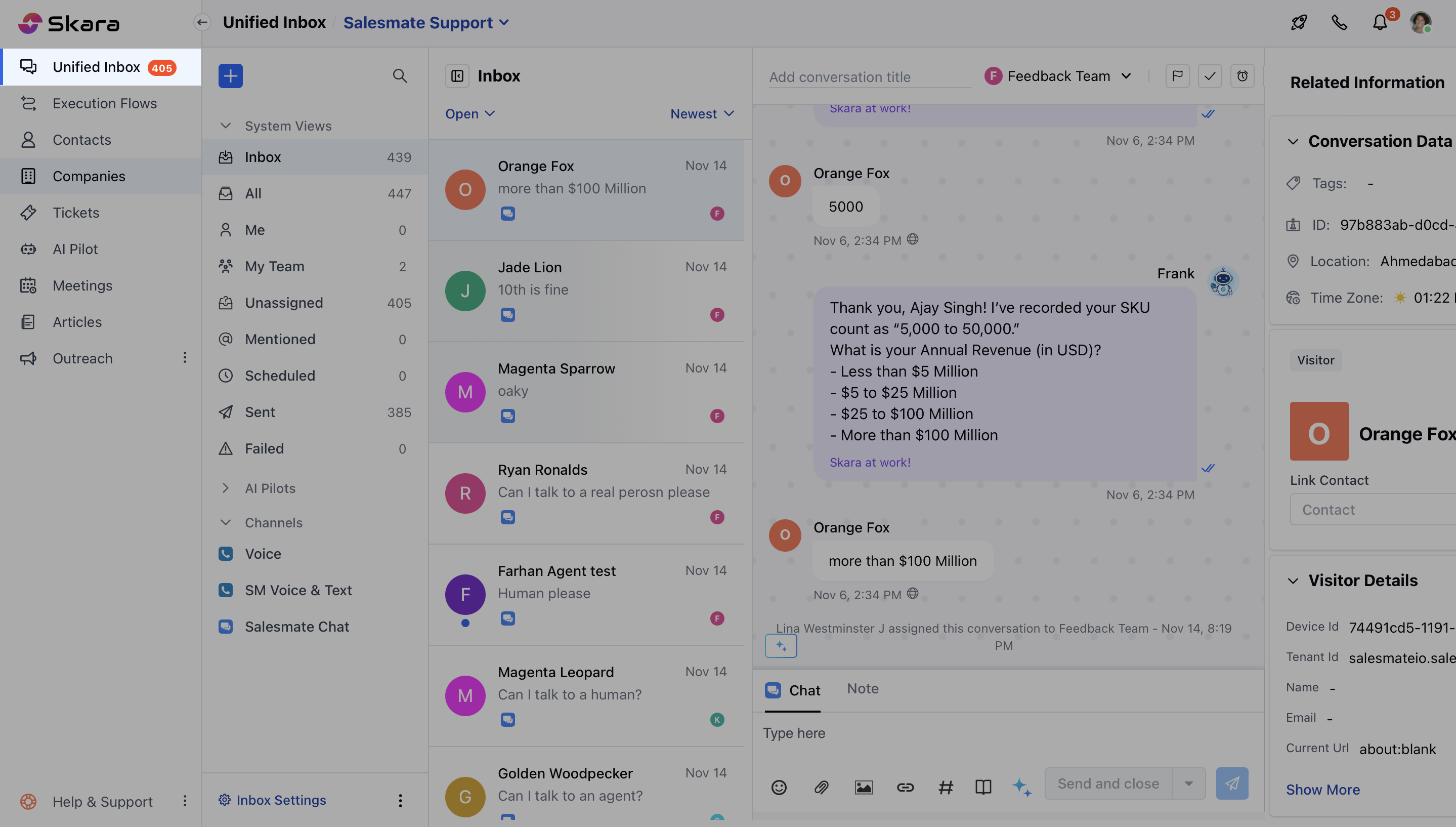 * Select the conversation from the Inbox or apply **filters** to segregate the conversations you want. [Learn more about using filters in this article](https://support.salesmate.io/knowledge/articles/360059577212/en-us?brand_id=1467849).
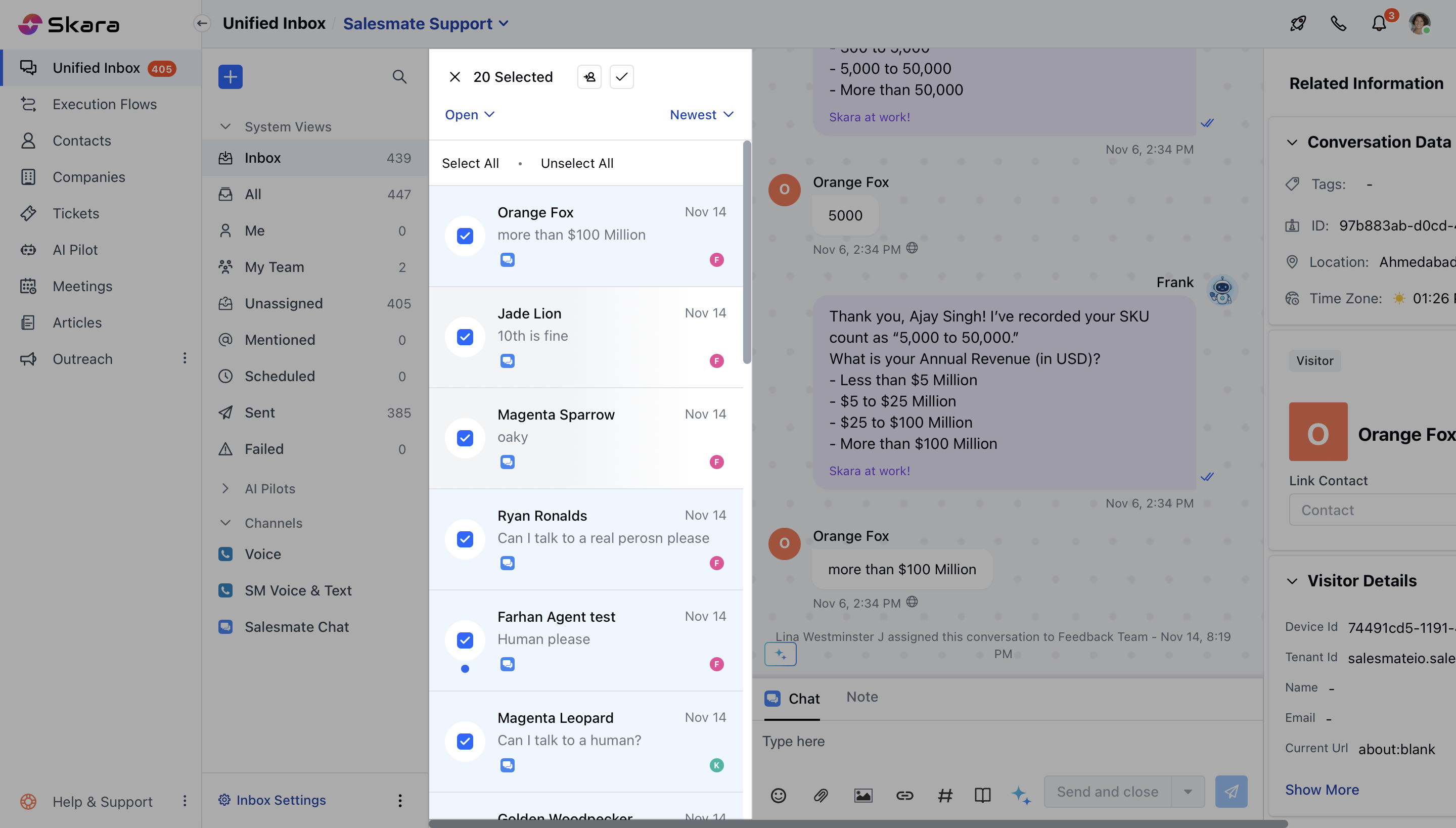
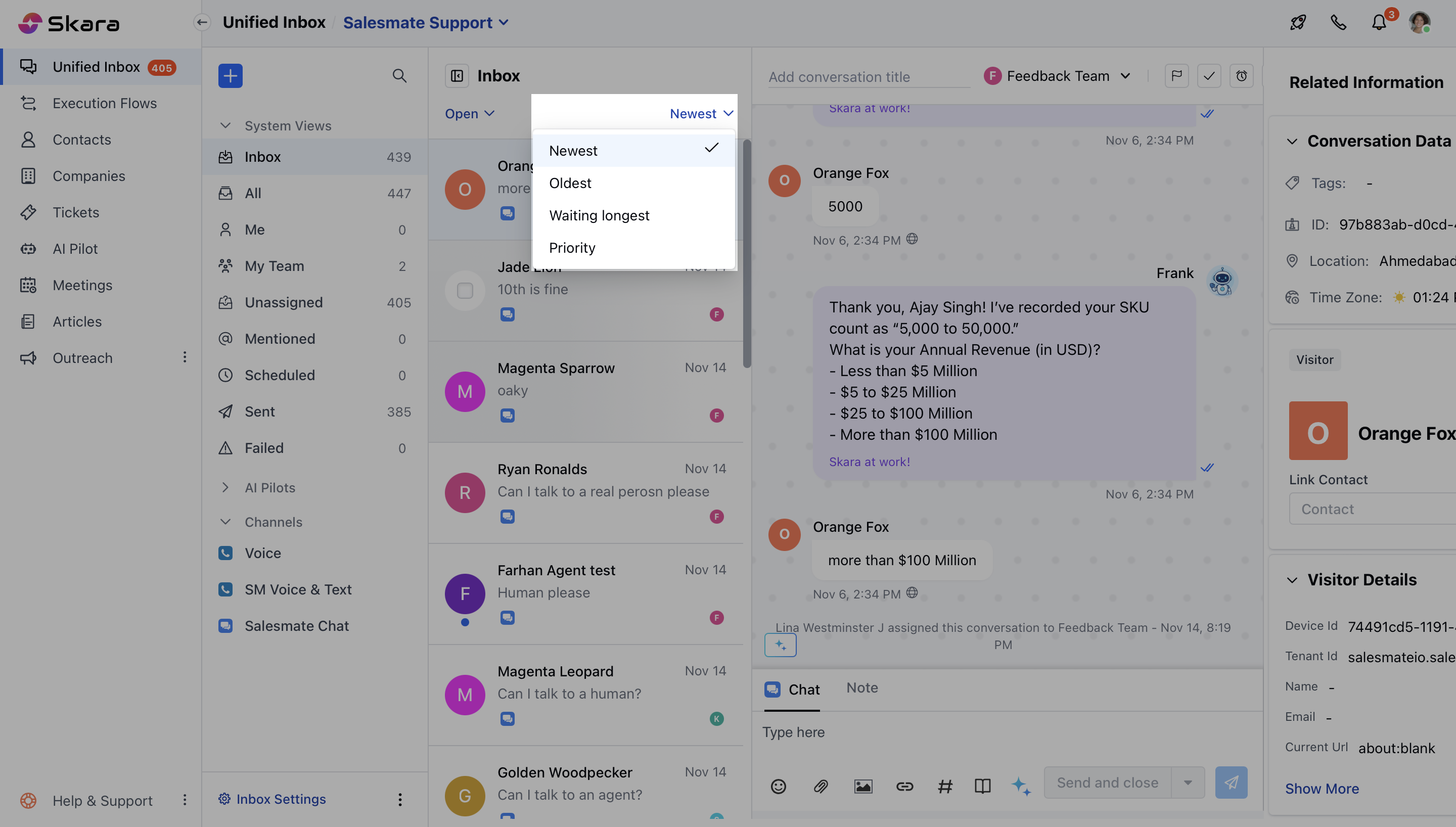 * Select multiple conversations by **hovering your cursor** over any conversation and selecting the checkbox.
* Once you select the conversations for **Bulk operations,** you can:
* **Change the ownership:** It will change the owner of chosen conversations at once.
* **Close the conversation:** It closes all chosen conversations at once.
* Select multiple conversations by **hovering your cursor** over any conversation and selecting the checkbox.
* Once you select the conversations for **Bulk operations,** you can:
* **Change the ownership:** It will change the owner of chosen conversations at once.
* **Close the conversation:** It closes all chosen conversations at once.
 **Note:**
* You can only close a conversation if you have the [permission "Can close conversation".](https://support.salesmate.io/hc/en-us/articles/360058438992)
* You can only reassign a conversation if you have the [permission "Manage conversation ownership".](https://support.salesmate.io/hc/en-us/articles/360058438992)
**Note:**
* You can only close a conversation if you have the [permission "Can close conversation".](https://support.salesmate.io/hc/en-us/articles/360058438992)
* You can only reassign a conversation if you have the [permission "Manage conversation ownership".](https://support.salesmate.io/hc/en-us/articles/360058438992)