> ## Documentation Index
> Fetch the complete documentation index at: https://support.getskara.ai/llms.txt
> Use this file to discover all available pages before exploring further.
# Ignore internal email addresses
You can now add the email addresses to the ignore list that you want to ignore if included in **To** or **CC** recipients, as sometimes it may happen that your customers include one of your teammate’s email or companies email in **To** or **CC** which will be added as a participant in the conversation on inbox, but Now you can avoid that from happening.
### How to ignore the company's internal email addresses?
Just follow the below steps to add an email address to the ignore list:
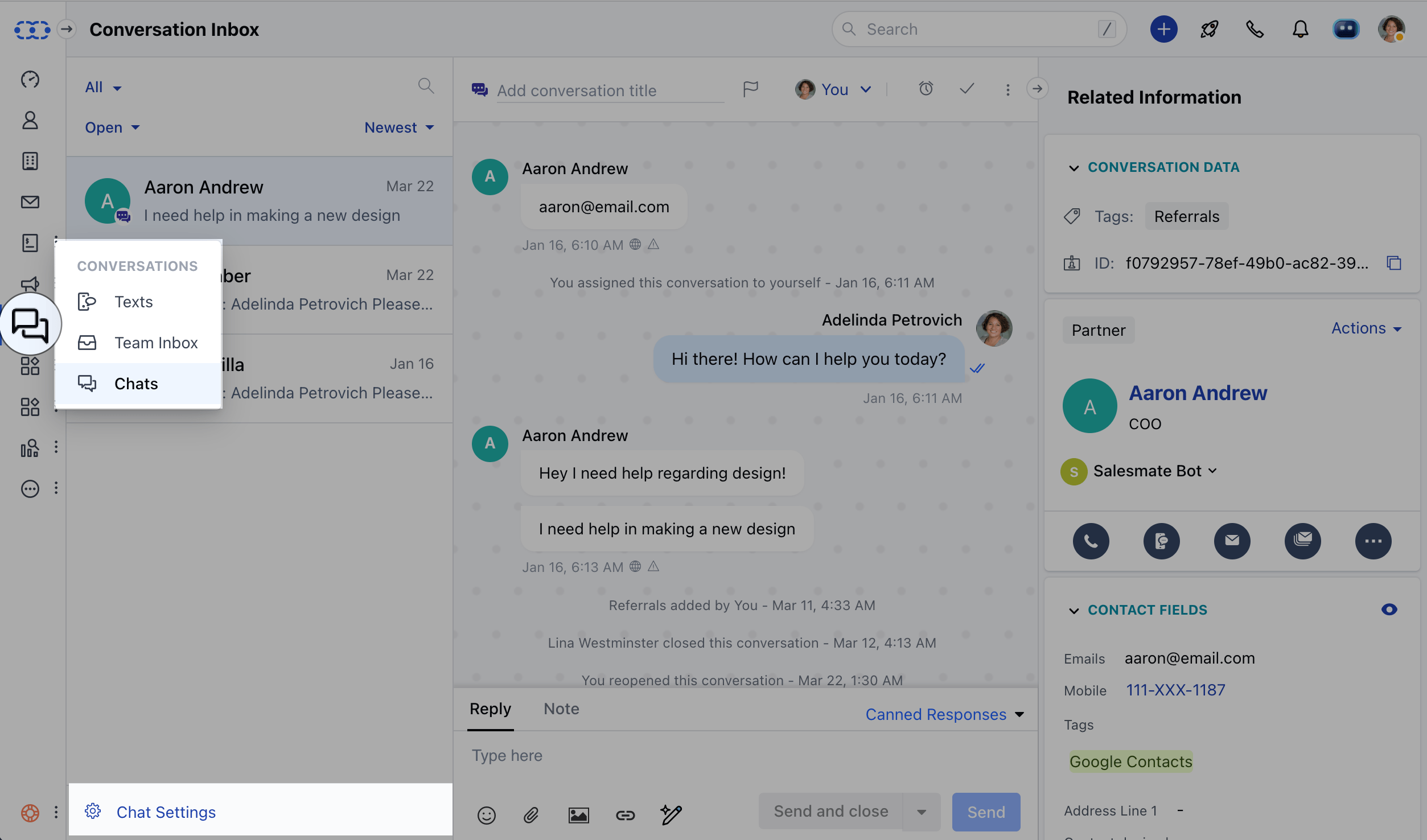
* Navigate to **Conversations Icon** on the left menu bar
* Click on **Chats**
* Head to **Inbox Settings** on bottom left.
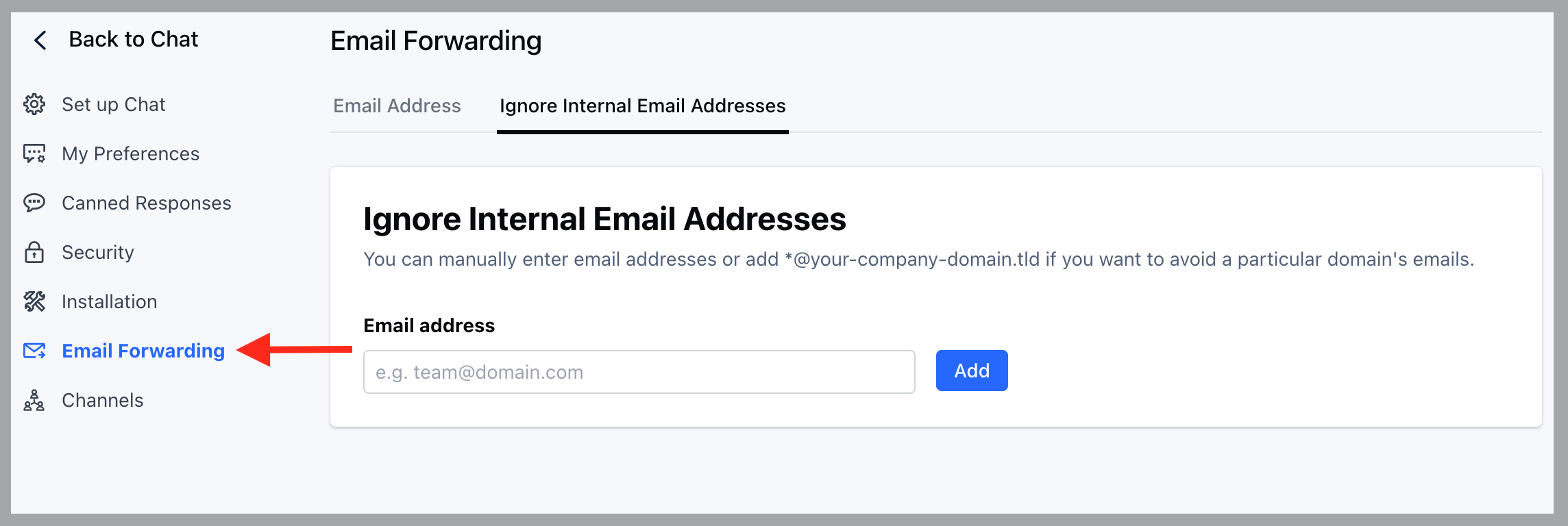
 \* Click on the **Email Forwarding** option in the left sidebar,
* Switch to the tab **Ignore Internal Email Addresses**
* Enter the email address in the given field that you want to avoid getting added to a conversation, if included in **To** or **CC**
* Click on the **Add** button to add the email to the list.
\* Click on the **Email Forwarding** option in the left sidebar,
* Switch to the tab **Ignore Internal Email Addresses**
* Enter the email address in the given field that you want to avoid getting added to a conversation, if included in **To** or **CC**
* Click on the **Add** button to add the email to the list.
 Where,
* You can also add the whole group of the company's emails by using ‘\*’ for example, [**@your-domain.com**](http://your-domain.com/)
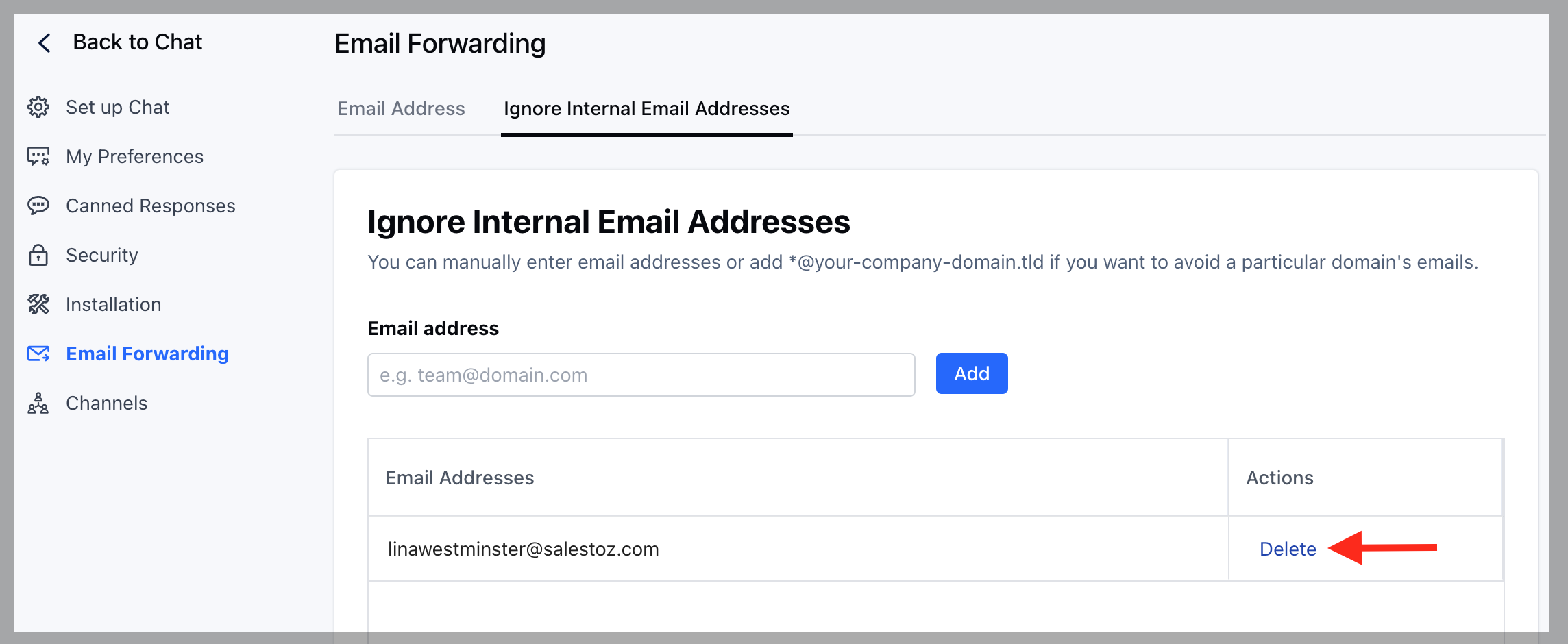
* You can also remove an email from the list by clicking on the Delete link button displayed in the table, and then confirm the action.
Where,
* You can also add the whole group of the company's emails by using ‘\*’ for example, [**@your-domain.com**](http://your-domain.com/)
* You can also remove an email from the list by clicking on the Delete link button displayed in the table, and then confirm the action.
 * Any emails added or removed will take effect immediately after the action is completed.
For more information on [Email Forwarding visit this page](https://support.salesmate.io/hc/en-us/articles/4402552756365).
* Any emails added or removed will take effect immediately after the action is completed.
For more information on [Email Forwarding visit this page](https://support.salesmate.io/hc/en-us/articles/4402552756365).