> ## Documentation Index
> Fetch the complete documentation index at: https://support.getskara.ai/llms.txt
> Use this file to discover all available pages before exploring further.
# Adding Google Contacts
Skara provides you with the ease of getting started by importing your Google Contacts.
**Pre-requisite:** Make sure that you have connected your Google account under **Connected Accounts**.
To import your Google contacts, follow the steps given down below -
* **Navigate to the** Profile icon on the top right corner
* **Click on** Setup .
* **Click on the** Manage Data on the sidebar.
* **Select** Import Google Contacts .
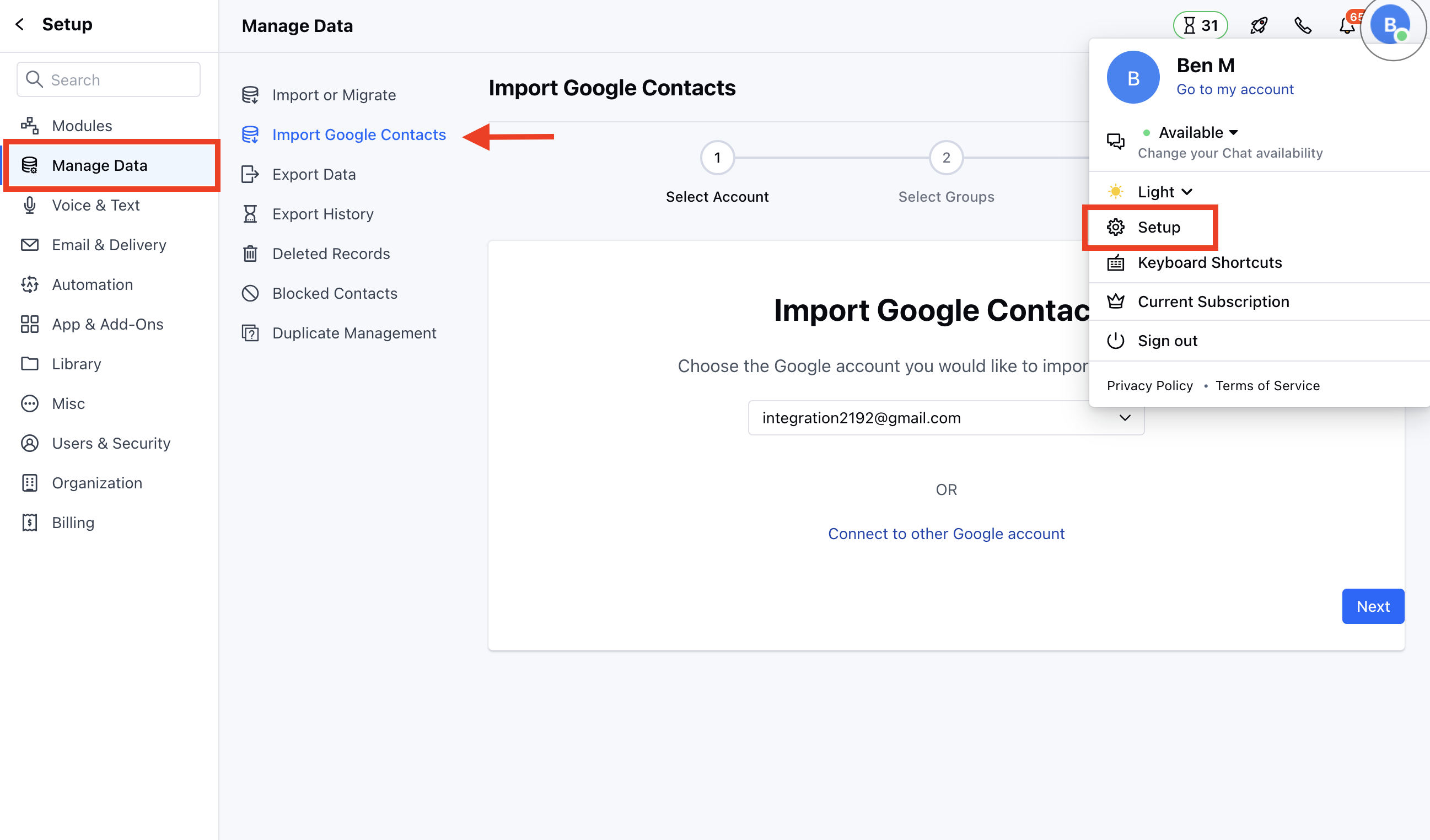 * Now, select the account from which you wish to import under the dropdown.
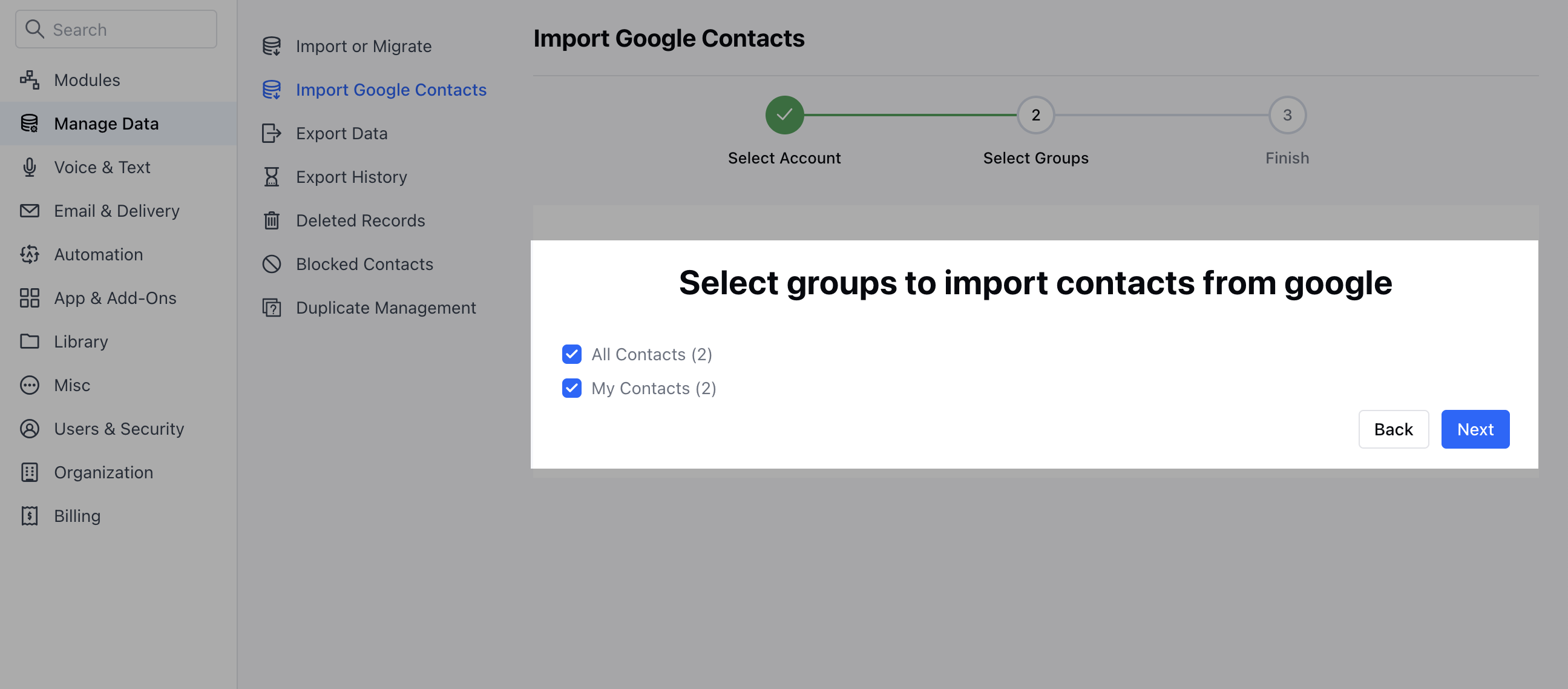
* Next, choose the groups from which you wish to import the contacts.
* Now, select the account from which you wish to import under the dropdown.
* Next, choose the groups from which you wish to import the contacts.
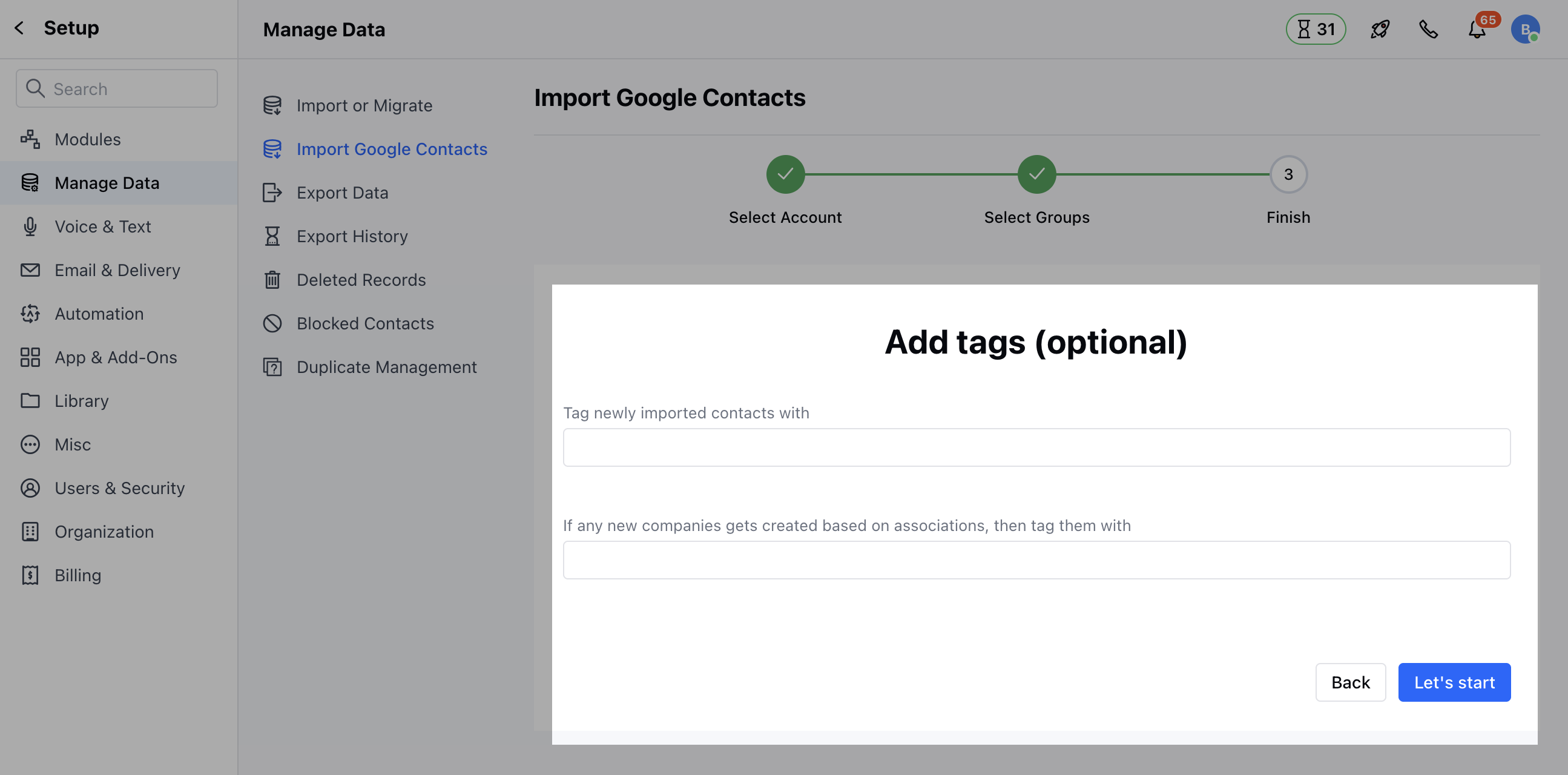
 * Further, in the last step, you could also add tags to your records to filter them out. If any new companies get created based on associations, then tag them.
* Click on Let's Start to start importing your Google Contacts.
* Further, in the last step, you could also add tags to your records to filter them out. If any new companies get created based on associations, then tag them.
* Click on Let's Start to start importing your Google Contacts.
 **Note:** It may take a while for your Google contacts to be imported depending on the number of contacts in your Google account.
* You can map your fields while importing the Google Contacts which lets you import data to custom fields too.
**Note:** It may take a while for your Google contacts to be imported depending on the number of contacts in your Google account.
* You can map your fields while importing the Google Contacts which lets you import data to custom fields too.