> ## Documentation Index
> Fetch the complete documentation index at: https://support.getskara.ai/llms.txt
> Use this file to discover all available pages before exploring further.

# How to add a Contact?

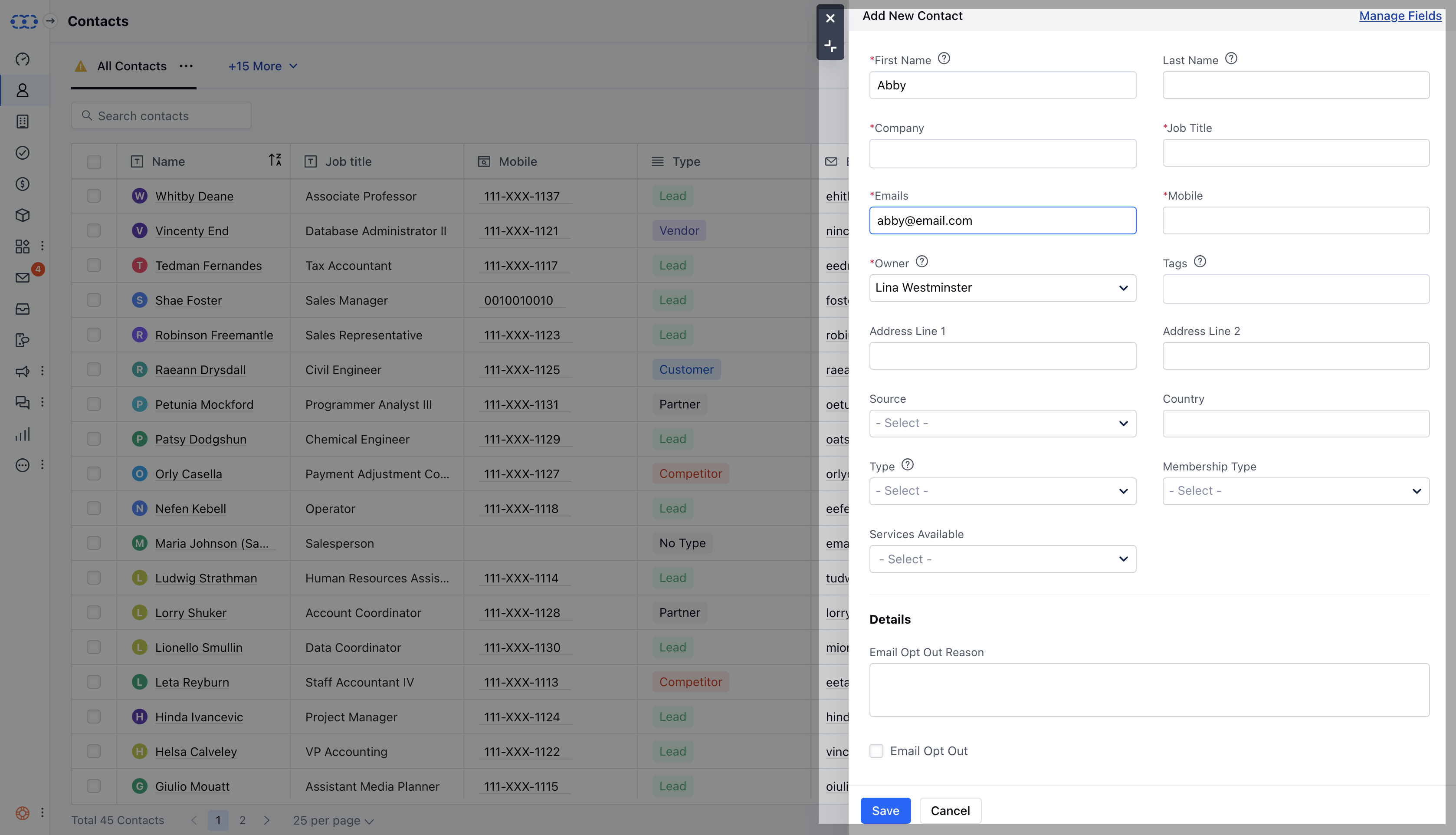
Contacts form an integral part of any Sales agent's day-to-day business interactions. They store various everlasting information related to the contact right from their mobile number, alternate phone number, email address, twitter account, facebook account, etc.

* **Contact can be a member of a** Company.

* Contacts can be your **Lead**, Enquiries which can be categorized under contacts.

* \*\*Contact can have multiple deals open in the system at a particular point in time.

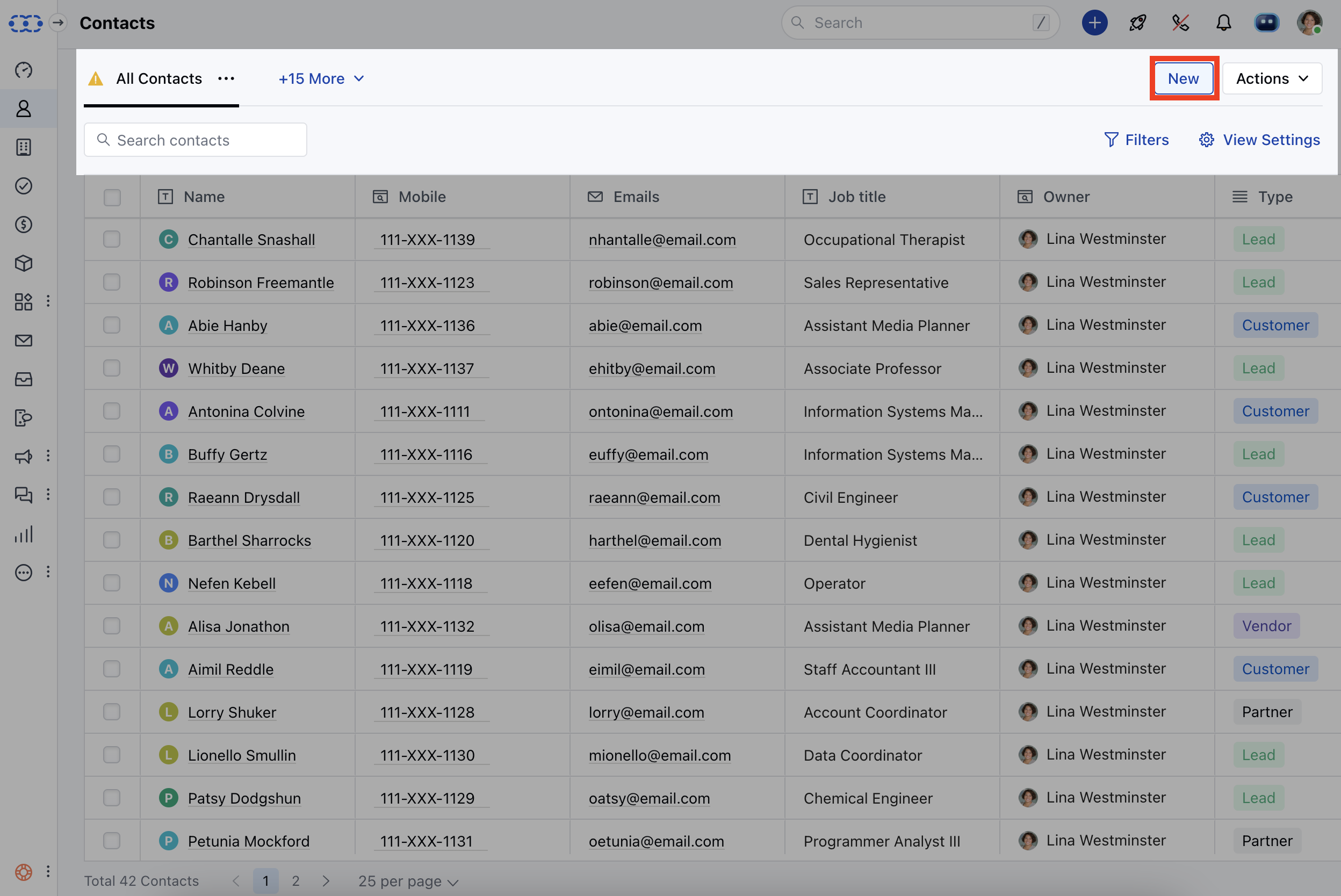
* \*\* Contacts can be added to the system by various methods:\*\*Contacts \*\*> New ( Contact Listing Page )
<img src="https://mintcdn.com/salesmate/Eyp3_mBYCcJa4DlG/contacts-and-companies/contacts/images/Screen-Shot-2024-02-29-at-5.12.44-PM.png?fit=max&auto=format&n=Eyp3_mBYCcJa4DlG&q=85&s=3ca76f8204d213304923a182900f1633" alt="Screen Shot 2024-02-29 at 5.12.44 PM.png" width="2496" height="1668" data-path="contacts-and-companies/contacts/images/Screen-Shot-2024-02-29-at-5.12.44-PM.png" />

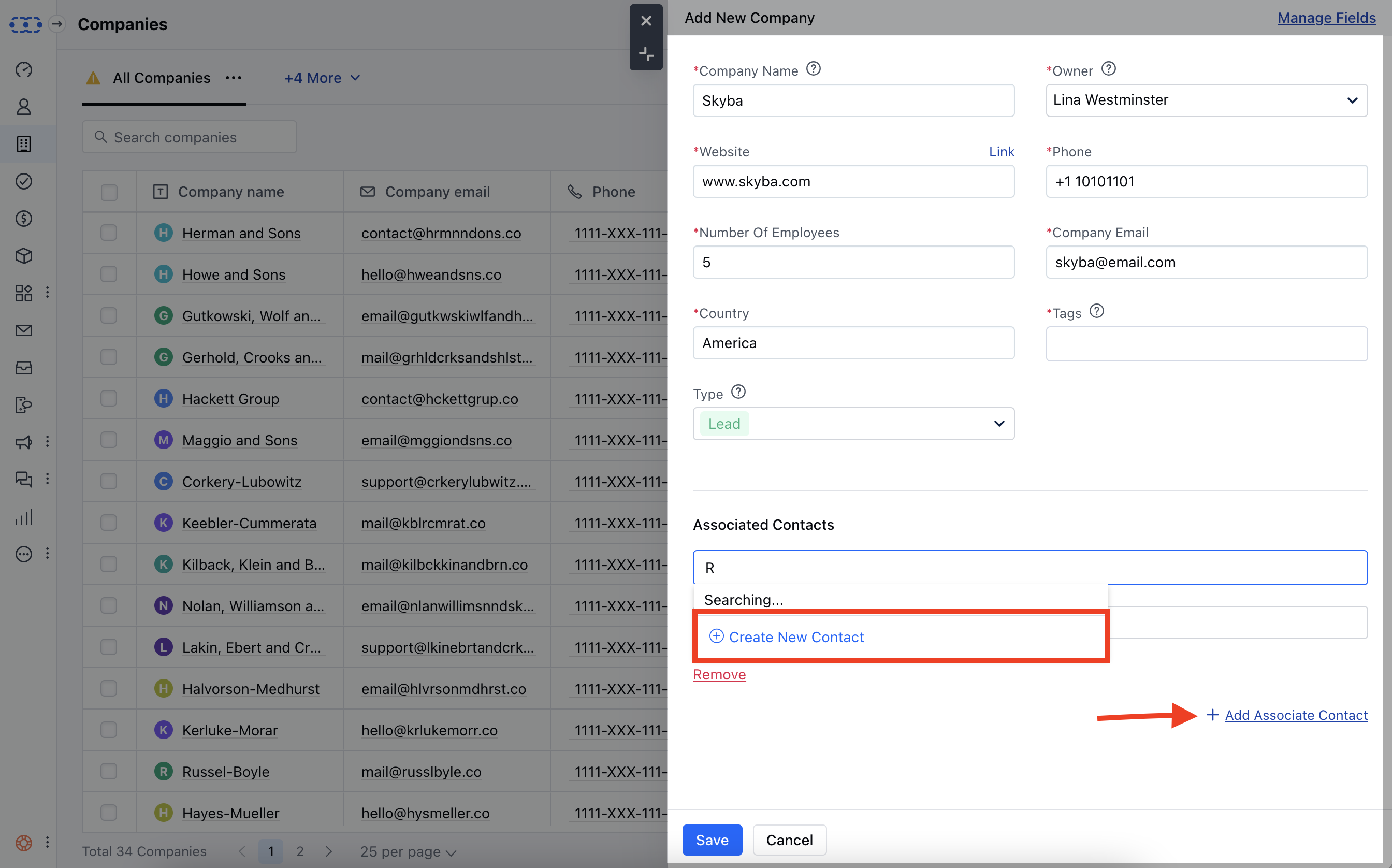
* \*\*Company \*\*> Add Associated Contact ( Add a Company Popup )
<img src="https://mintcdn.com/salesmate/Eyp3_mBYCcJa4DlG/contacts-and-companies/contacts/images/Screen-Shot-2024-02-29-at-5.38.48-PM.png?fit=max&auto=format&n=Eyp3_mBYCcJa4DlG&q=85&s=af1cb7345c4bb15ecfdbed0fd6be9dcc" alt="Screen Shot 2024-02-29 at 5.38.48 PM.png" width="2688" height="1676" data-path="contacts-and-companies/contacts/images/Screen-Shot-2024-02-29-at-5.38.48-PM.png" />

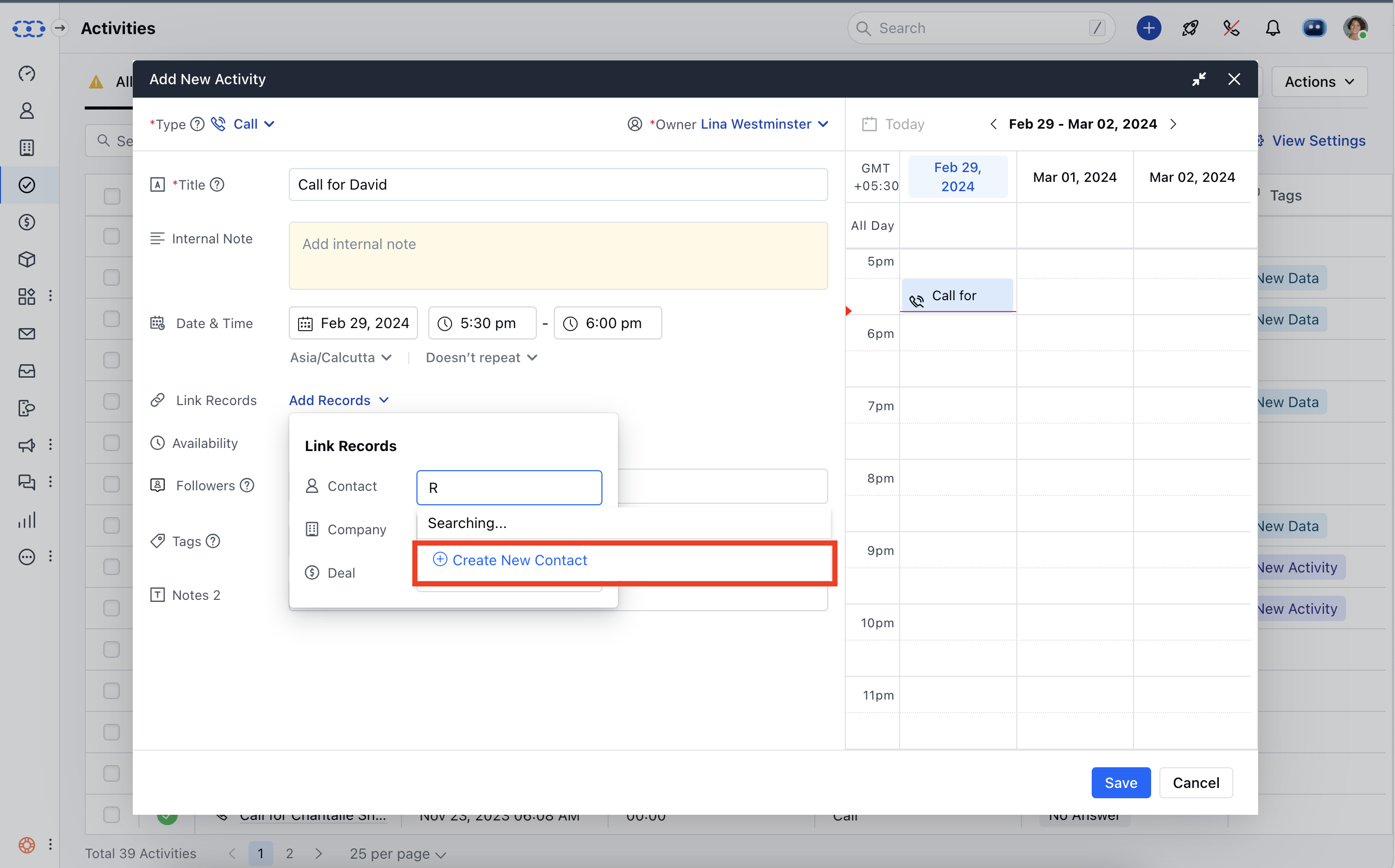
* \*\*Activity \*\*> Contact > Create New Contact ( Quick create a Contact )
<img src="https://mintcdn.com/salesmate/Eyp3_mBYCcJa4DlG/contacts-and-companies/contacts/images/Screen-Shot-2024-02-29-at-5.57.51-PM.png?fit=max&auto=format&n=Eyp3_mBYCcJa4DlG&q=85&s=63a231cf73684641722ca275d4371d7c" alt="Screen Shot 2024-02-29 at 5.57.51 PM.png" width="2700" height="1680" data-path="contacts-and-companies/contacts/images/Screen-Shot-2024-02-29-at-5.57.51-PM.png" />

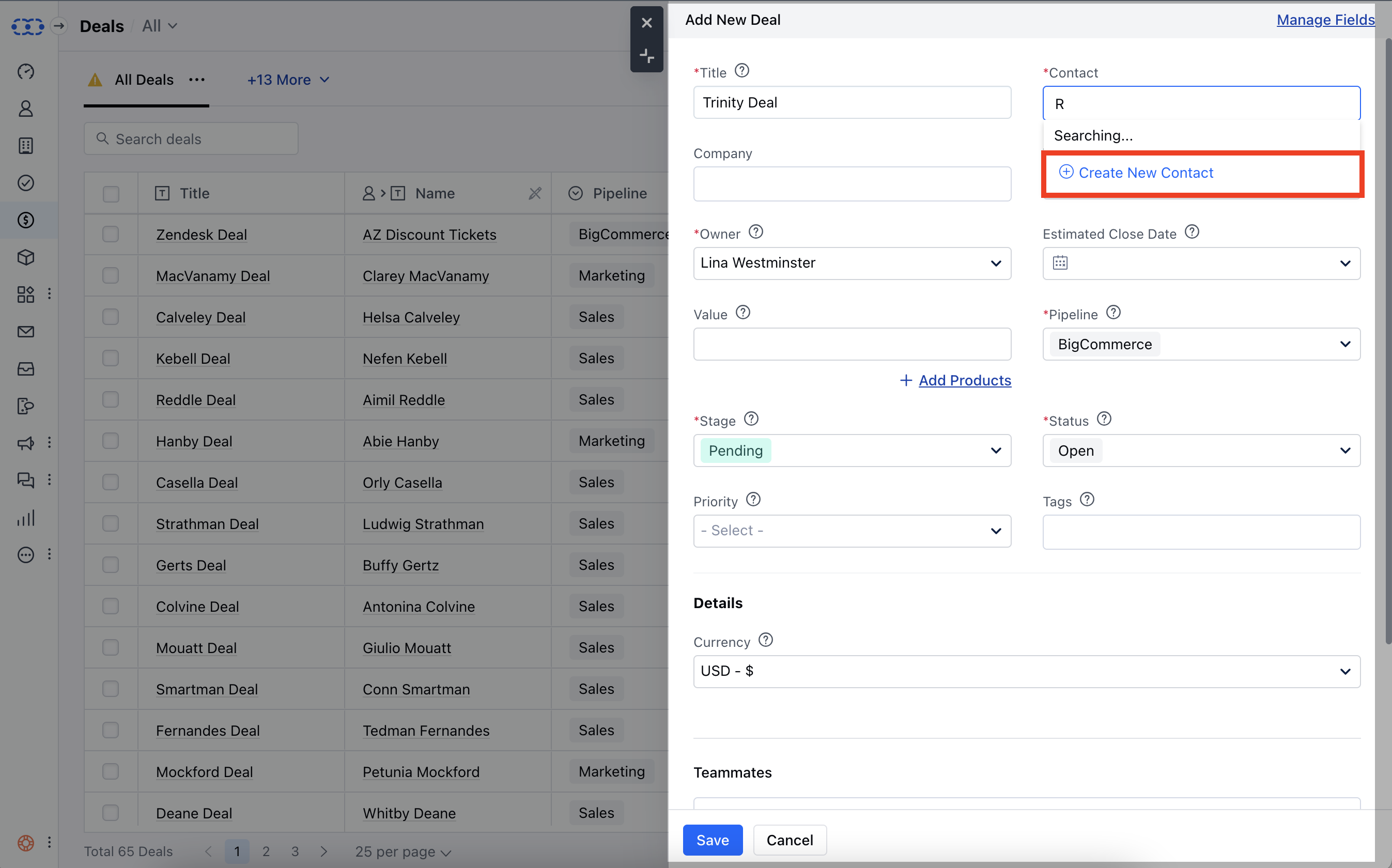
* \*\*Deal \*\*> Contact > Create New Contact ( Quick create a Contact )
<img src="https://mintcdn.com/salesmate/Eyp3_mBYCcJa4DlG/contacts-and-companies/contacts/images/Screen-Shot-2024-02-29-at-6.09.21-PM.png?fit=max&auto=format&n=Eyp3_mBYCcJa4DlG&q=85&s=05f0449a6ef381bc11db028f0e4c4bd6" alt="Screen Shot 2024-02-29 at 6.09.21 PM.png" width="2694" height="1680" data-path="contacts-and-companies/contacts/images/Screen-Shot-2024-02-29-at-6.09.21-PM.png" />

* \*\*Quick Add \*\*<img src="https://mintcdn.com/salesmate/Eyp3_mBYCcJa4DlG/contacts-and-companies/contacts/images/Screen-Shot-2024-03-06-at-12.09.41-PM.png?fit=max&auto=format&n=Eyp3_mBYCcJa4DlG&q=85&s=3691fd055ca148f94f414814be3daebb" alt="Screen Shot 2024-03-06 at 12.09.41 PM.png" width="3356" height="1924" data-path="contacts-and-companies/contacts/images/Screen-Shot-2024-03-06-at-12.09.41-PM.png" />

<Note>
  \*\*Tip:\*\*Contact can also be created by the shortcut key combination (**ci**). Whereas, a company can be created by the shortcut key (**cc**).
</Note>