> ## Documentation Index
> Fetch the complete documentation index at: https://support.getskara.ai/llms.txt
> Use this file to discover all available pages before exploring further.
# How to Delete Contacts
A contact is eliminated from the list when we delete it. It indicates that we are unable to view that person in our list of contacts any longer.
There are numerous methods for deleting records in Salesmate. The most effective method typically depends on how many records you need to delete or which specific set of information has to be deleted.
**Note:** The Delete function is available to users who have rights honored through Profile Permissions.
* \*Different ways to delete a contact.
* \*\*
* [List View (Individually or Bulk)](#list-view-individually-or-bulk)
* [Mass Delete Contacts](#mass-delete-contacts))
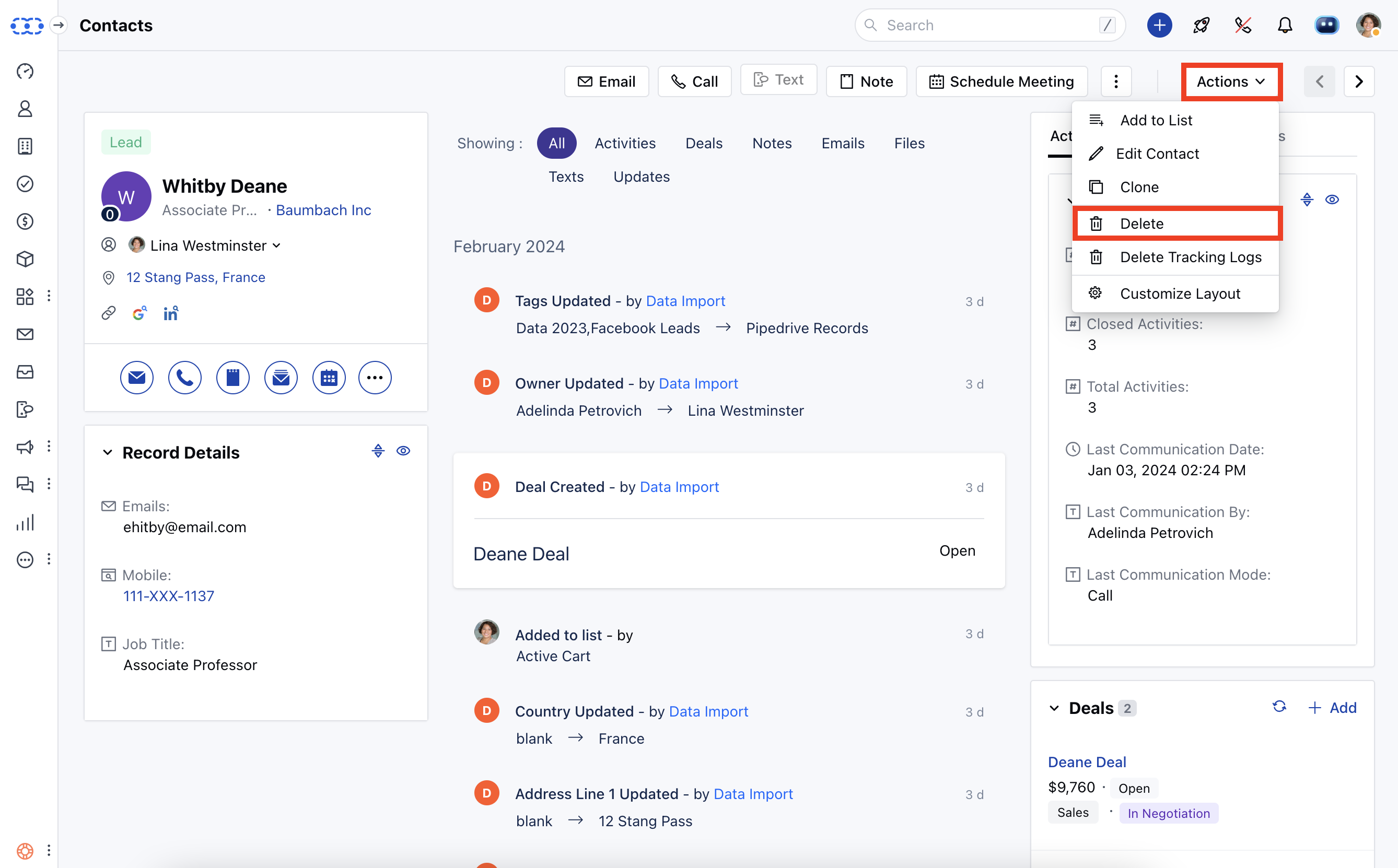
* [Contacts Detailed Page](#contacts-detailed-page)
* [Preview Page](#preview-page)
### List View (Individually or Bulk).
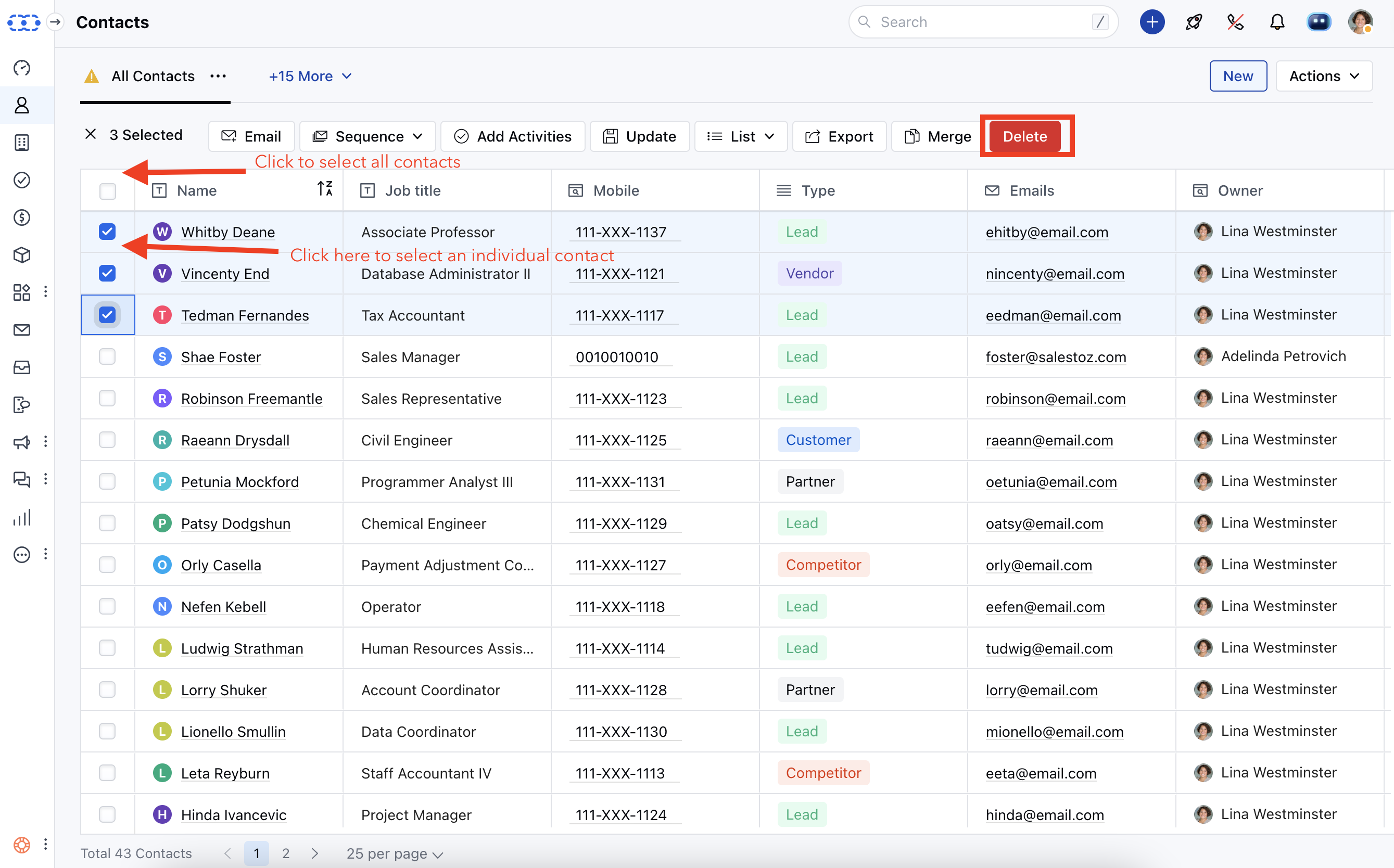
* **You can delete contacts using this action individually or in bulk (up to** 250 contacts at once).
 ### Mass Delete Contacts.
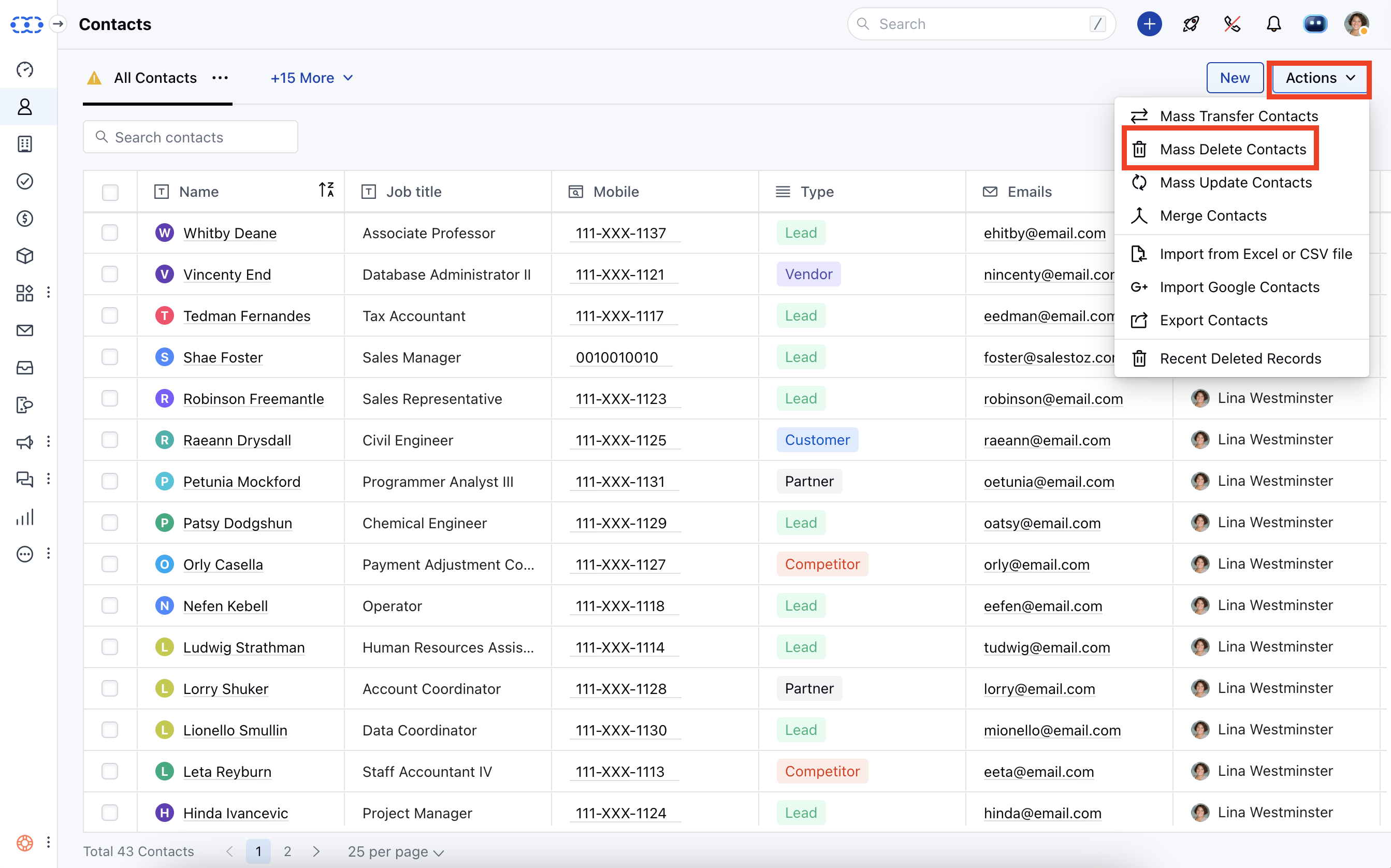
You can delete contacts in bulk with this action (up to **1000** contacts at once). Choose a criterion and remove contacts in accordance with it.
### Mass Delete Contacts.
You can delete contacts in bulk with this action (up to **1000** contacts at once). Choose a criterion and remove contacts in accordance with it.
 ### Contacts Detailed Page.
 ### Preview Page
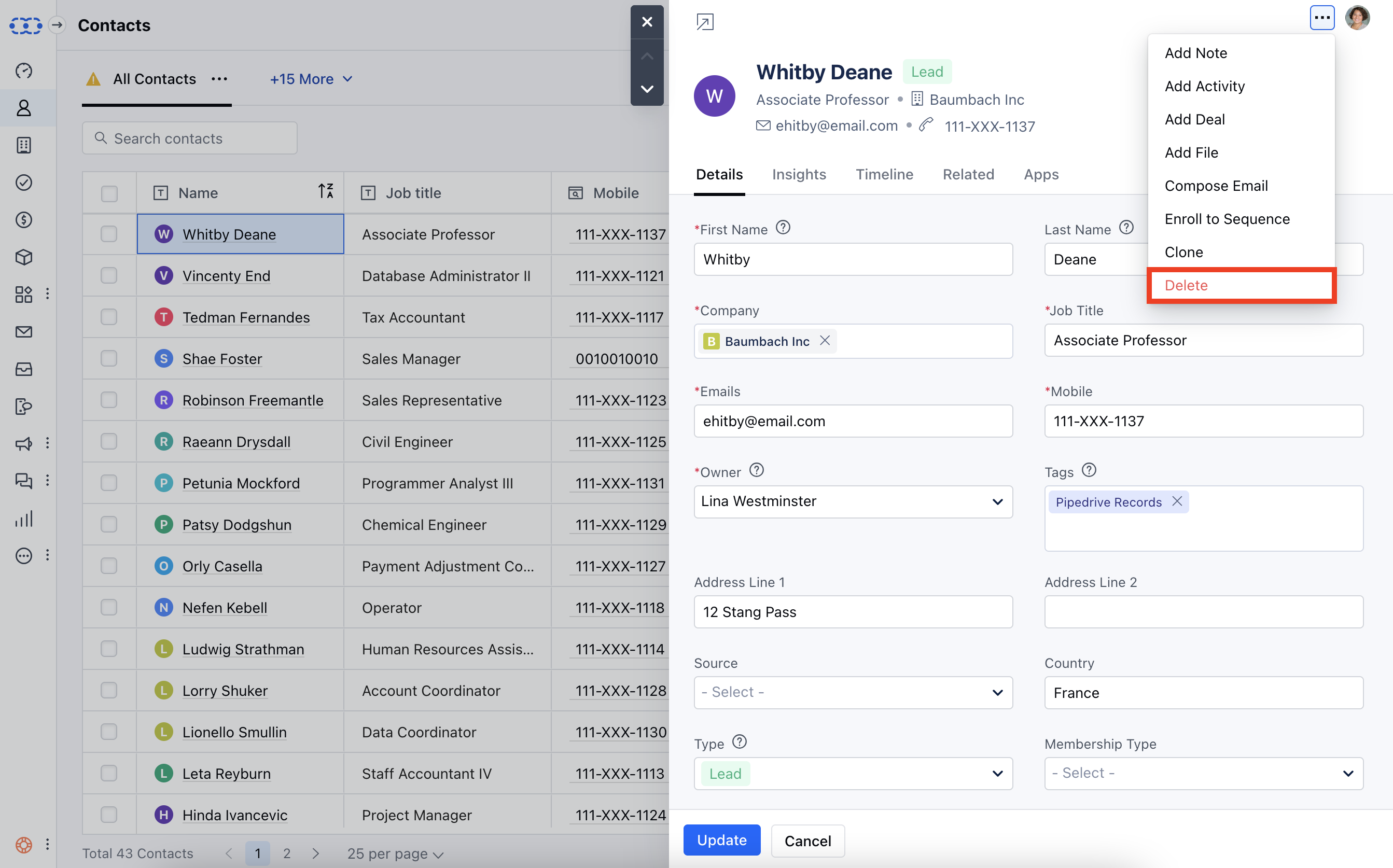
By clicking the ellipsis (3 Dots Menu) and selecting the delete option when you open the contacts from the associated record, such as (DEAL/COMPANY/ACTIVITY), you can delete it:
### Preview Page
By clicking the ellipsis (3 Dots Menu) and selecting the delete option when you open the contacts from the associated record, such as (DEAL/COMPANY/ACTIVITY), you can delete it:
 \*\*Note:\*\*When we delete a contact, it gets moved to the deleted records under the Setup >> Deleted Records.
The data stays there for 30 days, you can recover the deleted records during this time. Post that it is deleted permanently.
The contact would be unenrolled from the Sequence and the Automation when deleted.
\*\*Note:\*\*When we delete a contact, it gets moved to the deleted records under the Setup >> Deleted Records.
The data stays there for 30 days, you can recover the deleted records during this time. Post that it is deleted permanently.
The contact would be unenrolled from the Sequence and the Automation when deleted.