> ## Documentation Index
> Fetch the complete documentation index at: https://support.getskara.ai/llms.txt
> Use this file to discover all available pages before exploring further.
# How to merge duplicate Contacts?
It's critical to maintain contact organisation and to keep all of your contact's information current. In some cases, merging duplicates is necessary. A contact merge joins two identical contacts into one, greatly enhancing the efficiency of your overall contact management system.
To merge contacts:
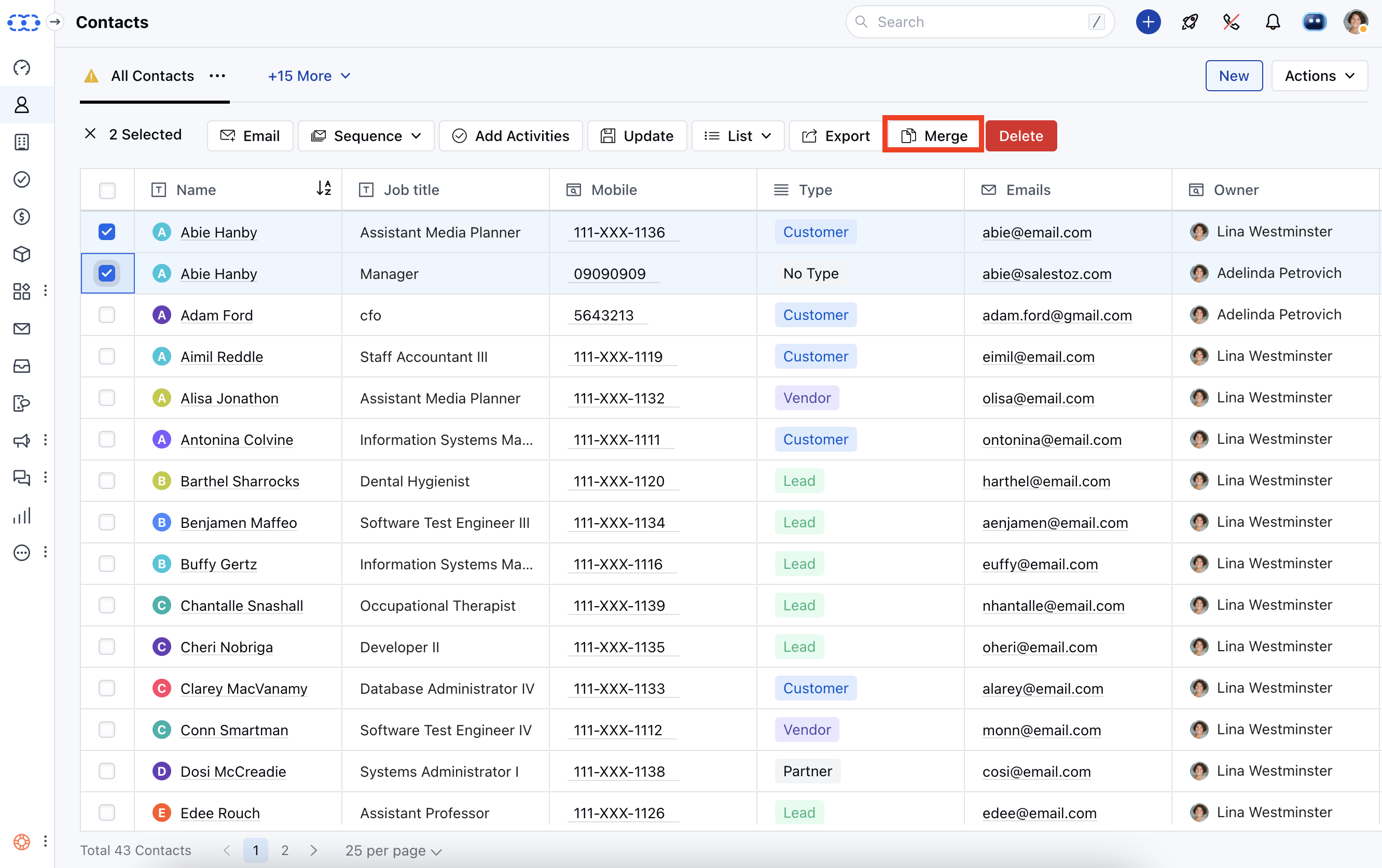
* **Go to the** Contact Listing Page
* Select the records you want to merge \*\*(Max 3).\***Click Merge**
 * **Select the fields you want to keep in your** master record.
* Click, "**I understand, Merge Now**" to combine the records.
* **Select the fields you want to keep in your** master record.
* Click, "**I understand, Merge Now**" to combine the records.
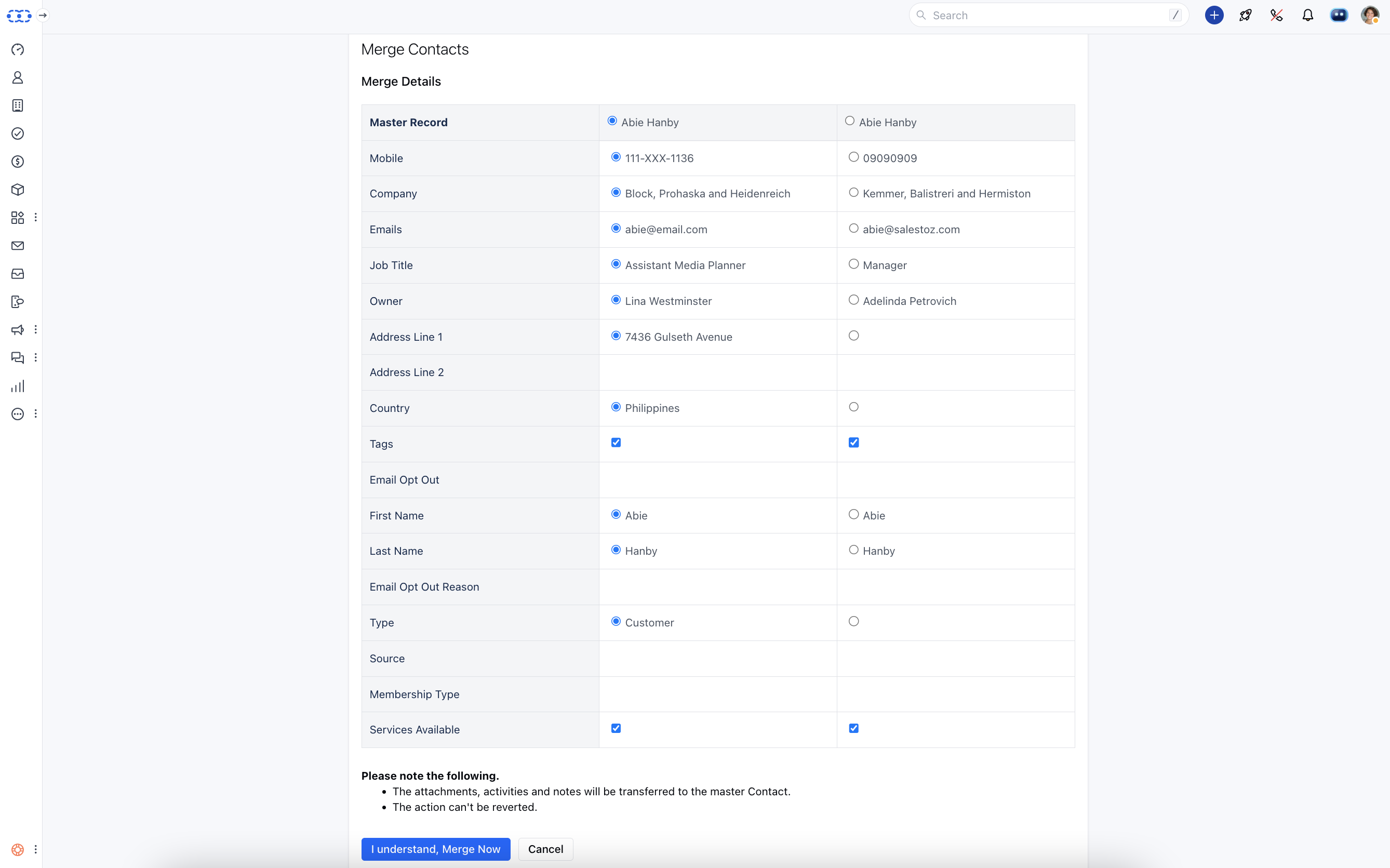 * *Please note the following.*\*\* The attachments, activities, and notes will be transferred to the master Contact.
* The action can't be reverted.
* *Please note the following.*\*\* The attachments, activities, and notes will be transferred to the master Contact.
* The action can't be reverted.