> ## Documentation Index
> Fetch the complete documentation index at: https://support.getskara.ai/llms.txt
> Use this file to discover all available pages before exploring further.
# How to get Recipient Insights
Once the Campaign is sent Salesmate allows you to get Recipient Insights with related stats.To view the **Recipients Insights**,
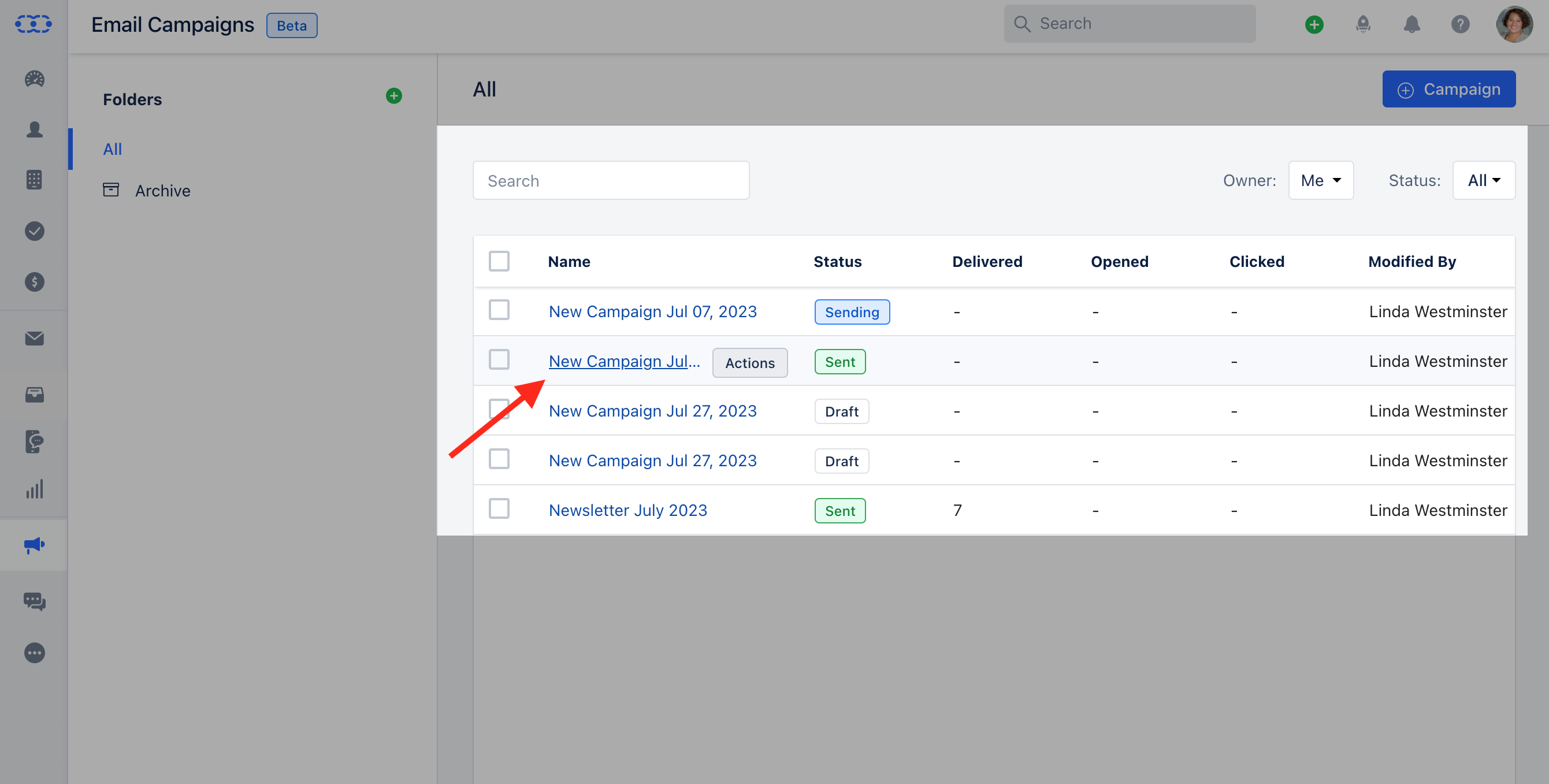
Navigate to the \*\* Outreach **Icon** on the left Menu bar.Click on\*\* Email Campaigns.\*\*\* * *Click on the*\* Campaign \*\* that you would like to get the insights for.
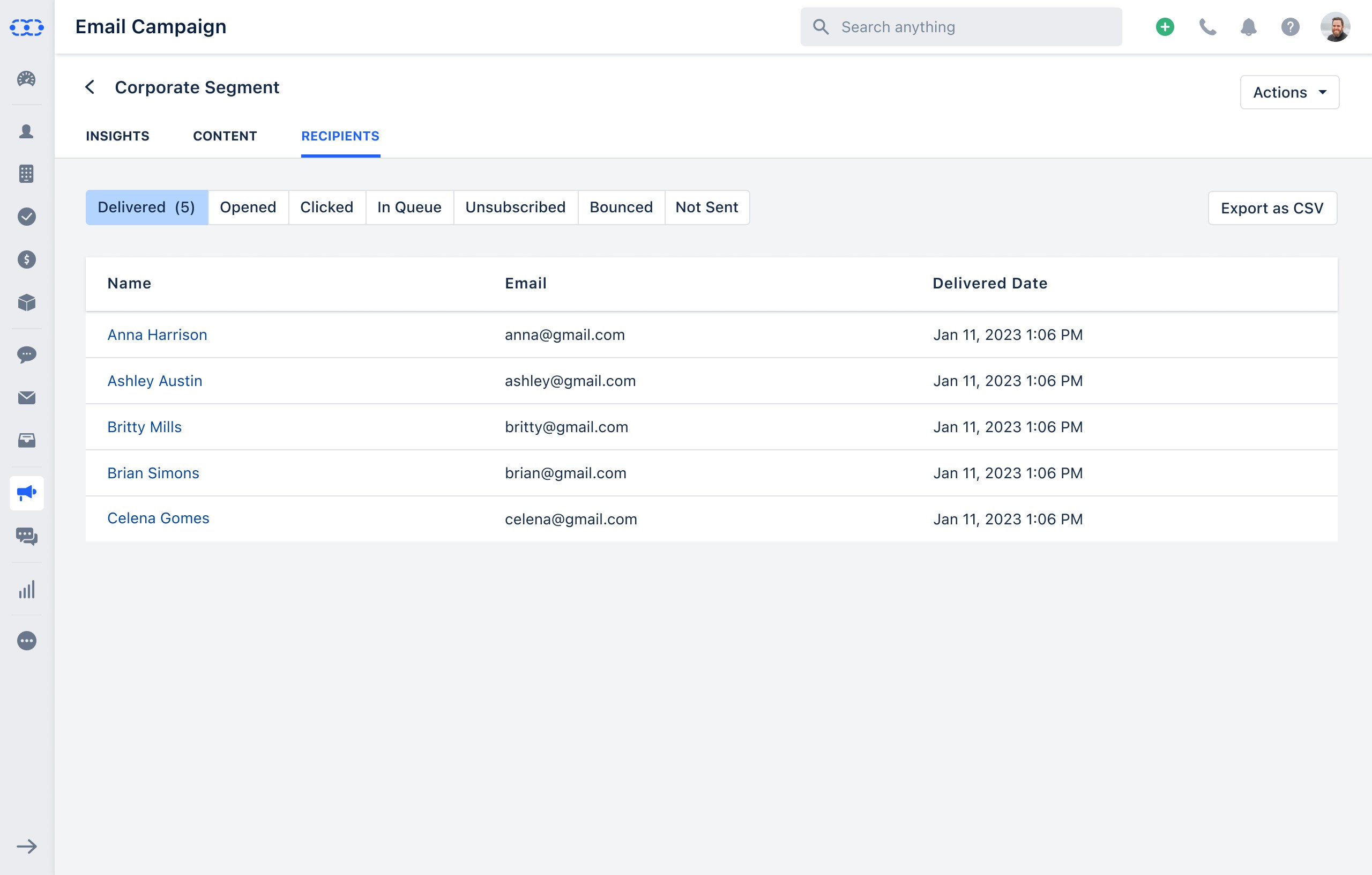
 Head over to the **Recipients** section Here you get the details of Recipients as per the email status.
* **Delivered**- It displays the details of the contacts to whom the campaign was delivered to their inbox. The delivered section would have the details of the Contact \*\* Name, Email & the Delivery Date **Opened**- It displays the details of the contacts who opened the campaign emails at least once. The Opened section would have the details of the Contact \*\*Name, Email, Count of Opens & Last Opened Date/Time \*\*Clicked **- It displays the details of the contacts who clicked at least once on the links embedded in the email campaign. This section would have the details of the Contact** Name, Email, Count of Clicks & Last Clicked Time/Date **In Queue**- It displays the details of the contacts to whom the campaign is not sent yet i.e. who are still in the queue. This section would have the details of the Contact \*\*Name & Email.
* \*\*Unsubscribed **- It displays the details of the contacts who have unsubscribed from the email campaign. This section would have the details of the Contact** Name, Email & Unsubscribed Date **Bounced**- It displays the details of the contacts for whom emails were bounced. This section would have the details of the Contact \*\*Name, Email, Bounced Date & Bounced Type Reason \*\*Not Sent
* **It displays the details of the contacts to whom the campaign was not delivered, either skipped for some reason or failed. This section would have the details of the Contact** Name & Email **You can also Export the Recipients detail as a CSV fileClick on the** Export as CSV\*\*
Head over to the **Recipients** section Here you get the details of Recipients as per the email status.
* **Delivered**- It displays the details of the contacts to whom the campaign was delivered to their inbox. The delivered section would have the details of the Contact \*\* Name, Email & the Delivery Date **Opened**- It displays the details of the contacts who opened the campaign emails at least once. The Opened section would have the details of the Contact \*\*Name, Email, Count of Opens & Last Opened Date/Time \*\*Clicked **- It displays the details of the contacts who clicked at least once on the links embedded in the email campaign. This section would have the details of the Contact** Name, Email, Count of Clicks & Last Clicked Time/Date **In Queue**- It displays the details of the contacts to whom the campaign is not sent yet i.e. who are still in the queue. This section would have the details of the Contact \*\*Name & Email.
* \*\*Unsubscribed **- It displays the details of the contacts who have unsubscribed from the email campaign. This section would have the details of the Contact** Name, Email & Unsubscribed Date **Bounced**- It displays the details of the contacts for whom emails were bounced. This section would have the details of the Contact \*\*Name, Email, Bounced Date & Bounced Type Reason \*\*Not Sent
* **It displays the details of the contacts to whom the campaign was not delivered, either skipped for some reason or failed. This section would have the details of the Contact** Name & Email **You can also Export the Recipients detail as a CSV fileClick on the** Export as CSV\*\*