> ## Documentation Index
> Fetch the complete documentation index at: https://support.getskara.ai/llms.txt
> Use this file to discover all available pages before exploring further.
# Managing Email Campaign
Email Campaigns can be managed from the Listing page.
### **Topics covered:**
* [**Campaign Listing Page**](#campaign-listing-page)
* [**How to Cancel the Campaign**](#how-to-cancel-the-campaign)
* [**How to Edit the Campaign**](#how-to-edit-the-campaign)
* [**How to Delete the Campaign**](#how-to-delete-the-campaign)
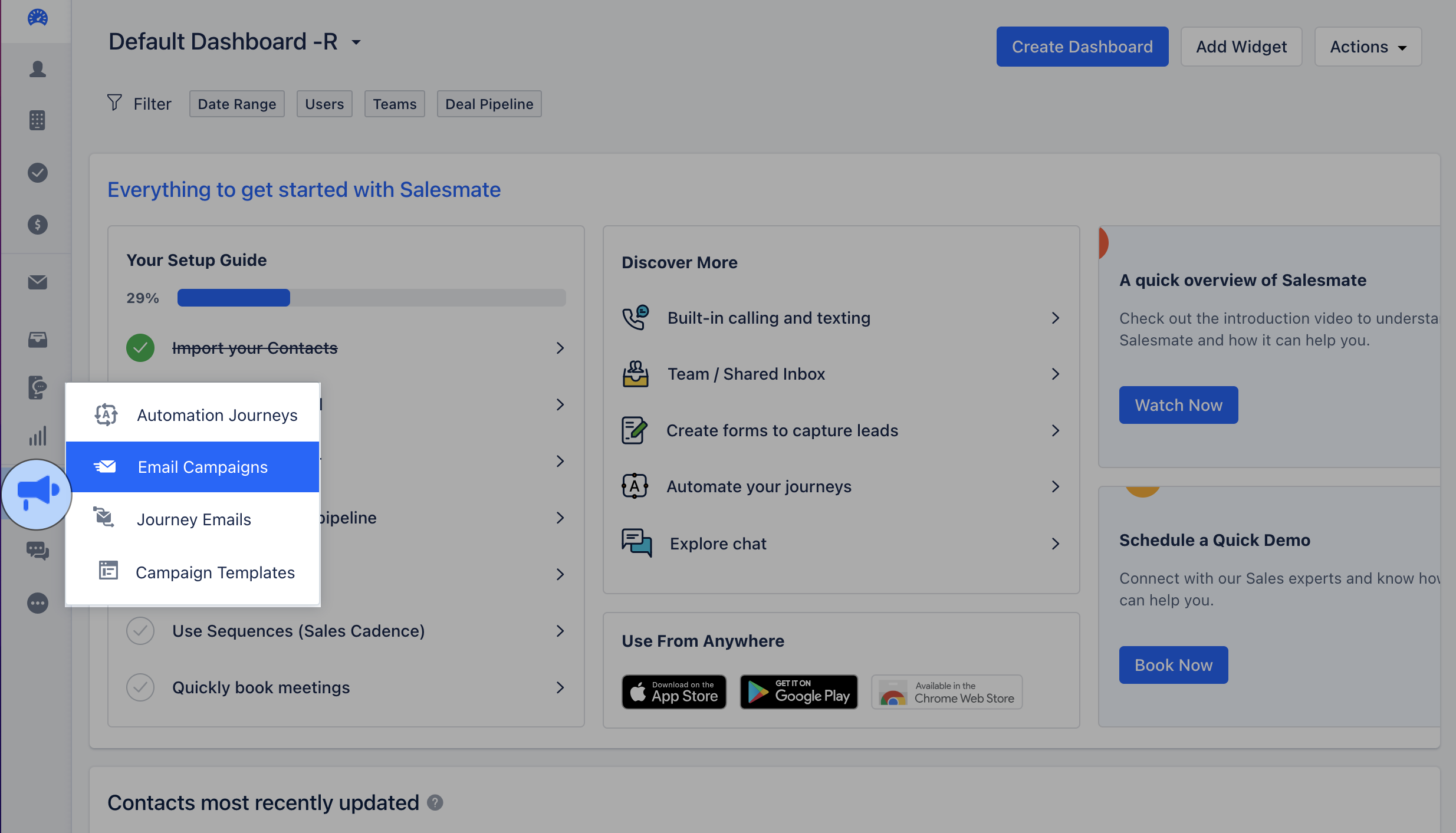
* To perform the above actions you would have to navigate to Email Campaign,
Navigate to the **Outreach Icon** on the left menu barClick on **Email Campaign**
 ### Campaign Listing Page
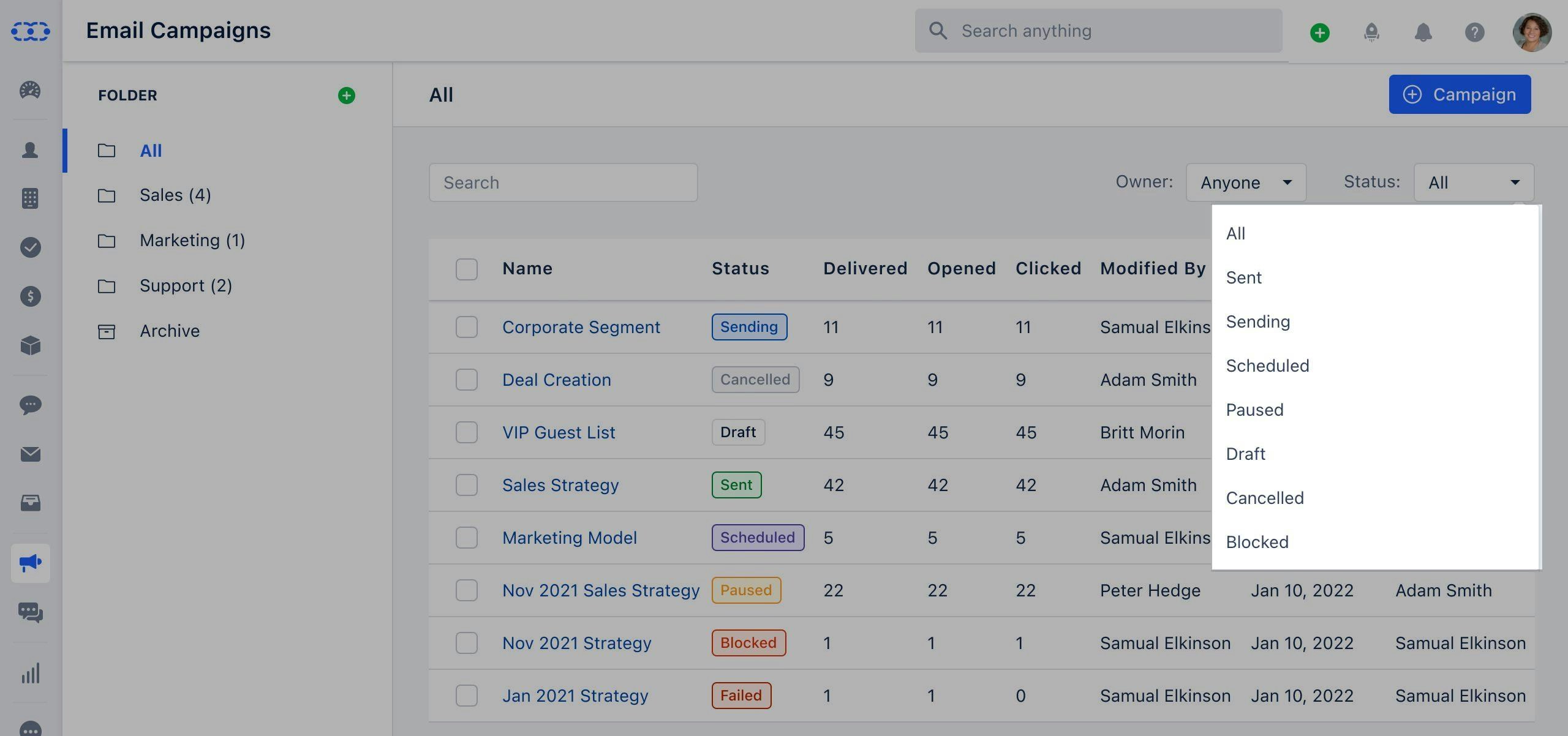
Once you click on the Email Campaign you will be directed to the Listing Page.You can Filter the option using the following options **Owner**: Options available here are,\*\* Me(default)\*\*Anyone \*\*List of all Active Users **Status:** Options available here are,**All**(default)**Draft**- When you create a campaign and do not send it yet, it will get saved in “Draft” mode.
* **Canceled**- When a campaign is canceled by the user then its status changes to “Canceled”.
* **Sending**- When a campaign is still been getting sent, its status will get displayed as "Sending".
* **Sent**- When emails are sent to all recipients, then the status is set as “Sent”.
* **Scheduled**- When a campaign is scheduled for later, its status is “Scheduled”.
* **Paused**- When a campaign gets blocked the account is flagged for verification, and other campaigns will get paused automatically.
* **Blocked**- When the campaign is blocked due to a high bounce rate or DKIM, its status is set to “Blocked”.
* \*\* Failed \*\*- When the list or view selected by the recipient gets deleted before execution time, the campaign is marked as Failed.
### Campaign Listing Page
Once you click on the Email Campaign you will be directed to the Listing Page.You can Filter the option using the following options **Owner**: Options available here are,\*\* Me(default)\*\*Anyone \*\*List of all Active Users **Status:** Options available here are,**All**(default)**Draft**- When you create a campaign and do not send it yet, it will get saved in “Draft” mode.
* **Canceled**- When a campaign is canceled by the user then its status changes to “Canceled”.
* **Sending**- When a campaign is still been getting sent, its status will get displayed as "Sending".
* **Sent**- When emails are sent to all recipients, then the status is set as “Sent”.
* **Scheduled**- When a campaign is scheduled for later, its status is “Scheduled”.
* **Paused**- When a campaign gets blocked the account is flagged for verification, and other campaigns will get paused automatically.
* **Blocked**- When the campaign is blocked due to a high bounce rate or DKIM, its status is set to “Blocked”.
* \*\* Failed \*\*- When the list or view selected by the recipient gets deleted before execution time, the campaign is marked as Failed.
 \*\*Note:\*\*Contact Salesmate Support to reactivate the **Paused** or **Blocked** CampaignsClick on Help Icon to initiate a **Chat** with **Salesmate Support**.
* \*\*Free-Form Search
* \*\*This will allow users to search for a campaign by its name.
\*\*Note:\*\*Contact Salesmate Support to reactivate the **Paused** or **Blocked** CampaignsClick on Help Icon to initiate a **Chat** with **Salesmate Support**.
* \*\*Free-Form Search
* \*\*This will allow users to search for a campaign by its name.
 The list of columns that will be available in the grid:**Name**- Title of the campaign.
* **Status**- Current status of the campaign.
* **Delivered**- Count of emails delivered to the contacts.
* **Opened**- Count of emails opened by the contacts.
* **Clicked**- Count of emails in which links were clicked by the contacts.
* **Modified By**- The name of the user who last modified the campaign.
* **Modified Date**- The date on which the campaign was last modified.
* **Sent By**- The name of the user who last sent the campaign. The value will appear once the campaign has been sent.
* **Sent Date**- The date on which the campaign was sent.
* **Owner**- The name of the user who created the campaign. This value will never change.
### How to Cancel the Campaign
To cancel the Email Campaign,
Click on the **Name** of the Campaign that you wish to Cancel, the **Action** button will appear next to it.Click on the **Action** button and select **Cancel**
The list of columns that will be available in the grid:**Name**- Title of the campaign.
* **Status**- Current status of the campaign.
* **Delivered**- Count of emails delivered to the contacts.
* **Opened**- Count of emails opened by the contacts.
* **Clicked**- Count of emails in which links were clicked by the contacts.
* **Modified By**- The name of the user who last modified the campaign.
* **Modified Date**- The date on which the campaign was last modified.
* **Sent By**- The name of the user who last sent the campaign. The value will appear once the campaign has been sent.
* **Sent Date**- The date on which the campaign was sent.
* **Owner**- The name of the user who created the campaign. This value will never change.
### How to Cancel the Campaign
To cancel the Email Campaign,
Click on the **Name** of the Campaign that you wish to Cancel, the **Action** button will appear next to it.Click on the **Action** button and select **Cancel** * \*Note:\*\*Please note that you can only cancel the Campaigns that are in Sending status or are been Scheduled for later.
### How to Edit the Campaign
To Edit the Campaign,
Click on the **Name** of the Campaign that you wish to Cancel, the **Action** button will appear next to it.Click on the **Action** button and select \*\* Edit \*\*
* \*Note:\*\*Please note that you can only cancel the Campaigns that are in Sending status or are been Scheduled for later.
### How to Edit the Campaign
To Edit the Campaign,
Click on the **Name** of the Campaign that you wish to Cancel, the **Action** button will appear next to it.Click on the **Action** button and select \*\* Edit \*\* **Note:** You can only Edit the campaign with the following status:
DraftScheduledFailed
### How to Delete the Campaign
To delete the Campaign,
Click on the **Name** of the Campaign that you wish to Cancel, the **Action** button will appear next to it.Click on the **Action** button and select\*\* Delete \*\*\*
**Note:** You can only Edit the campaign with the following status:
DraftScheduledFailed
### How to Delete the Campaign
To delete the Campaign,
Click on the **Name** of the Campaign that you wish to Cancel, the **Action** button will appear next to it.Click on the **Action** button and select\*\* Delete \*\*\* * *Confirm the*\* Delete \*\*
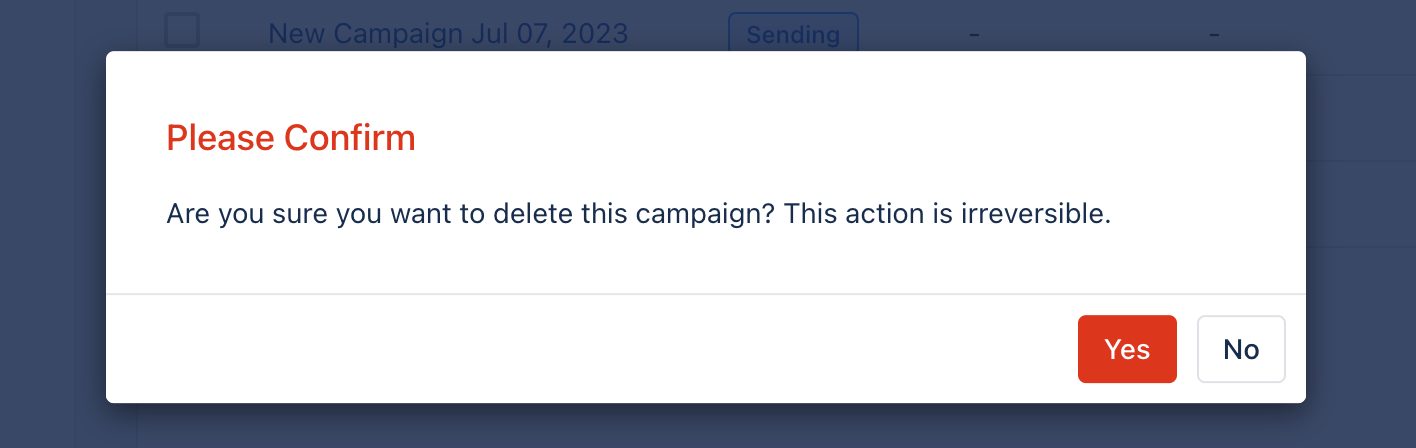 **Note:** Once you delete the Campaign, this process is irreversible.