> ## Documentation Index
> Fetch the complete documentation index at: https://support.getskara.ai/llms.txt
> Use this file to discover all available pages before exploring further.
# Email Marketing Footer
* \*The footer section of your email resides at the very bottom, following all the main content and your email signature.
* \*\* Including an email address in the footer is not only necessary to comply with regulations but is also recommended for effective email marketing.Topics Covered \*\*
* [How to Create a New Email Marketing Footer](#how-to-create-a-new-email-marketing-footer)
\*\*
[Deleting an Email Footer](#deleting-email-marketing-footer)
\*\*
### How to Create a New Email Marketing Footer
To create a New Marketing Footer
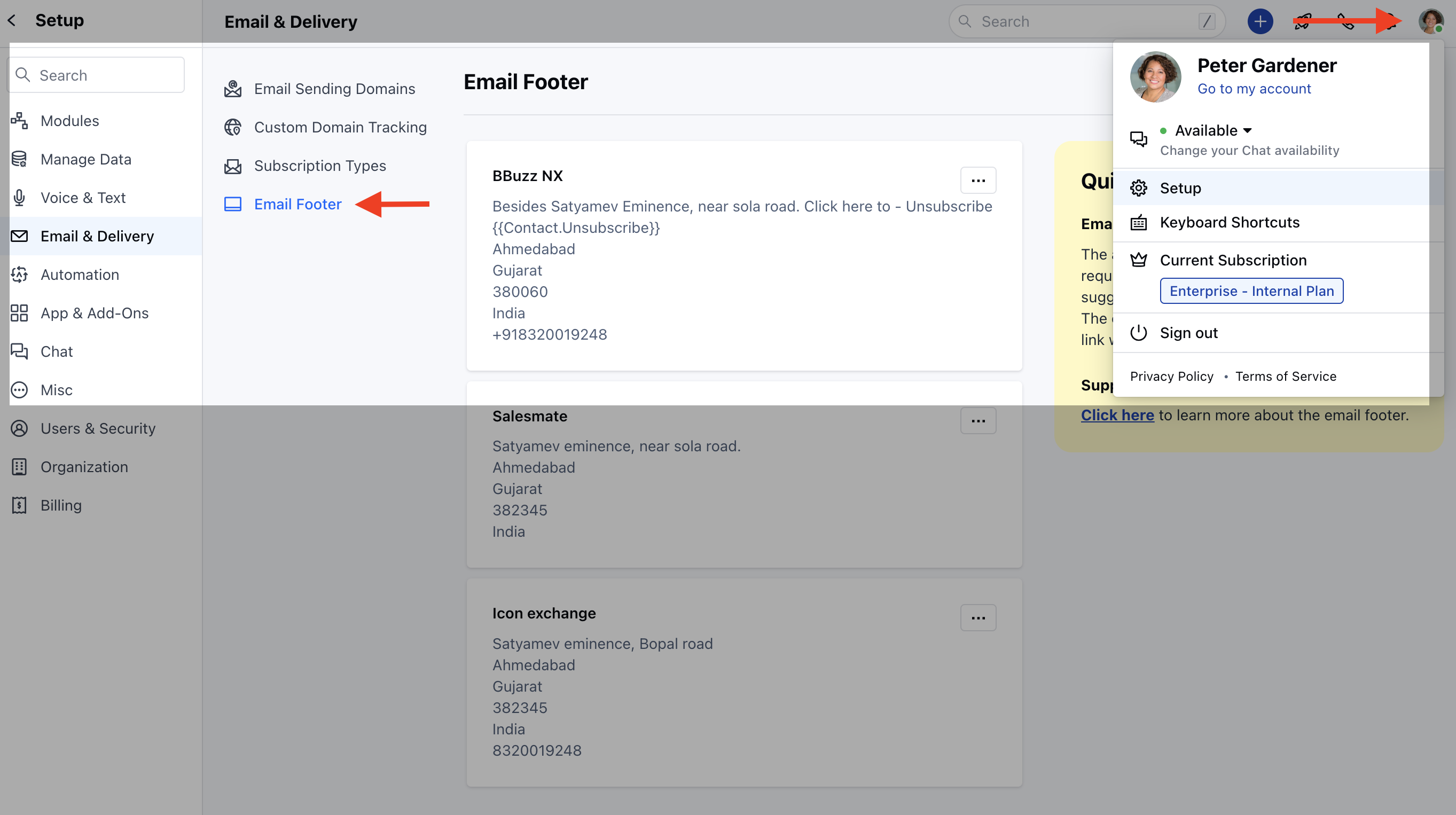
Navigate to your **Profile Icon** on the Top right cornerClick on **Setup** Head over to **Email & Delivery** Click on **Email Footer**
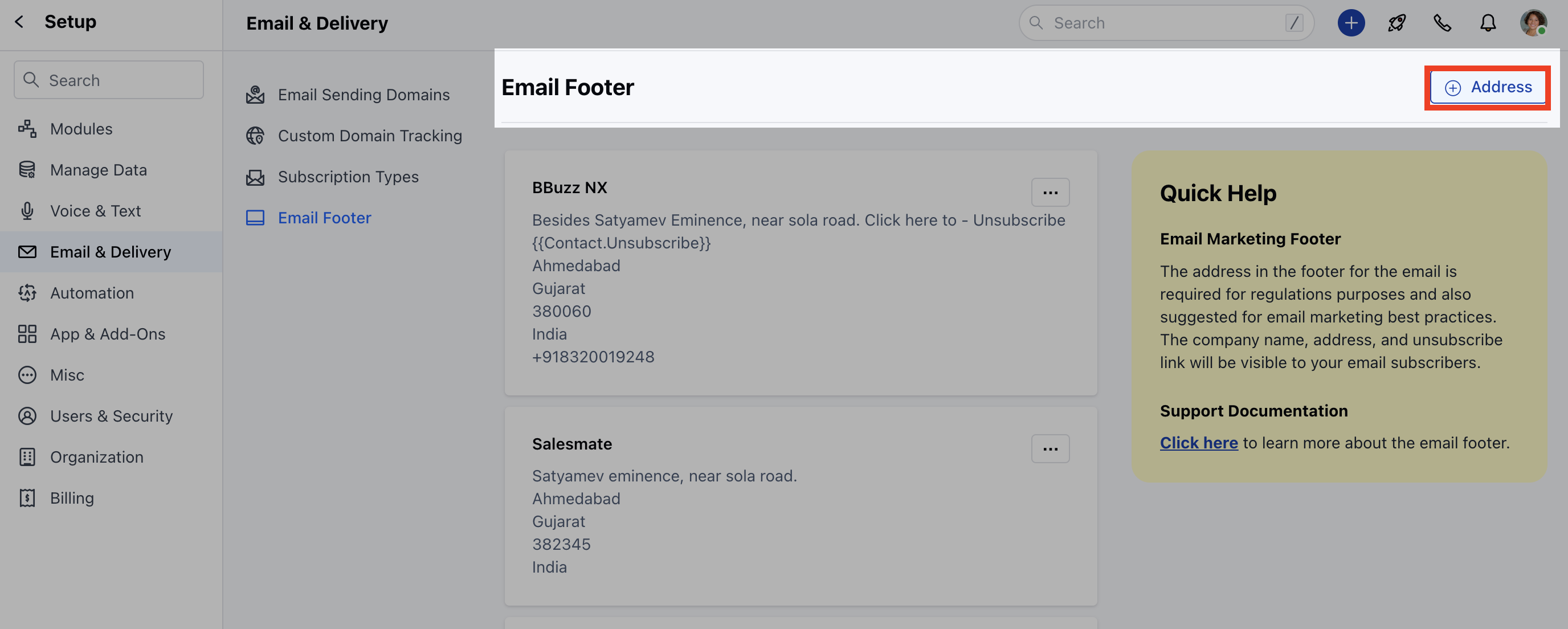
 Click on **+ Address**
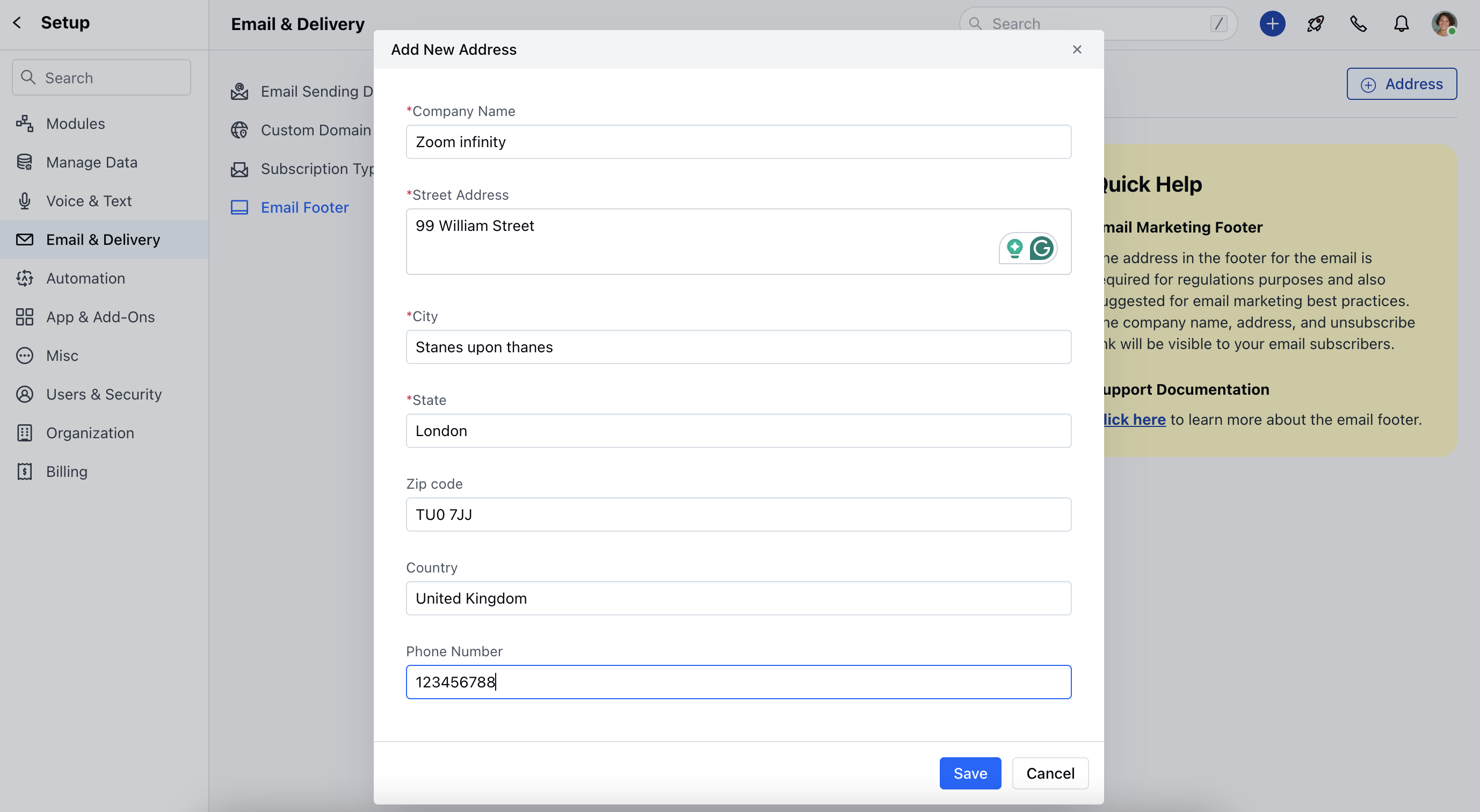
 Enter the following details \*\* Company Name \*\*Street Address \*\*City \*\*State \*\*Zip Code \*\*Country \*\*Phone Number **Click on** Save \*\*
 On success "**Created successfully**" message will be displayedThe first footer that is added by user becomes the default footer
### Deleting Email Marketing Footer
To delete the Email Marketing Footer,
Navigate to your **Profile Icon** on the Top right cornerClick on **Setup** Head over to **Email & Delivery** Click on **Email Footer**
Click on three dots present on the right of the **Footer Address** that you wish to **Delete**. Click on **Delete** option
On success "**Created successfully**" message will be displayedThe first footer that is added by user becomes the default footer
### Deleting Email Marketing Footer
To delete the Email Marketing Footer,
Navigate to your **Profile Icon** on the Top right cornerClick on **Setup** Head over to **Email & Delivery** Click on **Email Footer**
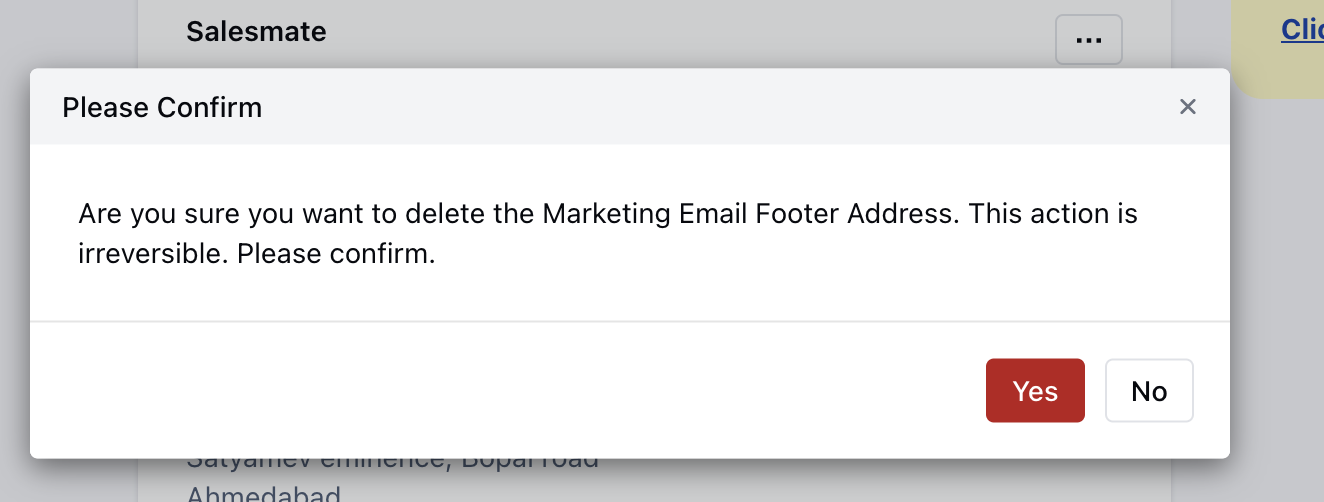
Click on three dots present on the right of the **Footer Address** that you wish to **Delete**. Click on **Delete** option
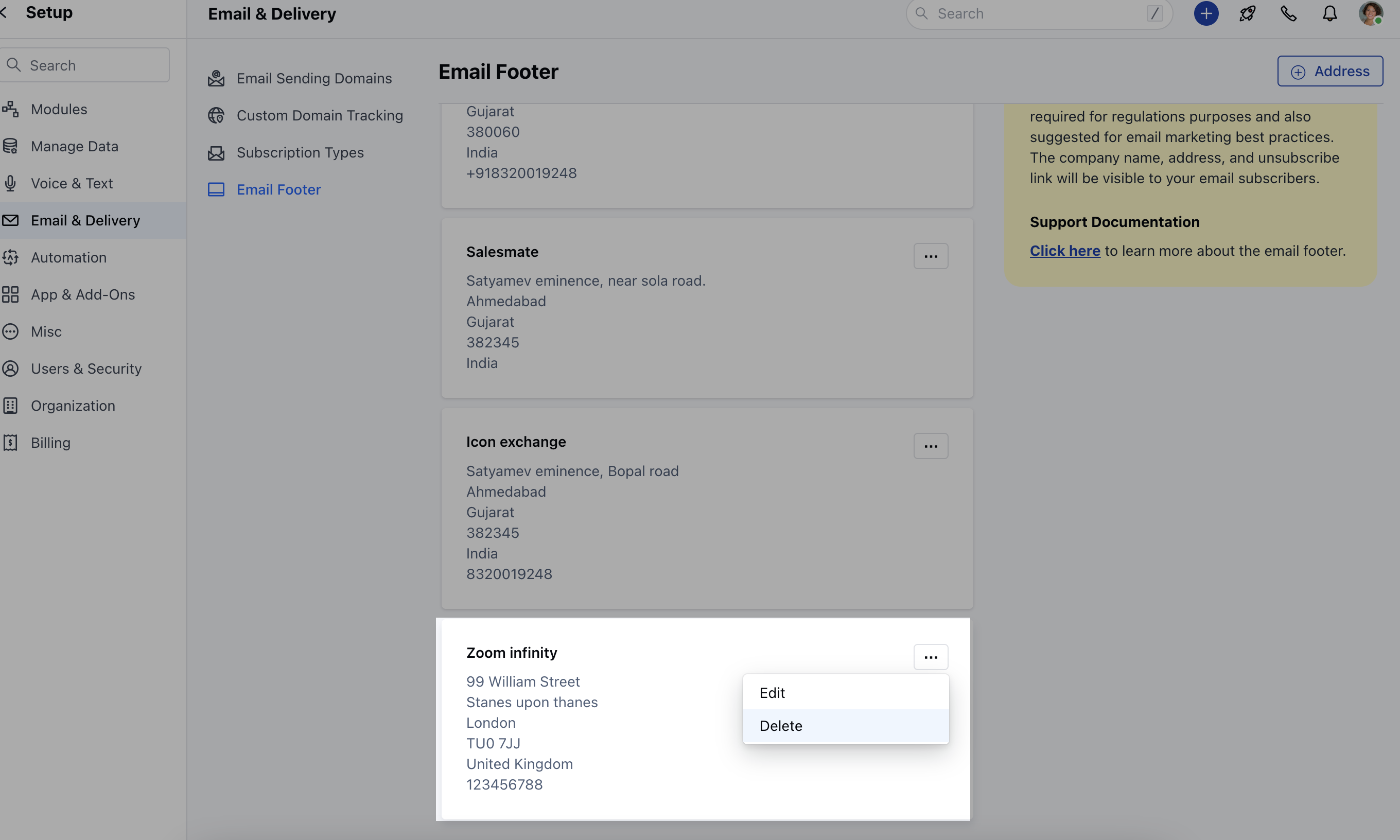 Confirm the \*\*Delete.
 ### \*\* Note:**Default Email Marketing Footer** cannot be\*\* Deleted \*\*.