> ## Documentation Index
> Fetch the complete documentation index at: https://support.getskara.ai/llms.txt
> Use this file to discover all available pages before exploring further.
# How to Set-Up a new subscription Type in different languages
Salesmate provides an option to Set Up the new Subscription type in your preferred language.To set up a new Subscription Type in different languages,
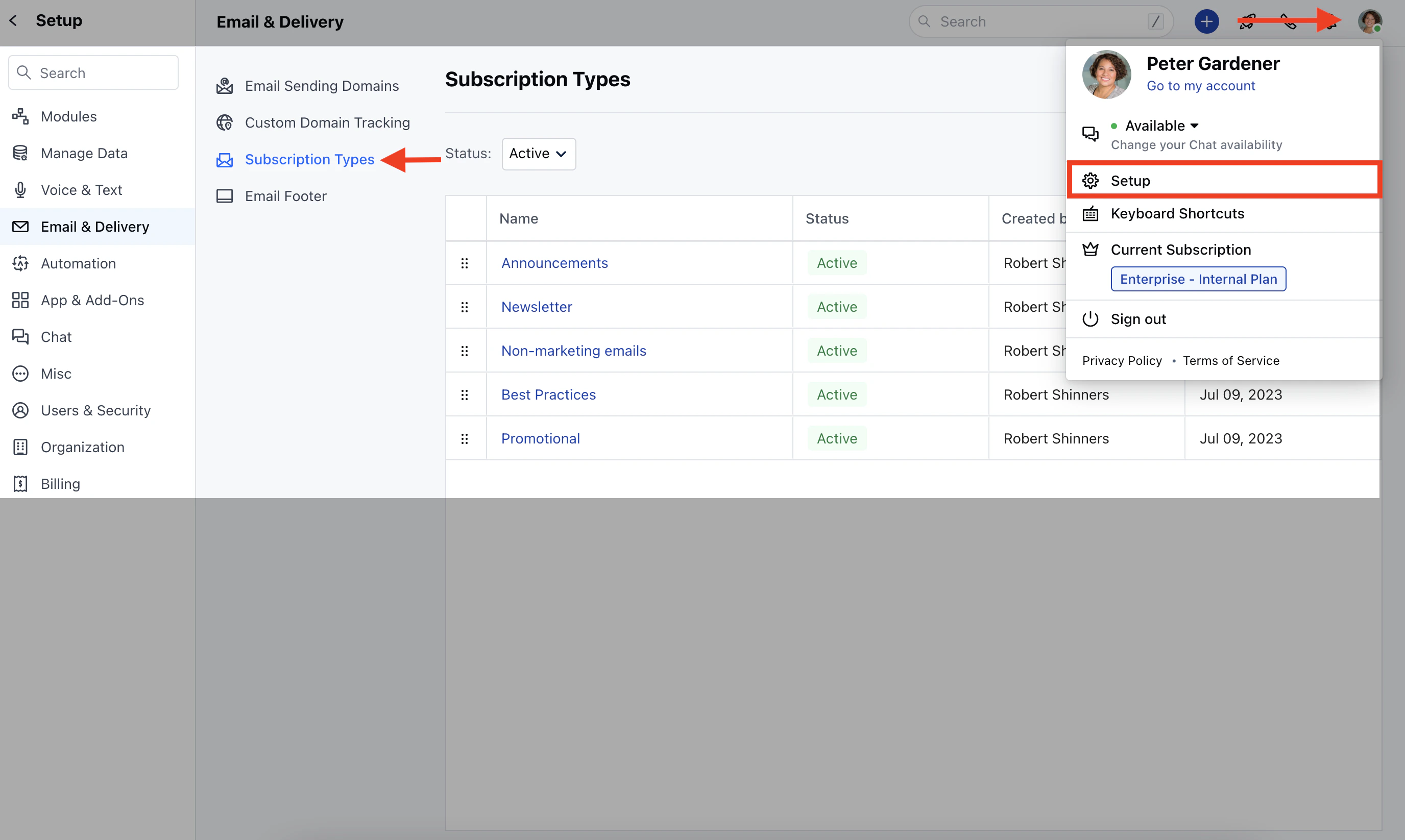
Navigate to your **Profile Icon** on the top right cornerClick on **Setup** Head over to **Email & Delivery** Click on **Subscription Types**
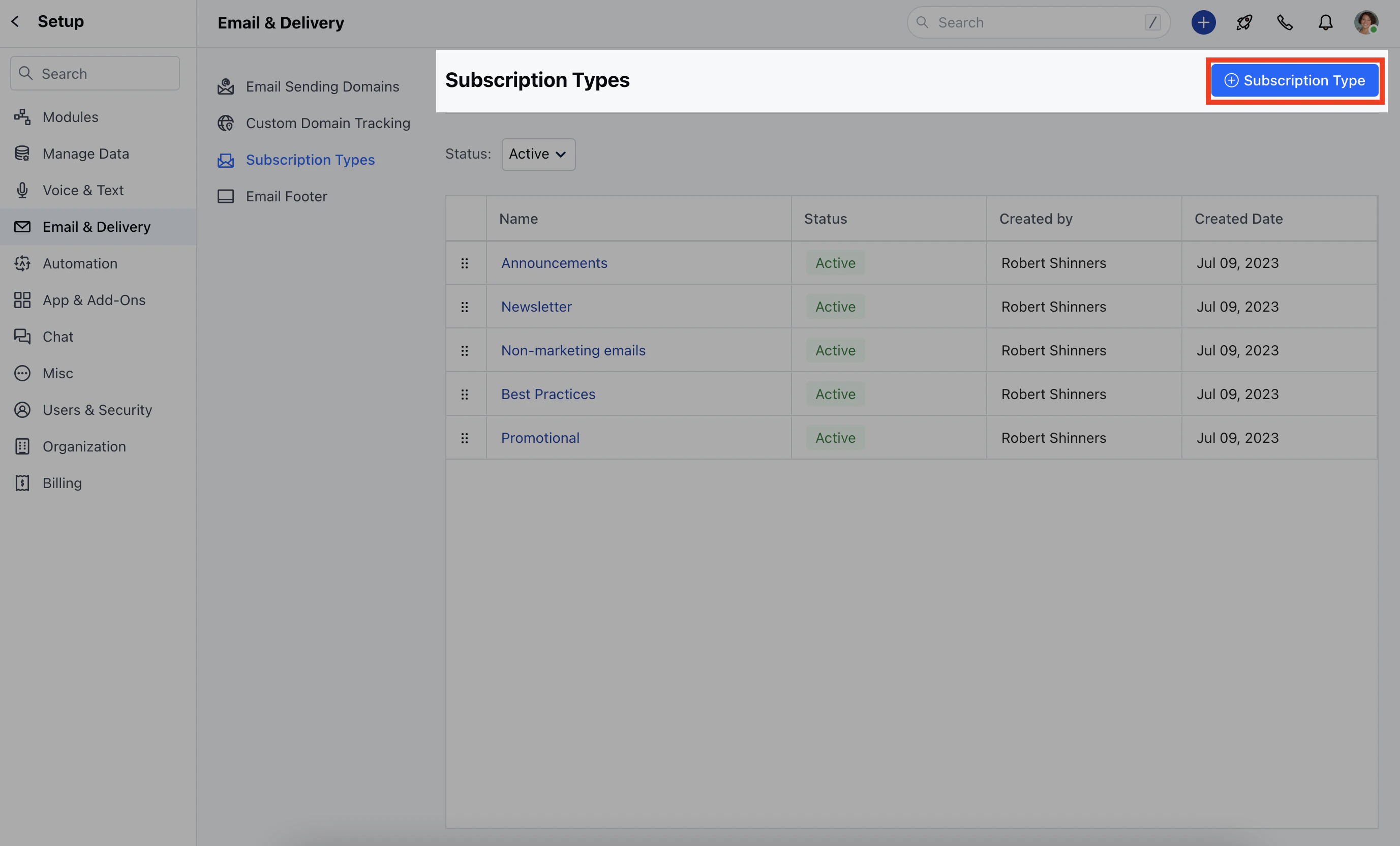
 Click on **+ Subscription Type**
 Here, you need to add,- **Name:** Give a name to the subscription type
* **Consent Type:** Select Opt-In or Opt-Out
* [Click here to learn more about the Consent type](https://support.salesmate.io/hc/en-us/articles/19613366377241)
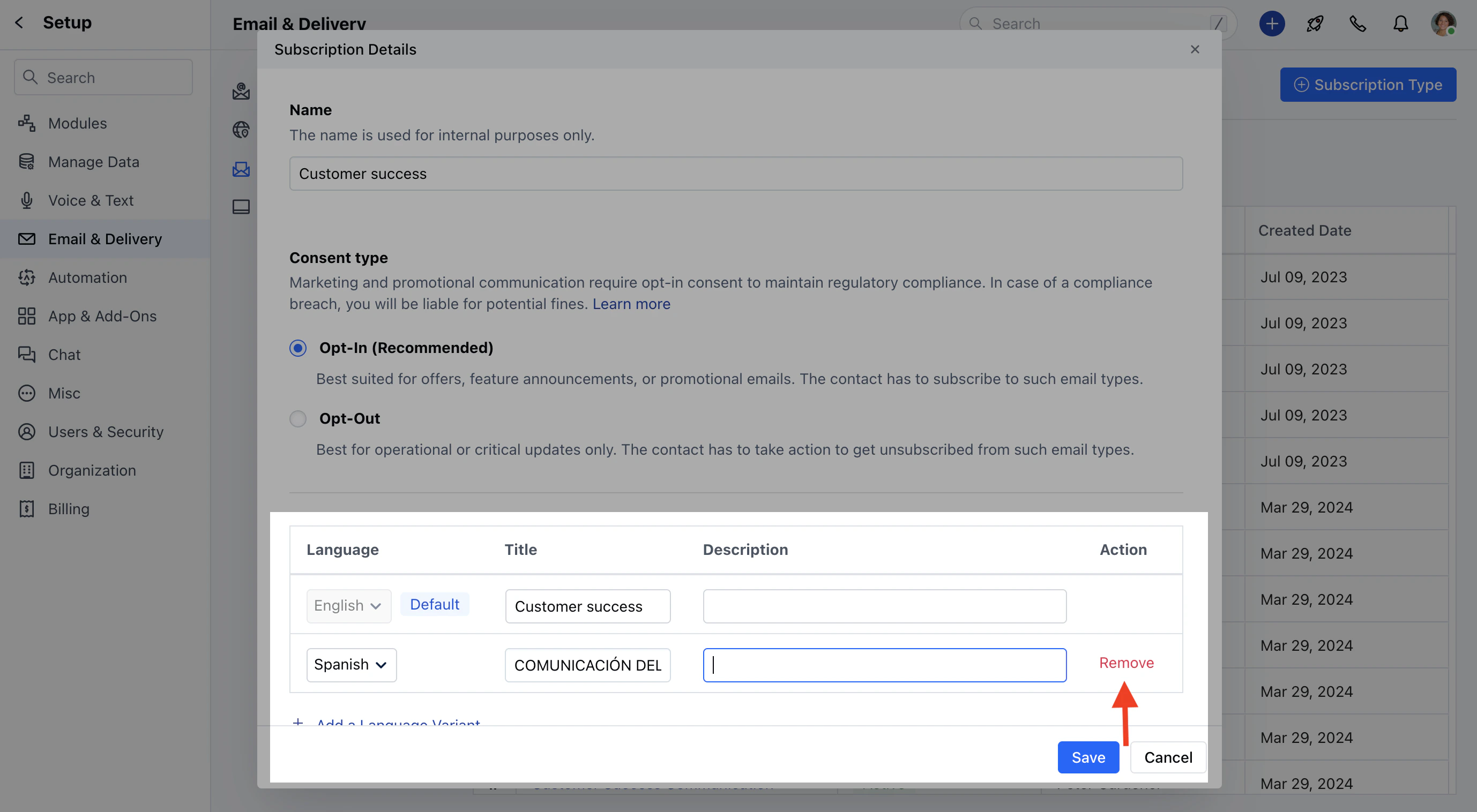
* **Language:** Select the language, by default it will be **English** To add a different language, click on **Add a Language Variant**
Here, you need to add,- **Name:** Give a name to the subscription type
* **Consent Type:** Select Opt-In or Opt-Out
* [Click here to learn more about the Consent type](https://support.salesmate.io/hc/en-us/articles/19613366377241)
* **Language:** Select the language, by default it will be **English** To add a different language, click on **Add a Language Variant**
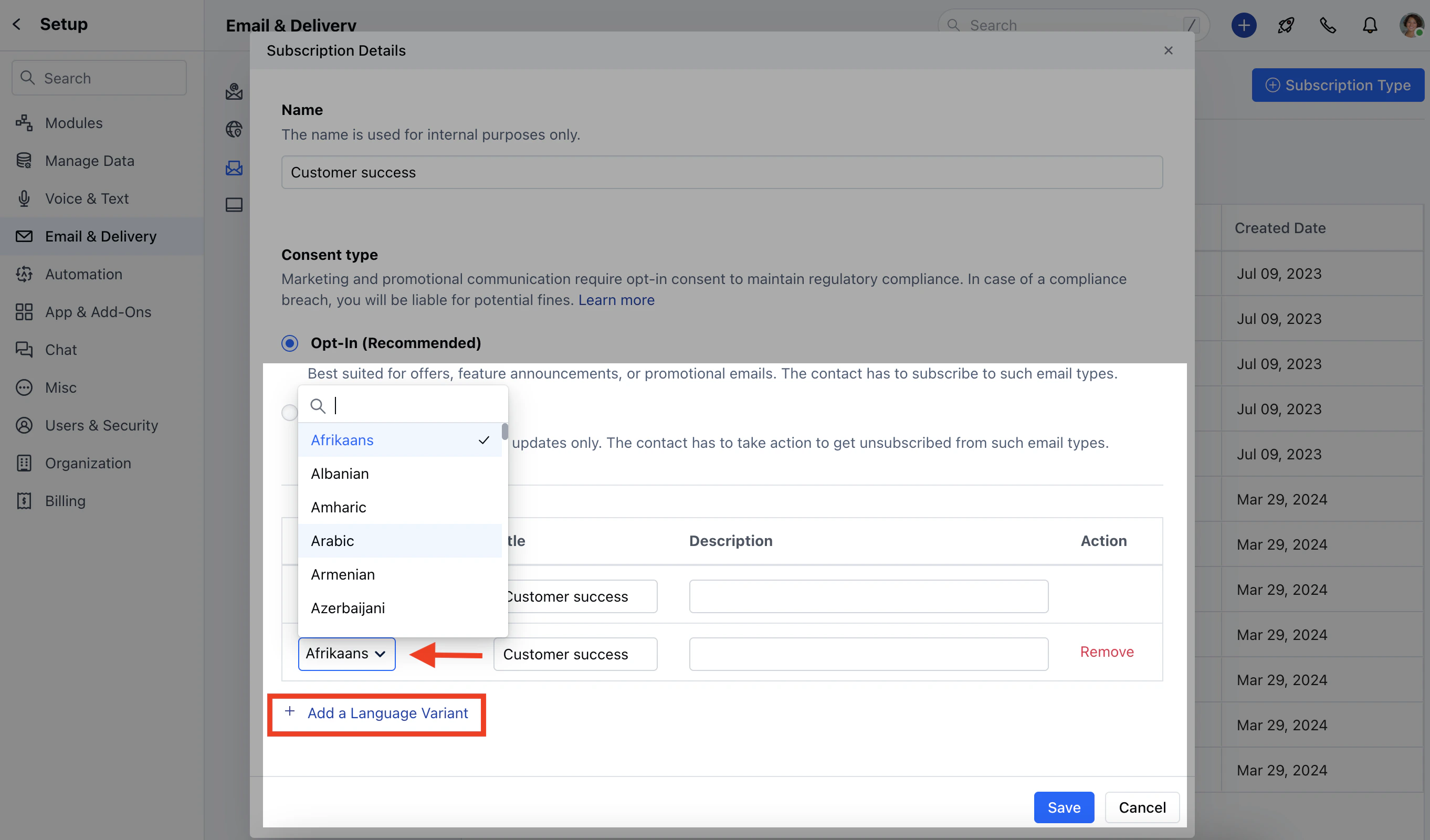 Once the language is selected the Title and Description will get auto-copied from the English language variant by default which can be updated by the User.Click on **Save**
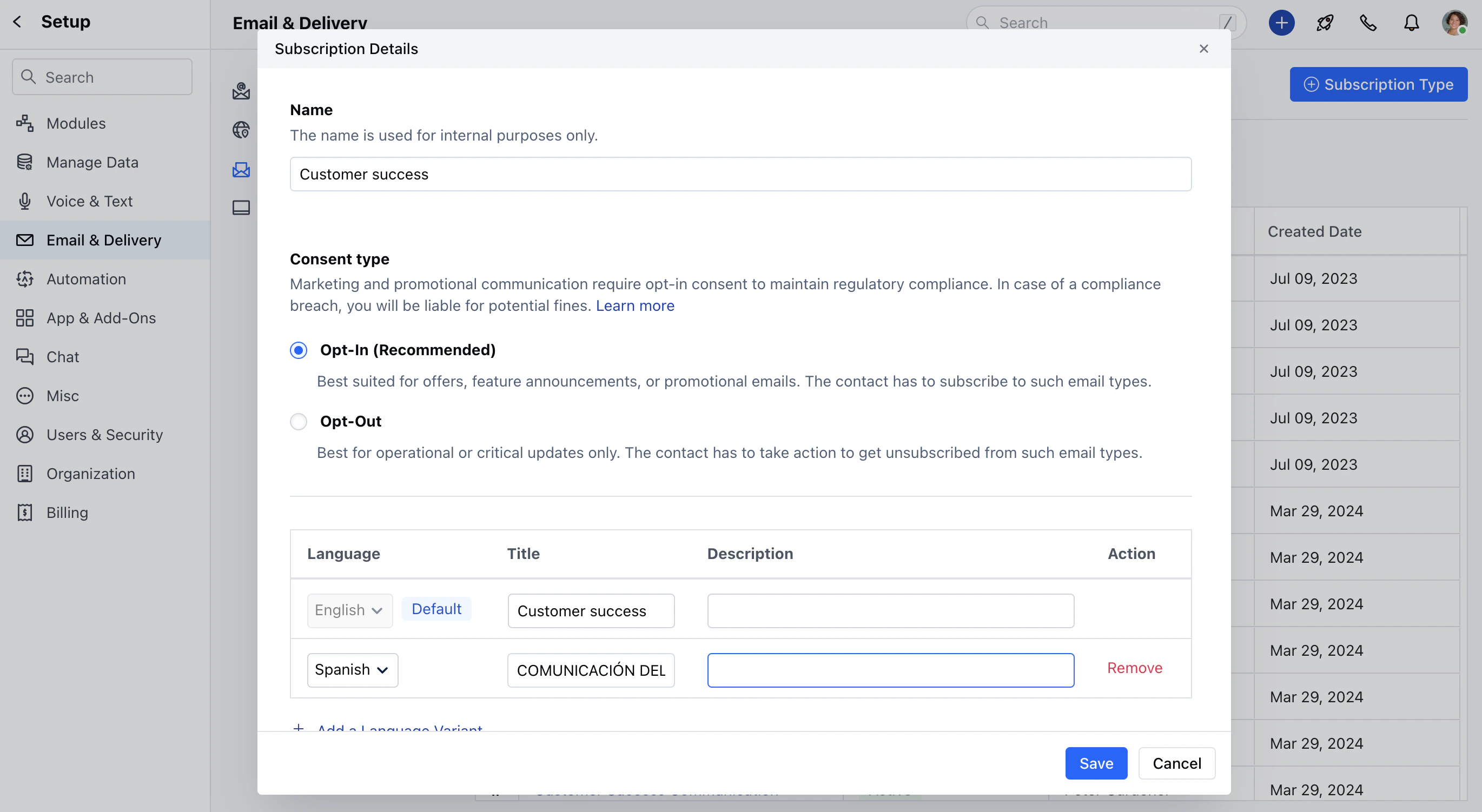 If you wish to Remove the Language Variant, you can do so by clicking on the **Remove** option next to the Variant.
 ### \*\*Note:\*\*The default language cannot be changed.The same Language Variant cannot be used more than once