> ## Documentation Index
> Fetch the complete documentation index at: https://support.getskara.ai/llms.txt
> Use this file to discover all available pages before exploring further.
# How to Set a Default Email Signature for your Connected Emails
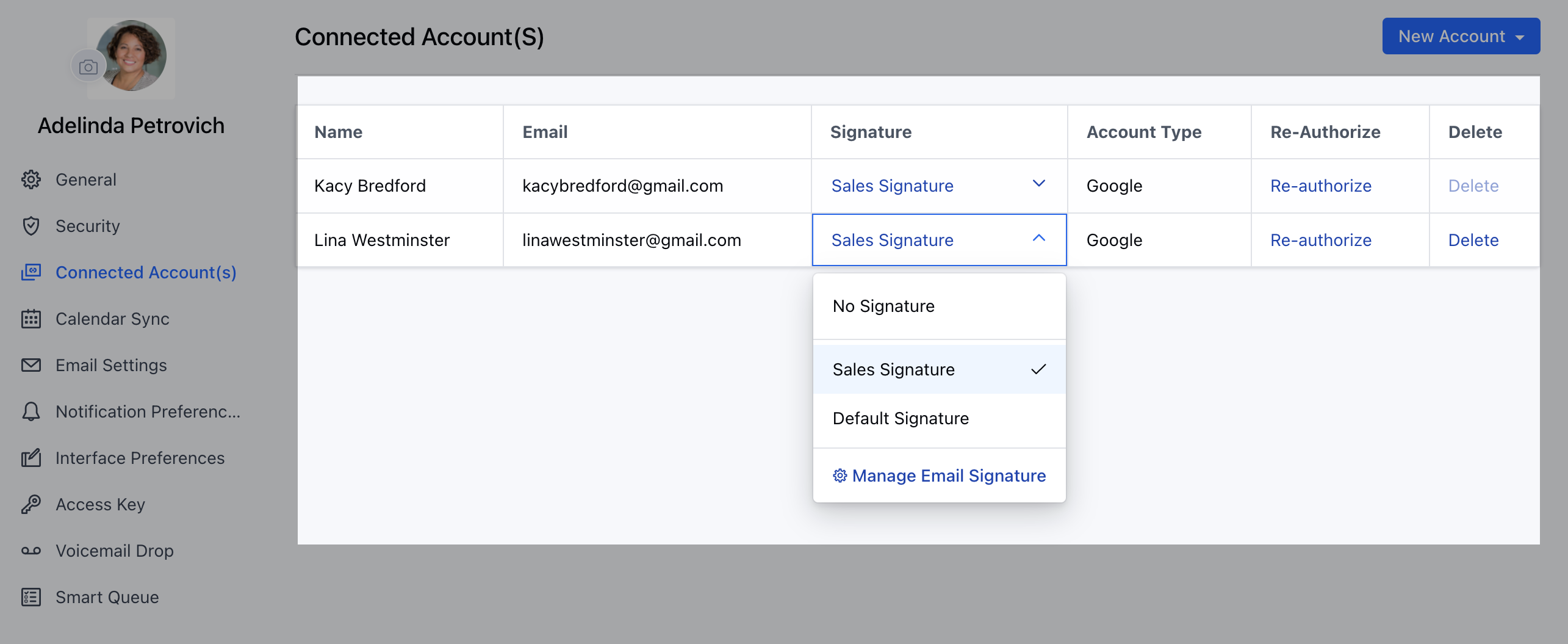
Salesmate allows you to create Multiple Email Signatures with a flexibility to change the Default Signature for the Connected Email Accounts.
### Change the Signature for Connected Emails
To change the Signature for Connected Emails,
Navigate to the **Profile Icon** on the top right cornerClick on the **Go to My Account** Head over to\*\* Connected Accounts \*\* \*\* Here, you have the choice to either select a signature from the list of created ones or choose not to use any signature at all.