> ## Documentation Index
> Fetch the complete documentation index at: https://support.getskara.ai/llms.txt
> Use this file to discover all available pages before exploring further.
# How to Create Email Templates with Attributes
We use emails in our day-to-day communication, it may happen that we land up typing the same email over and over again to our contacts. Salesmate has simplified this task for you. It comes with the feature of creating Email Templates. i.e. type an email once with desired Salesmate fields and fixed body text. These emails are made available to every user in the organization to have a unified method of communication.To create email templates,
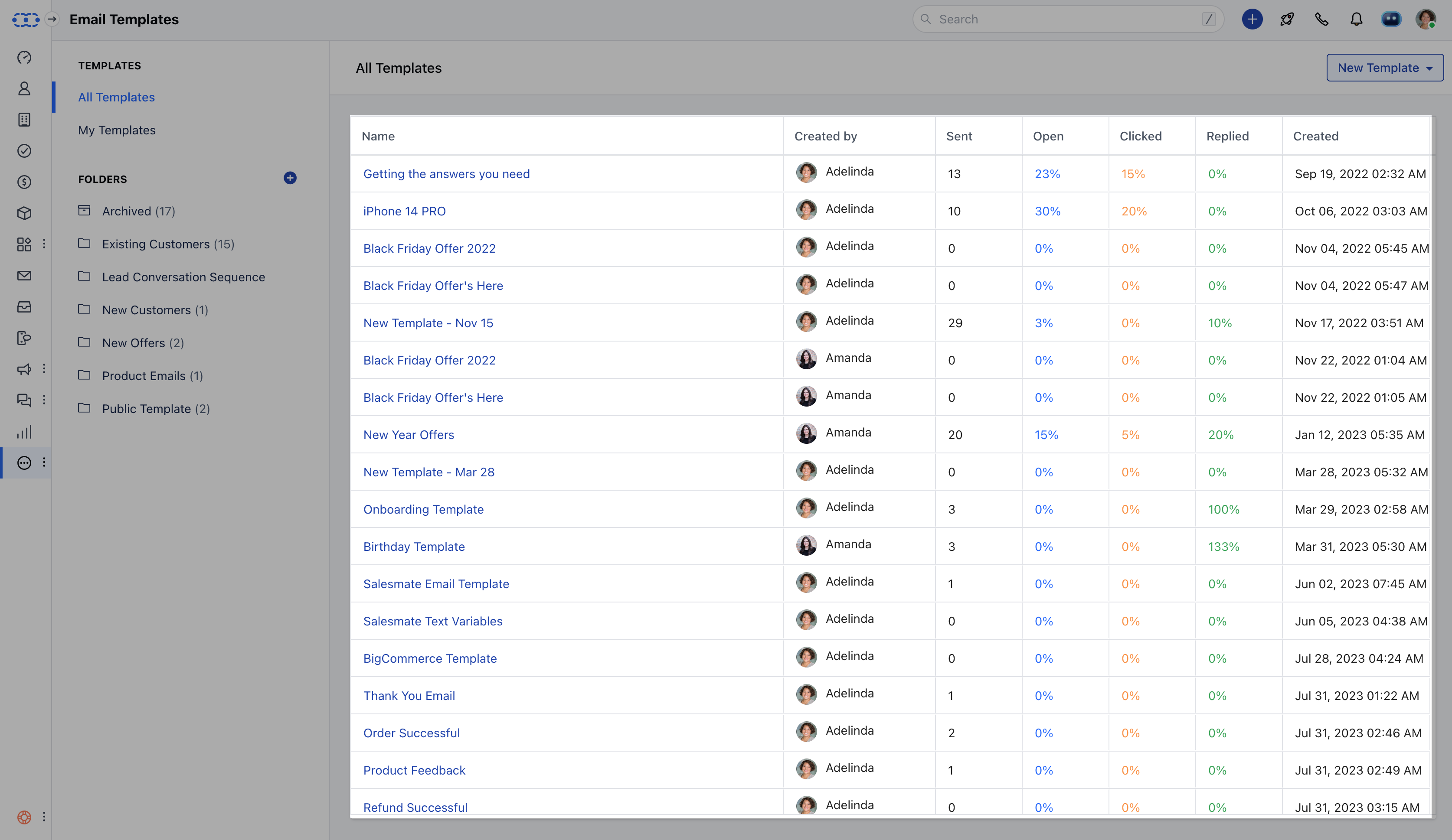
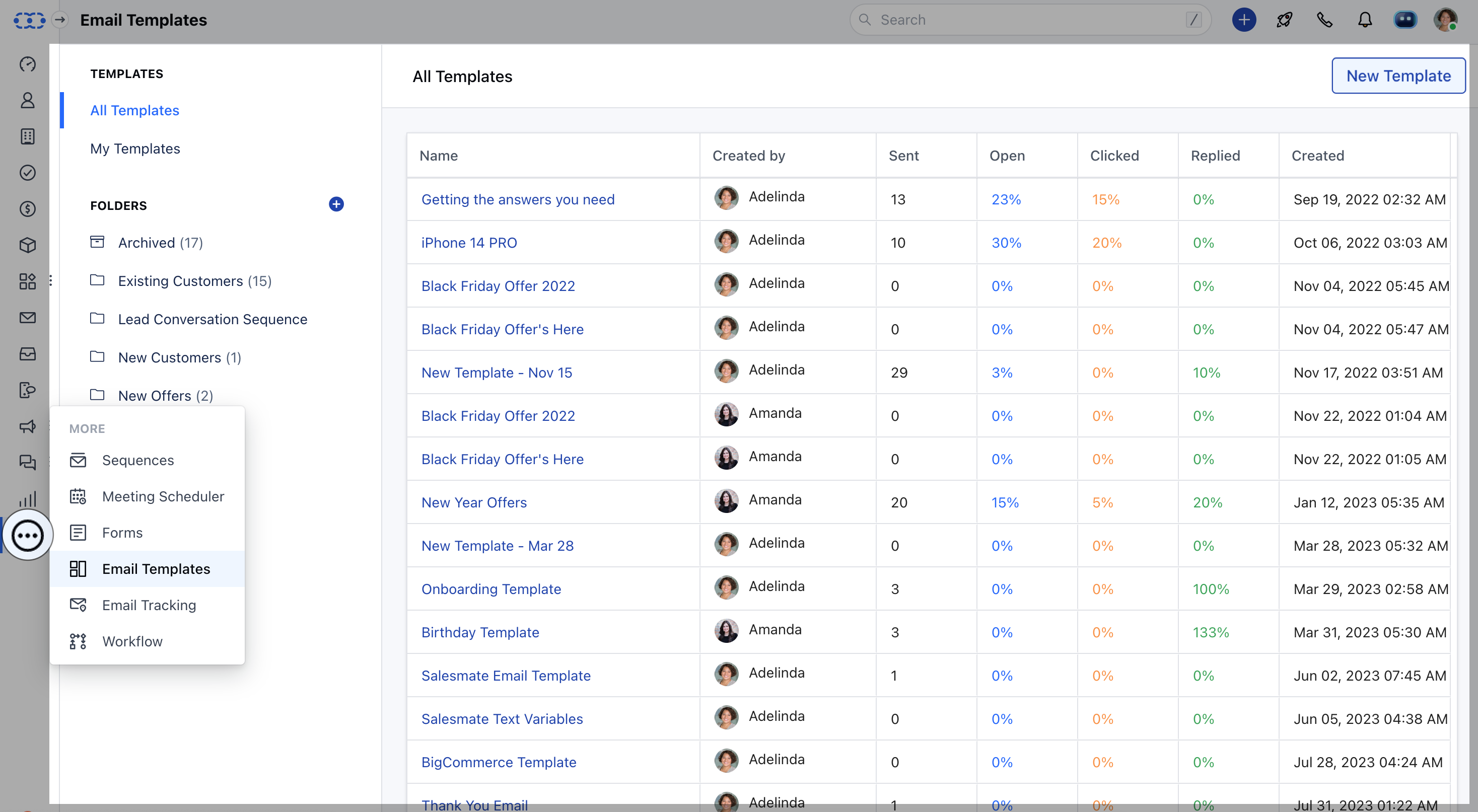
Navigate to the **More Icon** from the left Menu barClick on **Email Templates** Head over to **New Template** to create a template.
 Select the folder where you would like to store these email templates from Email Template Folders
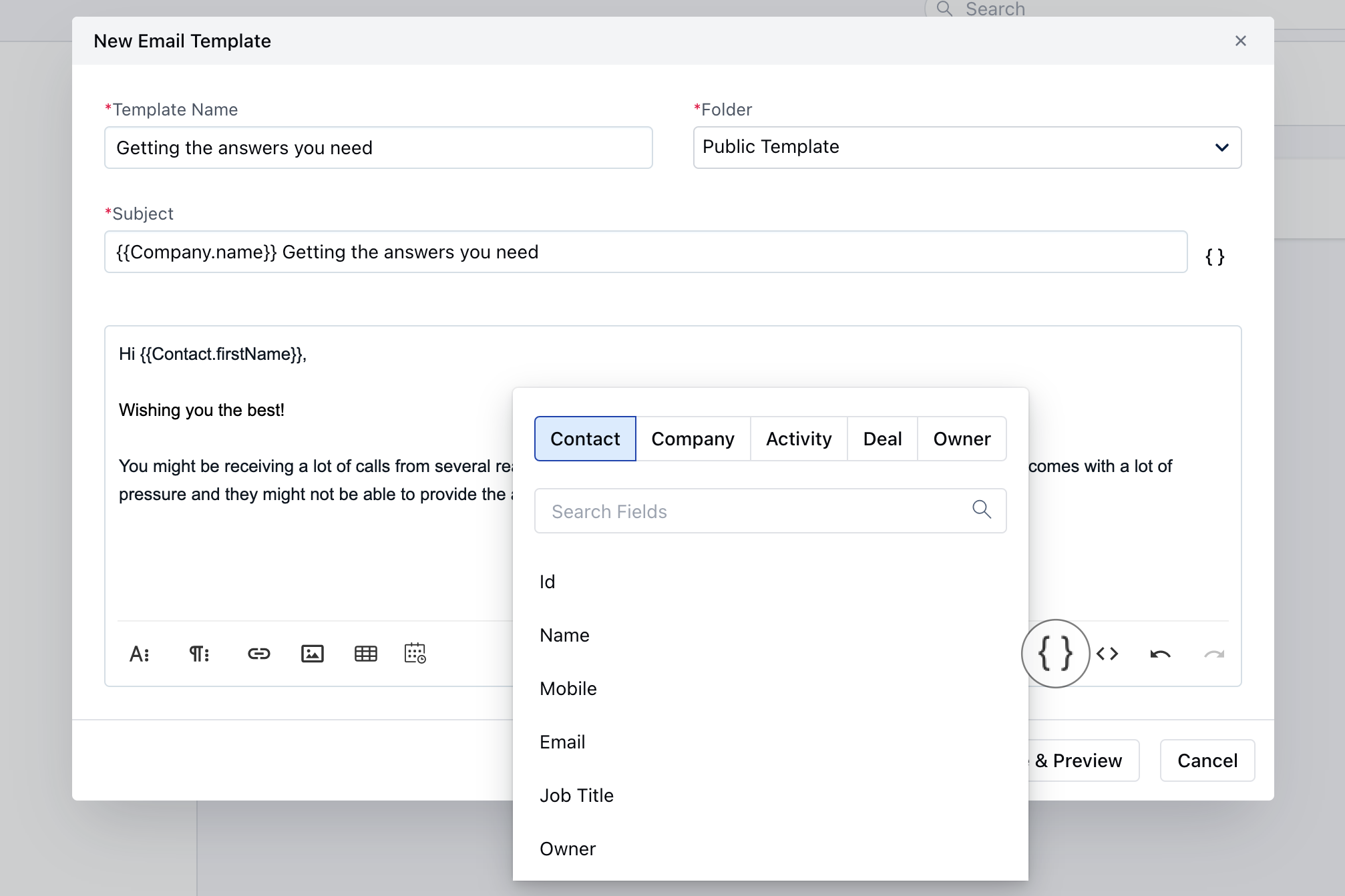
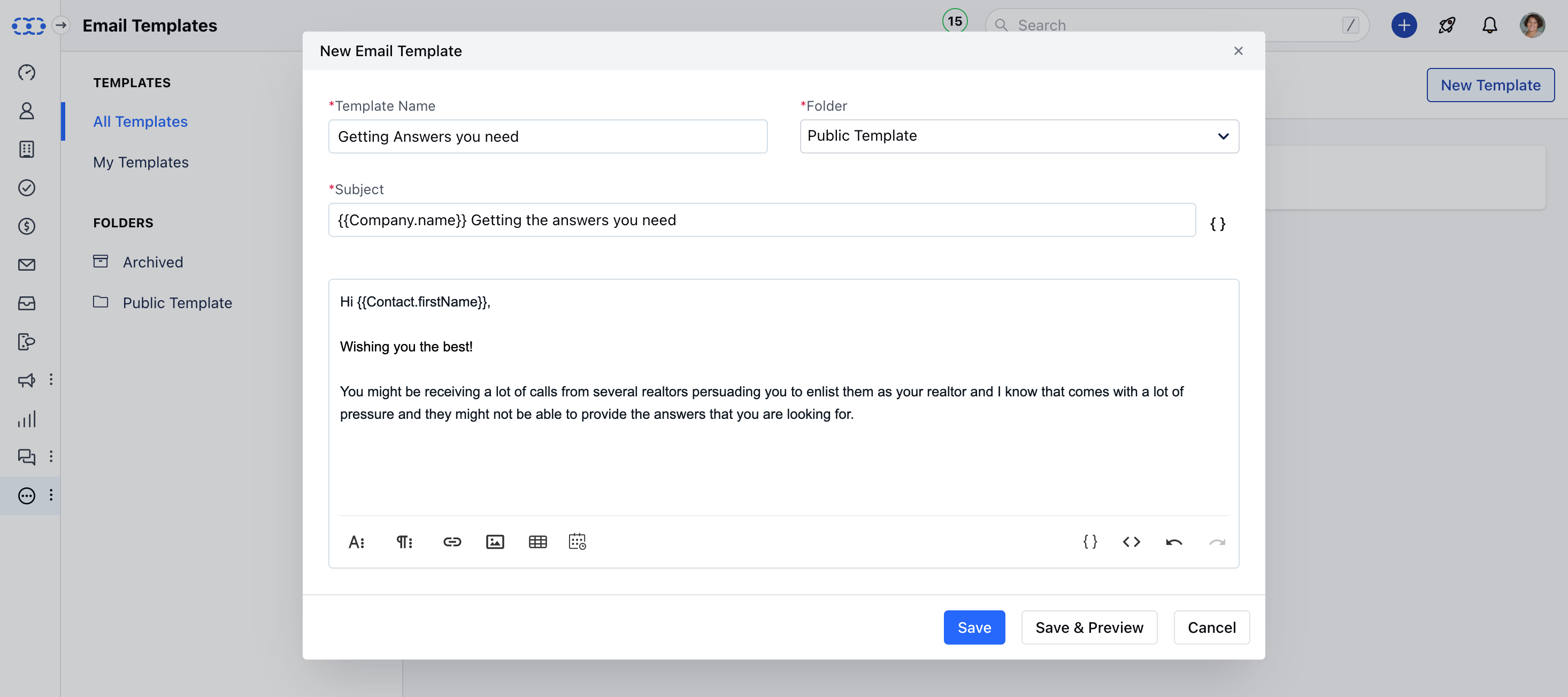 Give your template a **Name** Type **Subject** Content bodyInsert the Template field from the LookupHit **Save & Preview** to have a quick look at the template **Save** to create the template
Templates can be used while sending out emails from Salesmate. Each email template usage can be tracked and a report is available under the report section - "Email Template Usage Analytics" to know the open, usage, and reply rates. To know more, [click here.](https://www.salesmate.io/email-automation-intelligence/#email-templates)- **Personalize your Emails:** You can personalize, and optimize them using merge tags/attributes.
Give your template a **Name** Type **Subject** Content bodyInsert the Template field from the LookupHit **Save & Preview** to have a quick look at the template **Save** to create the template
Templates can be used while sending out emails from Salesmate. Each email template usage can be tracked and a report is available under the report section - "Email Template Usage Analytics" to know the open, usage, and reply rates. To know more, [click here.](https://www.salesmate.io/email-automation-intelligence/#email-templates)- **Personalize your Emails:** You can personalize, and optimize them using merge tags/attributes.
 * **Email Template Usage Analytics:** Turn your best and most repetitive sales emails into ready-to-use Email templates. You can personalize, and optimize them using merge tags.While you send an email using any of these templates get to know its effectiveness by the Email Template Usage Analytics Report. You can get to know the usage i.e. Open, Use, and Reply Counts for the template.
You can view Statics under:
ReportsEmail InsightsEmail Template usage analytics
* **Email Template Usage Analytics:** Turn your best and most repetitive sales emails into ready-to-use Email templates. You can personalize, and optimize them using merge tags.While you send an email using any of these templates get to know its effectiveness by the Email Template Usage Analytics Report. You can get to know the usage i.e. Open, Use, and Reply Counts for the template.
You can view Statics under:
ReportsEmail InsightsEmail Template usage analytics