> ## Documentation Index
> Fetch the complete documentation index at: https://support.getskara.ai/llms.txt
> Use this file to discover all available pages before exploring further.
# How to Delete Category
Deleting a category helps keep your knowledge base clear and organized by removing outdated or unnecessary sections. This ensures users can easily find accurate, up-to-date information without being distracted by irrelevant content.
**Note:** You need **Organize Categories** permission to perform any action on categories.
To Delete the Category,
* Navigate to the **Profile Icon** from the top right corner.
* Click on the **Set Up**
* Headover to the **Library** category
* **Select the** Knowledge Base option
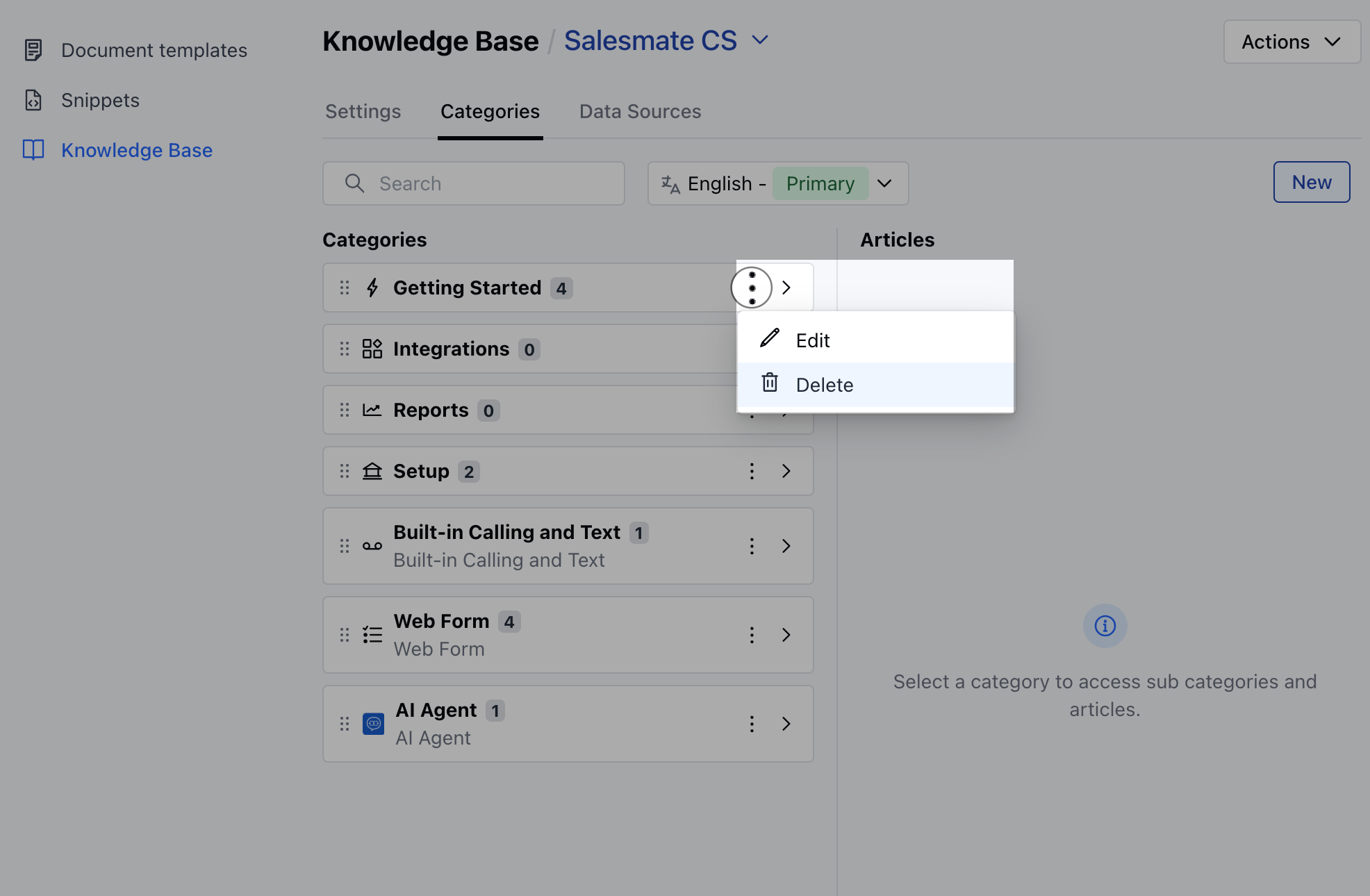 * Click on the **Categories tab**
* Select the category you want to delete, click the three-dot menu, and choose the Delete option.
* Confirm the Delete action
* A confirmation message saying Deleted Successfully will appear upon successful deletion.
**Note:** If the category contains articles or subcategories with articles, an error message will appear.
* Deleting a category will also remove any empty subcategories it contains.
* When you delete a category, all its translations will be deleted as well.
* Click on the **Categories tab**
* Select the category you want to delete, click the three-dot menu, and choose the Delete option.
* Confirm the Delete action
* A confirmation message saying Deleted Successfully will appear upon successful deletion.
**Note:** If the category contains articles or subcategories with articles, an error message will appear.
* Deleting a category will also remove any empty subcategories it contains.
* When you delete a category, all its translations will be deleted as well.