> ## Documentation Index
> Fetch the complete documentation index at: https://support.getskara.ai/llms.txt
> Use this file to discover all available pages before exploring further.
# How to delete Knowledge Base
If you no longer require a knowledge base, you can delete it permanently from your system. Deleting a knowledge base will also remove all its associated content and data.
**Note:** To delete a knowledge base, you must have the **Manage Knowledge Base** permission.
* [Learn more](https://support.salesmate.io/hc/en-us/articles/44391129991449)
### **Topics covered:**
* [Steps to Delete a Knowledge Base](#steps-to-delete-a-knowledge-base)
* [AI Pilot and AI Copilot Dependency](#ai-pilot-and-ai-copilot-dependency)
* [Data That Will Be Permanently Deleted](#data-that-will-be-permanently-deleted)
### Steps to Delete a Knowledge Base
* **Navigate to** Setup.
* From **Setup** move to **Library > Knowledge Base**.
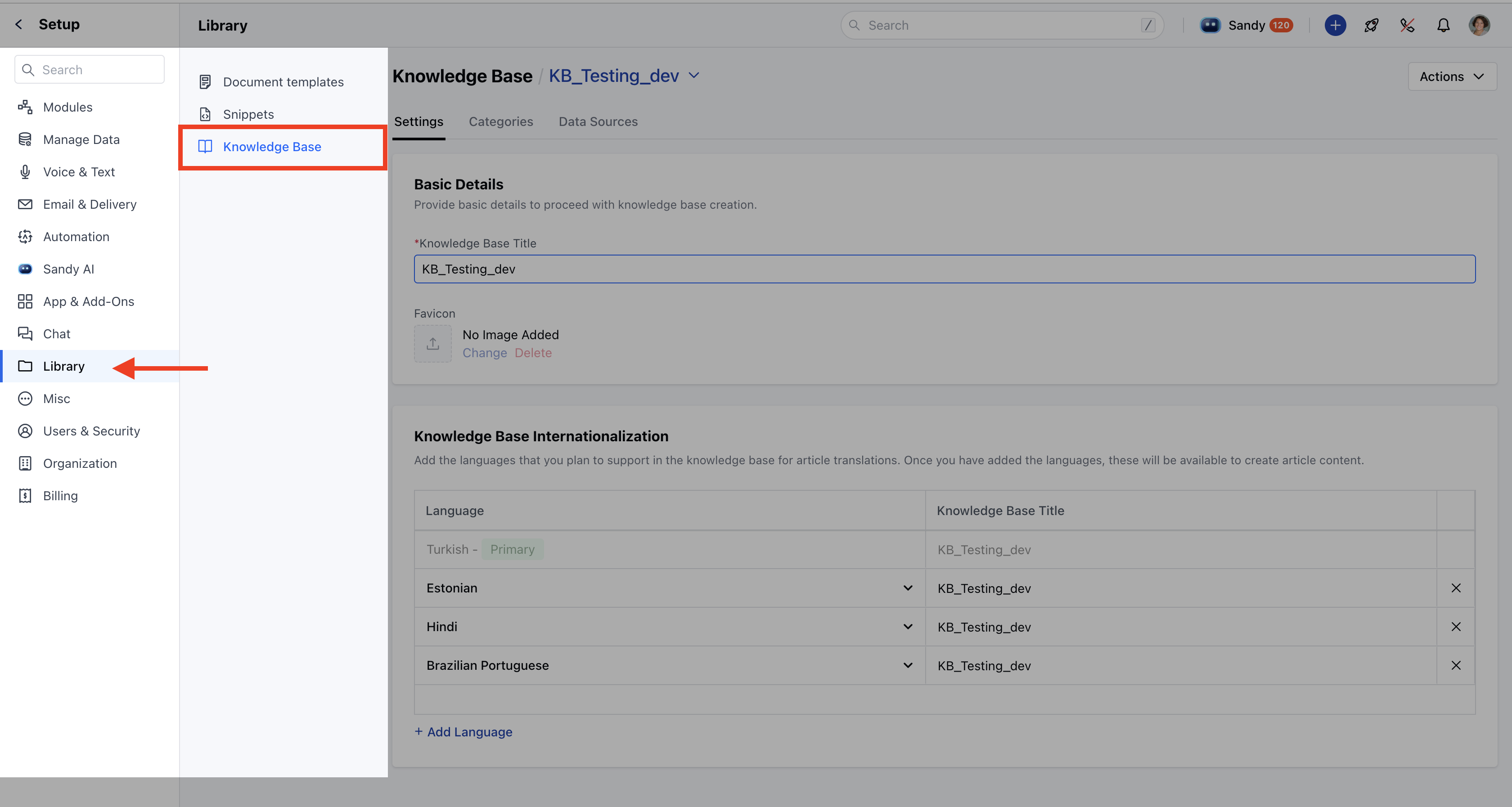 * Select the knowledge base you want to delete.
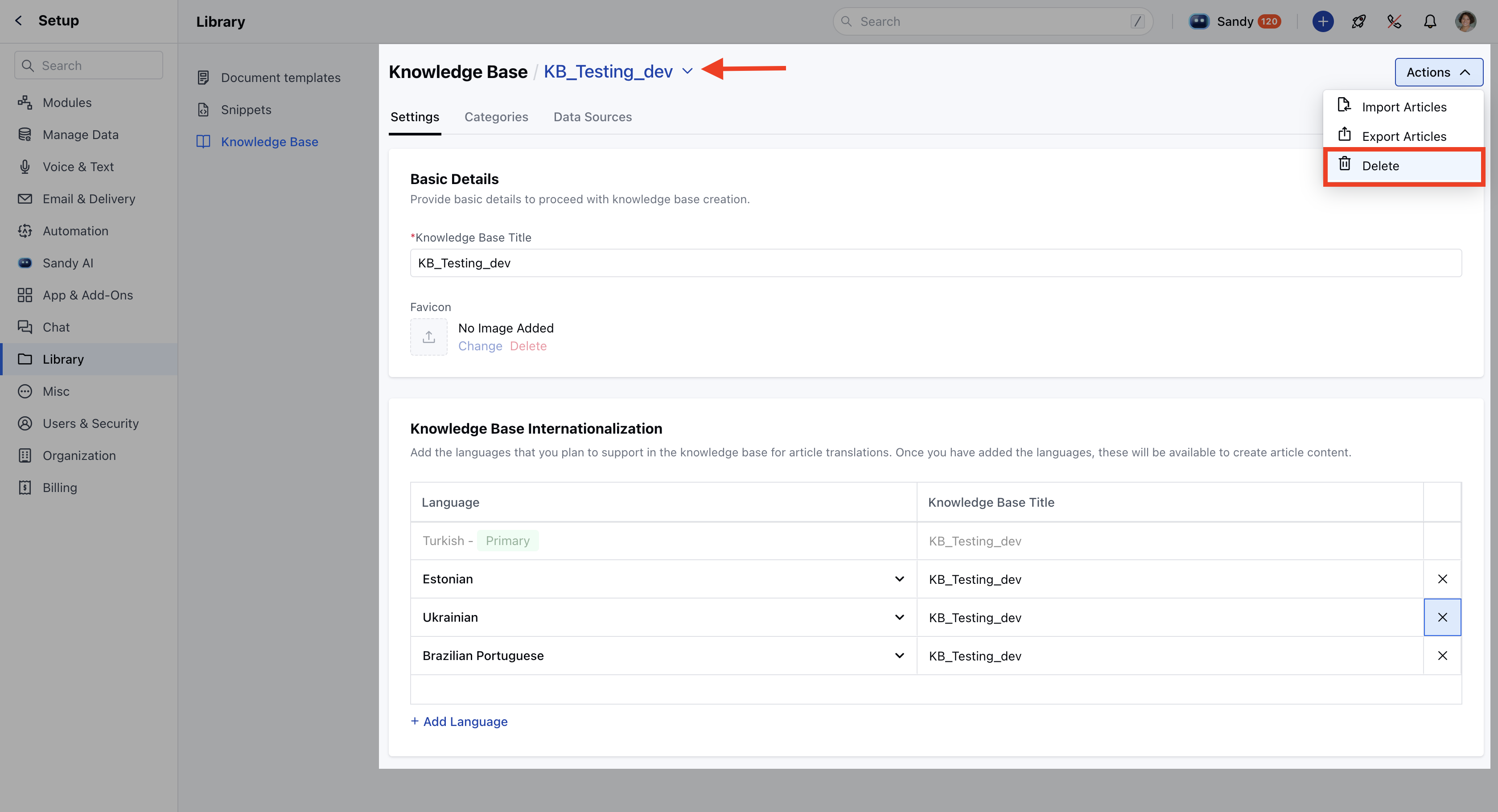
* **Click on the** Actions button at the top right of the screen.
* **Choose the** Delete option from the dropdown.
* Select the knowledge base you want to delete.
* **Click on the** Actions button at the top right of the screen.
* **Choose the** Delete option from the dropdown.
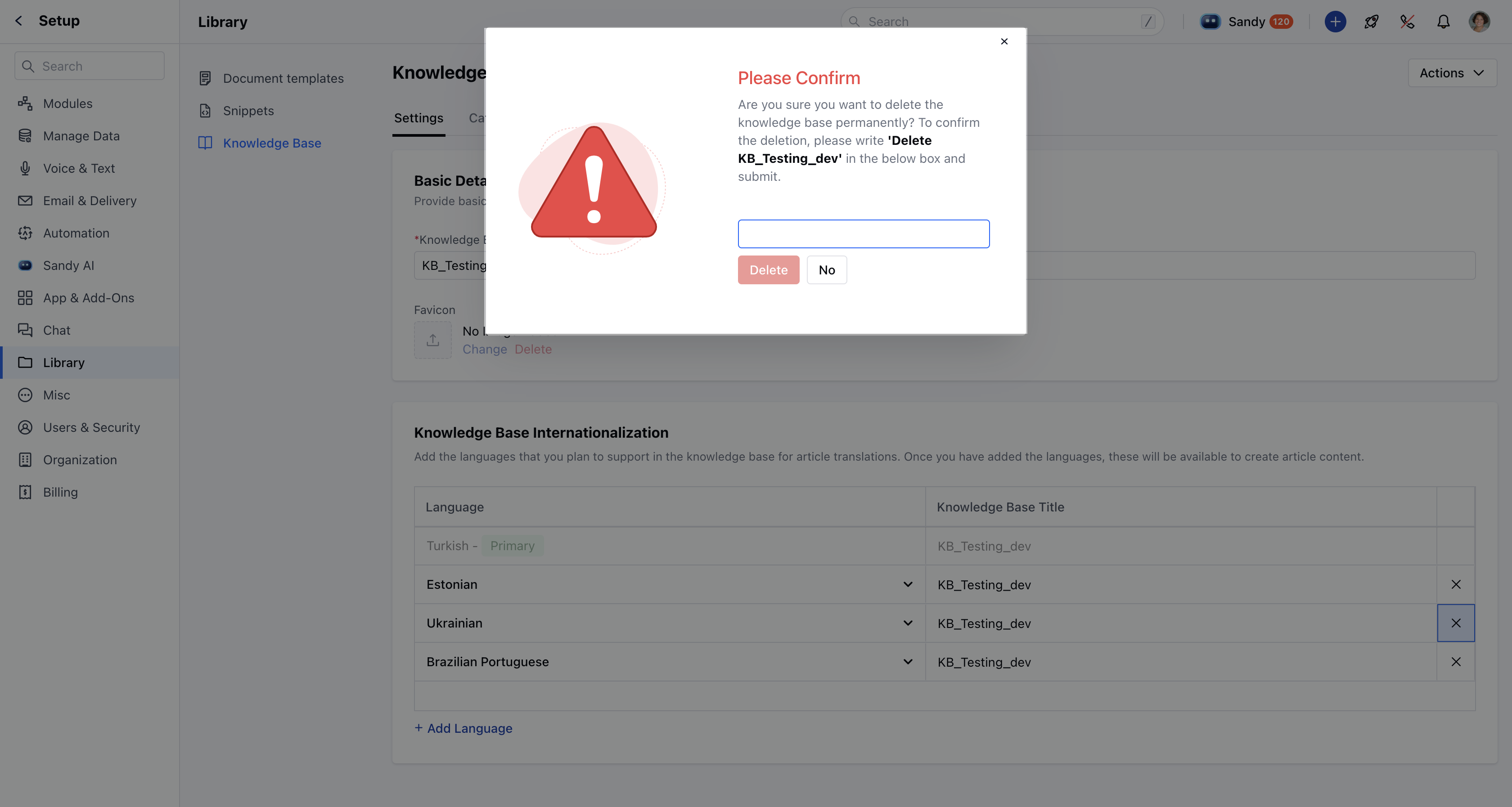
 * A confirmation dialog will appear with a message "Are you sure you want to delete the knowledge base permanently?"
* A knowledge base serves as a crucial data source for AI Pilot and AI Copilot to operate effectively. To proceed, type the **exact name** of the knowledge base you are deleting to confirm.
**Note:** The name must be entered the same as the Knowledge Base name, as it is **case-sensitive**.
* A confirmation dialog will appear with a message "Are you sure you want to delete the knowledge base permanently?"
* A knowledge base serves as a crucial data source for AI Pilot and AI Copilot to operate effectively. To proceed, type the **exact name** of the knowledge base you are deleting to confirm.
**Note:** The name must be entered the same as the Knowledge Base name, as it is **case-sensitive**.
 * **After entering the correct name, click** Delete .
* **A success alert will appear indicating** Deleted successfully .
### AI Pilot and AI Copilot Dependency
If the knowledge base is actively used in **AI Pilot** or **AI Copilot**, you will see a warning message during deletion: "Are you sure you want to delete this knowledge base? Deleting it may result in feature failures."
### Data That Will Be Permanently Deleted
Deleting a knowledge base will remove all of the following:
* Articles
* Categories
* Sub-categories
* Article statistics and performance data
* Knowledge base visibility in chat and Messenger layout
* Copilot and AI Pilot configurations tied to this knowledge base
If this knowledge base were configured for display in chat, the **Article** section would be removed from the Messenger layout automatically. The toggle button will also switch off.
* **After entering the correct name, click** Delete .
* **A success alert will appear indicating** Deleted successfully .
### AI Pilot and AI Copilot Dependency
If the knowledge base is actively used in **AI Pilot** or **AI Copilot**, you will see a warning message during deletion: "Are you sure you want to delete this knowledge base? Deleting it may result in feature failures."
### Data That Will Be Permanently Deleted
Deleting a knowledge base will remove all of the following:
* Articles
* Categories
* Sub-categories
* Article statistics and performance data
* Knowledge base visibility in chat and Messenger layout
* Copilot and AI Pilot configurations tied to this knowledge base
If this knowledge base were configured for display in chat, the **Article** section would be removed from the Messenger layout automatically. The toggle button will also switch off.