> ## Documentation Index
> Fetch the complete documentation index at: https://support.getskara.ai/llms.txt
> Use this file to discover all available pages before exploring further.
# Bulk Operations On Knowledge Base Articles
You can perform bulk operations on the articles in a knowledge base to save time and get things done in one go, like publishing a couple of articles that are in draft at the moment or enabling the articles for
[AI Pilot](https://support.salesmate.io/hc/en-us/articles/45803043910937)
and
[AI Co-Pilot](https://support.salesmate.io/hc/en-us/articles/45879889482265)
.
**Note:** You need an admin profile or the required permission to act on articles.
* [Learn more](https://support.salesmate.io/hc/en-us/articles/44391129991449)
### Please follow the steps below to perform bulk operations on articles.
* **Navigate to** Articles from the left sidebar.
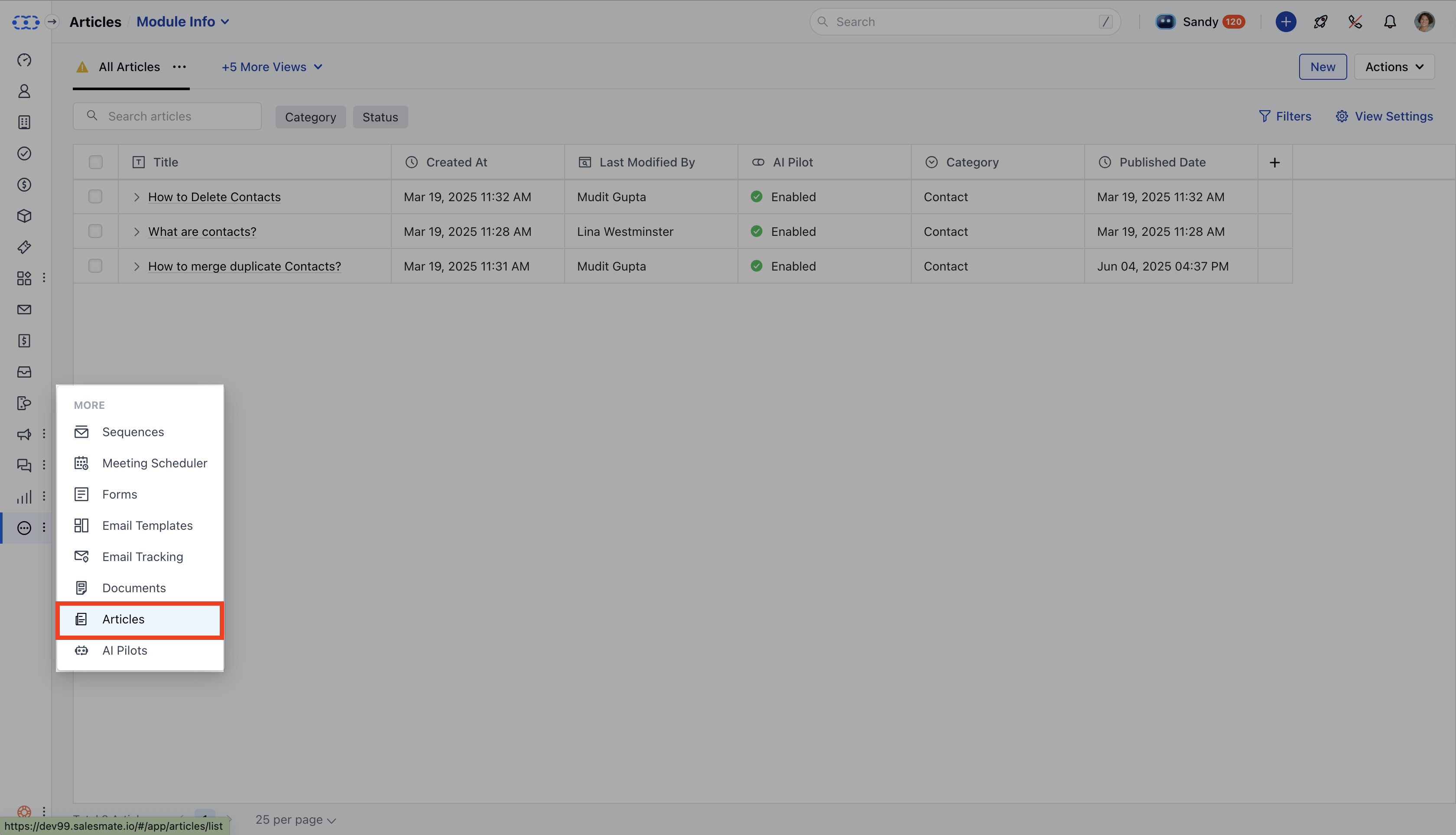 * You will be directed to the Articles List View.
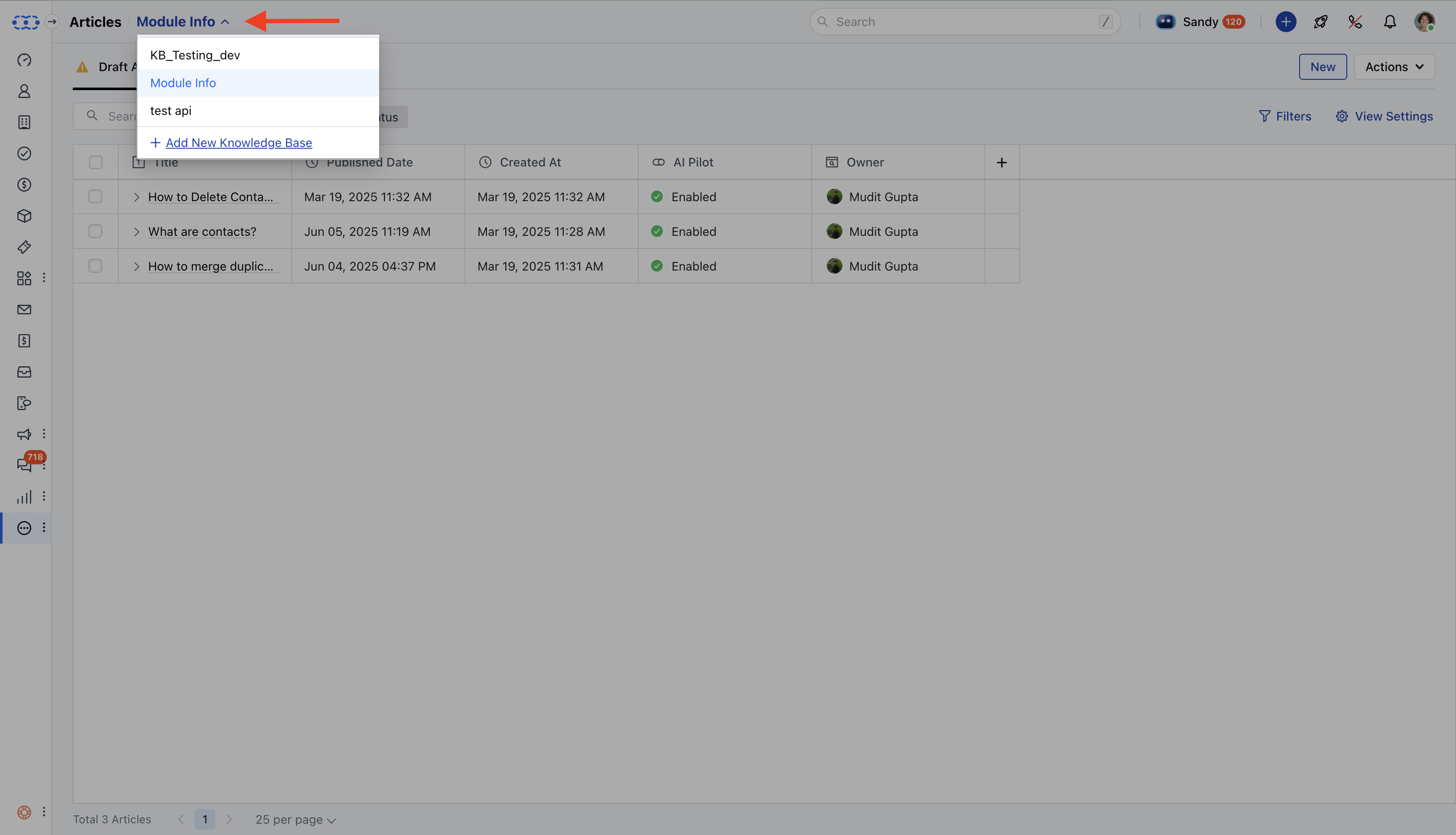
* **Select the correct** Knowledge Base from the drop-down in the top left corner.
* You will be directed to the Articles List View.
* **Select the correct** Knowledge Base from the drop-down in the top left corner.
 * You can select individual articles or select all Articles to perform Bulk Operations.
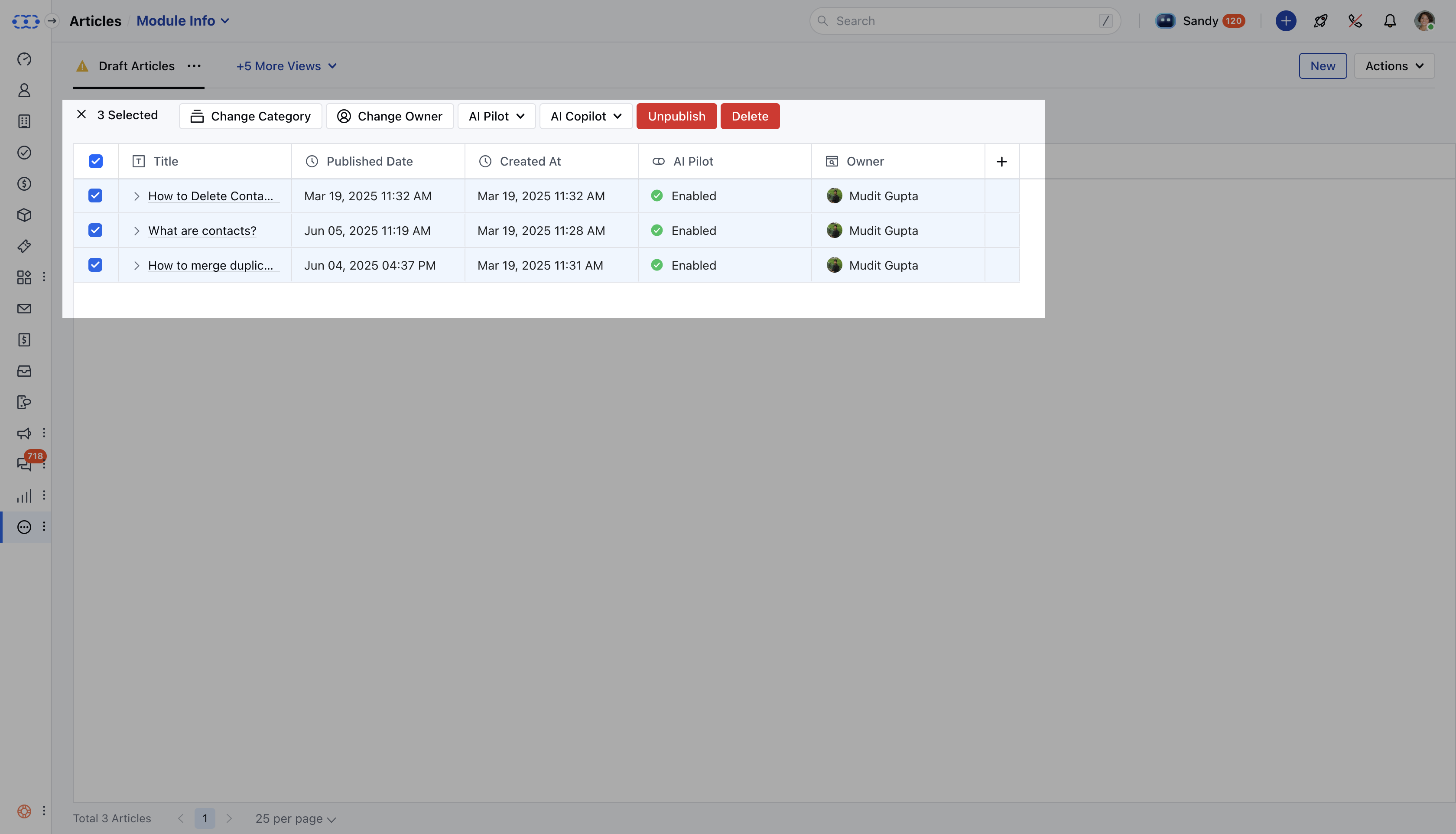 * A bar will appear at the top with the following options: \*\*Change Category \*\*: Move the selected articles to a different category.
* \*\*Change Owner \*\*: Transfer the ownership of the selected articles.
* \*\*AI Pilot \*\*: Enable or disable AI Pilot for the selected articles.
* \*\*AI Co-pilot \*\*: Enable or disable AI Co-pilot for the selected articles.
* \*\*Publish **:/Unpublish:** Publish/Unpublish the selected articles. \*\*Delete \*\*: Delete the selected articles.
* A bar will appear at the top with the following options: \*\*Change Category \*\*: Move the selected articles to a different category.
* \*\*Change Owner \*\*: Transfer the ownership of the selected articles.
* \*\*AI Pilot \*\*: Enable or disable AI Pilot for the selected articles.
* \*\*AI Co-pilot \*\*: Enable or disable AI Co-pilot for the selected articles.
* \*\*Publish **:/Unpublish:** Publish/Unpublish the selected articles. \*\*Delete \*\*: Delete the selected articles.
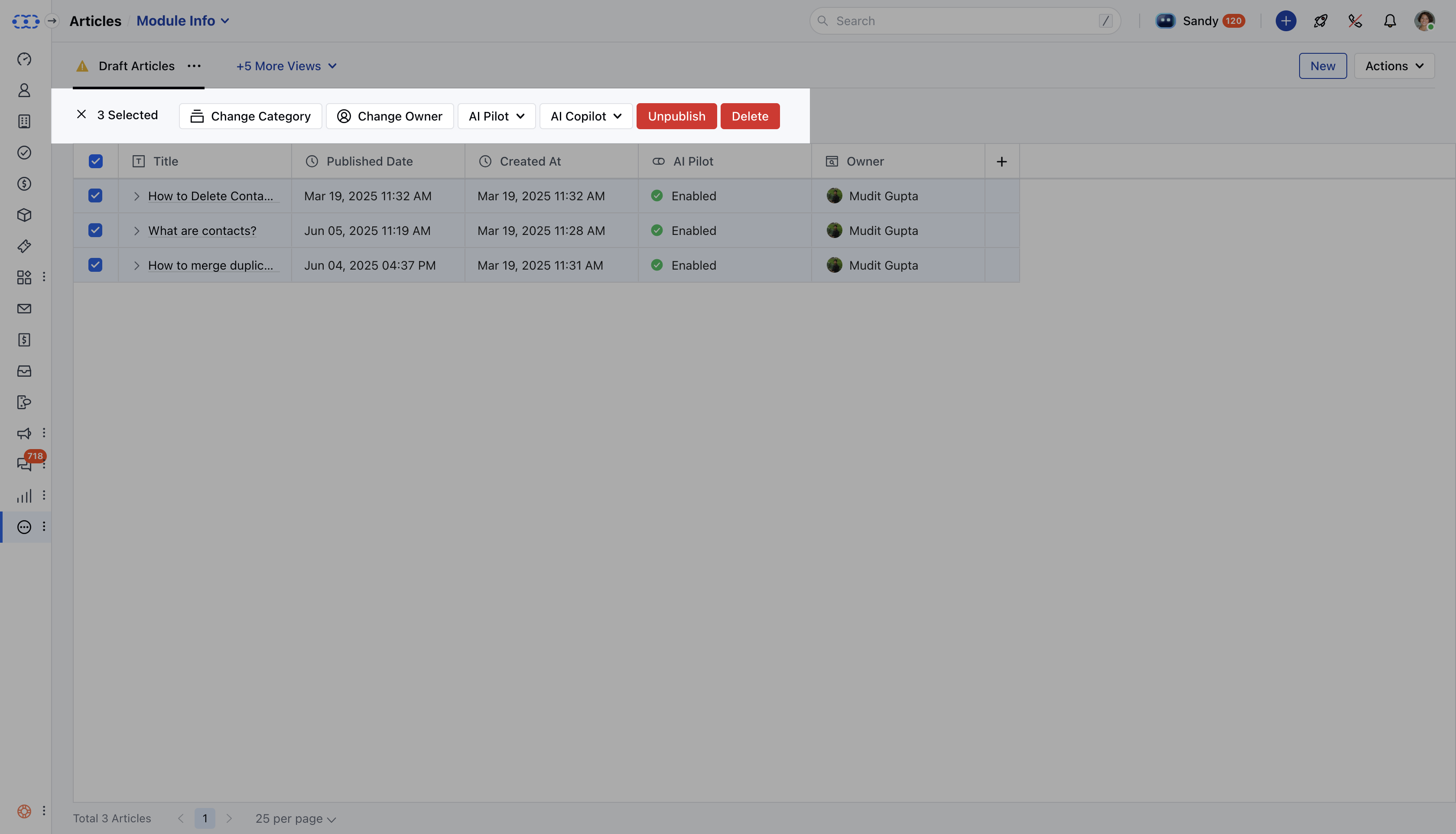 * Choose the action you need to perform for the selected articles.