> ## Documentation Index
> Fetch the complete documentation index at: https://support.getskara.ai/llms.txt
> Use this file to discover all available pages before exploring further.
# How to Create Knowledge Base Article
You can easily create and manage knowledge base articles for your team and customers, which helps you deliver faster and more effective support.
**Note:** You’ll need “**Create Articles**” permission to create an article.
* [Learn more](https://support.salesmate.io/hc/en-us/articles/44391129991449)
### **Topics covered:**
* [Steps to Create a Knowledge Base Article](#steps-to-create-a-knowledge-base-article)
* [Save or Publish Your Article](#save-or-publish-your-article)
* [Additional Features](#additional-features)
### Steps to Create a Knowledge Base Article
* **In the left sidebar, click** Articles to view your knowledge base.
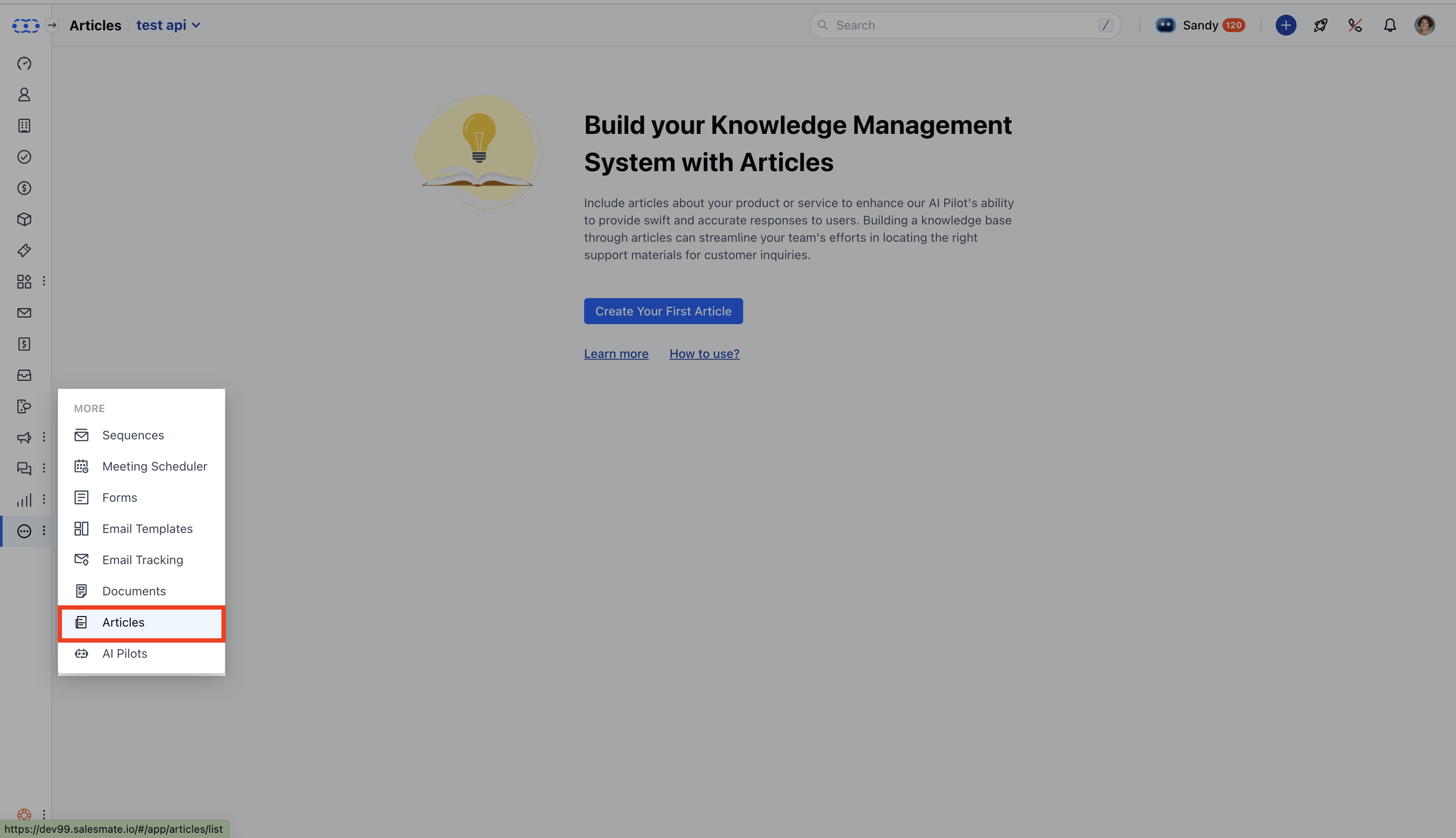 * If you have more than one knowledge base, choose the one you want to add the article to.
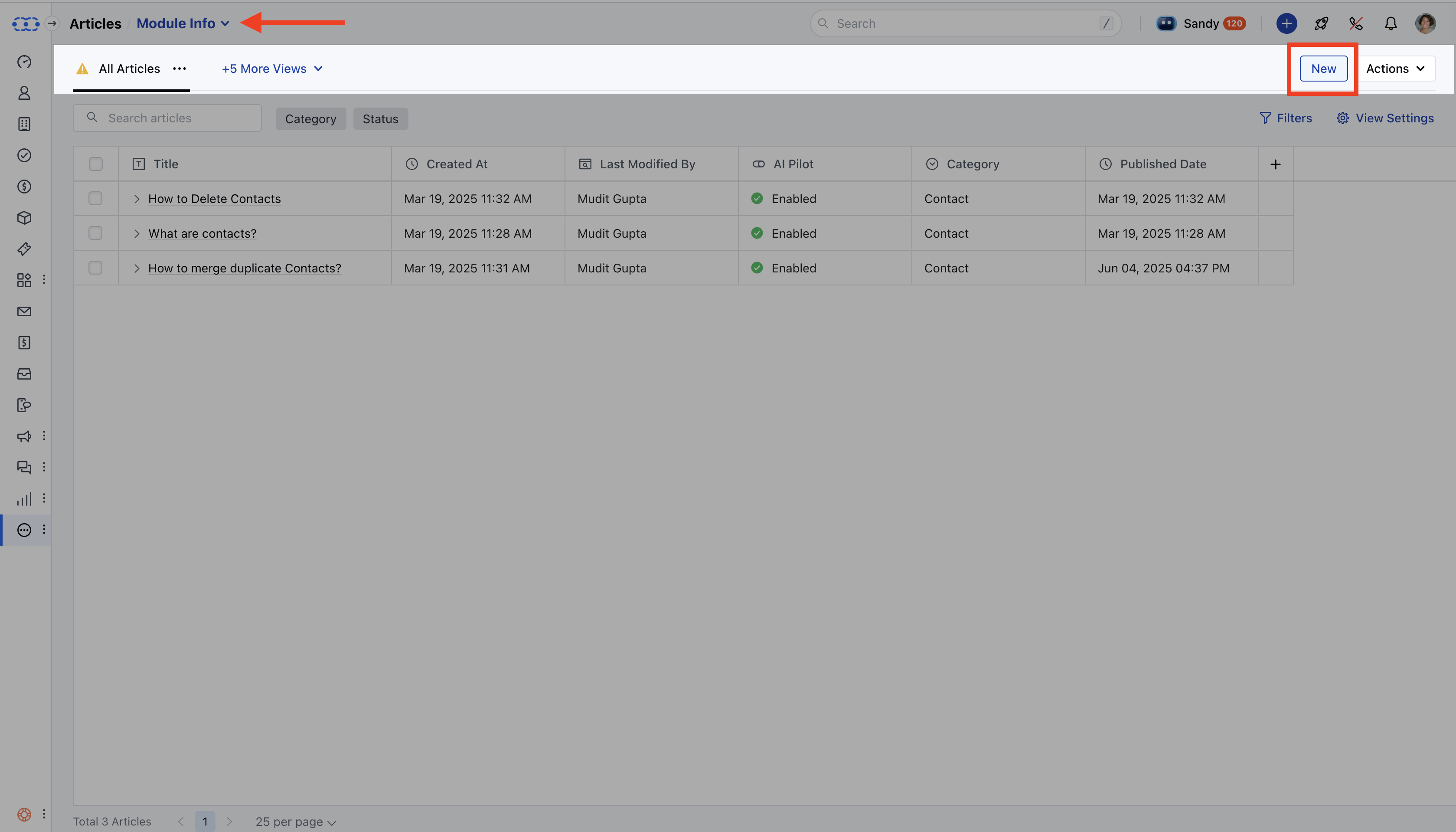
* **Click** New on the article list page to begin drafting your article.
* If you have more than one knowledge base, choose the one you want to add the article to.
* **Click** New on the article list page to begin drafting your article.
 ### Fill in the Article Details
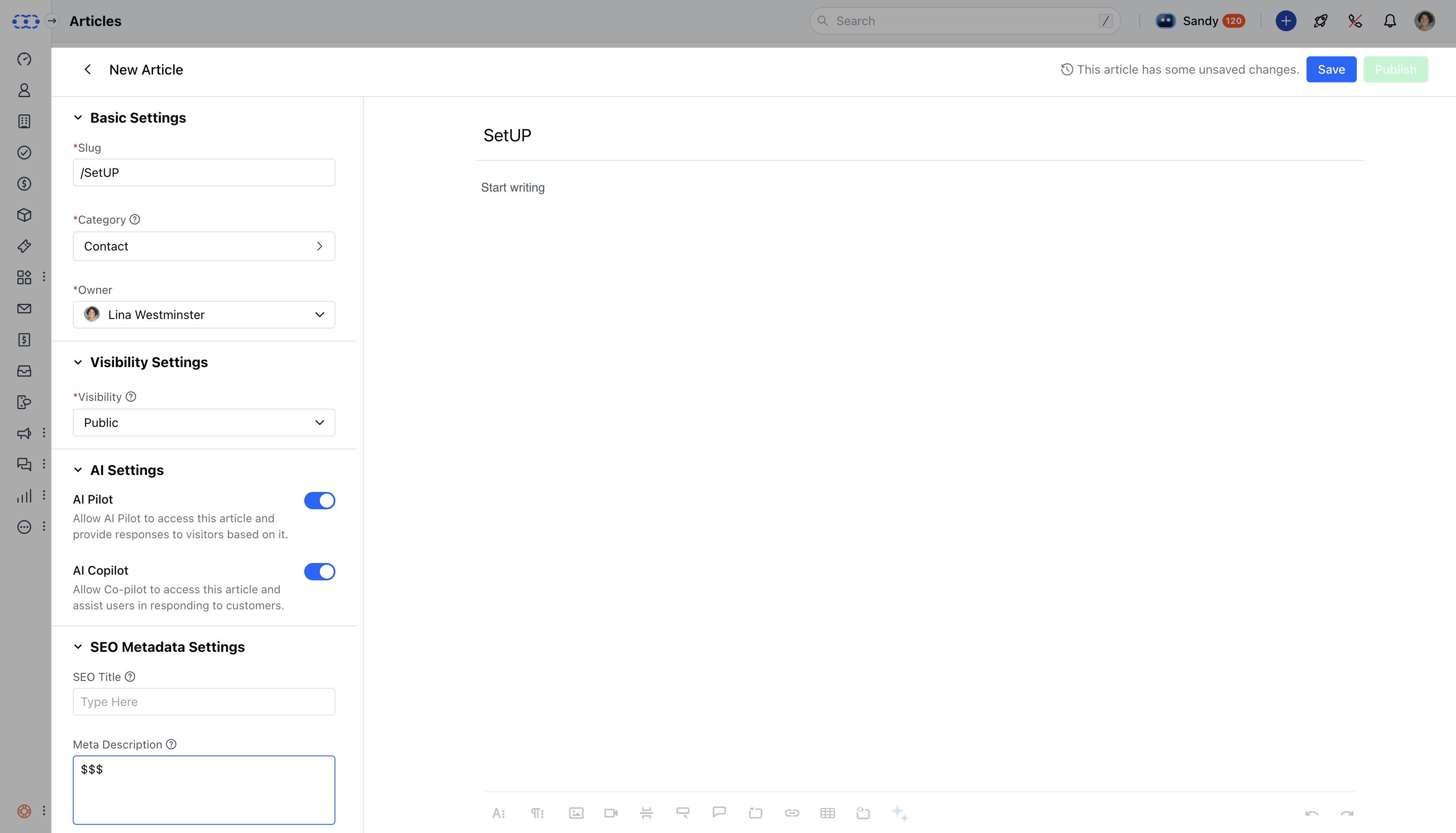
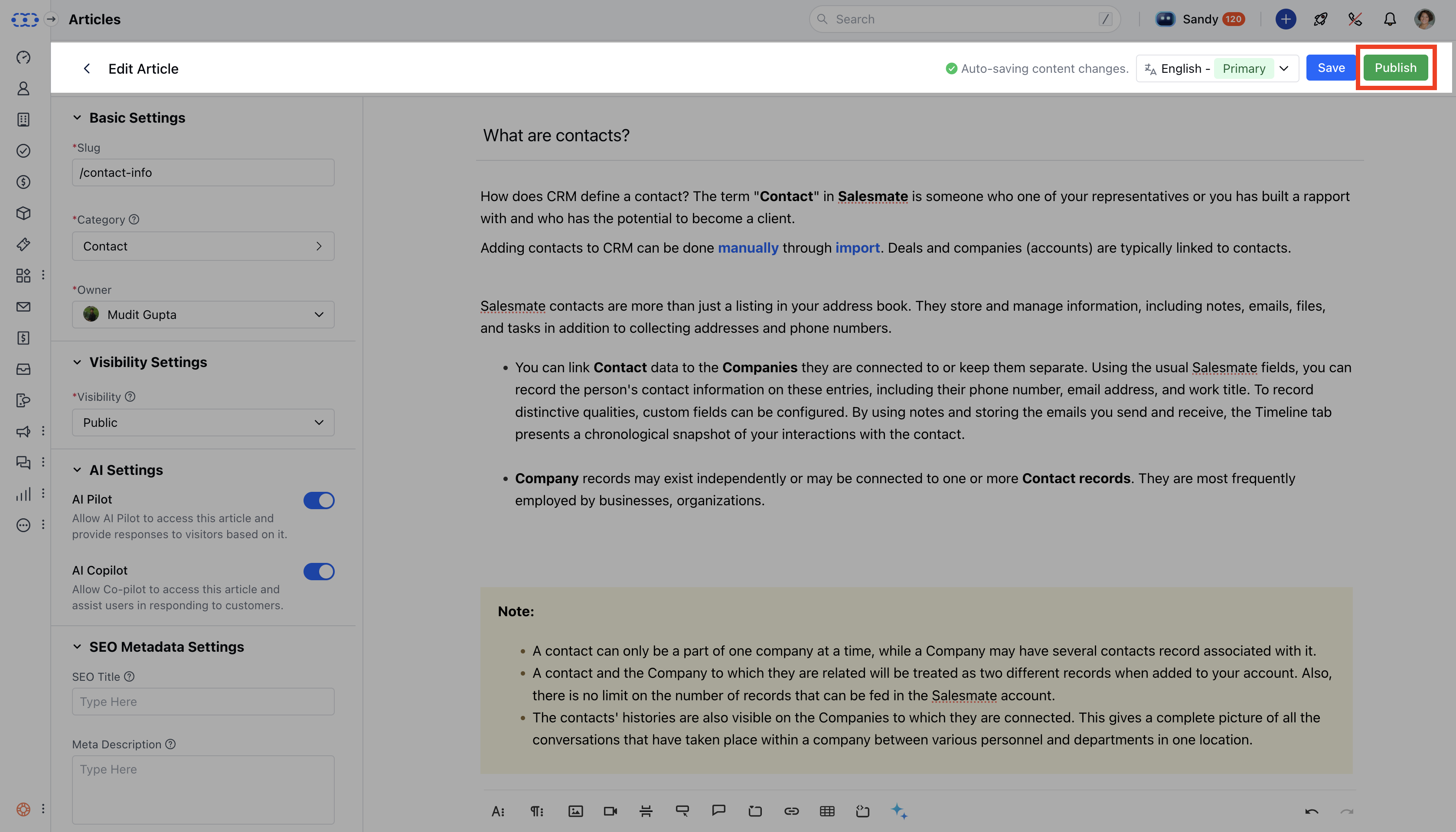
Once inside the editor, here’s what you’ll need to complete:\*\*Language \*\*: Default is English or your main KB language. If multiple languages are available, you can choose one.
* \*\*Title \*\*: Enter a clear title (max 150 characters).
* \*\*Body \*\*: Add your content using the rich text editor. You can format text, add links, images, code blocks, tables, and more (max 3000 characters).
* \*\*Slug \*\*: The article’s URL, auto-generated from the title. You can edit it—just make sure it’s unique and valid.
* \*\*Category \*\*: Pick an existing category or create a new one to organize your article.
* \*\*Owner \*\*: By default, you’ll be listed as the author, but you can assign it to someone else.
* \*\*Visibility \*\*: Decide who can see this article: \* Public – Visible to everyone, including customers
* Internal – Only your team can view it \* Restricted – Limit access based on specific contact rules (must set at least one rule)
* \*\*AI Settings \*\*: If Sandy AI is enabled, the article can be used to respond to visitor questions or assist your team with replies.
* \*\*SEO Settings \*\*: Add a title and meta description (up to 150 characters) to help your article appear in search results.
* \*\*Tags \*\*: You can add searchable keywords to make your article easier to find.
* \*\*Attachments \*\*: Upload up to 10 files (max 20MB each) in supported formats like PDF, DOCX, PPT, XLS, CSV, and more.
* \*\*Allow Comments \*\*: Let logged-in users leave comments. If not logged in, they’ll be asked to enter their email.
### Fill in the Article Details
Once inside the editor, here’s what you’ll need to complete:\*\*Language \*\*: Default is English or your main KB language. If multiple languages are available, you can choose one.
* \*\*Title \*\*: Enter a clear title (max 150 characters).
* \*\*Body \*\*: Add your content using the rich text editor. You can format text, add links, images, code blocks, tables, and more (max 3000 characters).
* \*\*Slug \*\*: The article’s URL, auto-generated from the title. You can edit it—just make sure it’s unique and valid.
* \*\*Category \*\*: Pick an existing category or create a new one to organize your article.
* \*\*Owner \*\*: By default, you’ll be listed as the author, but you can assign it to someone else.
* \*\*Visibility \*\*: Decide who can see this article: \* Public – Visible to everyone, including customers
* Internal – Only your team can view it \* Restricted – Limit access based on specific contact rules (must set at least one rule)
* \*\*AI Settings \*\*: If Sandy AI is enabled, the article can be used to respond to visitor questions or assist your team with replies.
* \*\*SEO Settings \*\*: Add a title and meta description (up to 150 characters) to help your article appear in search results.
* \*\*Tags \*\*: You can add searchable keywords to make your article easier to find.
* \*\*Attachments \*\*: Upload up to 10 files (max 20MB each) in supported formats like PDF, DOCX, PPT, XLS, CSV, and more.
* \*\*Allow Comments \*\*: Let logged-in users leave comments. If not logged in, they’ll be asked to enter their email.
 ### Save or Publish Your Article
* \*\*Save as Draft \*\*: Use this if you’re not ready to publish yet. Title and body are required to save.
### Save or Publish Your Article
* \*\*Save as Draft \*\*: Use this if you’re not ready to publish yet. Title and body are required to save.
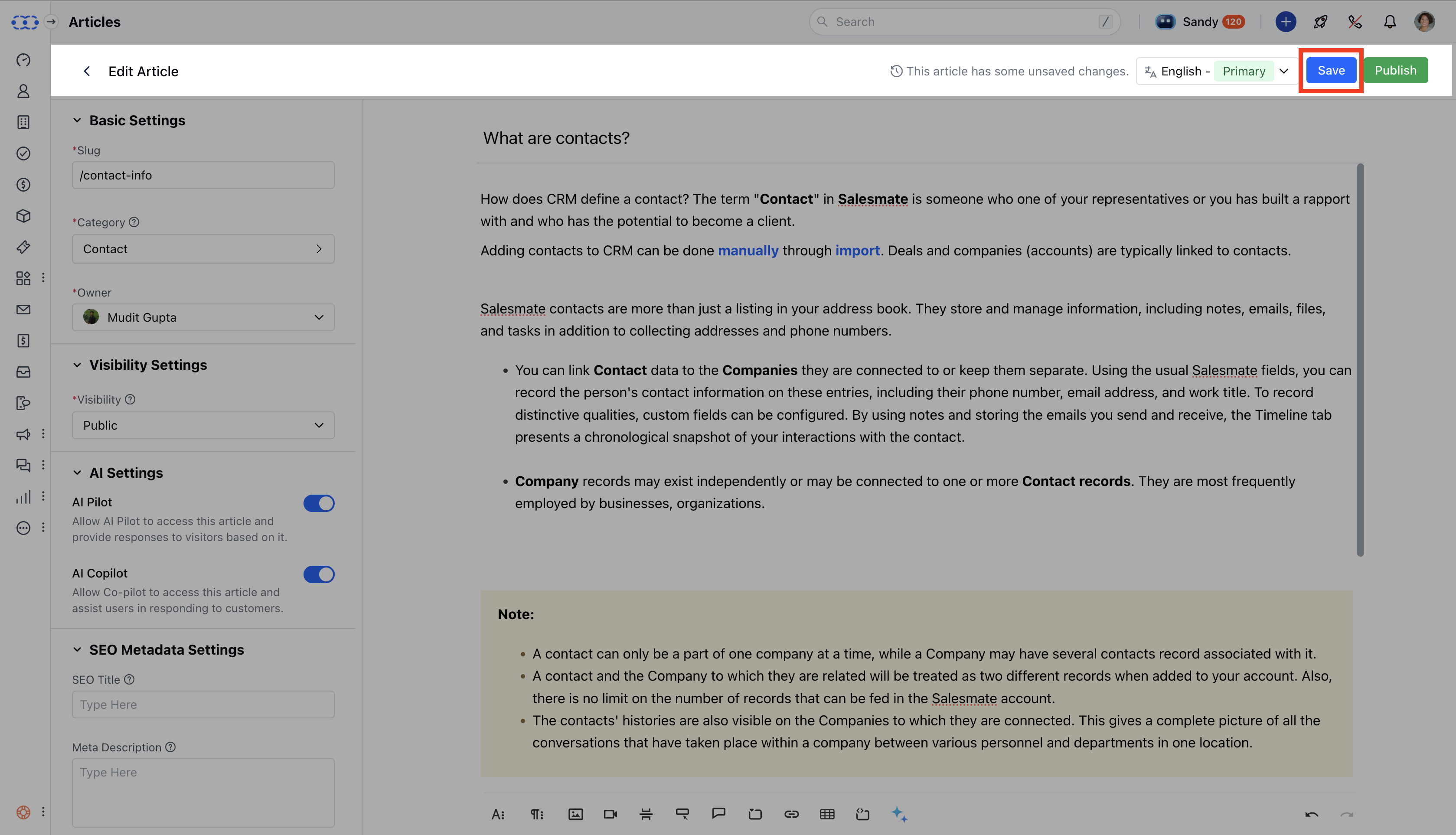 * \*\*Publish \*\*: Make the article live once all required fields are filled in.
 ### Additional Features
* \*\*[\*\* Version History :](https://support.salesmate.io/hc/en-us/articles/44524731580441) Every save or publish creates a new version. You can restore previous versions anytime.
* \*\*[\*\* Sandy AI Integration :](#steps-to-create-a-knowledge-base-article) Published articles automatically update Sandy AI’s knowledge base (if enabled).
* \*\*[\*\* Permissions :](https://support.salesmate.io/hc/en-us/articles/44391129991449) Only users with the right permissions can create, edit, or publish articles.
### Additional Features
* \*\*[\*\* Version History :](https://support.salesmate.io/hc/en-us/articles/44524731580441) Every save or publish creates a new version. You can restore previous versions anytime.
* \*\*[\*\* Sandy AI Integration :](#steps-to-create-a-knowledge-base-article) Published articles automatically update Sandy AI’s knowledge base (if enabled).
* \*\*[\*\* Permissions :](https://support.salesmate.io/hc/en-us/articles/44391129991449) Only users with the right permissions can create, edit, or publish articles.