> ## Documentation Index
> Fetch the complete documentation index at: https://support.getskara.ai/llms.txt
> Use this file to discover all available pages before exploring further.
# How to Publish Knowledge Base Article
Publishing an article makes it accessible based on its visibility settings.
### **Topics covered:**
* [Validations Before Publishing:](#validations-before-publishing)
* [How to Publish an Article](#how-to-publish-an-article)
* [What Happens When You Publish an Article](#what-happens-when-you-publish-an-article-1-status-dates-are-changed-status-changes-to-published)
### Validations Before Publishing
Before publishing, ensure the following validations are met:
* \*\*Title \*\*: Must be unique, non-empty, and under 150 characters.
* \*\*Body \*\*: Must contain content
* \*\*Category \*\*: At least one category must be selected.
* \*\*Visibility \*\*: Set to "Public," "Internal," or "Restricted."
\*\*Note:\*\*You need "Publish Articles" permission to publish articles.
### How to Publish an Article
* **Navigate to** Articles from left side outreach.
* If multiple knowledge bases exist, select the appropriate one.
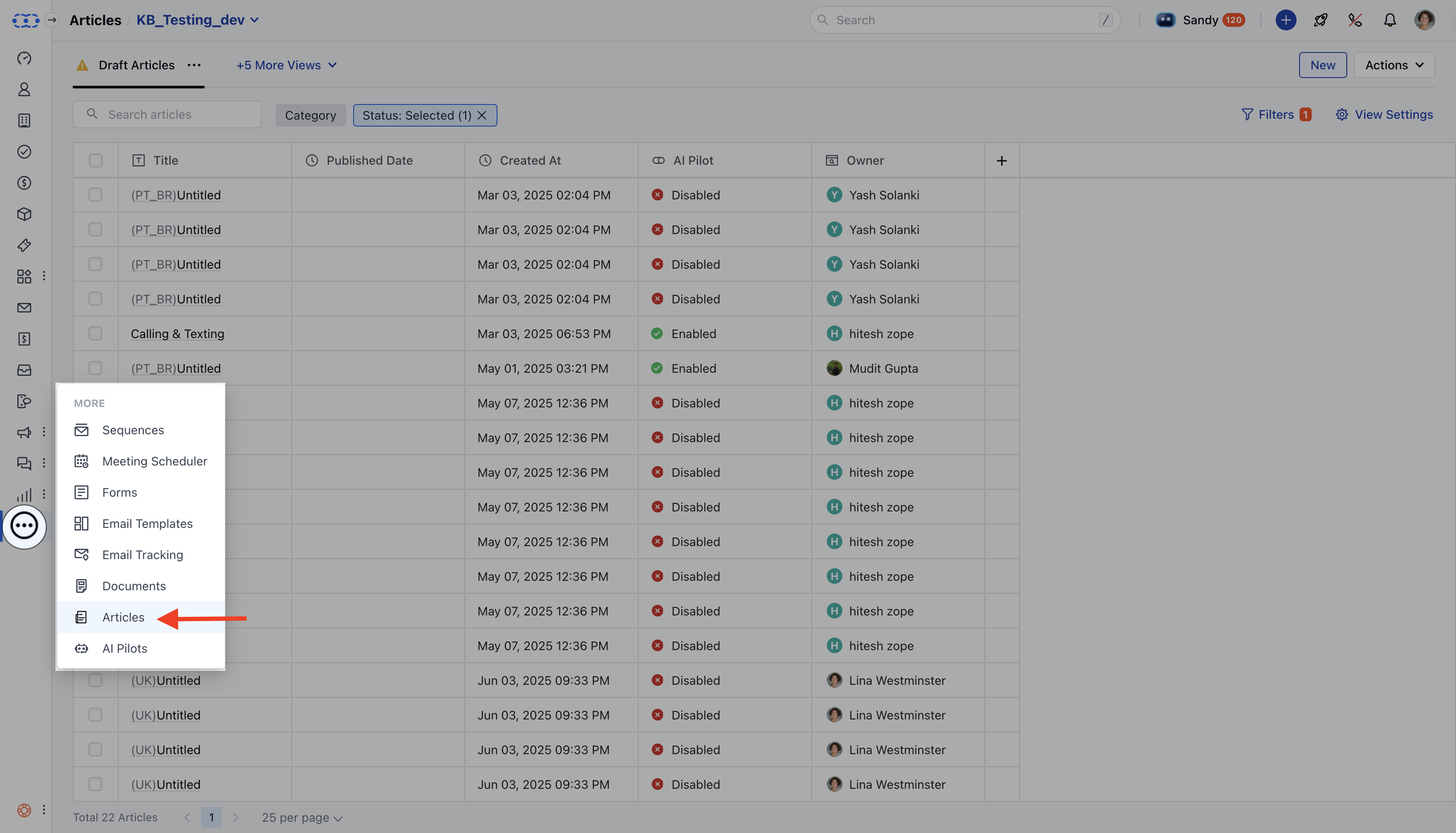 * **Click** New to create an article. You can refer to the article [here](https://support.salesmate.io/hc/en-us/articles/44524627800729).
* To publish an existing article, search or filter the list and select the article.
* **On the article detail page, click** Publish.
* **Click** New to create an article. You can refer to the article [here](https://support.salesmate.io/hc/en-us/articles/44524627800729).
* To publish an existing article, search or filter the list and select the article.
* **On the article detail page, click** Publish.
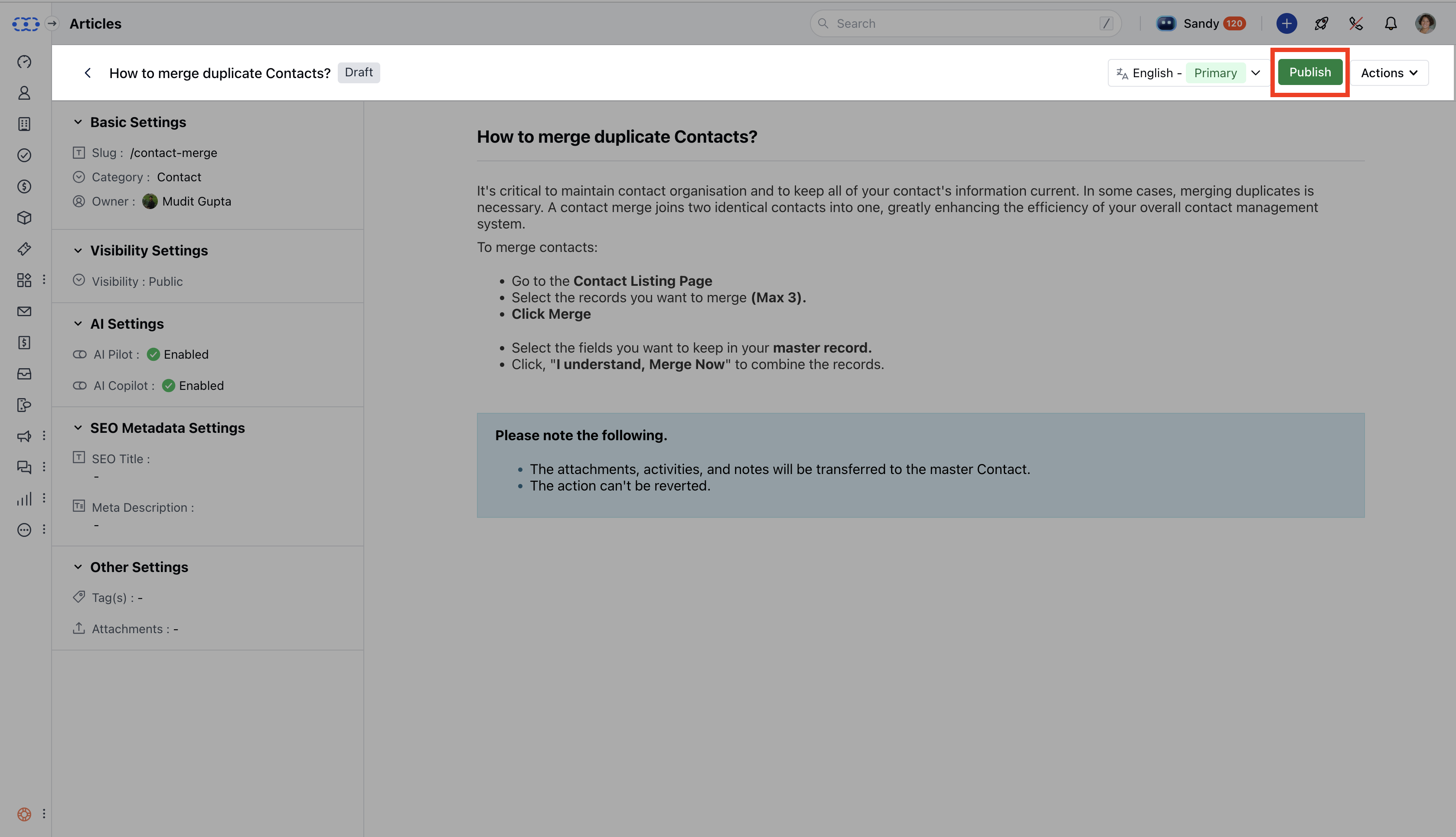 * A success message confirms the article has been published.
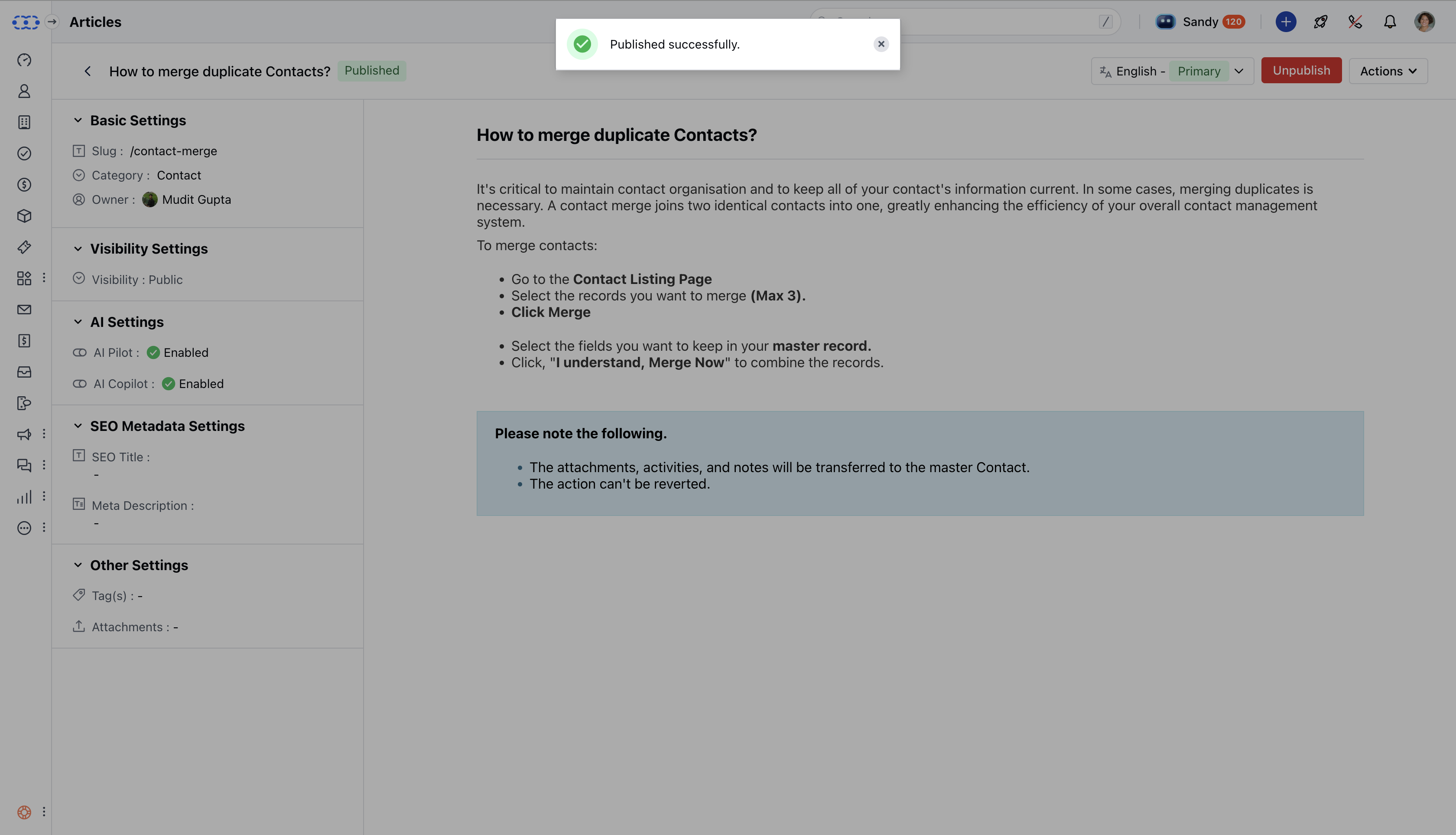 ### What Happens When You Publish an Article **1. Status & Dates are changed:** Status changes to **Published**.
* \*\*Published Date **and** Last Modified Date \*\* are updated.
- \*\*Version number increases.
* \*\* 2. Visibility changes according to the choice you configured:\*\*Public \*\*: Shown to everyone.
* \*\*Private \*\*: Only for internal users.
* \*\*Restricted \*\*: Shown to selected contacts based on rules (e.g., country = Canada).
* \*\* 3. Search **Article is added to search with its** title, tags,**and** content.
* **Re-indexed if updated.** 4. Bot Update \*\* Bots using the article get the latest content.
* \*\*Bot keywords and answers are refreshed.
* \*\* 5. Version Control
* New version saved.
* **Only published version is visible to users.** 6. Audit Log
* Logs who published it, when, and key details.
### What Happens When You Publish an Article **1. Status & Dates are changed:** Status changes to **Published**.
* \*\*Published Date **and** Last Modified Date \*\* are updated.
- \*\*Version number increases.
* \*\* 2. Visibility changes according to the choice you configured:\*\*Public \*\*: Shown to everyone.
* \*\*Private \*\*: Only for internal users.
* \*\*Restricted \*\*: Shown to selected contacts based on rules (e.g., country = Canada).
* \*\* 3. Search **Article is added to search with its** title, tags,**and** content.
* **Re-indexed if updated.** 4. Bot Update \*\* Bots using the article get the latest content.
* \*\*Bot keywords and answers are refreshed.
* \*\* 5. Version Control
* New version saved.
* **Only published version is visible to users.** 6. Audit Log
* Logs who published it, when, and key details.