> ## Documentation Index
> Fetch the complete documentation index at: https://support.getskara.ai/llms.txt
> Use this file to discover all available pages before exploring further.
# Export Articles
The **Export Articles** feature allows you to download your knowledge base content into a CSV file. This is useful for data migration, backups, and reviewing your articles outside of the system.
**Note:** Before you begin, make sure you have the necessary permission to export articles from the knowledge base.
### **Topics covered:**
* [How to Export Articles](#how-to-export-articles)
* [Export Customization Options](#export-customization-options)
* [What’s Included in the Export File?](#whats-included-in-the-export-file)
* [Notifications & Logs](#notifications-logs)
### How to Export Articles
* From the Knowledge Base ,Navigate to the **Profile Icon** on the top right corner
* Click on the Setup
* Head over to the Library Select Knowledge Base
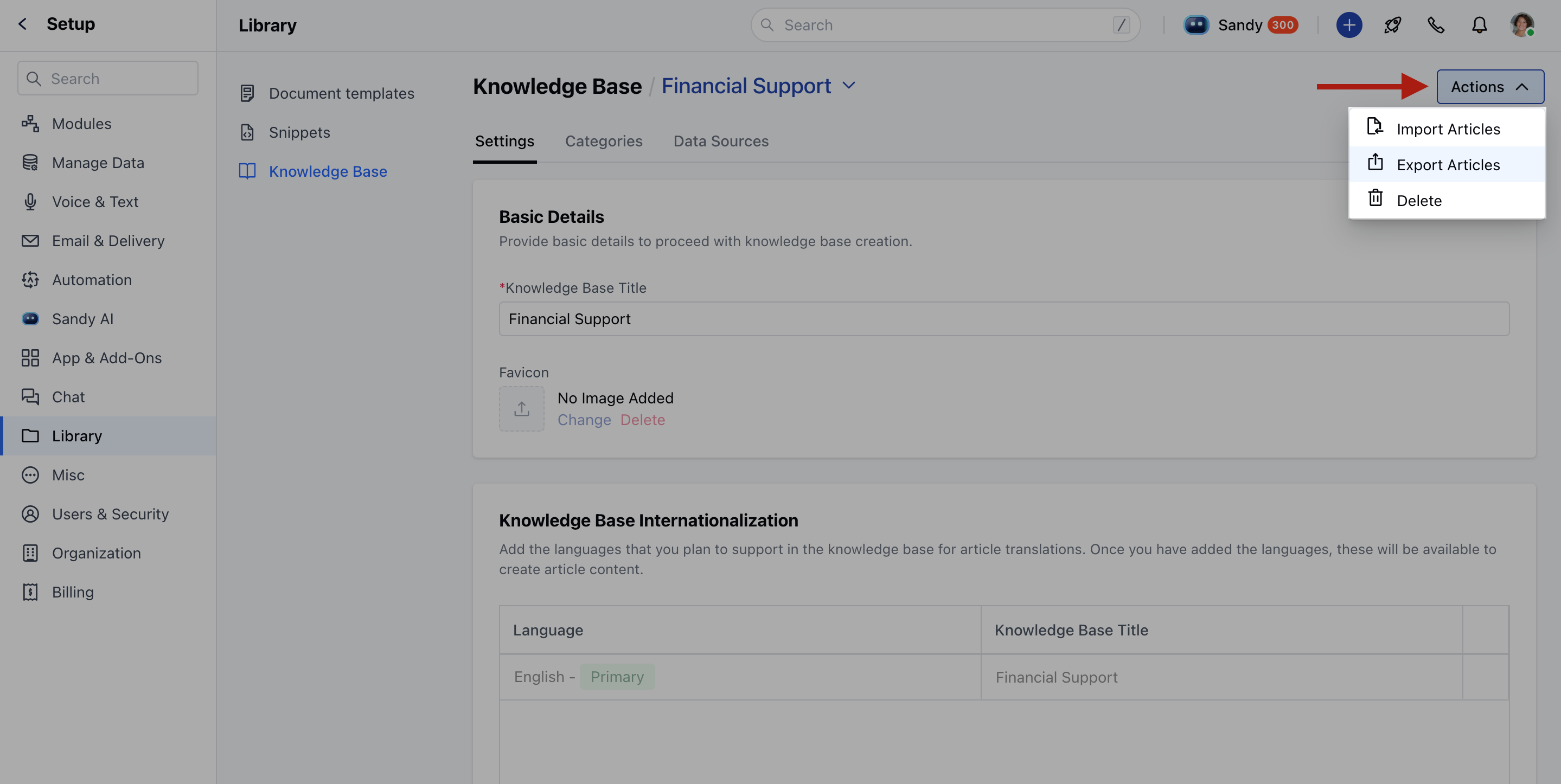
* Click the **Actions** button and select Export Articles.
 * From Setup, Navigate to the **Profile Icon** at the top right corner
* Click on **Setup**
* Head over to the Manage **Data,** Click on Export Data
* Click on **Articles**.
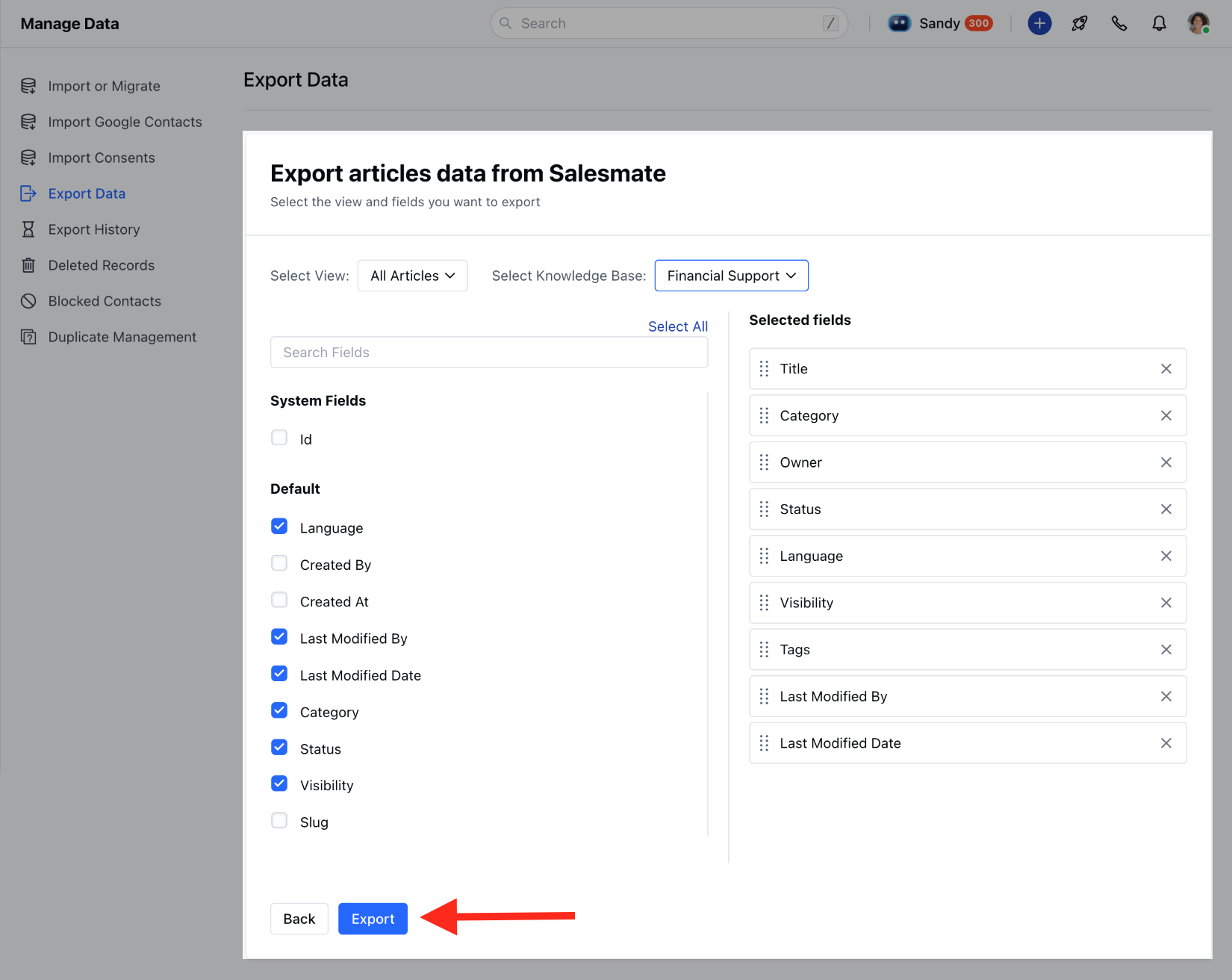
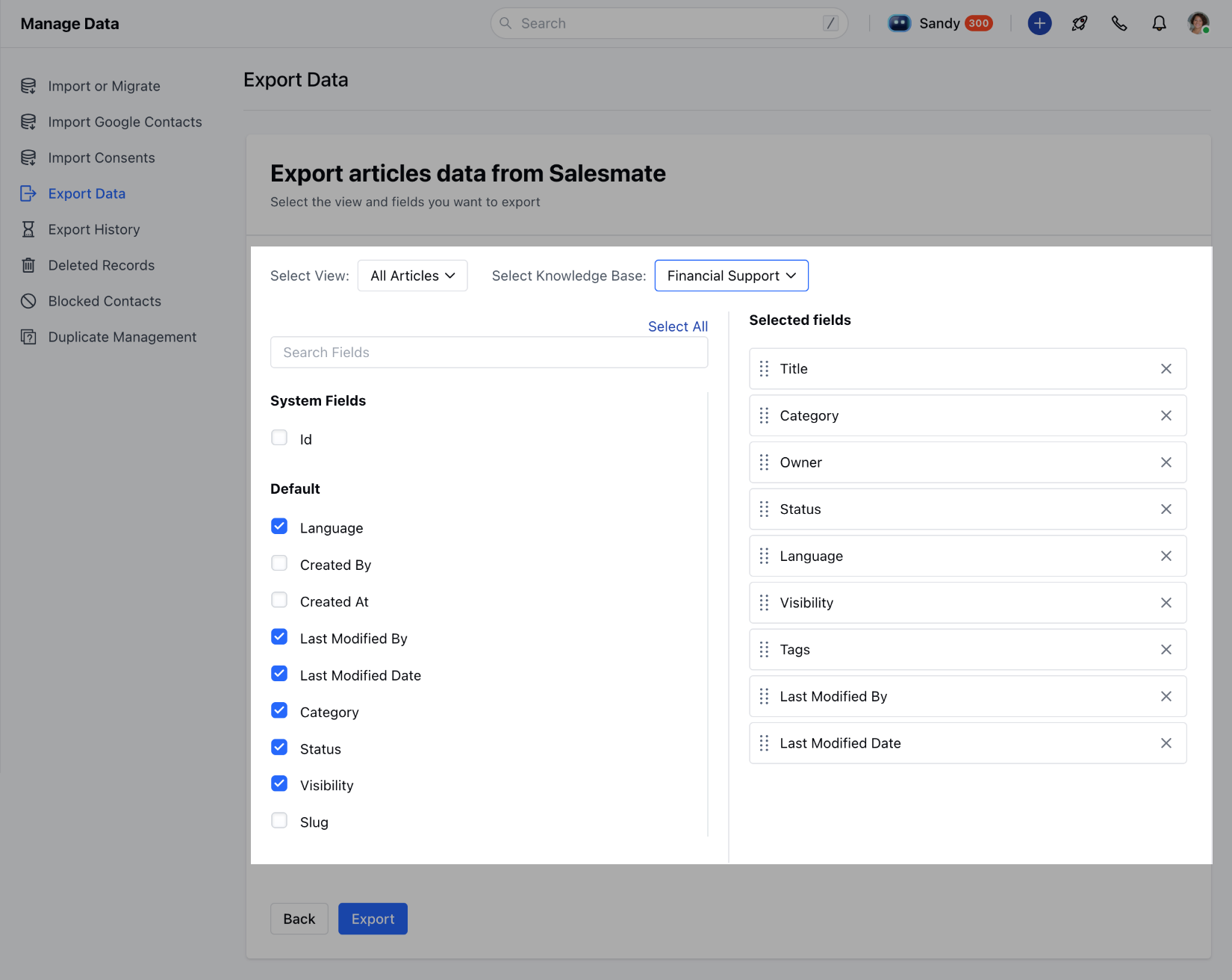
* Choose the **View** and Knowledge Base that you want to export.
* **Click the** Export button.
* From Setup, Navigate to the **Profile Icon** at the top right corner
* Click on **Setup**
* Head over to the Manage **Data,** Click on Export Data
* Click on **Articles**.
* Choose the **View** and Knowledge Base that you want to export.
* **Click the** Export button.
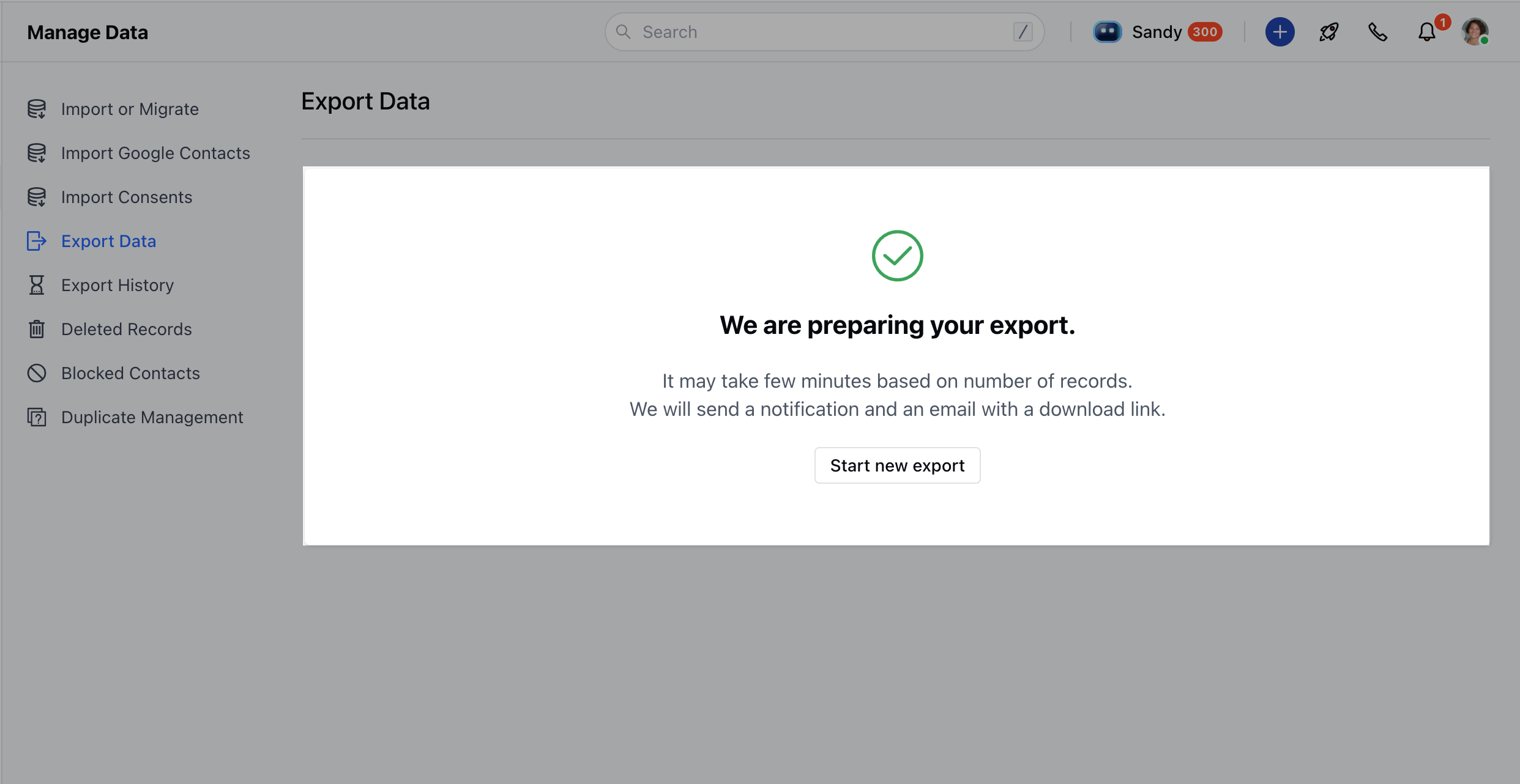
 A message will appear saying:
\*"\****We are preparing your export."***
***"It may take a while, but we’ll notify you once the export is ready.**\*\*"*
A message will appear saying:
\*"\****We are preparing your export."***
***"It may take a while, but we’ll notify you once the export is ready.**\*\*"*
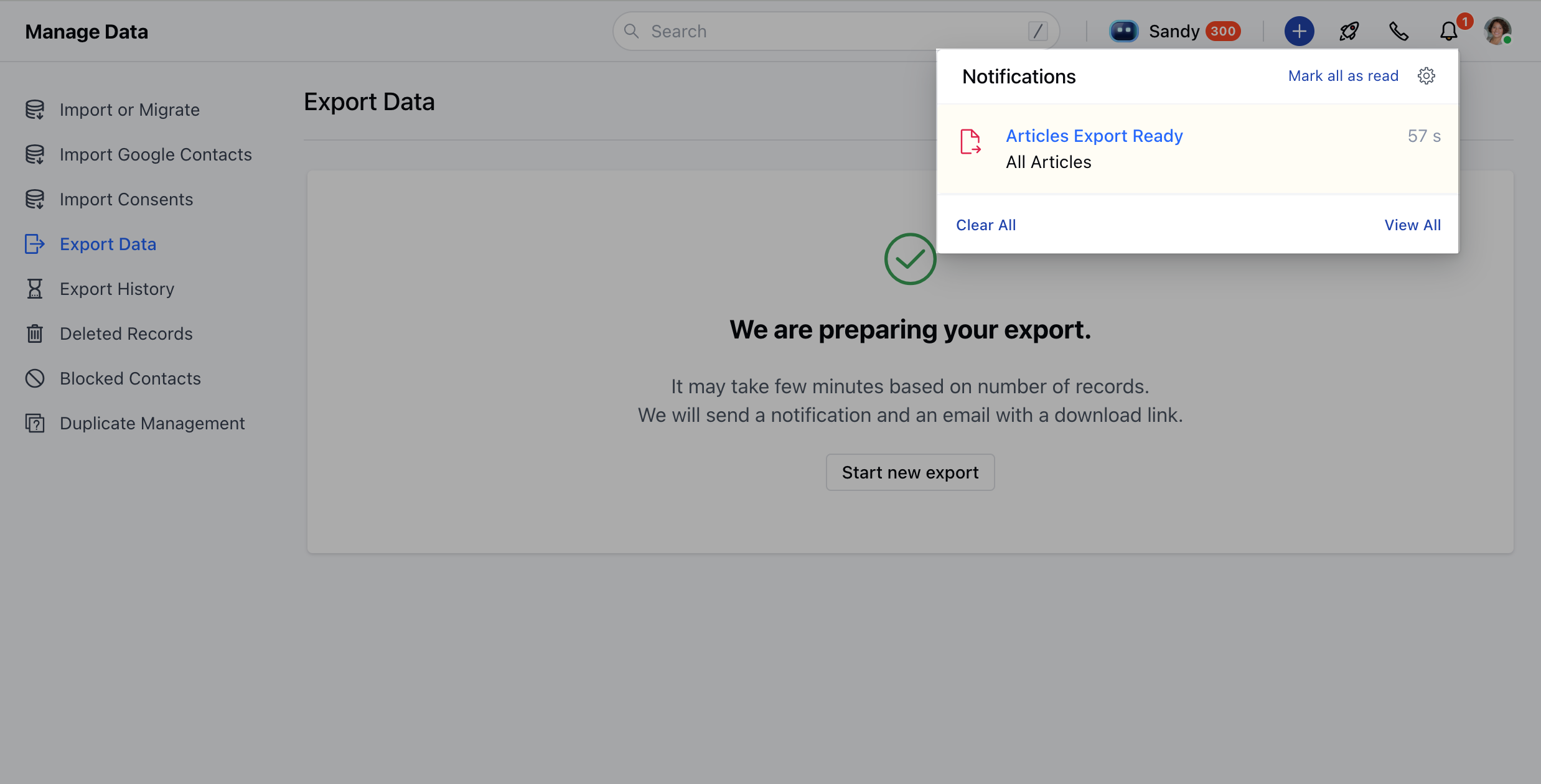
 * Once the export is ready, you’ll receive a bell notification to download your file.
 ### Export Customization Options
When exporting from the article listing or setup, you can customize what you want to include:
* Choose which fields to export.
* Use “**Select All**” to include all available fields or search and select them individually.
* Rearrange selected fields in the order you'd like them to appear in the CSV.
* At least one field must be selected to proceed.
### Export Customization Options
When exporting from the article listing or setup, you can customize what you want to include:
* Choose which fields to export.
* Use “**Select All**” to include all available fields or search and select them individually.
* Rearrange selected fields in the order you'd like them to appear in the CSV.
* At least one field must be selected to proceed.
 Only the fields visible to you will be included in the export. Fields that you don’t have access to won’t appear in the file.
### What’s Included in the Export File?
The exported CSV file may include the following columns, based on your selection:
* **Slug**: A URL-friendly version of the article title, used to generate the article’s web address.
* **Title**: The headline or main title of the article.
* **Category**: The classification or section the article belongs to (e.g., Support, Product, FAQ).
* **Article Body:** The full content or text of the article.
* **Tags**: Keywords or labels associated with the article for easier searching and filtering.
* **Language**: The language in which the article is written (e.g., English, Spanish).
* **SEO Title**: A custom title used specifically for search engine optimization, different from the article title if needed.
* **Meta Description**: A short summary used by search engines to describe the article in search results.
**Notifications & Logs**
* Once the export is ready, you’ll receive a notification with a link to download the file.
* If any issues occur, the notification will include details of the errors.
* All export actions are logged, including who exported the file, which articles were included, and when it happened.
Only the fields visible to you will be included in the export. Fields that you don’t have access to won’t appear in the file.
### What’s Included in the Export File?
The exported CSV file may include the following columns, based on your selection:
* **Slug**: A URL-friendly version of the article title, used to generate the article’s web address.
* **Title**: The headline or main title of the article.
* **Category**: The classification or section the article belongs to (e.g., Support, Product, FAQ).
* **Article Body:** The full content or text of the article.
* **Tags**: Keywords or labels associated with the article for easier searching and filtering.
* **Language**: The language in which the article is written (e.g., English, Spanish).
* **SEO Title**: A custom title used specifically for search engine optimization, different from the article title if needed.
* **Meta Description**: A short summary used by search engines to describe the article in search results.
**Notifications & Logs**
* Once the export is ready, you’ll receive a notification with a link to download the file.
* If any issues occur, the notification will include details of the errors.
* All export actions are logged, including who exported the file, which articles were included, and when it happened.