> ## Documentation Index
> Fetch the complete documentation index at: https://support.getskara.ai/llms.txt
> Use this file to discover all available pages before exploring further.
# Share Articles in Chat
In this article, we’ll learn how to share **Knowledge Base (KB)** articles or specific sections of them during a chat conversation.
This feature provides targeted information to customers quickly and efficiently, improving the overall customer experience. Whether sharing a full article or highlighting a specific section, this guide outlines the process step-by-step.
Within chat, articles can be shared in two ways:
* **Entire Article:** Share the complete content of an article.
* **Specific Section:** Share a particular section or heading within the article.
This ensures customers receive targeted information based on their needs.
### **Topics covered**
Here’s what is covered in this article:
* [Setting Up the Knowledge Base for Chat](#setting-up-the-knowledge-base-for-chat)
* [Searching for an Article to Share](#searching-for-an-article-to-share)
* [Inserting the Article into Chat](#inserting-the-article-into-chat)
* [How the Article Appears in Chat](#how-the-article-appears-in-chat)
* [Practical Use Case](https://support.salesmate.io/hc/en-us/articles/44633719356441-Share-Articles-in-Chat#h_01JWED8VE38FSK8CYHP228YDR2)
***
### **Setting Up the Knowledge Base for Chat**
Before sharing articles, it’s necessary to configure the **Knowledge Base** in chat settings.
* Go to Chat.
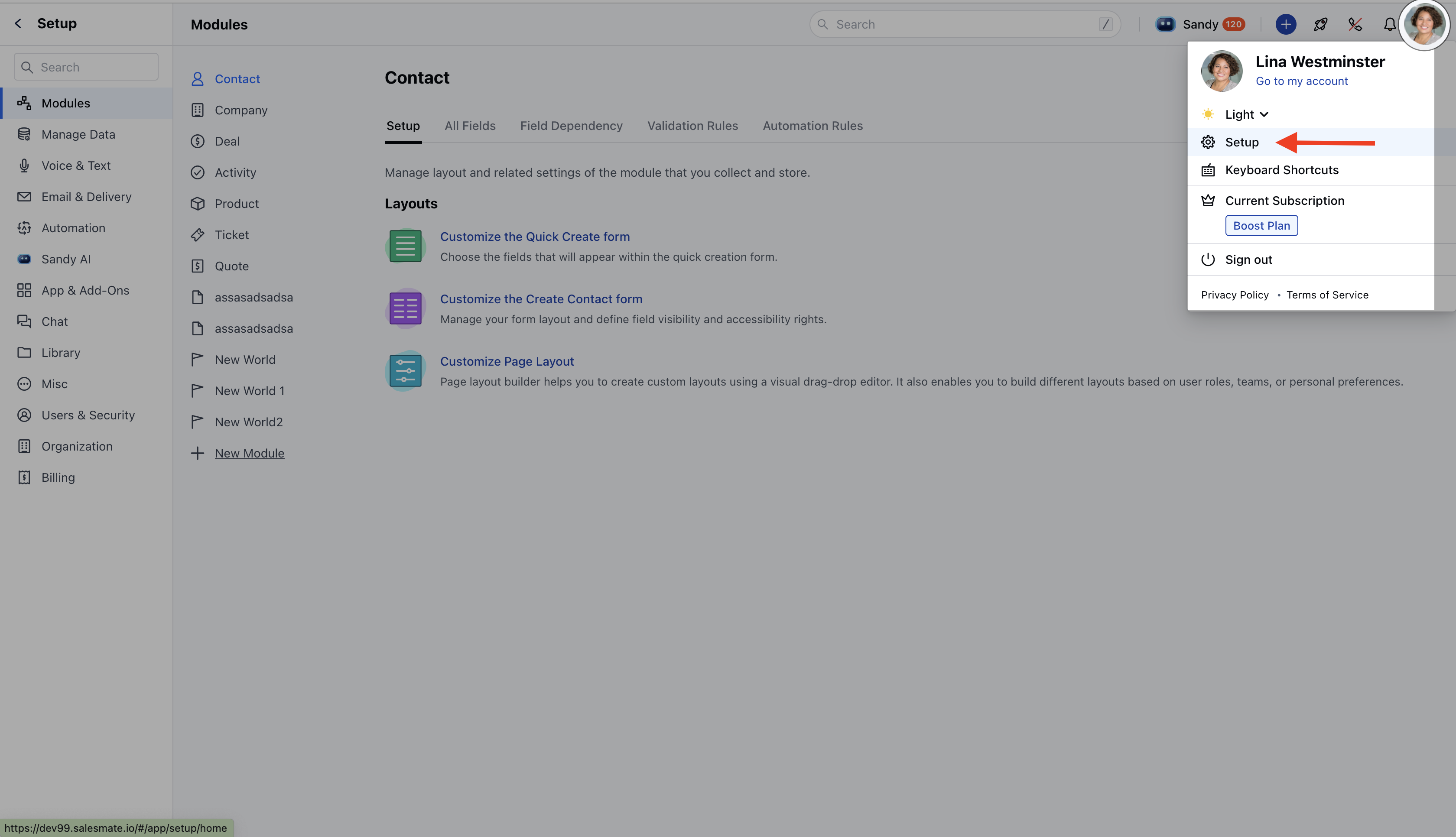
* Click **Chat Settings** or head to the profile icon at the top-right and click **Set up**.
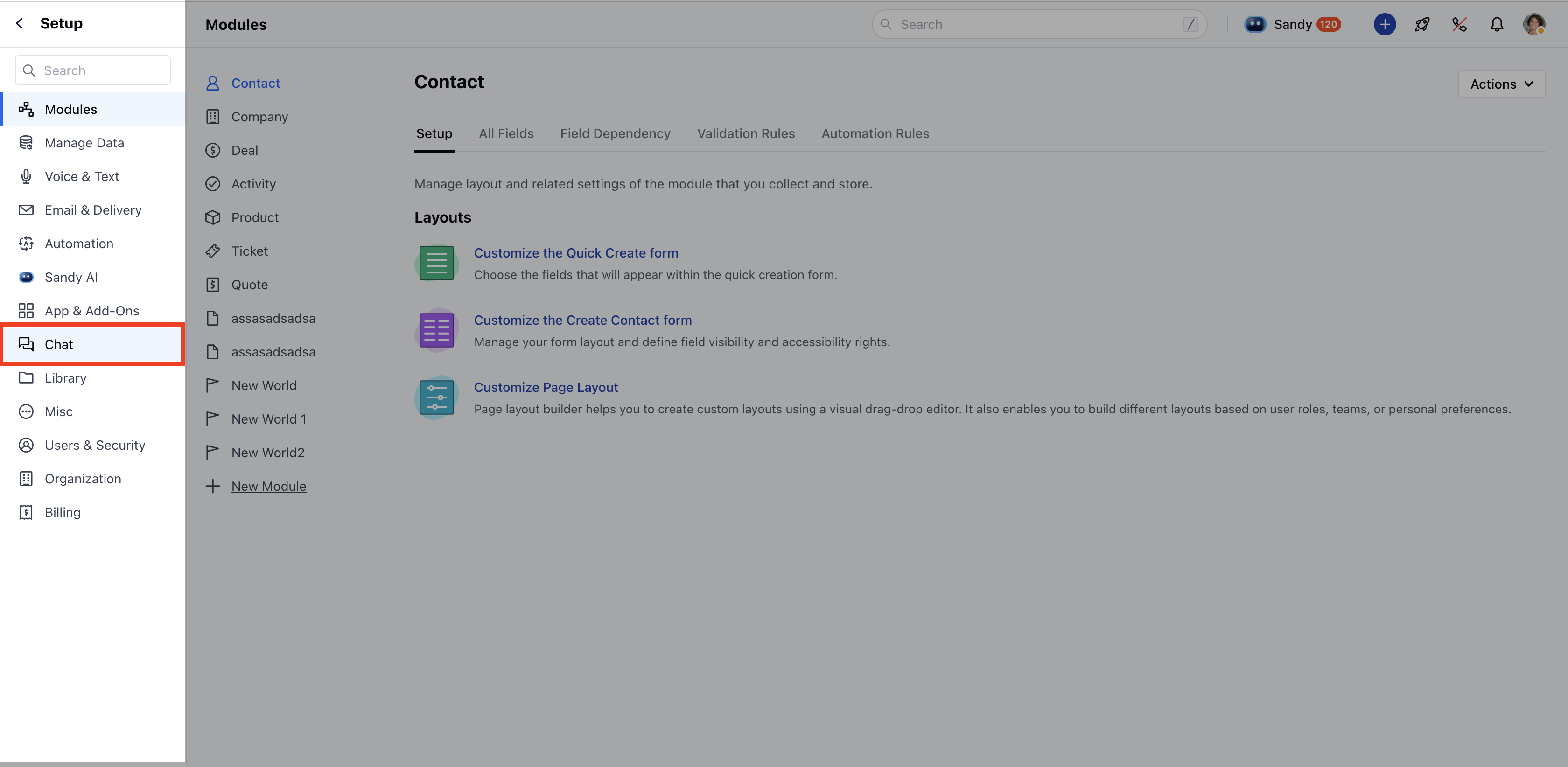
 * Head to Set up **Chat**.
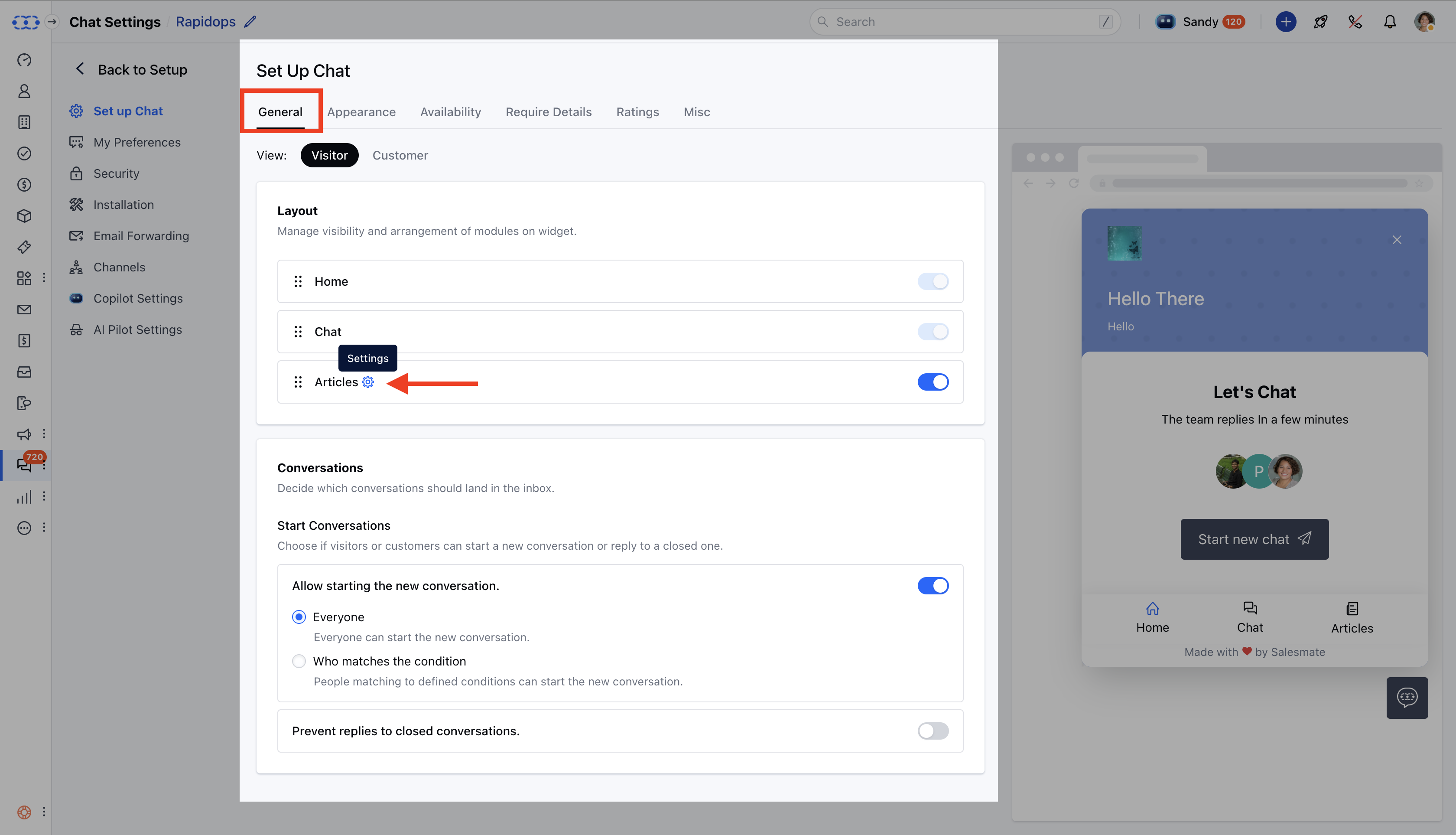
 * Under **General → Layout**, click on the **settings icon** beside **Articles**.
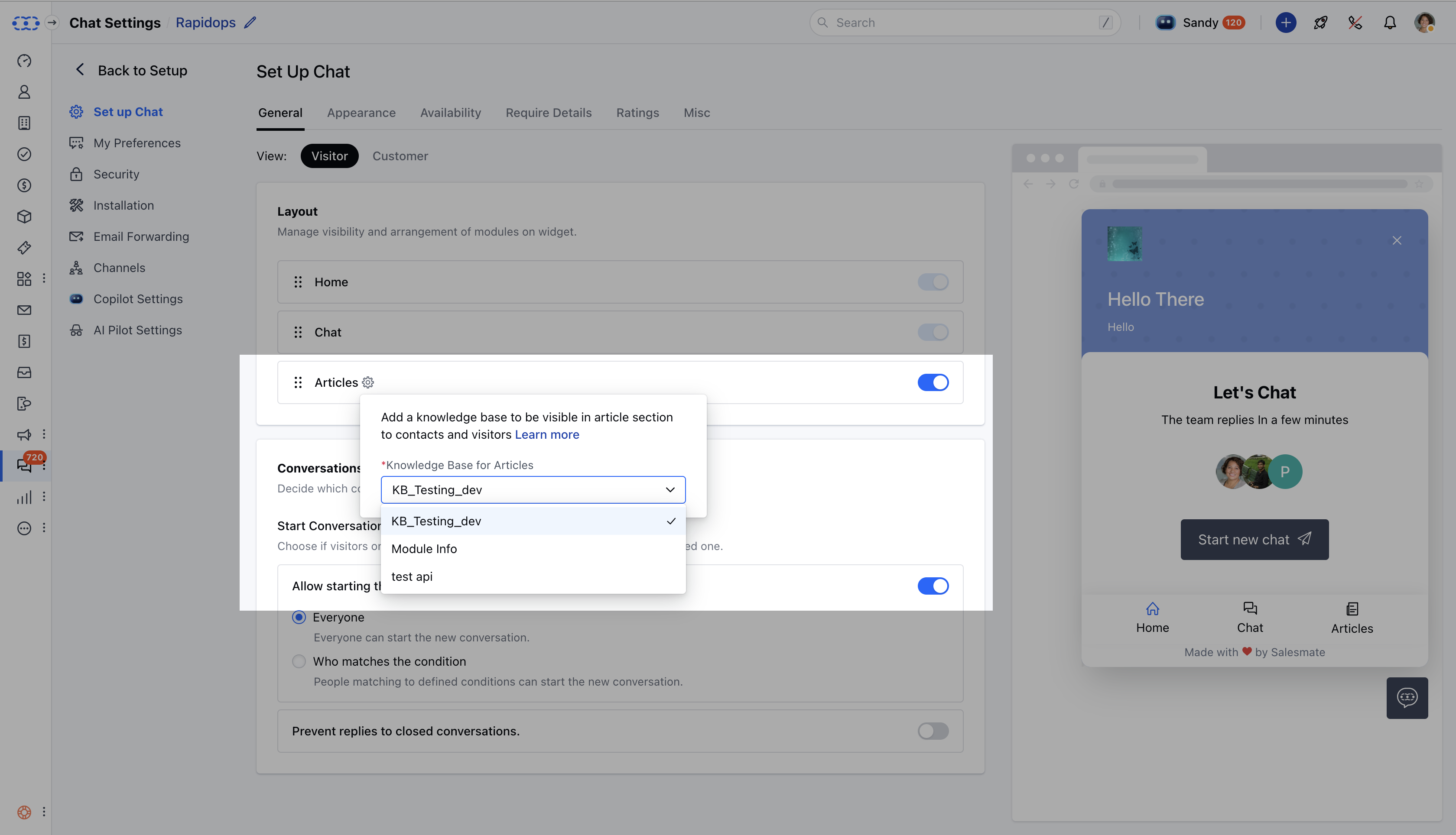
 * The articles available to share come from the **Knowledge Base** selected in the **Articles layout settings**.
* Upon clicking settings, if you do not have a Knowledge Base configured, a popup will appear prompting you to **Configure Now**.
* The articles available to share come from the **Knowledge Base** selected in the **Articles layout settings**.
* Upon clicking settings, if you do not have a Knowledge Base configured, a popup will appear prompting you to **Configure Now**.
 ***
### **Searching for an Article to Share**
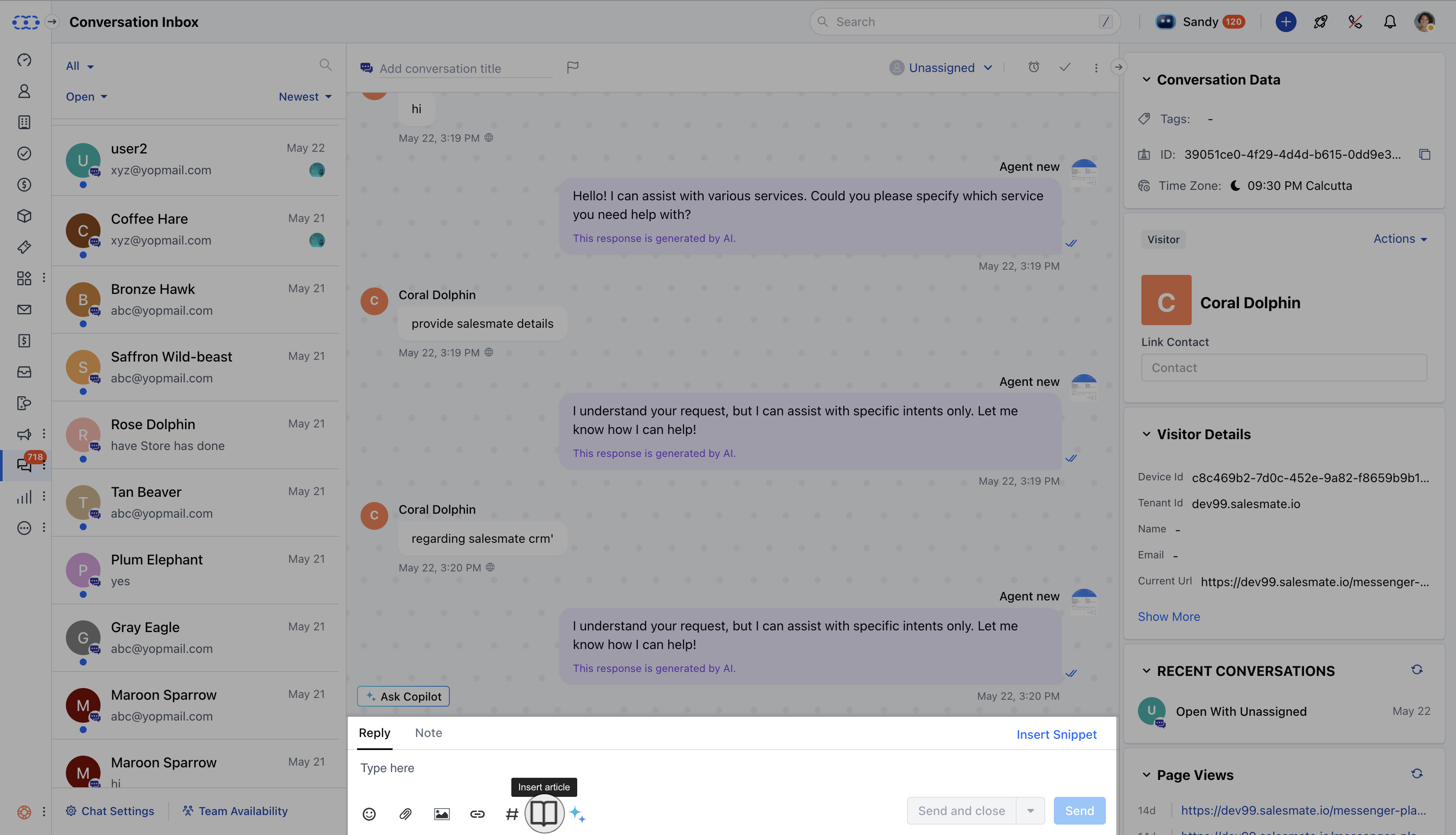
* You can insert **articles** from the selected Knowledge Base in **Setup Chat** during a conversation.
***
### **Searching for an Article to Share**
* You can insert **articles** from the selected Knowledge Base in **Setup Chat** during a conversation.
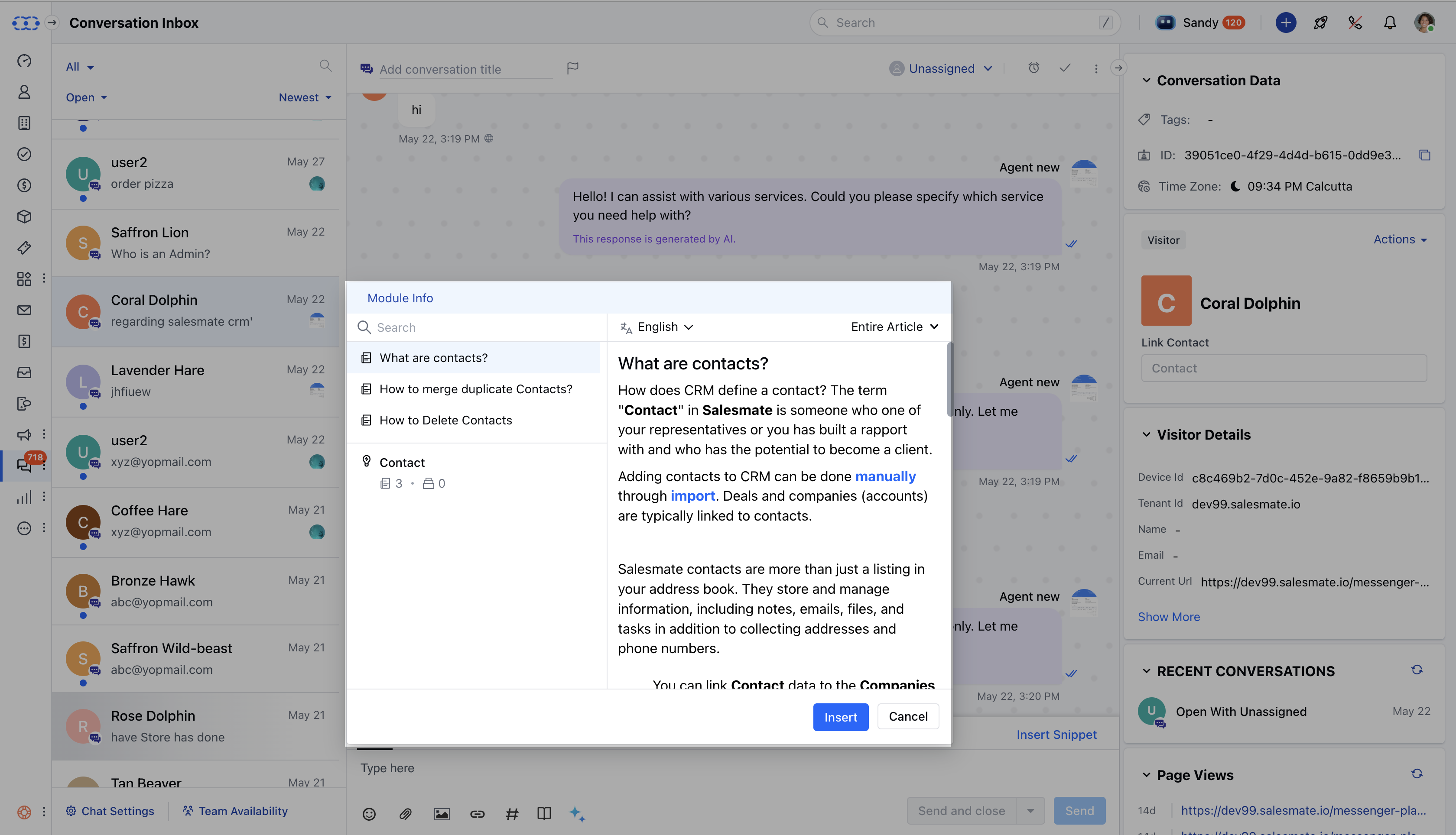
 * Enter the **article name** into the **search bar**.
* Click on the desired article to open its **preview**.
* Enter the **article name** into the **search bar**.
* Click on the desired article to open its **preview**.
 ***
### **Inserting the Article into Chat**
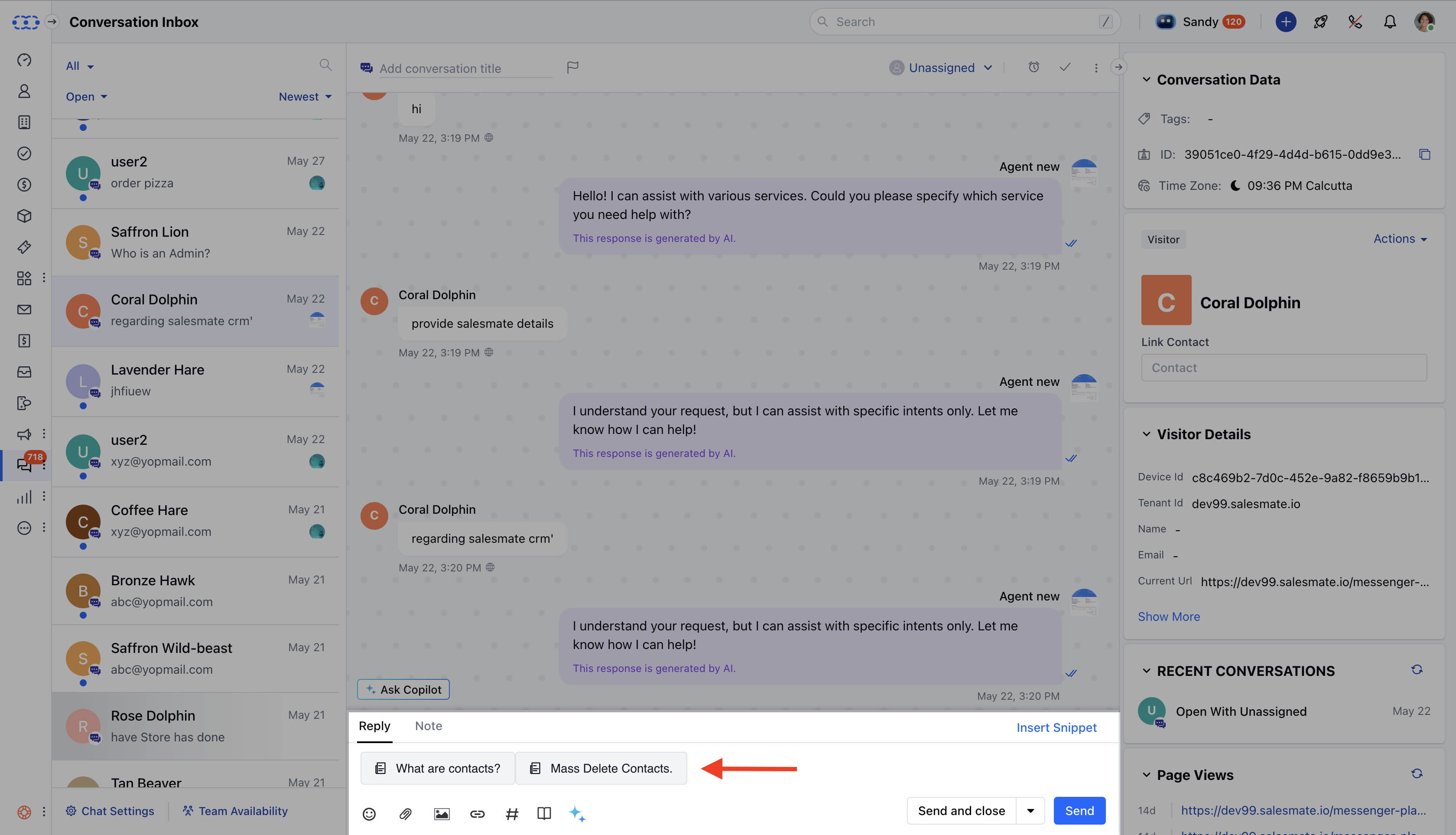
* **Click the** Insert button or press **Enter/Return** to add the article into the chat editor.
* If the **entire article** is selected, the **article title** will be displayed in the article card.
* If a **specific heading** is selected, that heading will be highlighted in the article card.
***
### **Inserting the Article into Chat**
* **Click the** Insert button or press **Enter/Return** to add the article into the chat editor.
* If the **entire article** is selected, the **article title** will be displayed in the article card.
* If a **specific heading** is selected, that heading will be highlighted in the article card.
 ***
### **How the Article Appears in Chat**
When a visitor or customer clicks on the article link:
* The article will **open in Messenger**, even if the **Article Section** is disabled in the Messenger layout.
- If the article is deleted or archived, an error alert will appear:\
*“Article not found. Please check the knowledge base to ensure it is not archived or deleted.”*
- If the user lacks permission to view articles, the sharing option will be disabled with the message:\
*“You don’t have permission to view articles.”*
- If the **Article Section** is not enabled in the Messenger layout, the option to share articles will **not** be available in the chat editor.
***
### **How the Article Appears in Chat**
When a visitor or customer clicks on the article link:
* The article will **open in Messenger**, even if the **Article Section** is disabled in the Messenger layout.
- If the article is deleted or archived, an error alert will appear:\
*“Article not found. Please check the knowledge base to ensure it is not archived or deleted.”*
- If the user lacks permission to view articles, the sharing option will be disabled with the message:\
*“You don’t have permission to view articles.”*
- If the **Article Section** is not enabled in the Messenger layout, the option to share articles will **not** be available in the chat editor.