> ## Documentation Index
> Fetch the complete documentation index at: https://support.getskara.ai/llms.txt
> Use this file to discover all available pages before exploring further.
# Clone Meeting Scheduler
Salesmate offers you **Clone** functionality to save your crucial time by duplicating an exiting scheduler and customizing it for your current needs with minimum effort.
While creating a new meeting scheduler, you may use the existing scheduler's customization to save your few steps, thus you can Clone a meeting scheduler.
To **Clone** a Meeting Scheduler, follow the below-mentioned steps:
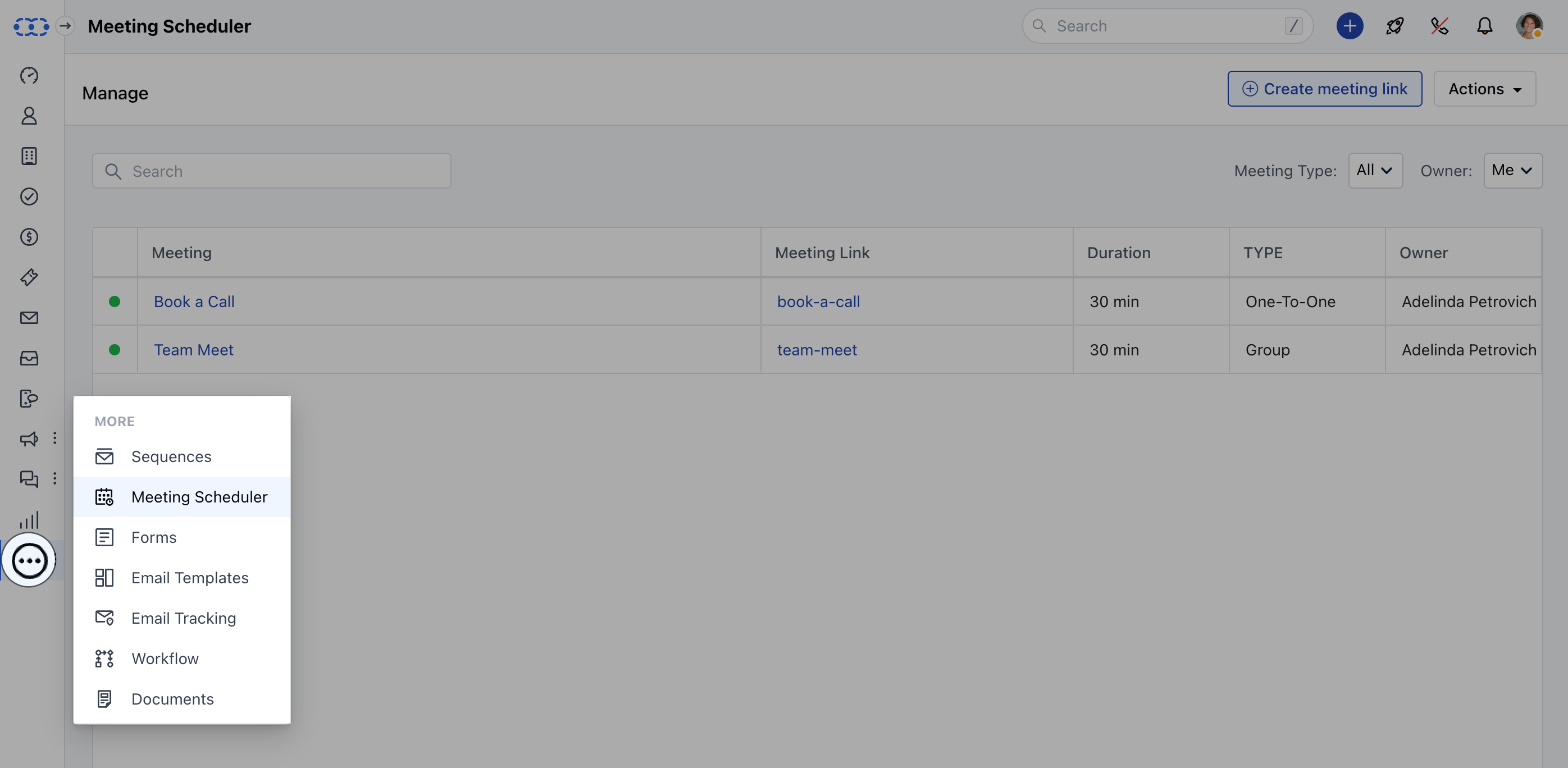
* **Navigate to the** More option from your left sidebar menu
* **Click on** **Meeting Scheduler**
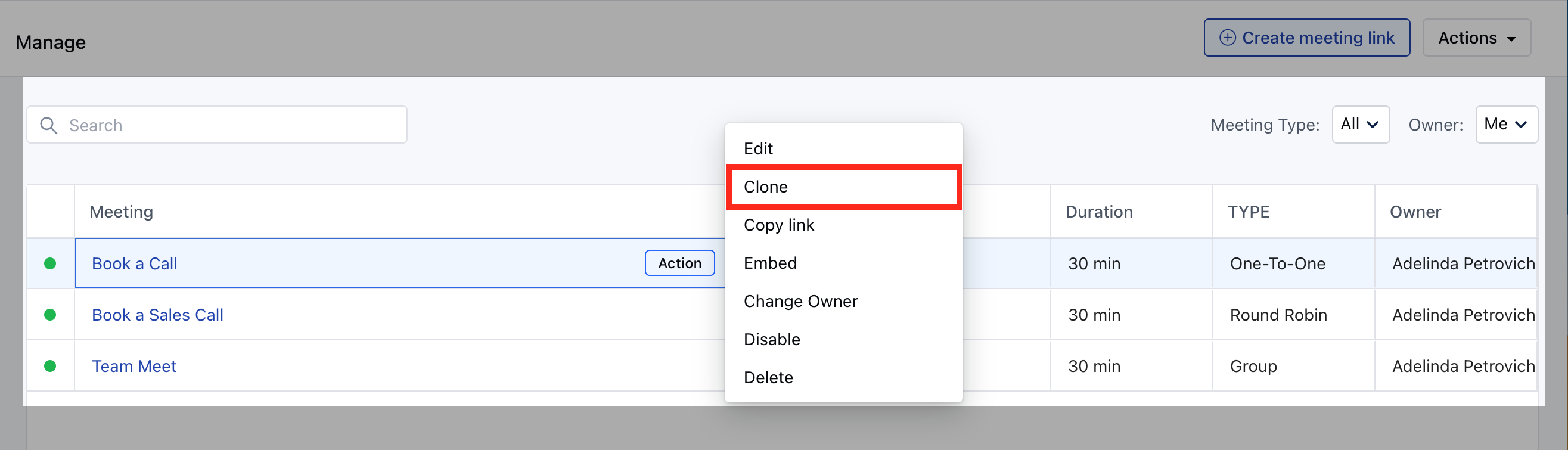
 * Hover over the**Meeting Name** which you wish to Clone
* Click on the **Action** button
* Hit the \*\*Clone \*\*option
* Hover over the**Meeting Name** which you wish to Clone
* Click on the **Action** button
* Hit the \*\*Clone \*\*option
 Once clicked you will be presented with the following options:
* **Meeting Name:** You can feed the name of the new meeting scheduler
* **Activity Type:** Select the activity type which should get created upon successful booking
* **Meeting URL:** Customize the meeting URL suffix.
Once clicked you will be presented with the following options:
* **Meeting Name:** You can feed the name of the new meeting scheduler
* **Activity Type:** Select the activity type which should get created upon successful booking
* **Meeting URL:** Customize the meeting URL suffix.
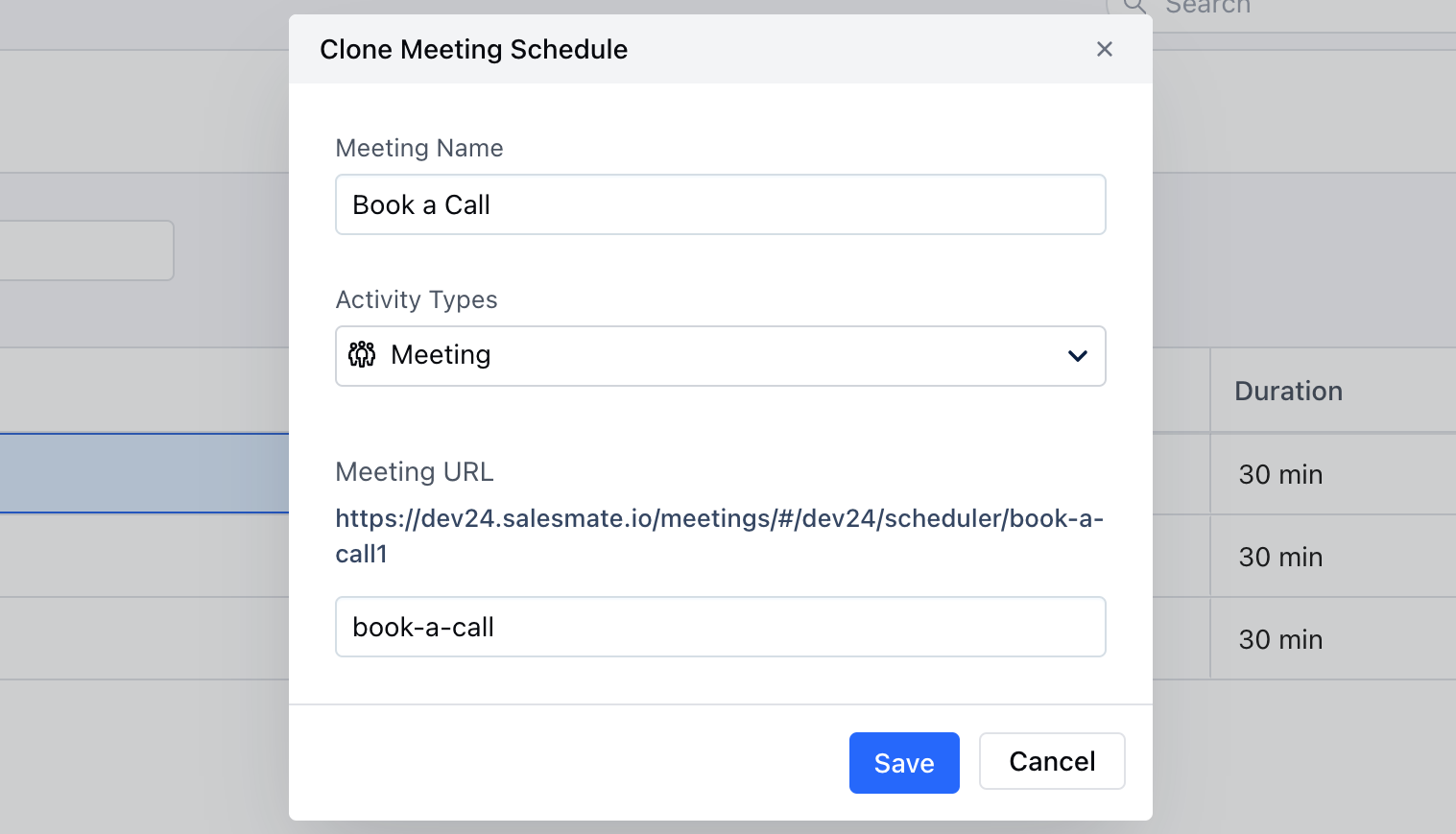 Click on **Save** to find further options for customizing the [**Meeting Scheduler**](https://support.salesmate.io/hc/en-us/articles/4405390306189).