> ## Documentation Index
> Fetch the complete documentation index at: https://support.getskara.ai/llms.txt
> Use this file to discover all available pages before exploring further.

# Advanced Embed options for Meeting Scheduler

You can generate the code of a particular meeting scheduler and directly copy/paste it into any website to render it. Once the embedded code is generated, it gives you options to customize the embedded code. 

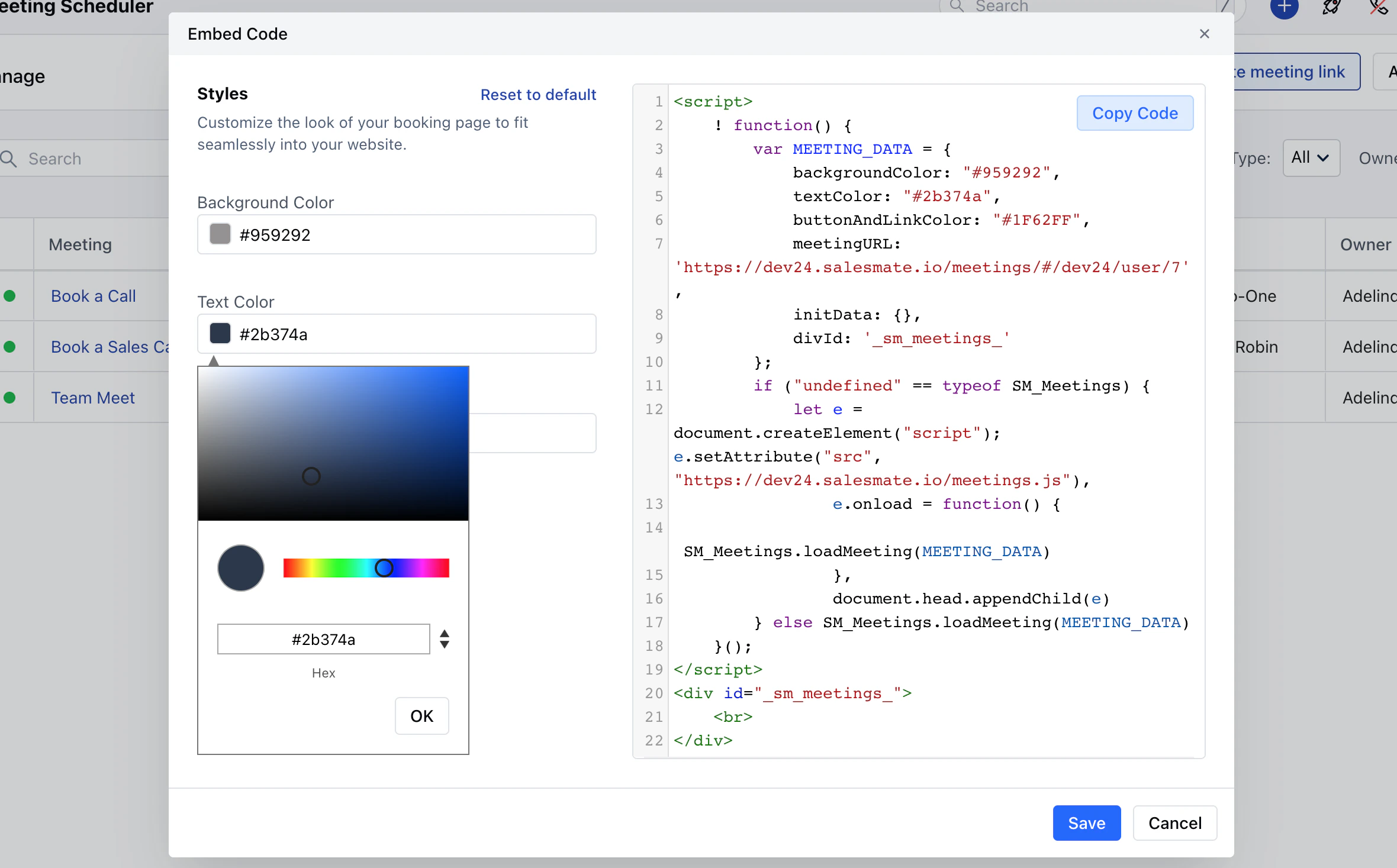
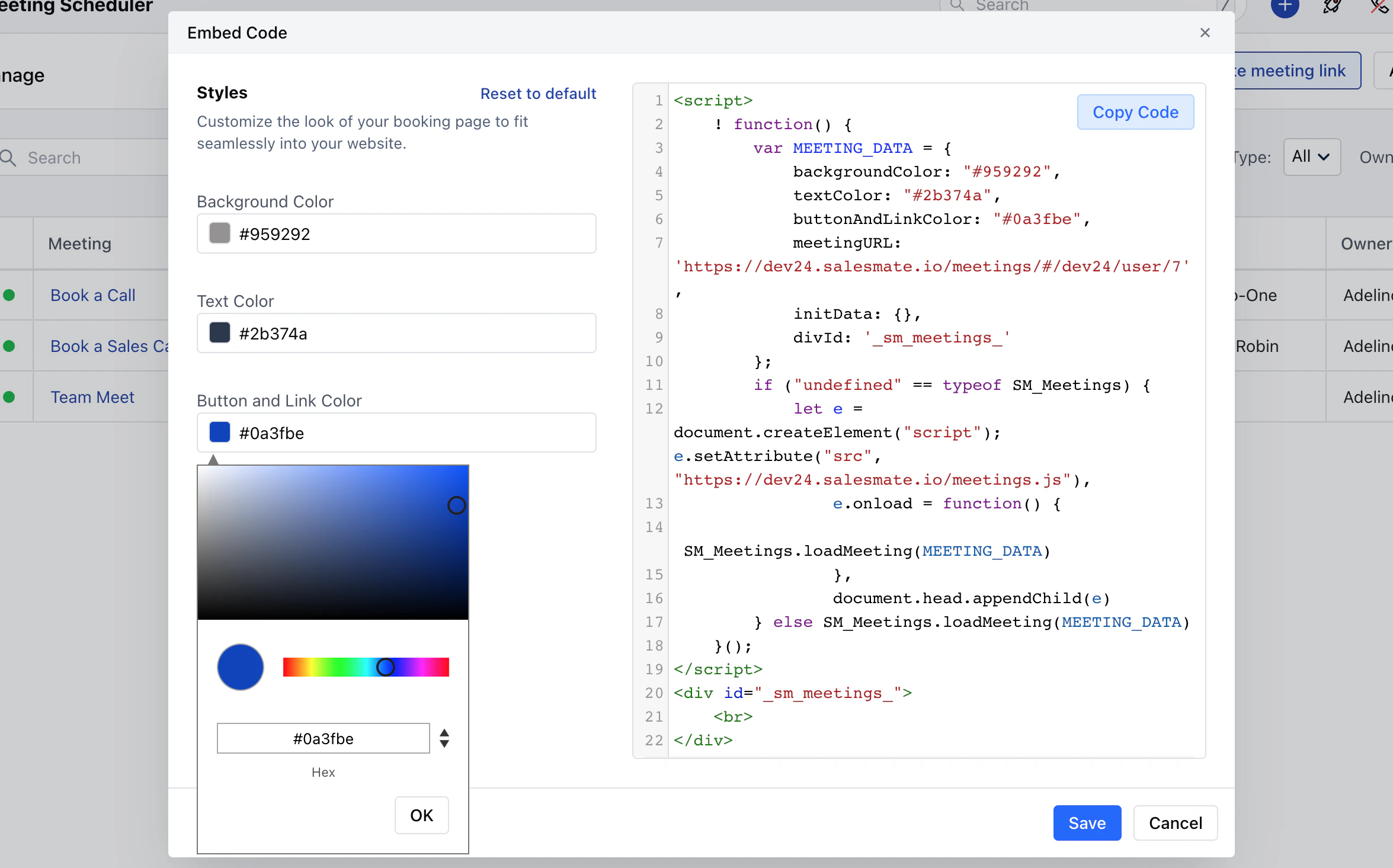
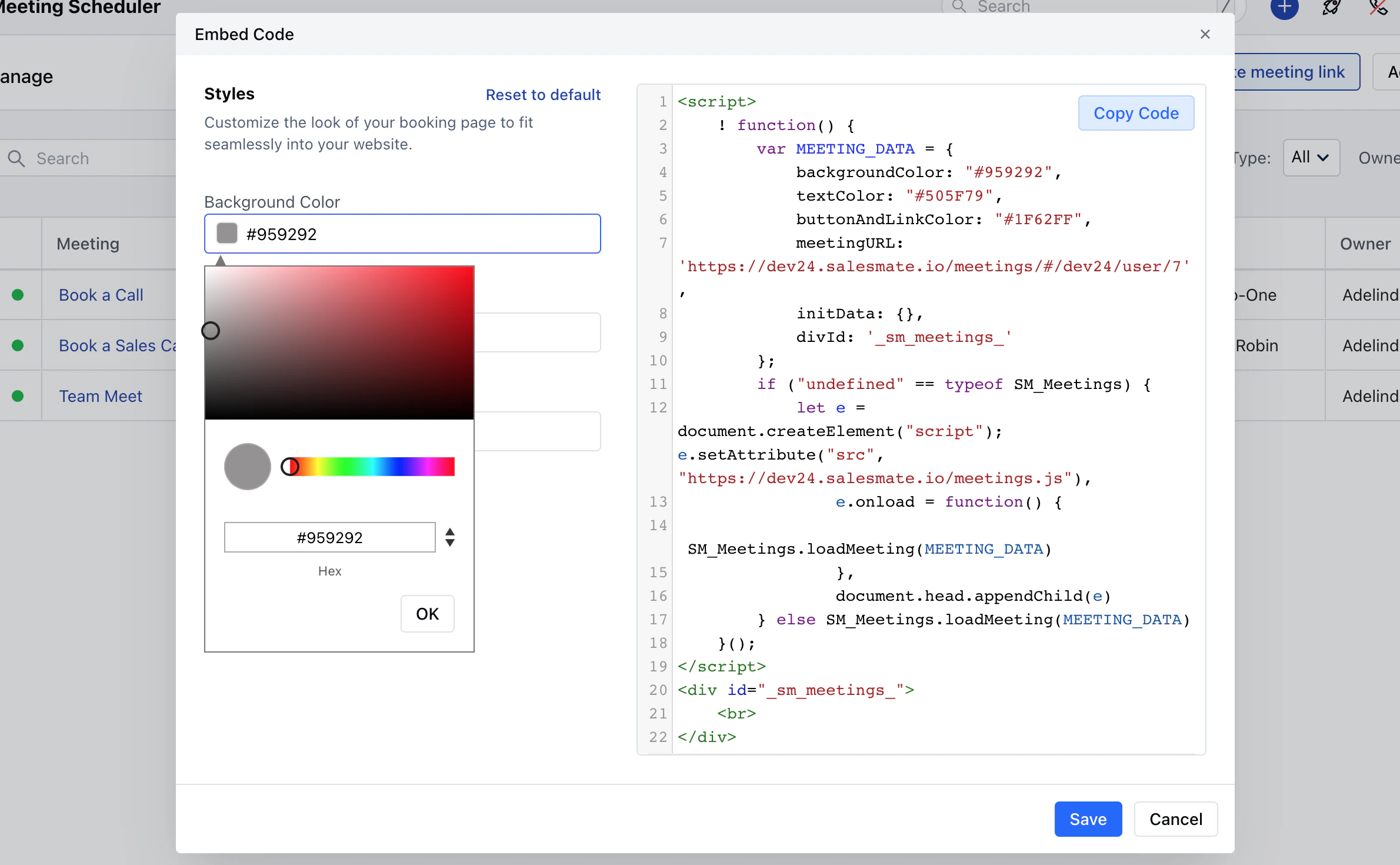
You can Customize the,

* **Backgroud Color**<img src="https://mintcdn.com/salesmate/UpDIs9NYacnxKxxO/meeting-scheduler/embed-and-sharing/images/mceclip0-3.png?fit=max&auto=format&n=UpDIs9NYacnxKxxO&q=85&s=a4c9408ae8d6e52e6206018b0b372e3e" alt="mceclip0.png" width="2380" height="1470" data-path="meeting-scheduler/embed-and-sharing/images/mceclip0-3.png" />
* **Text Color**<img src="https://mintcdn.com/salesmate/UpDIs9NYacnxKxxO/meeting-scheduler/embed-and-sharing/images/mceclip1-3.png?fit=max&auto=format&n=UpDIs9NYacnxKxxO&q=85&s=1005eba6af4b7d9a731d6c08fb3297d5" alt="mceclip1.png" width="2360" height="1467" data-path="meeting-scheduler/embed-and-sharing/images/mceclip1-3.png" />
* **Button and the Link Color**

<img src="https://mintcdn.com/salesmate/UpDIs9NYacnxKxxO/meeting-scheduler/embed-and-sharing/images/mceclip2-2.png?fit=max&auto=format&n=UpDIs9NYacnxKxxO&q=85&s=bd3a76bec5e0a37cb4466f32a642828a" alt="mceclip2.png" width="2351" height="1465" data-path="meeting-scheduler/embed-and-sharing/images/mceclip2-2.png" />

* Once the Customization is done, click on **Save**