> ## Documentation Index
> Fetch the complete documentation index at: https://support.getskara.ai/llms.txt
> Use this file to discover all available pages before exploring further.
# Meeting Scheduler
**Meeting Scheduler** is a Salesmate's tool for scheduling meetings professionally and efficiently, eliminating the hassle of back-and-forth emails so you can be super productive.
Share meetings links with your contacts so they can effortlessly book a slot with you.
* **With Salesmate's inbuilt** Meeting Scheduler , eradicate the use of an external meeting scheduler.
* Set your availability and let recipients choose the perfect meeting time and book more bookings with ease.
### Connect your
[**Google calendar**](#connect-your-google-calendarhttpssupportsalesmateiohcen-usarticles213779789-or-microsoft-calendarhttpssupportsalesmateiohcen-usarticles360004213311-in-just-one-click) or [**Microsoft Calendar**](#connect-your-google-calendarhttpssupportsalesmateiohcen-usarticles213779789-or-microsoft-calendarhttpssupportsalesmateiohcen-usarticles360004213311-in-just-one-click) in just one click.
* On the main menu page, Click Connect your Calendar
* In the dialog box, click [Google](#connect-your-google-calendarhttpssupportsalesmateiohcen-usarticles213779789-or-microsoft-calendarhttpssupportsalesmateiohcen-usarticles360004213311-in-just-one-click) / [Microsoft](#connect-your-google-calendarhttpssupportsalesmateiohcen-usarticles213779789-or-microsoft-calendarhttpssupportsalesmateiohcen-usarticles360004213311-in-just-one-click) (Office 365), to Connect your calendar.
* As you connect your calendar with Gmail or Office 365, booked meetings will sync with your connected calendar so your appointments will always be up-to-date.
* Once you’re set up, insert the meeting link to your website, any email, template, or campaign. Recipients can click the meeting link and choose an available time slot.
* **In the Salesmate Meeting scheduler, you can choose the type of meeting scheduler that you want to allow your users to choose whether a** one-to-one meeting or group meeting or team meeting, or round-robin meeting.
* Set your custom **date & time availability** by only offering times that work with your availability across all of your calendars. Open your schedule only to the days and times that work for you. When your invitee chooses a meeting slot, it’s instantly confirmed.
* **Add custom questions or add custom fields** to the calendar to capture the specific customer requirements and make the agenda of the call.
* **Send personalized** email notifications to your contacts for meeting confirmations or cancellations. Also, send automatic email **Reminders** to your invitees for the event.
**Need help?** Feel free to chat with us or write us at [support@salesmate.io](#connect-your-google-calendarhttpssupportsalesmateiohcen-usarticles213779789-or-microsoft-calendarhttpssupportsalesmateiohcen-usarticles360004213311-in-just-one-click) & we will be glad to assist you
 ### Connect your
[**Google calendar**](#connect-your-google-calendarhttpssupportsalesmateiohcen-usarticles213779789-or-microsoft-calendarhttpssupportsalesmateiohcen-usarticles360004213311-in-just-one-click) or [**Microsoft Calendar**](#connect-your-google-calendarhttpssupportsalesmateiohcen-usarticles213779789-or-microsoft-calendarhttpssupportsalesmateiohcen-usarticles360004213311-in-just-one-click) in just one click.
* On the main menu page, Click Connect your Calendar
* In the dialog box, click [Google](#connect-your-google-calendarhttpssupportsalesmateiohcen-usarticles213779789-or-microsoft-calendarhttpssupportsalesmateiohcen-usarticles360004213311-in-just-one-click) / [Microsoft](#connect-your-google-calendarhttpssupportsalesmateiohcen-usarticles213779789-or-microsoft-calendarhttpssupportsalesmateiohcen-usarticles360004213311-in-just-one-click) (Office 365), to Connect your calendar.
### Connect your
[**Google calendar**](#connect-your-google-calendarhttpssupportsalesmateiohcen-usarticles213779789-or-microsoft-calendarhttpssupportsalesmateiohcen-usarticles360004213311-in-just-one-click) or [**Microsoft Calendar**](#connect-your-google-calendarhttpssupportsalesmateiohcen-usarticles213779789-or-microsoft-calendarhttpssupportsalesmateiohcen-usarticles360004213311-in-just-one-click) in just one click.
* On the main menu page, Click Connect your Calendar
* In the dialog box, click [Google](#connect-your-google-calendarhttpssupportsalesmateiohcen-usarticles213779789-or-microsoft-calendarhttpssupportsalesmateiohcen-usarticles360004213311-in-just-one-click) / [Microsoft](#connect-your-google-calendarhttpssupportsalesmateiohcen-usarticles213779789-or-microsoft-calendarhttpssupportsalesmateiohcen-usarticles360004213311-in-just-one-click) (Office 365), to Connect your calendar.
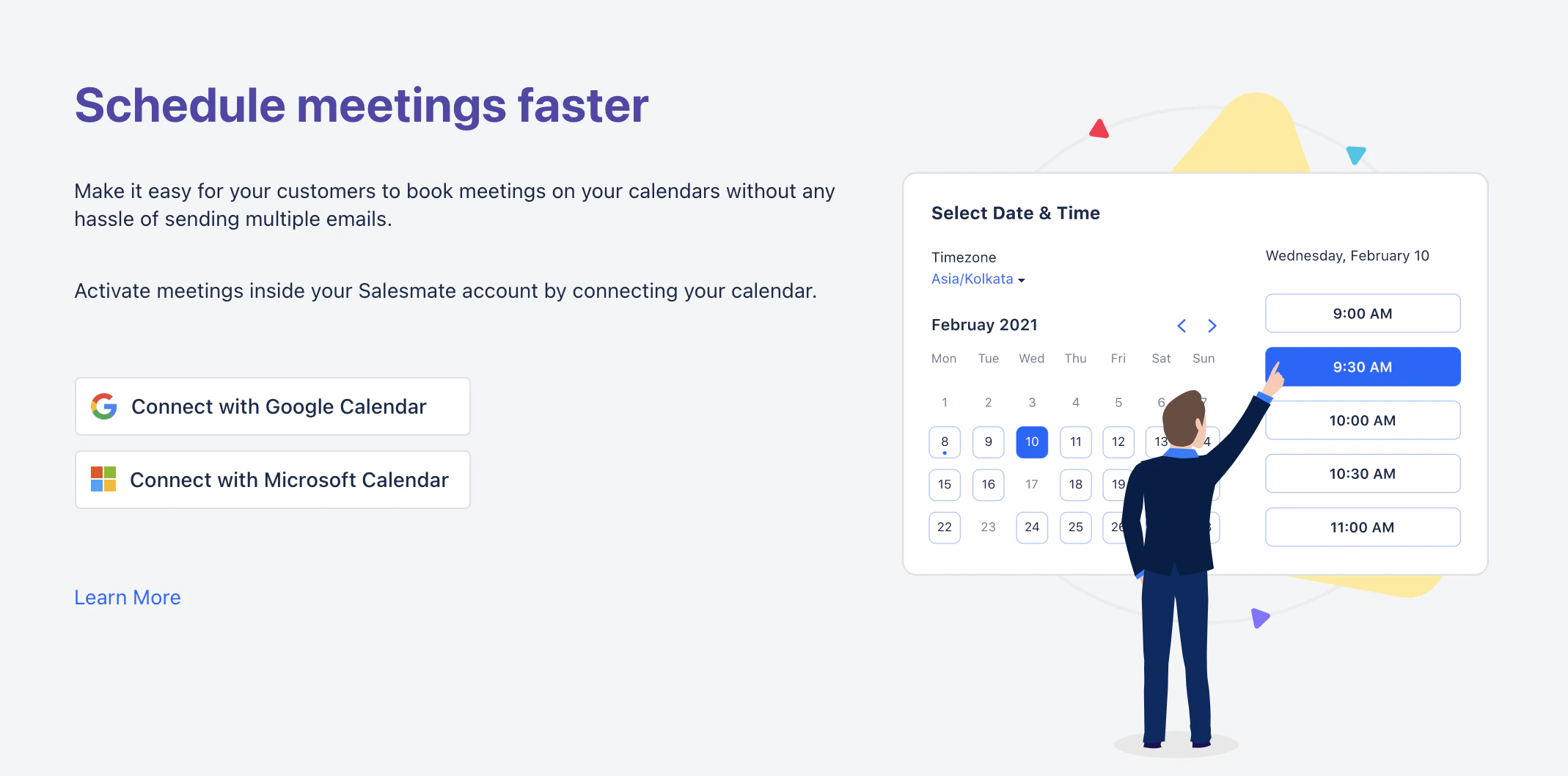 * As you connect your calendar with Gmail or Office 365, booked meetings will sync with your connected calendar so your appointments will always be up-to-date.
* Once you’re set up, insert the meeting link to your website, any email, template, or campaign. Recipients can click the meeting link and choose an available time slot.
* **In the Salesmate Meeting scheduler, you can choose the type of meeting scheduler that you want to allow your users to choose whether a** one-to-one meeting or group meeting or team meeting, or round-robin meeting.
* Set your custom **date & time availability** by only offering times that work with your availability across all of your calendars. Open your schedule only to the days and times that work for you. When your invitee chooses a meeting slot, it’s instantly confirmed.
* **Add custom questions or add custom fields** to the calendar to capture the specific customer requirements and make the agenda of the call.
* **Send personalized** email notifications to your contacts for meeting confirmations or cancellations. Also, send automatic email **Reminders** to your invitees for the event.
**Need help?** Feel free to chat with us or write us at [support@salesmate.io](#connect-your-google-calendarhttpssupportsalesmateiohcen-usarticles213779789-or-microsoft-calendarhttpssupportsalesmateiohcen-usarticles360004213311-in-just-one-click) & we will be glad to assist you
* As you connect your calendar with Gmail or Office 365, booked meetings will sync with your connected calendar so your appointments will always be up-to-date.
* Once you’re set up, insert the meeting link to your website, any email, template, or campaign. Recipients can click the meeting link and choose an available time slot.
* **In the Salesmate Meeting scheduler, you can choose the type of meeting scheduler that you want to allow your users to choose whether a** one-to-one meeting or group meeting or team meeting, or round-robin meeting.
* Set your custom **date & time availability** by only offering times that work with your availability across all of your calendars. Open your schedule only to the days and times that work for you. When your invitee chooses a meeting slot, it’s instantly confirmed.
* **Add custom questions or add custom fields** to the calendar to capture the specific customer requirements and make the agenda of the call.
* **Send personalized** email notifications to your contacts for meeting confirmations or cancellations. Also, send automatic email **Reminders** to your invitees for the event.
**Need help?** Feel free to chat with us or write us at [support@salesmate.io](#connect-your-google-calendarhttpssupportsalesmateiohcen-usarticles213779789-or-microsoft-calendarhttpssupportsalesmateiohcen-usarticles360004213311-in-just-one-click) & we will be glad to assist you