> ## Documentation Index
> Fetch the complete documentation index at: https://support.getskara.ai/llms.txt
> Use this file to discover all available pages before exploring further.
# Manage Organization Details
Organization Details lets you configure the details of your organization such as the geographic region in which your organization is located, communication details, and operational currency.
**Topics covered:** -
* [Organization Details](#organization-details)
* [Fiscal Year](#fiscal-year)
* [Currencies](#currencies)
**Note:** Admin rights are required to perform actions listed in this article
### Organization details:
* Navigate to the **Profile Icon** on the top right corner
* Click on the **Setup**
* Head over to the **Organization**
* Click on the **Basic Details**
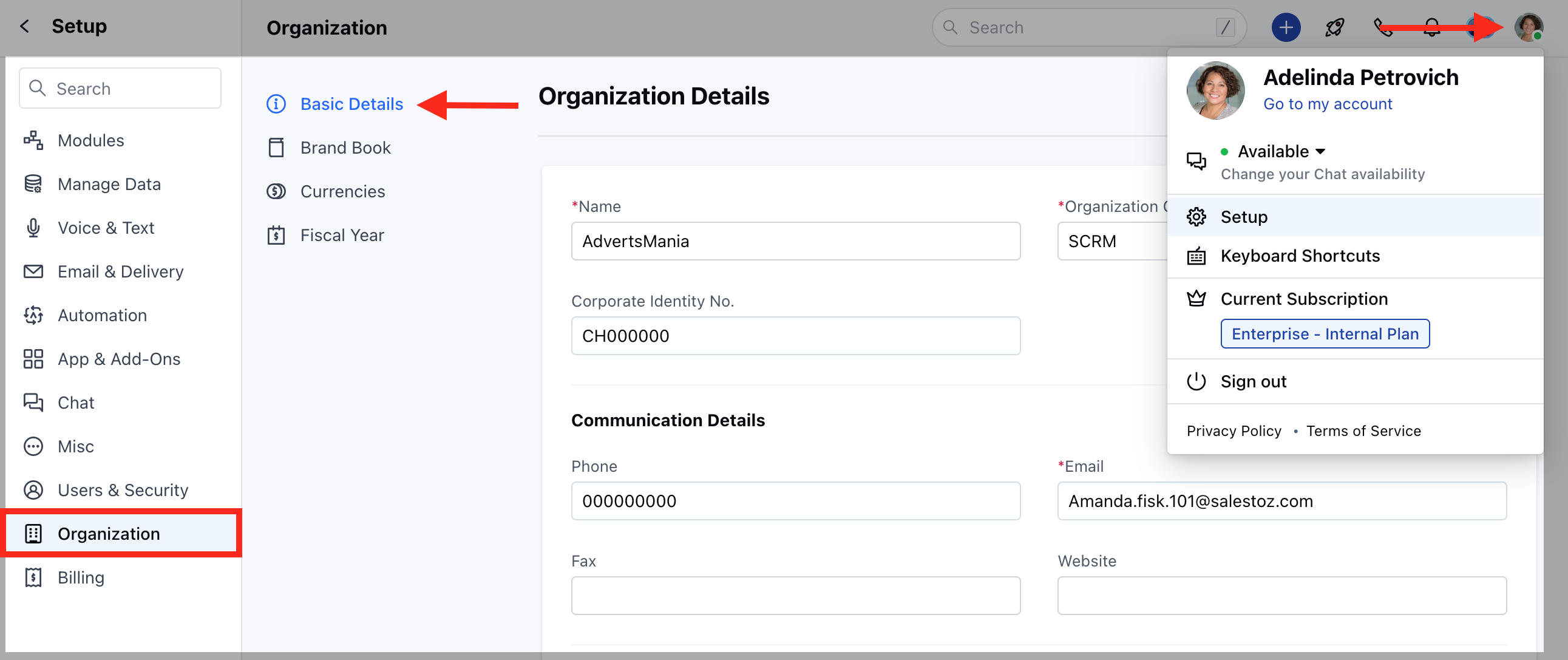 * You will be redirected to the Organization Details screen
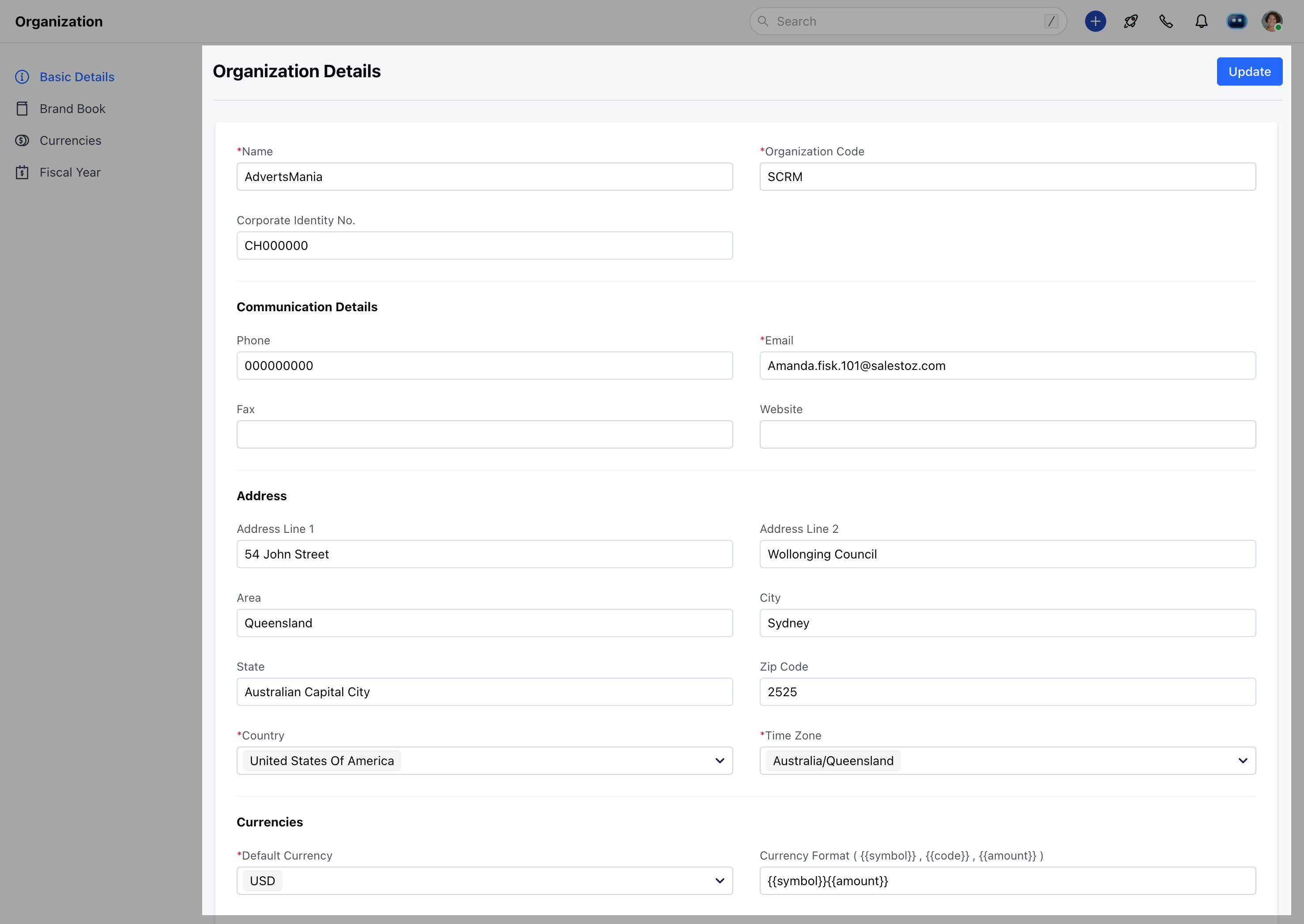 Note :
* The Default Currency in the set format will be used to display Sales figures throughout the system.
* All conversations in the system will be listed according to the company time zone unless a user time zone is exclusively set in the user profile.
* The Company Disclaimer will be added to the footer of every mail sent from the Skara E-Mailing system.
### Fiscal Year:
You can also set your organization's fiscal year from Organization Settings and choose the Start month.
* Navigate to the **Profile Icon** on the top right corner
* Click on the **Setup**
* Head over to the **Organization**
* Click on the **Fiscal Year**
Note :
* The Default Currency in the set format will be used to display Sales figures throughout the system.
* All conversations in the system will be listed according to the company time zone unless a user time zone is exclusively set in the user profile.
* The Company Disclaimer will be added to the footer of every mail sent from the Skara E-Mailing system.
### Fiscal Year:
You can also set your organization's fiscal year from Organization Settings and choose the Start month.
* Navigate to the **Profile Icon** on the top right corner
* Click on the **Setup**
* Head over to the **Organization**
* Click on the **Fiscal Year**
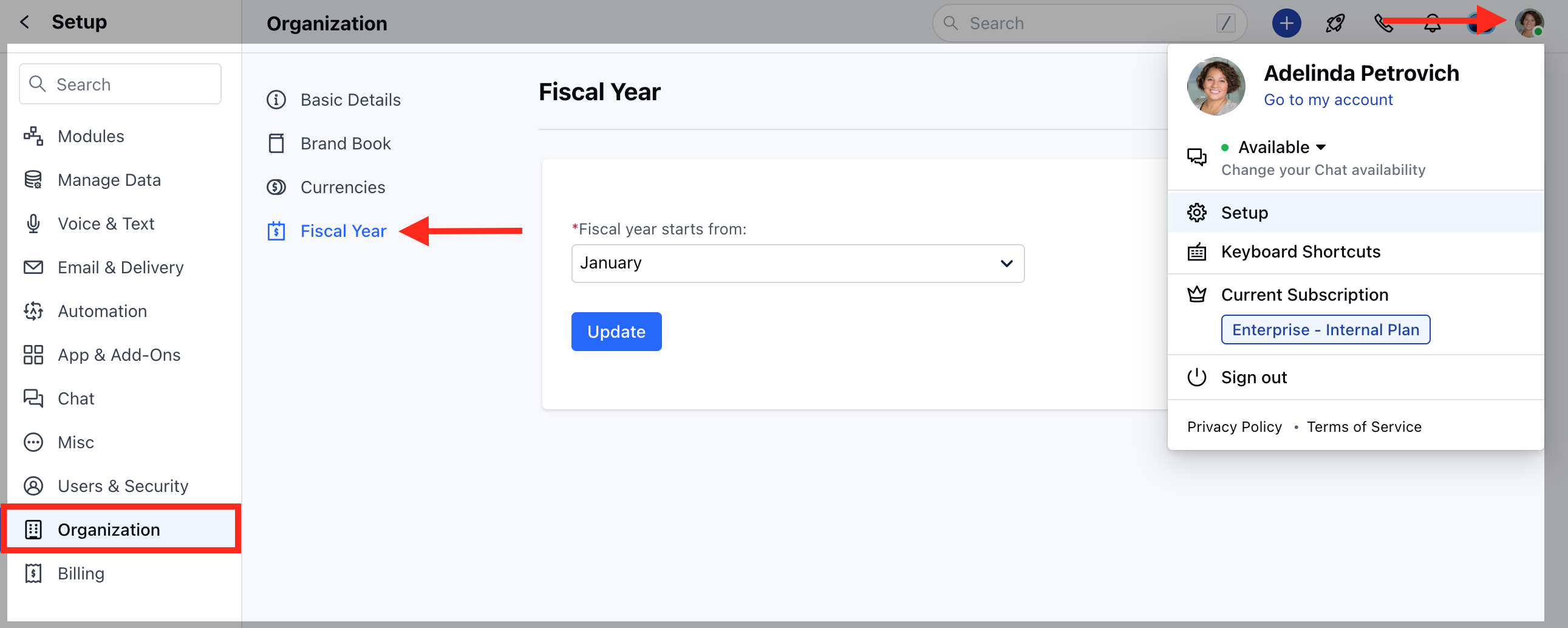 * Once the fiscal start month is selected, fiscal quarters are automatically derived. By default, Skara's fiscal start month is set to April of the current year.
* You can specify the fiscal year name based on the start month.
* Once the fiscal start month is selected, fiscal quarters are automatically derived. By default, Skara's fiscal start month is set to April of the current year.
* You can specify the fiscal year name based on the start month.
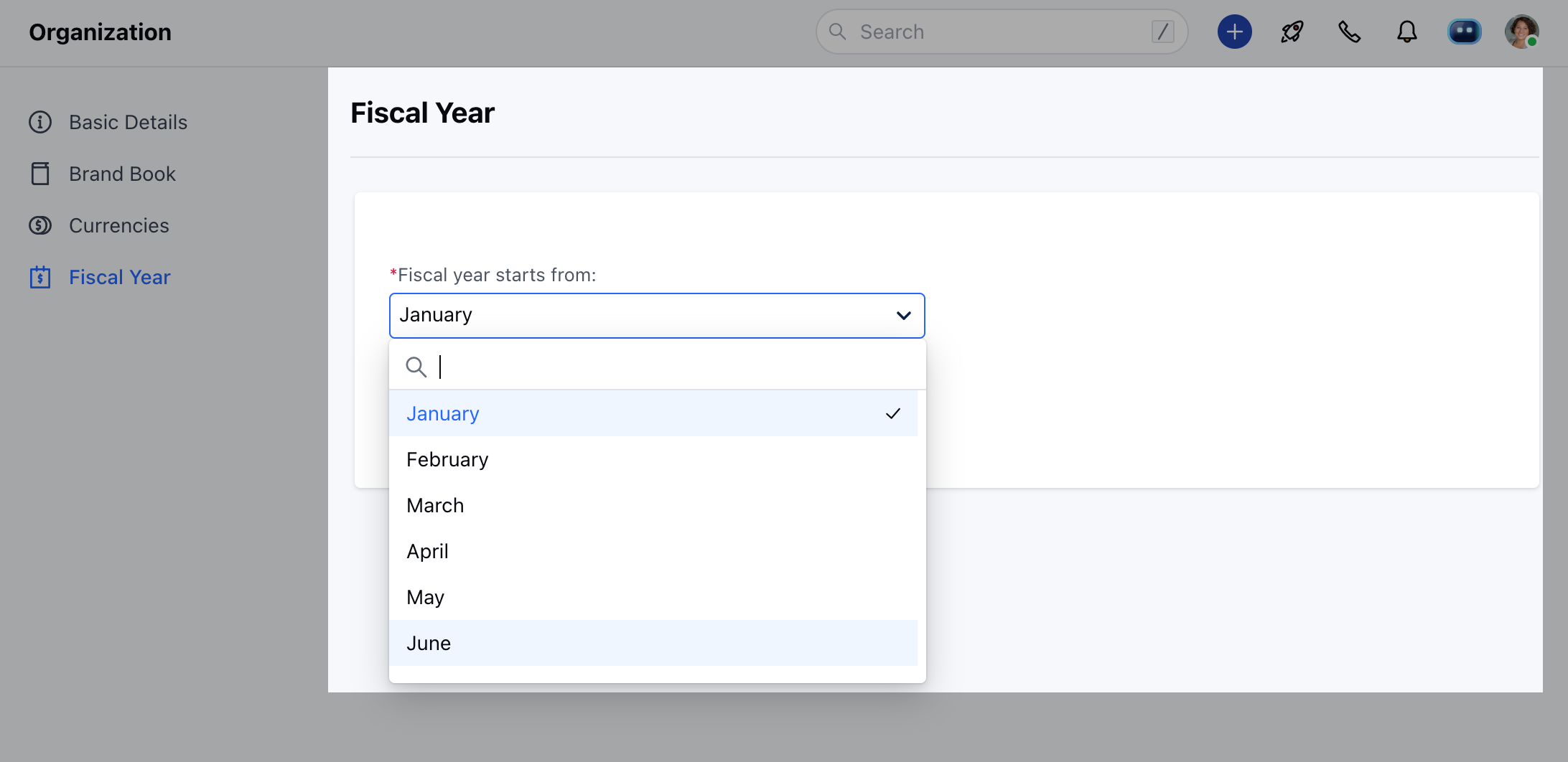 * **For example**, let's say your fiscal year starts in Jan 2024 and ends in Dec 2024. Then, set the start month as January.
**Note:** The Fiscal Start Month affects the way your Goal Reports are derived.
### Currencies :
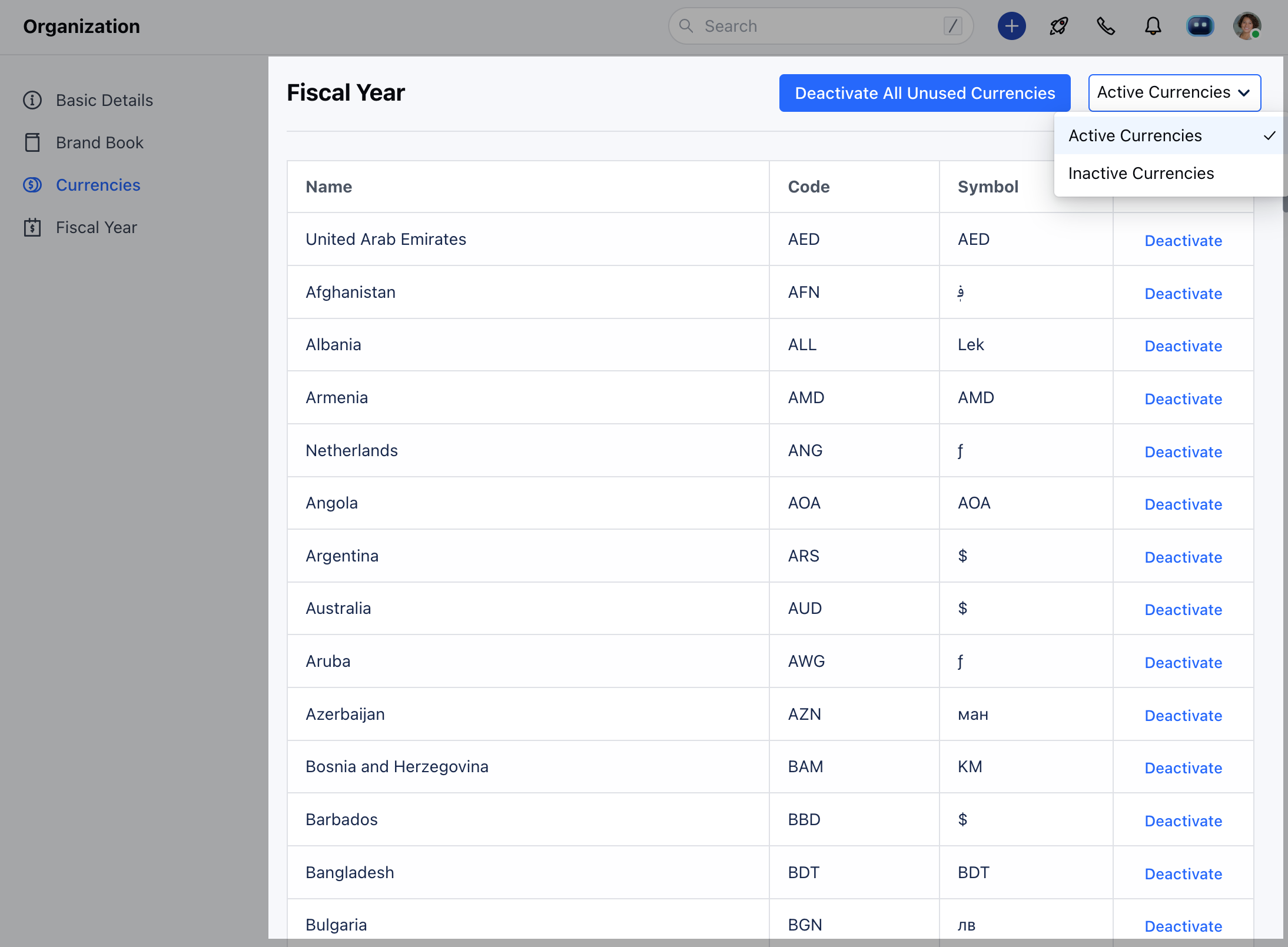
While confirming your registration for Skara, it sets the default currency based on the country. However, you can change the default currency from **Organization details.** In case your organization deals in multiple currencies you can enable it by:-
* Navigating to the **Profile Icon** on the top right corner
* Click on the **Setup**
* Head over to the **Organization**
* Click on the **Currencies**
* **For example**, let's say your fiscal year starts in Jan 2024 and ends in Dec 2024. Then, set the start month as January.
**Note:** The Fiscal Start Month affects the way your Goal Reports are derived.
### Currencies :
While confirming your registration for Skara, it sets the default currency based on the country. However, you can change the default currency from **Organization details.** In case your organization deals in multiple currencies you can enable it by:-
* Navigating to the **Profile Icon** on the top right corner
* Click on the **Setup**
* Head over to the **Organization**
* Click on the **Currencies**
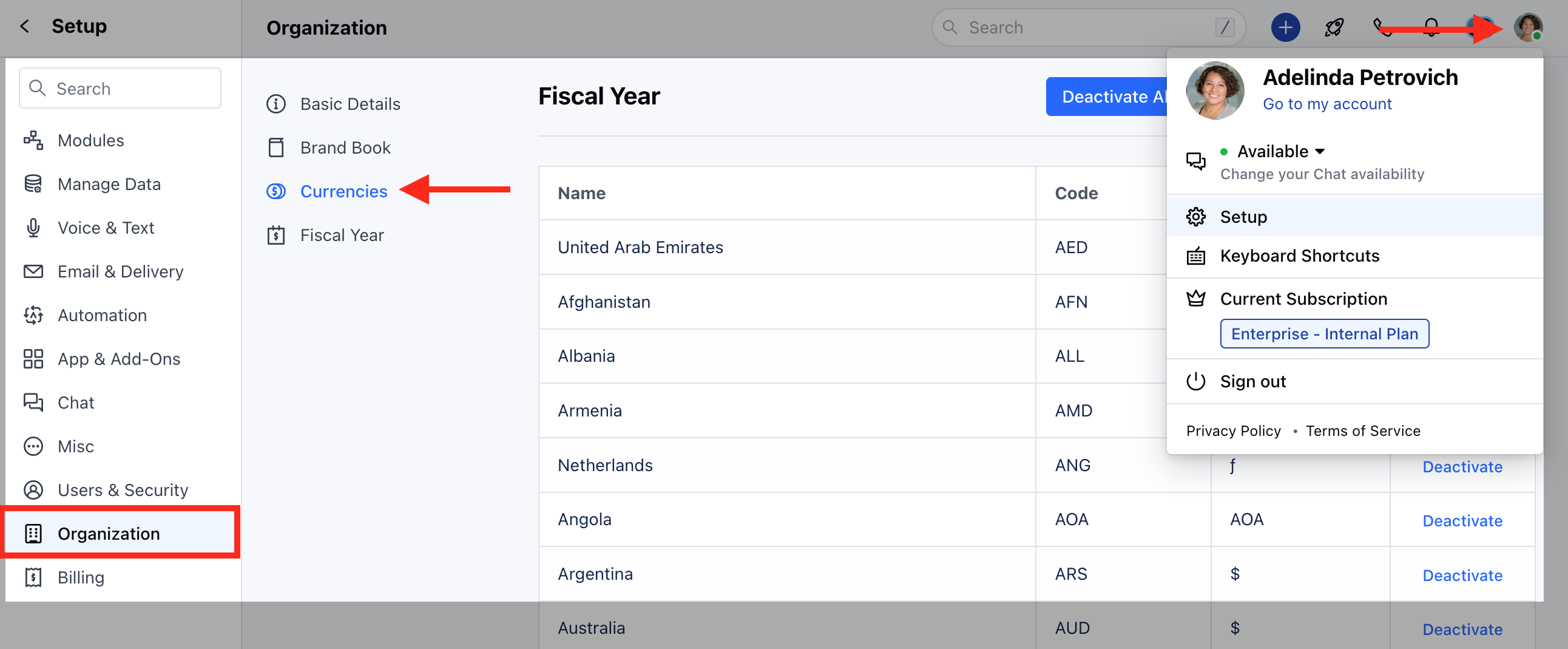 * Activate the currency you need from the list of Inactive currencies.