> ## Documentation Index
> Fetch the complete documentation index at: https://support.getskara.ai/llms.txt
> Use this file to discover all available pages before exploring further.
# How to Delete Calculated Fields
Deleting a calculated field will work similarly to any other custom field.\
To Delete Calculated Fields:
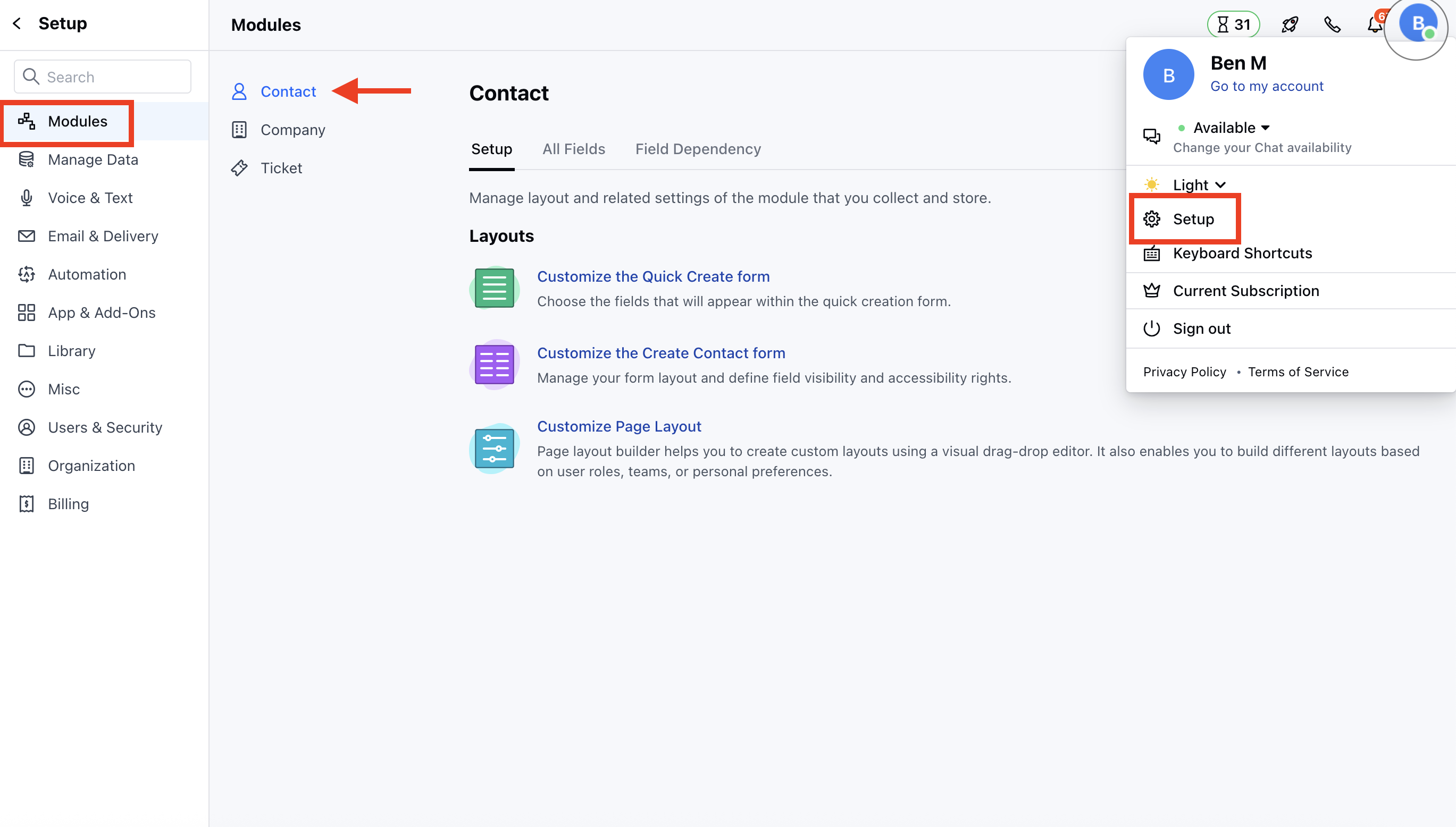
* Navigate to the **Profile Icon** in the top right corner
* Click on the **Set Up**
* Head Over to the **Modules** Category
* Select the Module(**Contact** or **Company)**
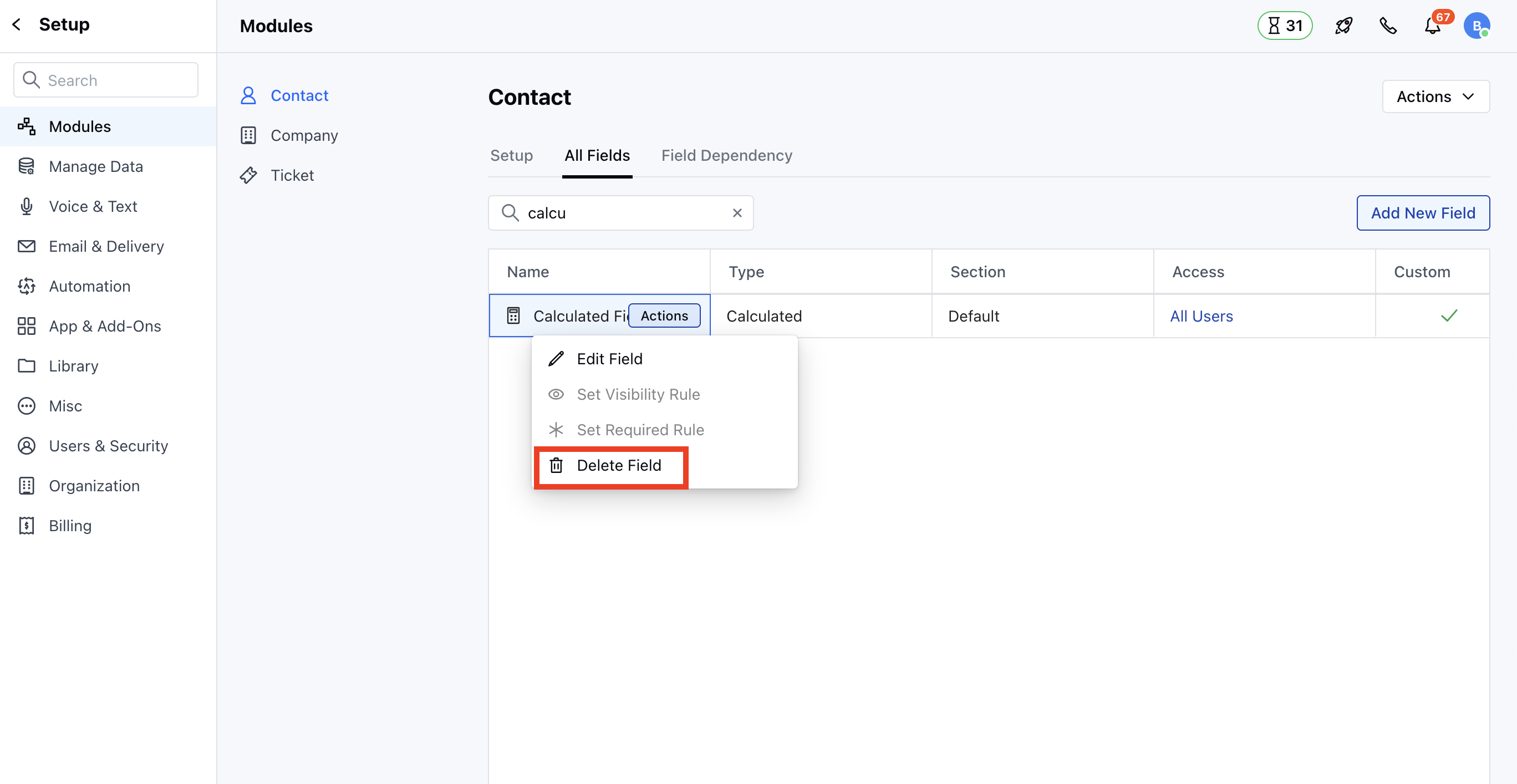
 * Go to **All Detail Form Field** **Section**
* Select the Calculated Fields to **Delete,** then hover over the field you wish to modify and click on the **Actions** button.
* Go to **All Detail Form Field** **Section**
* Select the Calculated Fields to **Delete,** then hover over the field you wish to modify and click on the **Actions** button.
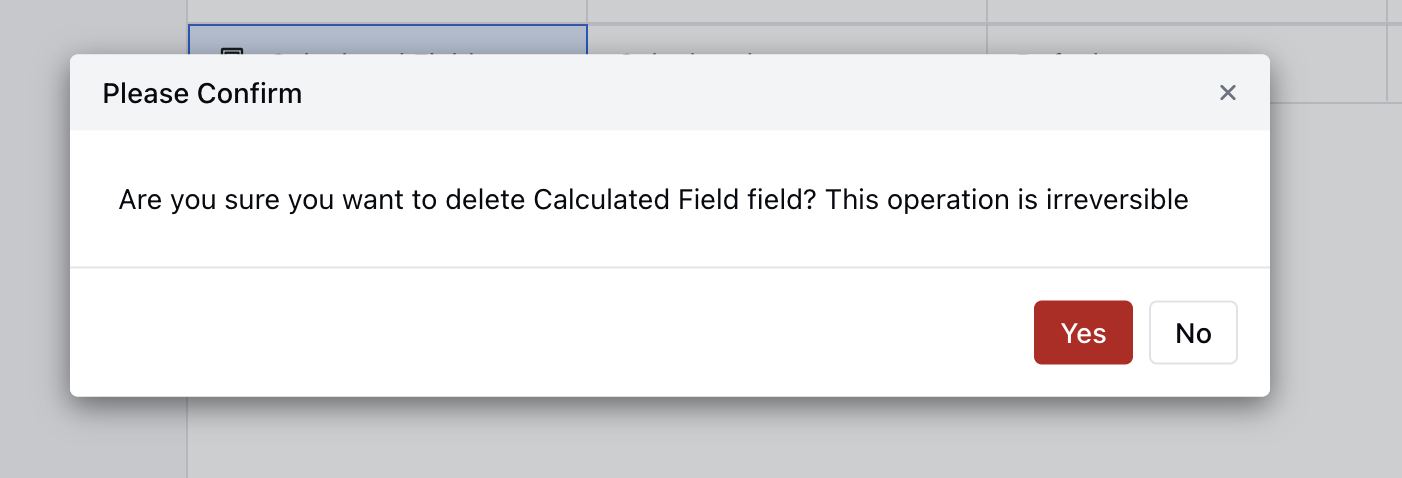
 * Confirm the action to continue deleting the field by clicking **Yes**.
 Note:
* You need “Manage Fields” permission to delete it.
* If you try deleting a custom field that is used as an aggregate field in the calculated field, it will throw an error message stating, “**Please remove this field from the calculated field(s) to delete it.**”
Note:
* You need “Manage Fields” permission to delete it.
* If you try deleting a custom field that is used as an aggregate field in the calculated field, it will throw an error message stating, “**Please remove this field from the calculated field(s) to delete it.**”