> ## Documentation Index
> Fetch the complete documentation index at: https://support.getskara.ai/llms.txt
> Use this file to discover all available pages before exploring further.
# Deal Pipeline and Stage Customization
Salesmate offers you a default Sales Pipeline with Stages. The user can, however, rename Stages and Pipeline according to their need.Easy steps to configure your Sales Pipeline
* **Topics covered:**
* [How to Create a New Pipeline](#how-to-create-a-new-pipeline)
* [Update the Default Pipeline](#update-the-default-pipeline)
* [How to Delete a Pipeline](#how-to-delete-a-pipeline)
### How to Create a New Pipeline,
To create a New Pipeline,
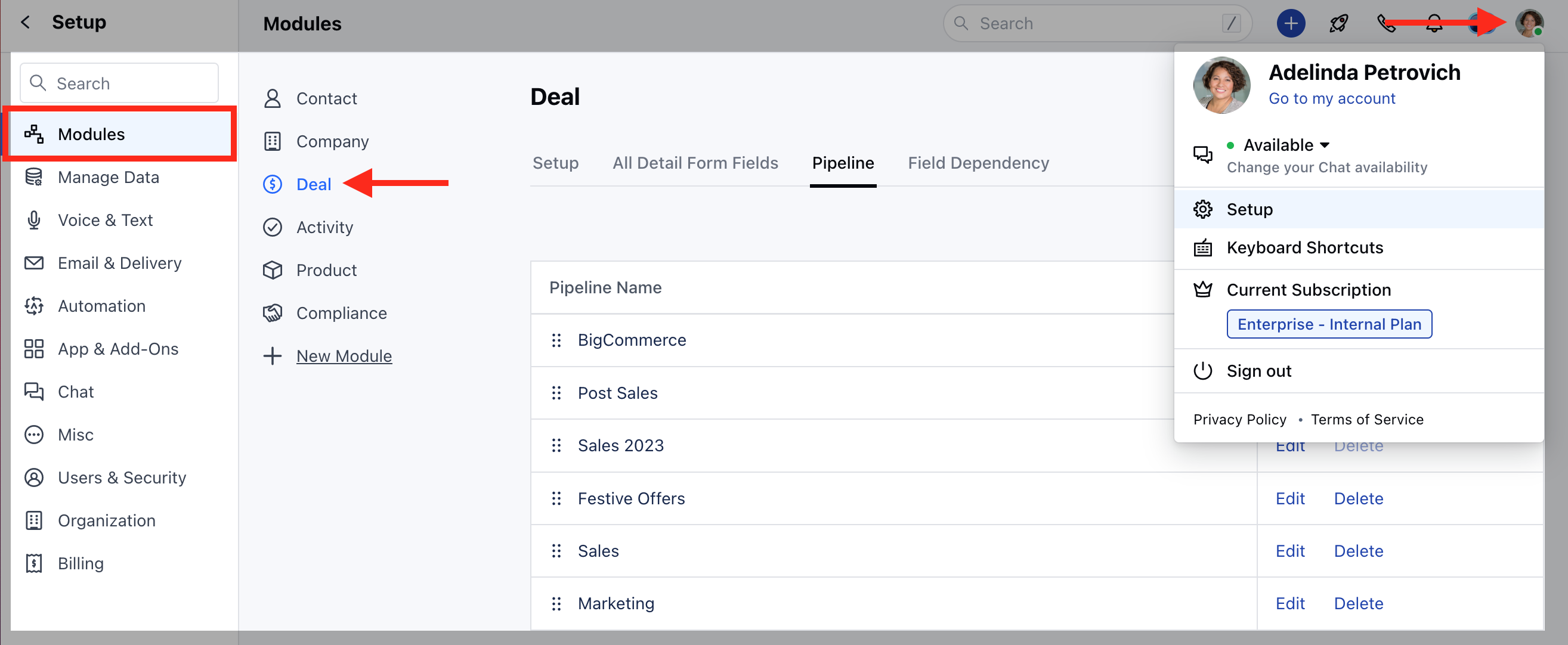
Navigate to the **Profile icon** in the top right corner Click on the **Setup** Head over to the **Modules** category Click on the **Pipeline** Section
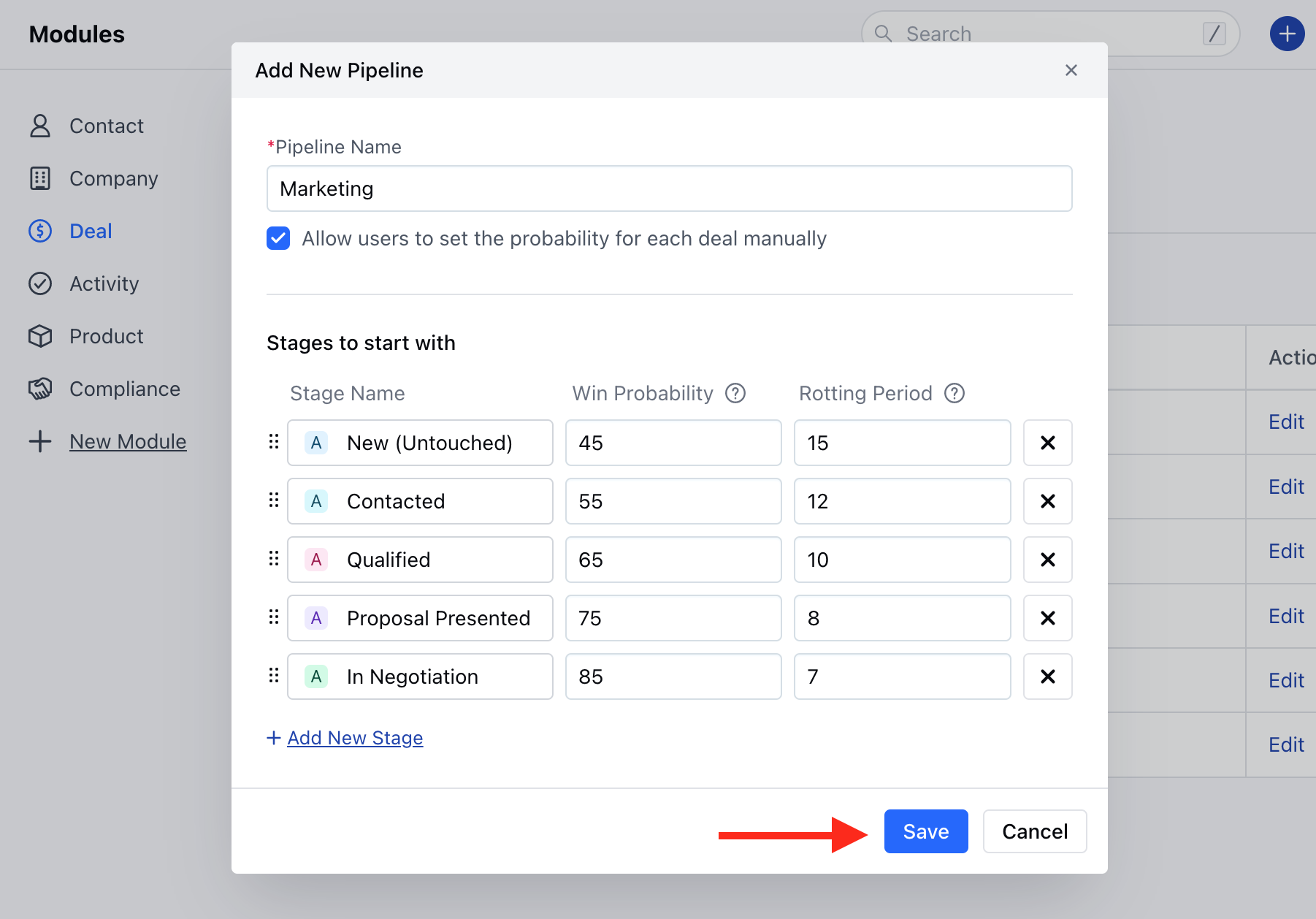
Here, you need to enter the following details,**Pipeline Name**: Define the Pipeline Name **Allow users to set the probability for each deal manually**: Tick the checkbox if you wish to allow other Users to Set the Win ProbabilityYou can \*\*Customize the Default Stage Colour, Rename them, Set the Win Probability and the Rotting period.
* \*\*You can also **Add a New Stag** e if required or just Remove it if not needed.rearrange the Stages with simple drag-and-dropOnce done click on **Save**
### Update the Default Pipeline
To Update the Default Pipeline,
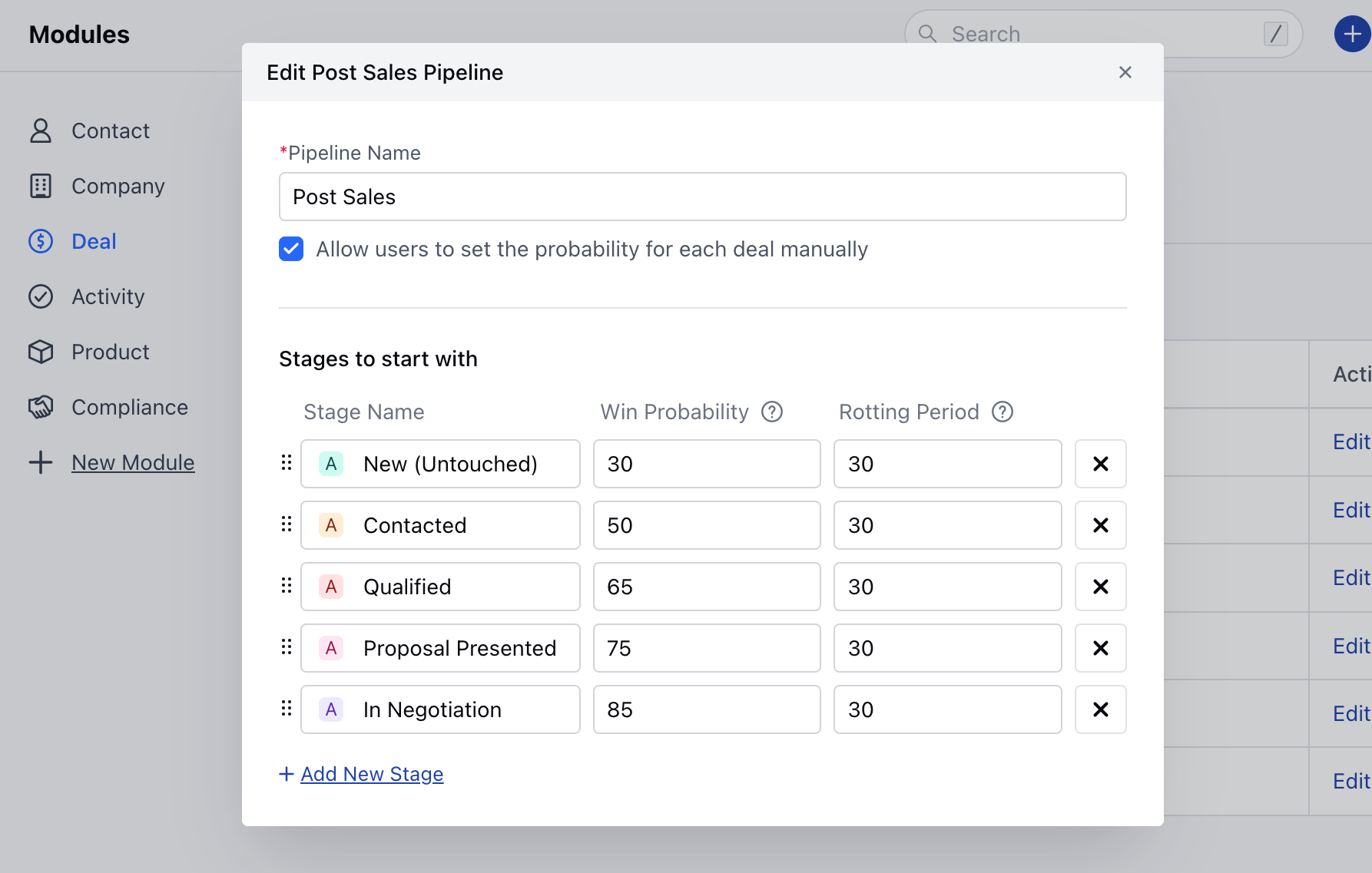
Click on the Edit option of the Default
Here, you can Customize the Pipeline as per your requirement
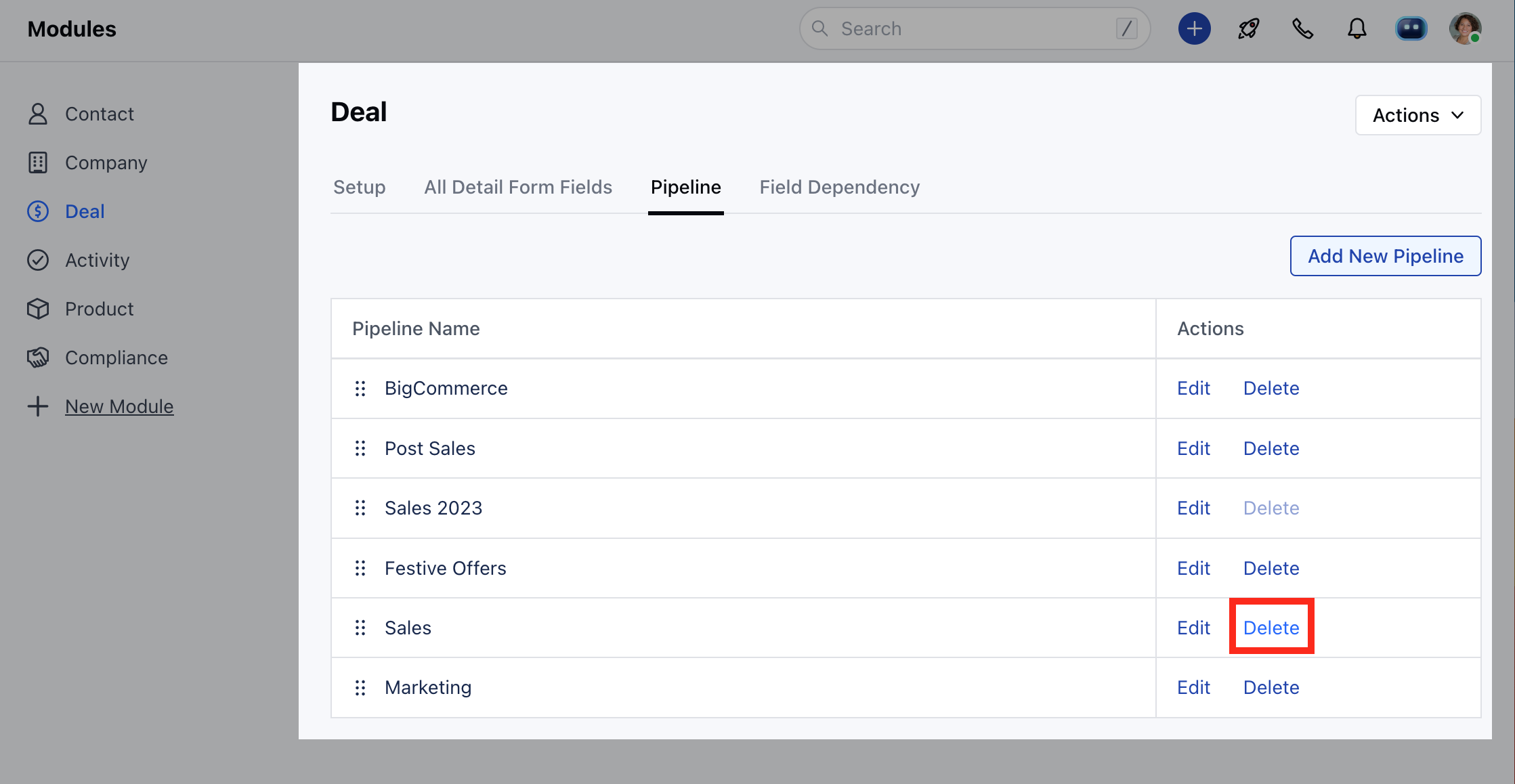
### How to Delete a Pipeline
Click on the **Delete** icon to delete the Pipeline
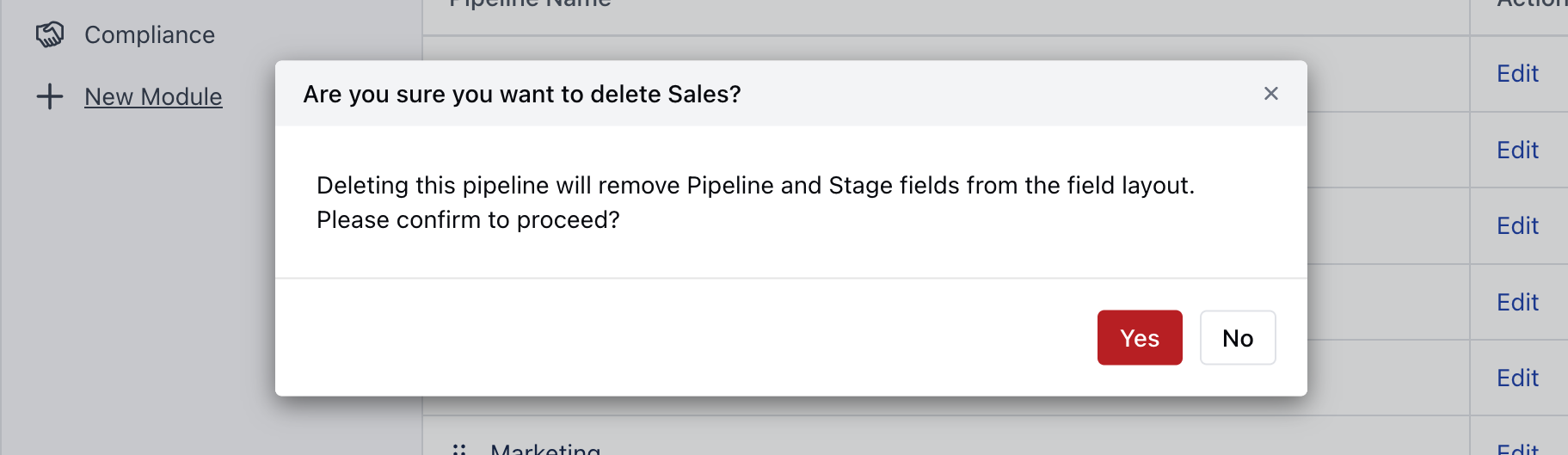
Confirm the action to continue deleting the Pipeline
 Here, you need to enter the following details,**Pipeline Name**: Define the Pipeline Name **Allow users to set the probability for each deal manually**: Tick the checkbox if you wish to allow other Users to Set the Win ProbabilityYou can \*\*Customize the Default Stage Colour, Rename them, Set the Win Probability and the Rotting period.
* \*\*You can also **Add a New Stag** e if required or just Remove it if not needed.rearrange the Stages with simple drag-and-dropOnce done click on **Save**
Here, you need to enter the following details,**Pipeline Name**: Define the Pipeline Name **Allow users to set the probability for each deal manually**: Tick the checkbox if you wish to allow other Users to Set the Win ProbabilityYou can \*\*Customize the Default Stage Colour, Rename them, Set the Win Probability and the Rotting period.
* \*\*You can also **Add a New Stag** e if required or just Remove it if not needed.rearrange the Stages with simple drag-and-dropOnce done click on **Save**
 ### Update the Default Pipeline
To Update the Default Pipeline,
Click on the Edit option of the Default
### Update the Default Pipeline
To Update the Default Pipeline,
Click on the Edit option of the Default
 Here, you can Customize the Pipeline as per your requirement
 ### How to Delete a Pipeline
Click on the **Delete** icon to delete the Pipeline
### How to Delete a Pipeline
Click on the **Delete** icon to delete the Pipeline
 Confirm the action to continue deleting the Pipeline