> ## Documentation Index
> Fetch the complete documentation index at: https://support.getskara.ai/llms.txt
> Use this file to discover all available pages before exploring further.
# How do I Edit/ Delete Custom fields
Once you create a Custom Field, you also get options to Edit, Delete, or move the Field to the Unused section
Topics Covered:
* [How to Edit Custom Fields](#how-to-edit-custom-fields)
* [How to Delete Custom Fields](#how-to-delete-custom-fields)
### How to Edit Custom Fields
To Edit Custom Fields
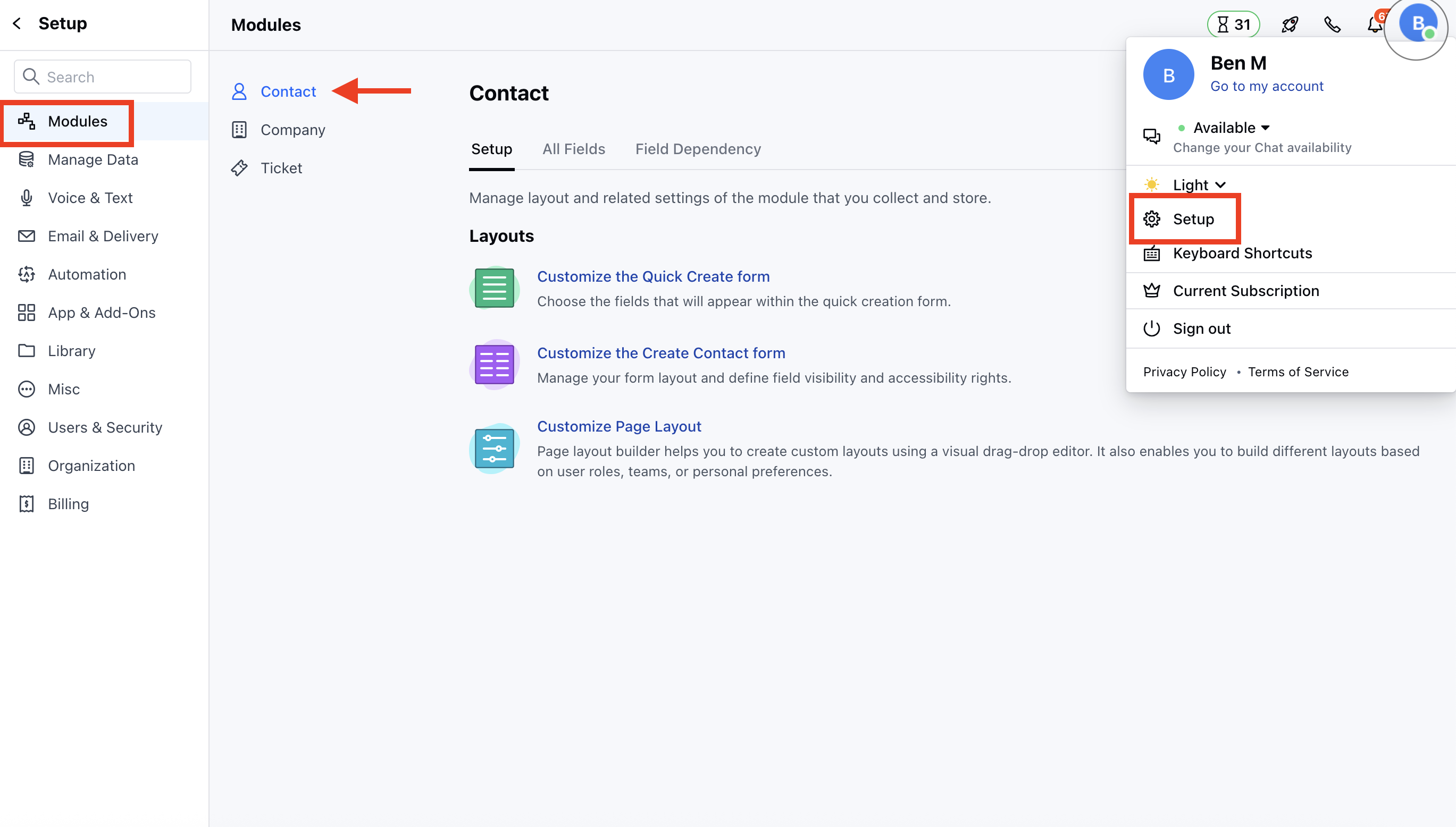
* Navigate to the **Profile Icon** on the top right corner
* Click on the **Set Up**
* Head Over to the **Modules** Category
* Select the Module(**Contact, Company and Ticket Modules)**
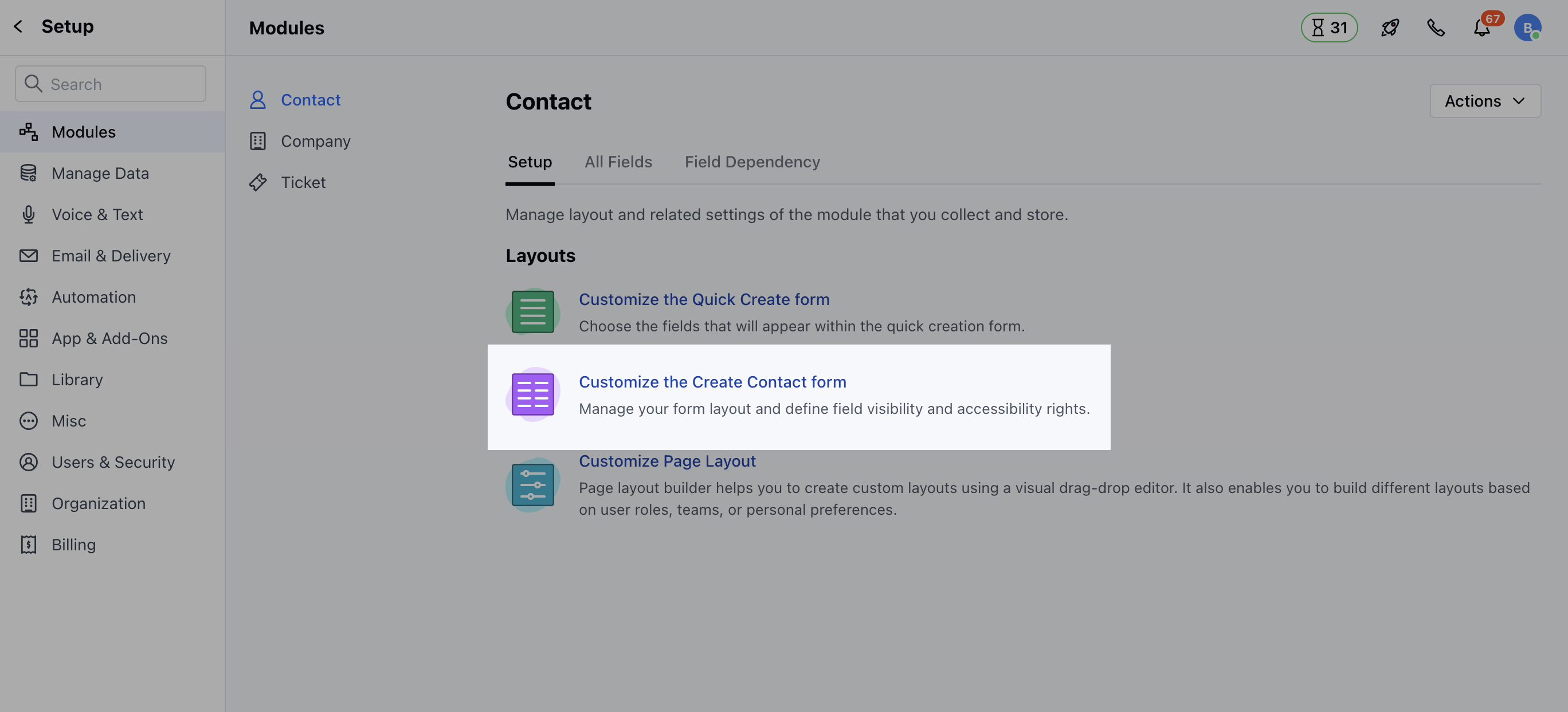
 * Click on **Customize the Create Module Form** under Layout
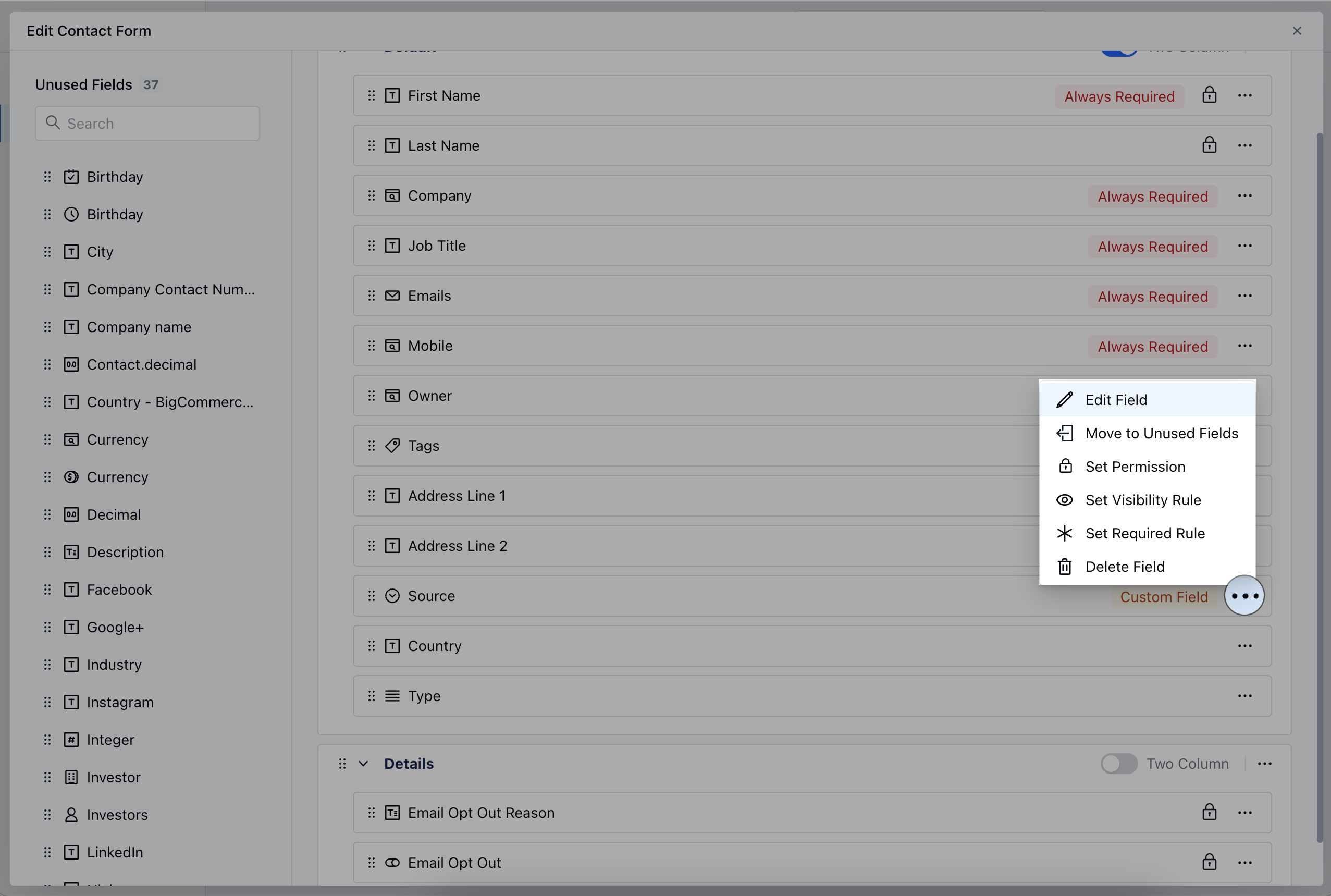
 * Select the Field that you wish to Edit, then click on the three dots located at the corner
* Click on the **Edit Field** option
* Select the Field that you wish to Edit, then click on the three dots located at the corner
* Click on the **Edit Field** option
 OR
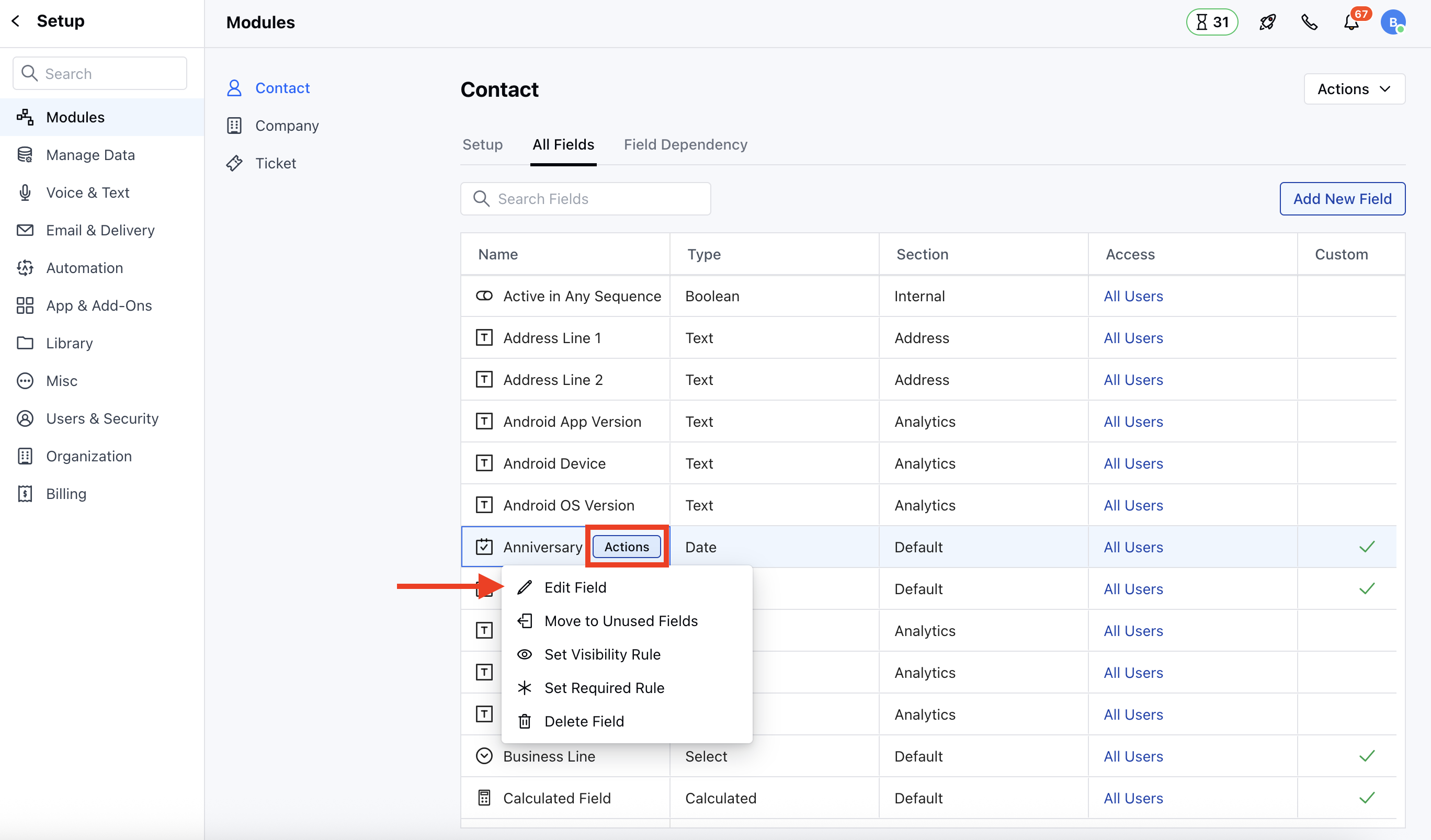
* Go to **All Detail Form Field** Section
* Select the Field to **Edit**, then hover over the field you wish to modify and click on the **Actions** button.
OR
* Go to **All Detail Form Field** Section
* Select the Field to **Edit**, then hover over the field you wish to modify and click on the **Actions** button.
 ### How to Delete Custom Fields
Similarly to Delete the Fields, follow the above-mentioned steps and select the Delete option,
* To Delete from **Custom Create Forms**, select the field you wish to Delete and click on the **Delete Field** option
### How to Delete Custom Fields
Similarly to Delete the Fields, follow the above-mentioned steps and select the Delete option,
* To Delete from **Custom Create Forms**, select the field you wish to Delete and click on the **Delete Field** option
 * To Delete From **All Detail Form Fields**, hover over the field you wish to modify and click on the **Actions** button.
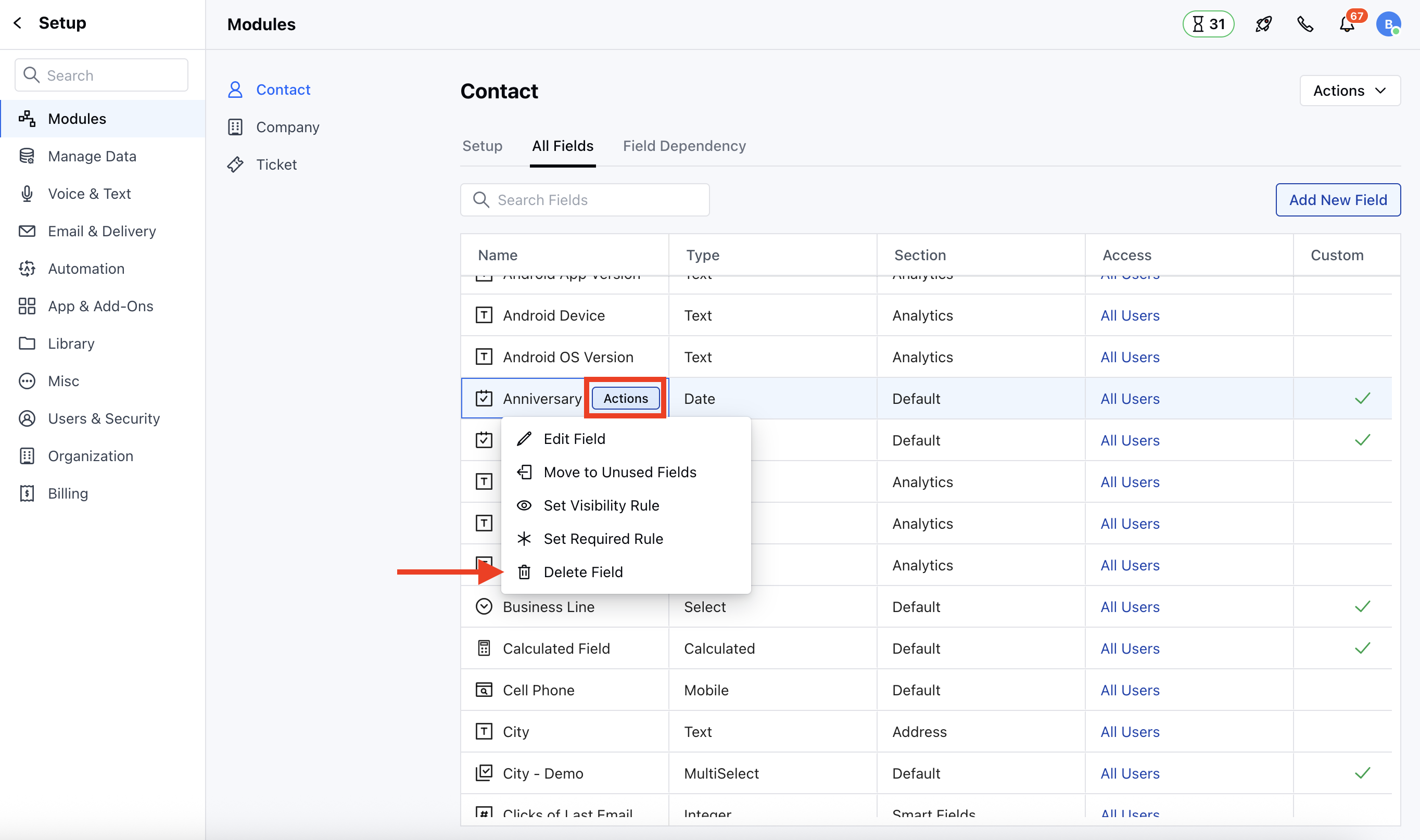 * A pop-up will appear with an option to [Move the Fields to Unused Section](https://support.salesmate.io/hc/en-us/articles/29324541435289-How-to-Move-Custom-Fields-to-Unused-Section) or Delete the Field
* Click on the **Delete Field** option
* A pop-up will appear with an option to [Move the Fields to Unused Section](https://support.salesmate.io/hc/en-us/articles/29324541435289-How-to-Move-Custom-Fields-to-Unused-Section) or Delete the Field
* Click on the **Delete Field** option
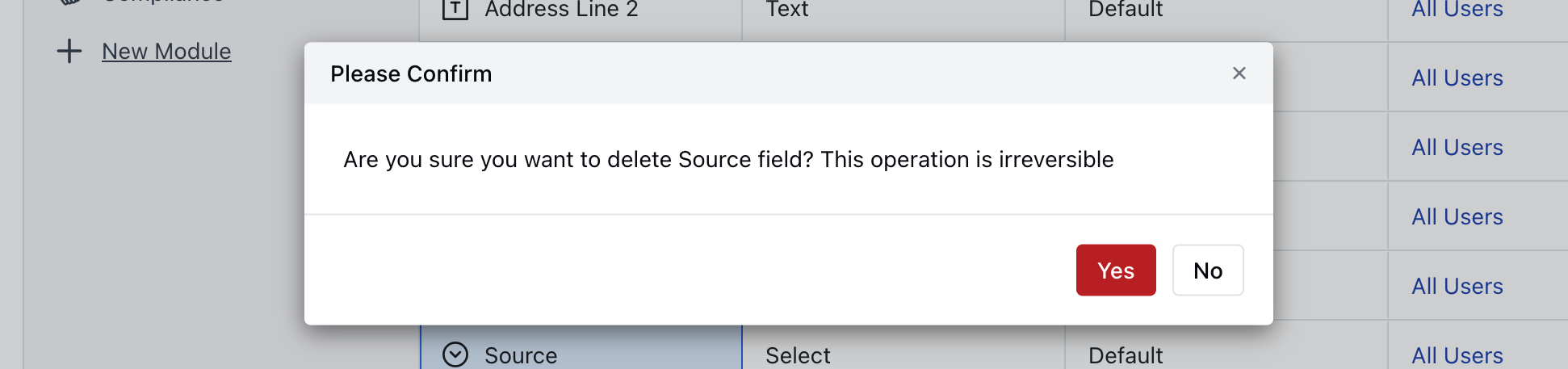
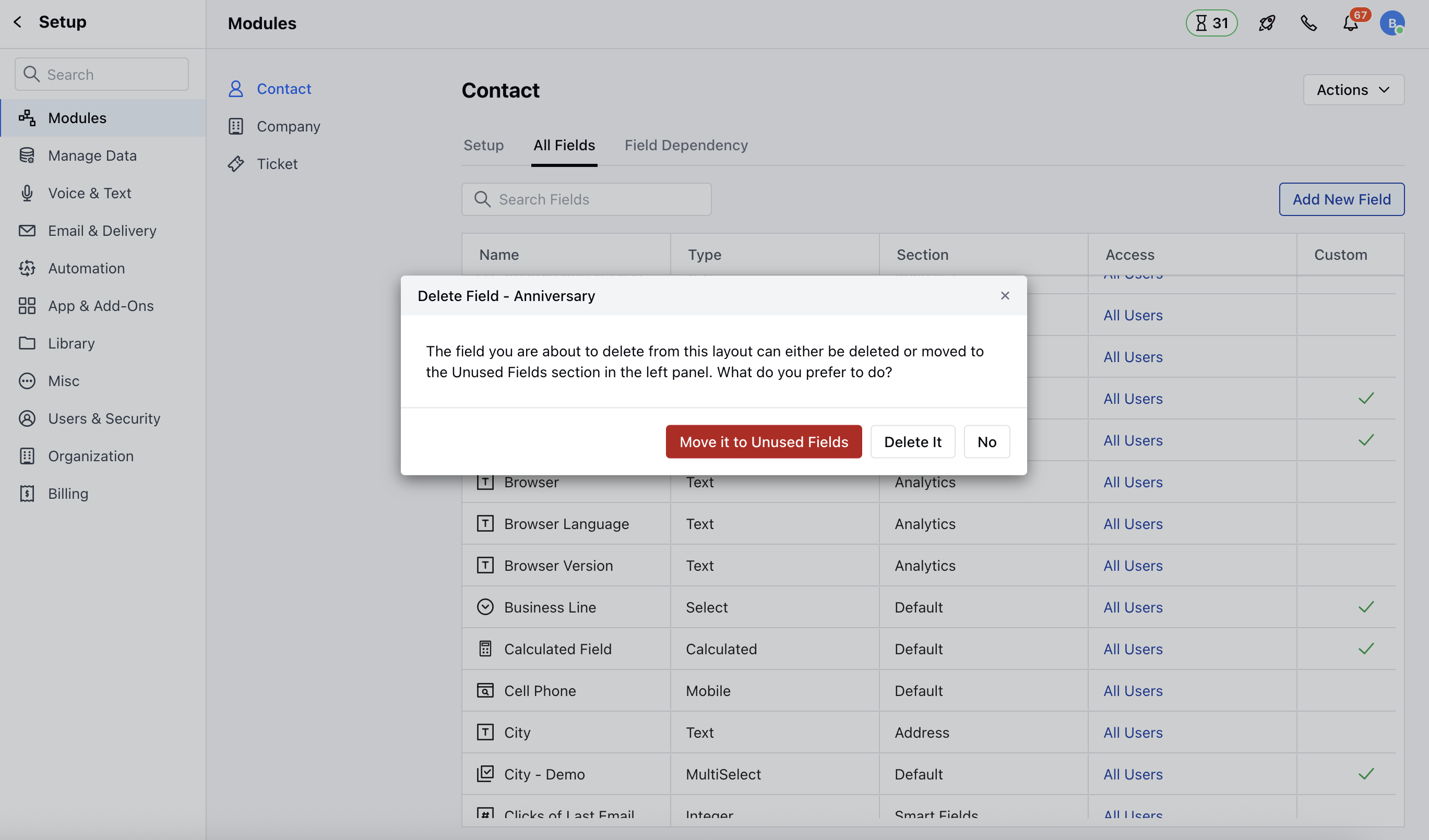 * Confirm the action to continue deleting the field
 **Note:** Please note that the System Fields cannot be deleted