> ## Documentation Index
> Fetch the complete documentation index at: https://support.getskara.ai/llms.txt
> Use this file to discover all available pages before exploring further.
# Exporting multilingual records from Skara
[Exporting Records from Skara CRM](#exporting-records-from-salesmate-crmhttpssupportsalesmateiohcen-usarticles115001104931)
To export the records from Salesmate, please follow the below steps:
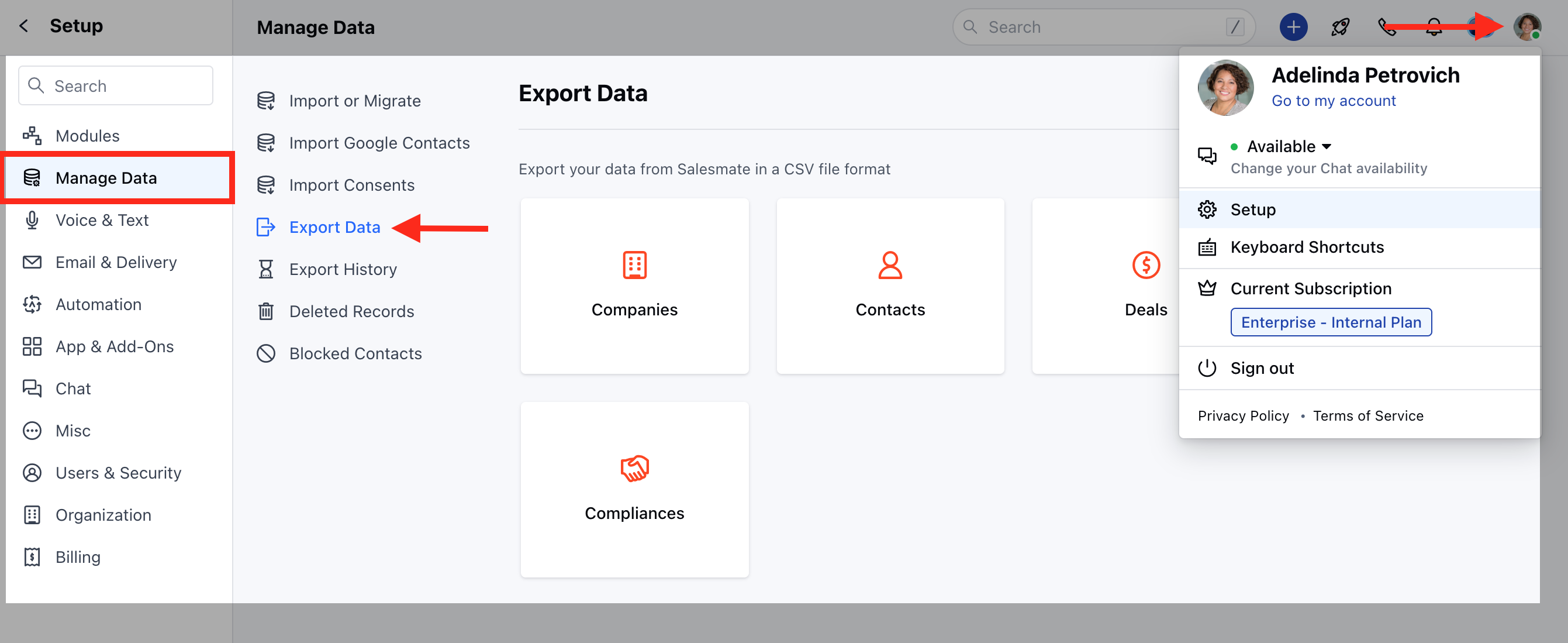
* Navigate tothe **Profile Icon** on the top right corner
* Click on the **Set-Up**
* Head over to the **Manage Data** category
* Click on **Export Data**
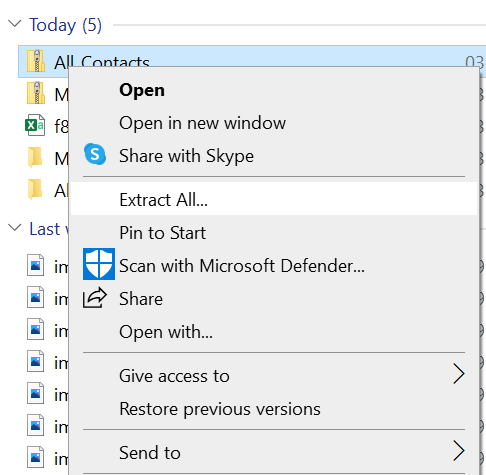
 * Download the exported Zip Folder >> Go to the download folder, Right Click and click on **Extract All**.
 * Now right-click on the excel file, click on **Open With**, and select **Notepad**.
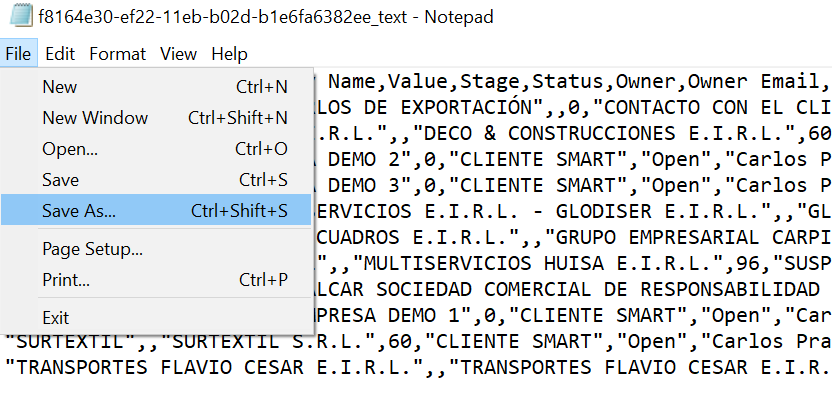
 * In Notepad, click on **File** on the top left >>**Save As**.
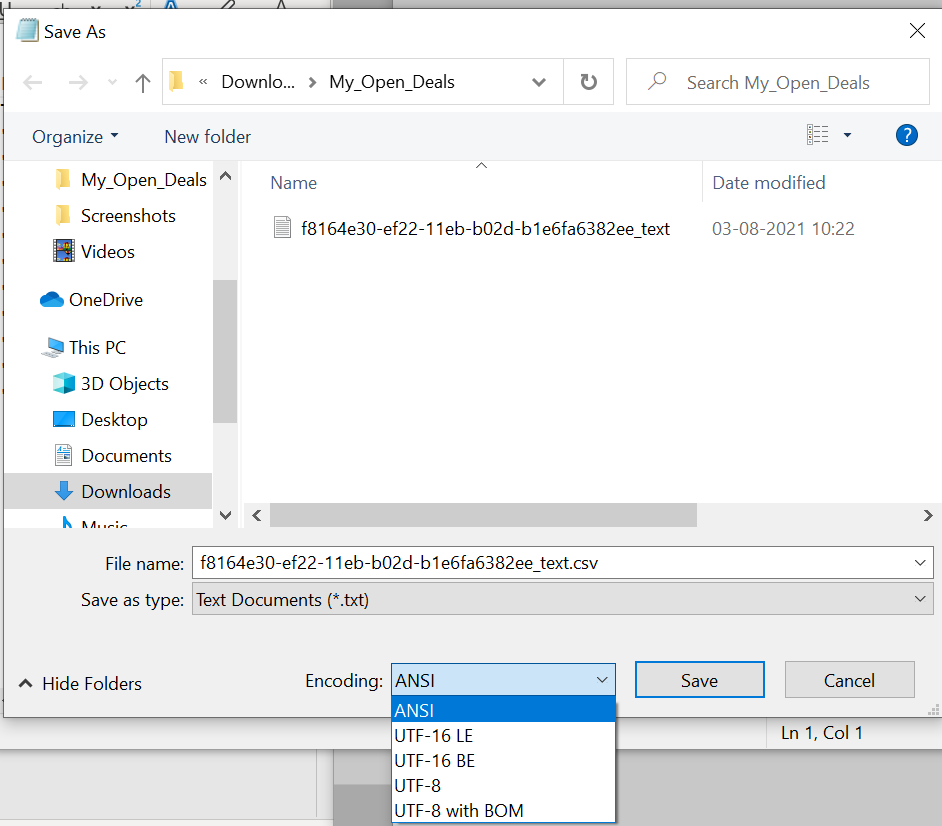
 * In the File name, add a .csv extension and select **UTF-8** in encoding.
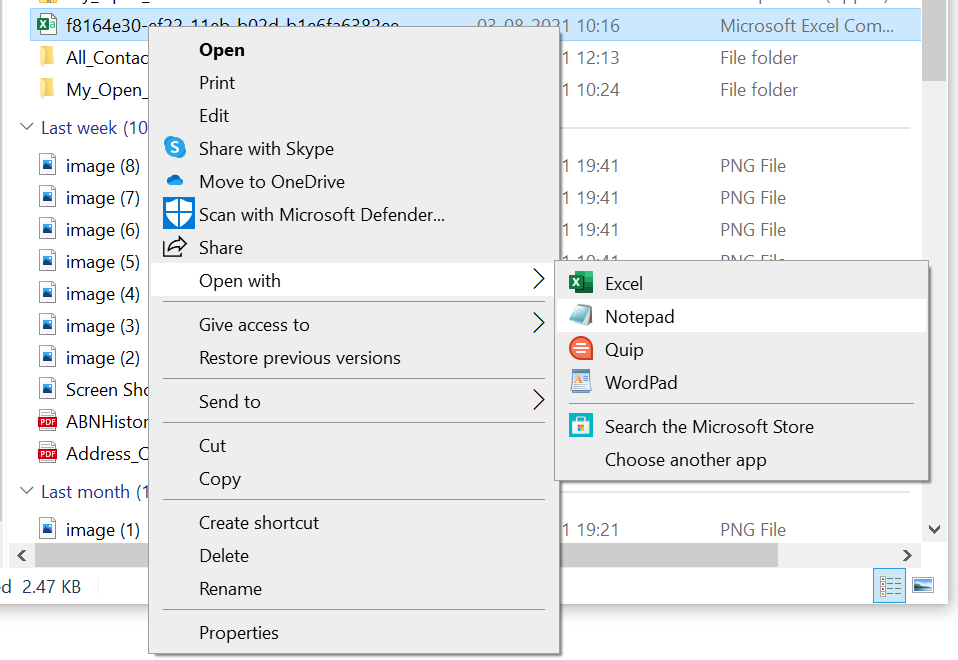 * Save the file, Now go to the same file in the folder and open it with **Excel**.